
43 KiB
trigger, description, globs
| trigger | description | globs |
|---|---|---|
| always_on |
Project Structure
- next.js react tailwind frontend
/web- broken down into pages, components, hooks, lib
- express node api server
/backend/api - one off scripts, like migrations
/backend/scripts - supabase postgres. schema in
/backend/supabase- supabase-generated types in
/backend/supabase/schema.ts
- supabase-generated types in
- files shared between backend directories
/backend/shared- anything in
/backendcan import fromshared, but not vice versa
- anything in
- files shared between the frontend and backend in
/common/commonhas lots of type definitions for our data structures, like User. It also contains many useful utility functions. We try not to add package dependencies to common./weband/backendare allowed to import from/common, but not vice versa.
Deployment
- The project has both dev and prod environments.
- Backend is on GCP (Google Cloud Platform). Deployment handled by terraform.
- Project ID is
compass-130ba.
Code Guidelines
Here's an example component from web in our style:
import clsx from 'clsx'
import Link from 'next/link'

import {isAdminId, isModId} from 'common/envs/constants'
import {type Headline} from 'common/news'
import {EditNewsButton} from 'web/components/news/edit-news-button'
import {Carousel} from 'web/components/widgets/carousel'
import {useUser} from 'web/hooks/use-user'
import {track} from 'web/lib/service/analytics'
import {DashboardEndpoints} from 'web/components/dashboard/dashboard-page'
import {removeEmojis} from 'common/util/string'

export function HeadlineTabs(props: {
  headlines: Headline[]
  currentSlug: string
  endpoint: DashboardEndpoints
  hideEmoji?: boolean
  notSticky?: boolean
  className?: string
}) {
  const {headlines, endpoint, currentSlug, hideEmoji, notSticky, className} =
    props
  const user = useUser()

  return (
    <div
      className={clsx(
        className,
        'bg-canvas-50 w-full',
        !notSticky && 'sticky top-0 z-50'
      )}
    >
      <Carousel labelsParentClassName="gap-px">
        {headlines.map(({id, slug, title}) => (
          <Tab
            key={id}
            label={hideEmoji ? removeEmojis(title) : title}
            href={`/${endpoint}/${slug}`}
            active={slug === currentSlug}
          />
        ))}
        {user && <Tab label="More" href="/dashboard"/>}
        {user && (isAdminId(user.id) || isModId(user.id)) && (
          <EditNewsButton endpoint={endpoint} defaultDashboards={headlines}/>
        )}
      </Carousel>
    </div>
  )
}
We prefer to have many smaller components that each represent one logical unit, rather than one very large component that does everything. Then we compose and reuse the components.
It's best to export the main component at the top of the file. We also try to name the component the same as the file name (headline-tabs.tsx) so that it's easy to find.
Here's another example in home.tsx that calls our api. We have an endpoint called 'headlines', which is being cached
by NextJS:
import {api} from 'web/lib/api/api'

// More imports...

export async function getStaticProps() {
  try {
    const headlines = await api('headlines', {})
    return {
      props: {
        headlines,
        revalidate: 30 * 60, // 30 minutes
      },
    }
  } catch (err) {
    return {props: {headlines: []}, revalidate: 60}
  }
}

export default function Home(props: { headlines: Headline[] }) { ...
}
If we are calling the API on the client, prefer using the useAPIGetter hook:
export const YourTopicsSection = (props: {
  user: User
  className?: string
}) => {
  const {user, className} = props
  const {data, refresh} = useAPIGetter('get-followed-groups', {
    userId: user.id,
  })
  const followedGroups = data?.groups ?? []
...
This stores the result in memory, and allows you to call refresh() to get an updated version.
We frequently use usePersistentInMemoryState or usePersistentLocalState as an alternative to useState. These cache
data. Most of the time you want in-memory caching so that navigating back to a page will preserve the same state and
appear to load instantly.
Here's the definition of usePersistentInMemoryState:
export const usePersistentInMemoryState = <T>(initialValue: T, key: string) => {
  const [state, setState] = useStateCheckEquality<T>(
    safeJsonParse(store[key]) ?? initialValue
  )

  useEffect(() => {
    const storedValue = safeJsonParse(store[key]) ?? initialValue
    setState(storedValue as T)
  }, [key])

  const saveState = useEvent((newState: T | ((prevState: T) => T)) => {
    setState((prevState) => {
      const updatedState = isFunction(newState) ? newState(prevState) : newState
      store[key] = JSON.stringify(updatedState)
      return updatedState
    })
  })

  return [state, saveState] as const
}
For live updates, we use websockets. In use-api-subscription.ts, we have this hook:
export function useApiSubscription(opts: SubscriptionOptions) {
  useEffect(() => {
    const ws = client
    if (ws != null) {
      if (opts.enabled ?? true) {
        ws.subscribe(opts.topics, opts.onBroadcast).catch(opts.onError)
        return () => {
          ws.unsubscribe(opts.topics, opts.onBroadcast).catch(opts.onError)
        }
      }
    }
  }, [opts.enabled, JSON.stringify(opts.topics)])
}
In use-bets, we have this hook to get live updates with useApiSubscription:
export const useContractBets = (
  contractId: string,
  opts?: APIParams<'bets'> & { enabled?: boolean }
) => {
  const {enabled = true, ...apiOptions} = {
    contractId,
    ...opts,
  }
  const optionsKey = JSON.stringify(apiOptions)

  const [newBets, setNewBets] = usePersistentInMemoryState<Bet[]>(
    [],
    `${optionsKey}-bets`
  )

  const addBets = (bets: Bet[]) => {
    setNewBets((currentBets) => {
      const uniqueBets = sortBy(
        uniqBy([...currentBets, ...bets], 'id'),
        'createdTime'
      )
      return uniqueBets.filter((b) => !betShouldBeFiltered(b, apiOptions))
    })
  }

  const isPageVisible = useIsPageVisible()

  useEffect(() => {
    if (isPageVisible && enabled) {
      api('bets', apiOptions).then(addBets)
    }
  }, [optionsKey, enabled, isPageVisible])

  useApiSubscription({
    topics: [`contract/${contractId}/new-bet`],
    onBroadcast: (msg) => {
      addBets(msg.data.bets as Bet[])
    },
    enabled,
  })

  return newBets
}
Here are all the topics we broadcast, from backend/shared/src/websockets/helpers.ts
export function broadcastUpdatedPrivateUser(userId: string) {
  // don't send private user info because it's private and anyone can listen
  broadcast(`private-user/${userId}`, {})
}

export function broadcastUpdatedUser(user: Partial<User> & { id: string }) {
  broadcast(`user/${user.id}`, {user})
}

export function broadcastUpdatedComment(comment: Comment) {
  broadcast(`user/${comment.onUserId}/comment`, {comment})
}
We have our scripts in the directory /backend/scripts.
To write a script, run it inside the helper function called runScript that automatically fetches any secret keys and
loads them into process.env.
Example from /backend/scripts/manicode.ts
import {runScript} from 'run-script'

runScript(async ({pg}) => {
  const userPrompt = process.argv[2]
  await pg.none(...)
})
Generally scripts should be run by me, especially if they modify backend state or schema.
But if you need to run a script, you can use bun. For example:
bun run manicode.ts "Generate a page called cowp, which has cows that make noises!"
if that doesn't work, try
bun x ts-node manicode.ts "Generate a page called cowp, which has cows that make noises!"
Our backend is mostly a set of endpoints. We create new endpoints by adding to the schema in
/common/src/api/schema.ts.
E.g. Here is a hypothetical bet schema:
  bet: {
  method: 'POST',
    authed
:
  true,
    returns
:
  {
  }
  as
  CandidateBet & {betId: string},
    props
:
  z
    .object({
      contractId: z.string(),
      amount: z.number().gte(1),
      replyToCommentId: z.string().optional(),
      limitProb: z.number().gte(0.01).lte(0.99).optional(),
      expiresAt: z.number().optional(),
      // Used for binary and new multiple choice contracts (cpmm-multi-1).
      outcome: z.enum(['YES', 'NO']).default('YES'),
      //Multi
      answerId: z.string().optional(),
      dryRun: z.boolean().optional(),
    })
    .strict(),
}
Then, we define the bet endpoint in backend/api/src/place-bet.ts
export const placeBet: APIHandler<'bet'> = async (props, auth) => {
  const isApi = auth.creds.kind === 'key'
  return await betsQueue.enqueueFn(
    () => placeBetMain(props, auth.uid, isApi),
    [props.contractId, auth.uid]
  )
}
And finally, you need to register the handler in backend/api/src/routes.ts
import {placeBet} from './place-bet'

...

const handlers = {
  bet: placeBet,
  ...
}
We have two ways to access our postgres database.
import {db} from 'web/lib/supabase/db'

db.from('profiles').select('*').eq('user_id', userId)
and
import {createSupabaseDirectClient} from 'shared/supabase/init'

const pg = createSupabaseDirectClient()
pg.oneOrNone<Row<'profiles'>>('select * from profiles where user_id = $1', [userId])
The supabase client just uses the supabase client library, which is a wrapper around postgREST. It allows us to query and update the database directly from the frontend.
createSupabaseDirectClient is used on the backend. it lets us specify sql strings to run directly on our database,
using the pg-promise library. The client (code in web) does not have permission to do this.
Another example using the direct client:
export const getUniqueBettorIds = async (
  contractId: string,
  pg: SupabaseDirectClient
) => {
  const res = await pg.manyOrNone(
    'select distinct user_id from contract_bets where contract_id = $1',
    [contractId]
  )
  return res.map((r) => r.user_id as string)
}
(you may notice we write sql in lowercase)
We have a few helper functions for updating and inserting data into the database.
import {
  buikInsert,
  bulkUpdate,
  bulkUpdateData,
  bulkUpsert,
  insert,
  update,
  updateData,
} from 'shared/supabase/utils'

...

const pg = createSupabaseDirectClient()

// you are encouraged to use tryCatch for these
const {data, error} = await tryCatch(
  insert(pg, 'profiles', {user_id: auth.uid, ...body})
)

if (error) throw APIError(500, 'Error creating profile: ' + error.message)

await update(pg, 'profiles', 'user_id', {user_id: auth.uid, age: 99})

await updateData(pg, 'private_users', {id: userId, notifications: {...}})
The sqlBuilder from shared/supabase/sql-builder.ts can be used to construct SQL queries with re-useable parts. All it
does is sanitize and output sql query strings. It has several helper functions including:
select: Specifies the columns to selectfrom: Specifies the table to querywhere: Adds WHERE clausesorderBy: Specifies the order of resultslimit: Limits the number of resultsrenderSql: Combines all parts into a final SQL string
Example usage:
const query = renderSql(
  select('distinct user_id'),
  from('contract_bets'),
  where('contract_id = ${id}', {id}),
  orderBy('created_time desc'),
  limitValue != null && limit(limitValue)
)

const res = await pg.manyOrNone(query)
Use these functions instead of string concatenation.
Documentation for development
Warning
TODO: This document is a work in progress. Please help us improve it!
See those other useful documents as well:
- knowledge.md for high-level architecture and design decisions.
- README.md for the backend API
- README.md for the email routines and how to set up a local server for quick email rendering
- README.md for the frontend / web server
- TESTING.md for testing guidance and direction
Adding a new profile field
A profile field is any variable associated with a user profile, such as age, politics, diet, etc. You may want to add a new profile field if it helps people find better matches.
To do so, you can add code in a similar way as
in this commit for the
religion field. If you also want people to filter by that profile field, you'll also need to add it to the search
filters, as done
in this commit (for the
religion field as well).
Note that you will also need to add a column to the profiles table in the dev database before running the code; you
can do so via this SQL command (change the type if not TEXT):
ALTER TABLE profiles
    ADD COLUMN profile_field TEXT;
Store it in add_profile_field.sql in the migrations folder and
run migrate.sh from the root folder:
./scripts/migrate.sh backend/supabase/migrations/add_profile_field.sql
Then sync the database types from supabase to the local files (which assist Typescript in typing):
yarn regen-types dev
That's it!
Adding a new language
Adding a new language is very easy, especially with translating tools like large language models (ChatGPT, etc.) which you can use as first draft.
- Add the language to the LOCALES dictionary in constants.ts (the key is the locale code, the value is the original language name (not in English)).
- Duplicate fr.json and rename it to the locale code (e.g.,
de.jsonfor German). Translate all the strings in the new file (keep the keys identical). LLMs like ChatGPT may not be able to translate the whole file in one go; try to copy-paste by batch of 300 lines and ask the LLM totranslate the values of the json above to <new language> (keep the keys unchanged). In order to fit the bottom navigation bar on mobile, make sure the values for those keys are less than 10 characters: "nav.home", " nav.messages", "nav.more", "nav.notifs", "nav.people". - Duplicate the fr folder and rename it to the locale code (e.g.,
defor German). Translate all the markdown files in the new folder. To do so, you can copy-paste each file into an LLM and ask it totranslate the markdown above to <new language>.
That's all, no code needed!
Testing
Why we test
Testing exists to give us fast, reliable feedback about real behavior so we can ship with confidence.
- Prevent regressions: Lock in correct behavior so future changes don’t silently break working features.
- Enable safe refactoring: A trustworthy suite lets us improve design without fear.
- Document intent: Tests act as living examples of how modules and components are expected to work.
- Catch edge cases early: Exercise unhappy paths, timeouts, and integration boundaries before production.
- Increase release confidence: Unit/integration tests plus a few critical E2E flows gate deployments.
What testing is not
- Not a replacement for monitoring, logging, or manual exploratory testing.
- Not a quest for 100% coverage—optimize for meaningful scenarios over raw numbers.
How we apply it here
- Unit and integration tests live in each package and run with Jest (see
jest.config.js). - Critical user journeys are covered by Playwright E2E tests under
tests/e2e(seeplaywright.config.ts).
Test types at a glance
This project uses three complementary test types. Use the right level for the job:
-
Unit tests
- Purpose: Verify a single function/module in isolation; fast, deterministic.
- Where: Each package under
tests/unit(e.g.,backend/api/tests/unit,web/tests/unit,common/tests/unit, etc.). - Runner: Jest (configured via root
jest.config.js). - Naming:
*.unit.test.ts(or.tsxfor React inweb). - When to use: Pure logic, utilities, hooks, reducers, small components with mocked dependencies.
-
Integration tests
- Purpose: Verify multiple units working together (e.g., function + DB/client, component + context/provider) without spinning up the full app.
- Where: Each package under
tests/integration(e.g.,backend/shared/tests/integration,web/tests/integration). - Runner: Jest (configured via root
jest.config.js). - Naming:
*.integration.test.ts(or.tsxfor React inweb). - When to use: Boundaries between modules, real serialization/parsing, API handlers with mocked network/DB, component trees with providers.
-
End-to-End (E2E) tests
- Purpose: Validate real user flows across the full stack.
- Where: Top-level
tests/e2ewith separate areas forwebandbackend. - Runner: Playwright (see root
playwright.config.ts,testDir: ./tests/e2e). - Naming:
*.e2e.spec.ts. - When to use: Critical journeys (signup, login, checkout), cross-service interactions, smoke tests for deployments.
Quick commands
# Jest (unit + integration)
yarn test

# Playwright (E2E)
yarn test:e2e
Where to put test files
# Config
jest.config.js (for unit and integration tests)
playwright.config.ts (for e2e tests)

# Top-level End-to-End (Playwright)
tests/
├── e2e/
│   ├── web/
│   │   ├── pages/
│   │   └── specs/
│   │       └── example.e2e.spec.ts
│   └── backend/
│       └── specs/
│           └── api.e2e.spec.ts
└── reports/
    └── playwright-report/

# Package-level Unit & Integration (Jest)
backend/
├── api/
│   ├── src/
│   └── tests/
│       ├── unit/
│       │   └── example.unit.test.ts
│       └── integration/
│           └── example.integration.test.ts
├── email/
│   └── tests/
│       ├── unit/
│       └── integration/
└── shared/
    └── tests/
        ├── unit/
        └── integration/

common/
└── tests/
    ├── unit/
    │   └── example.unit.test.ts
    └── integration/
        └── example.integration.test.ts

web/
└── tests/
    ├── unit/
    │   └── example.unit.test.tsx
    └── integration/
        └── example.integration.test.tsx
- End-to-End tests live under
tests/e2eand are executed by Playwright. The rootplaywright.config.tssetstestDirto./tests/e2e. - Unit and integration tests live in each package’s
testsfolder and are executed by Jest via the rootjest.config.jsprojects array. - Naming:
- Unit:
*.unit.test.ts(or.tsxfor React inweb) - Integration:
*.integration.test.ts - E2E (Playwright):
*.e2e.spec.ts
- Unit:
Best Practices
- Test Behavior, Not Implementation. Don’t test internal state or function calls unless you’re testing utilities or very critical behavior.
- Use msw to Mock APIs. Don't manually mock fetch—use msw to simulate realistic behavior, including network delays and errors.
- Don’t Overuse Snapshots. Snapshots are fragile and often meaningless unless used sparingly (e.g., for JSON response schemas).
- Prefer userEvent Over fireEvent. It simulates real user interactions more accurately.
- Avoid Testing Next.js Internals . You don’t need to test getStaticProps, getServerSideProps themselves-test what they render.
- Don't test just for coverage. Test to prevent regressions, document intent, and handle edge cases.
- Don't write end-to-end tests for features that change frequently unless absolutely necessary.
Jest Unit Testing Guide
This guide provides guidelines and best practices for writing unit tests using Jest in this project. Following these standards ensures consistency, maintainability, and comprehensive test coverage.
Best Practices
- Isolate a function route - Each test should focus on one thing that can affect the function outcome
- Keep tests independent - Tests should not rely on the execution order
- Use meaningful assertions - Assert that functions are called, what they are called with and the results
- Avoid testing implementation details - Focus on behavior and outputs
- Mock external dependencies - Isolate the unit being tested
Running Tests
# Run all tests
yarn test

# Run specific test file
yarn test path/to/test.unit.test.ts
Test Standards
- Test file names should convey what to expect
- Follow the pattern:
<exact-filename>.[unit,integration].test.ts. Examples:- filename.unit.test.ts
- filename.integration.test.ts
- Follow the pattern:
- Group related tests using describe blocks
- Use descriptive test names that explain the expected behavior.
- Follow the pattern: "should
expected behavior[relevant modifier]". Examples:- should
ban user[with matching user id] - should
ban user[with matching user name]
- should
- Follow the pattern: "should
Mocking
Mocking means replacing a real dependency (like a module, function, API client, timer, or browser API) with a controllable test double so your test can run quickly and deterministically, without calling the real thing. In unit tests we use mocks to isolate the unit under test; in integration tests we selectively mock only the expensive or unstable edges (e.g., network, filesystem) while exercising real collaborations.
What to mock vs not to mock
- Mock: network/HTTP calls, databases/ORM clients, email/SMS providers, time and randomness (
Date, timers,Math.random), browser APIs that are hard to reproduce in Node (e.g.,localStorage,IntersectionObserver). - Prefer real: pure functions, small utilities, reducers/selectors, simple components; let their real logic run so tests actually verify behavior.
- Don’t over-mock: If you mock everything, you only test your mocks. Keep integration tests that hit real boundaries inside the process.
Common test doubles
- Stub: a function that returns a fixed value (no assertions on how it was used).
- Spy: records how a function was called (calls count/args); may optionally change behavior.
- Mock: a spy with expectations about how it must be called; in Jest,
jest.fn()andjest.spyOn()produce mock functions you can assert on. - Fake: a lightweight in-memory implementation (e.g., an in-memory repo) used instead of the real service.
Jest quick reference
- Module mock:
jest.mock('path/to/module')to replace all exports with mock functions. Control behavior with(exportedFn as jest.Mock).mockReturnValue(...)or.mockResolvedValue(...)for async. - Function mock:
const fn = jest.fn(); set behavior with.mockReturnValue,.mockImplementation. - Spy on existing method:
const spy = jest.spyOn(obj, 'method')and optionallyspy.mockImplementation(...). - Timers/time:
jest.useFakeTimers(); jest.setSystemTime(new Date('2024-01-01'));and advance withjest.advanceTimersByTime(ms); finallyjest.useRealTimers(). - Clearing:
jest.clearAllMocks()(between tests) vsjest.resetAllMocks()(reset implementations) vsjest.restoreAllMocks()(restore spied originals).
When writing mocks, assert both outcome and interaction:
- Outcome: what your function returned or what side-effect occurred.
- Interaction: that dependencies were called the expected number of times and with the right arguments.
Why mocking is important?
- Isolation - Test your code independently of databases, APIs, and external systems. Tests only fail when your code breaks, not when a server is down.
- Speed - Mocked tests run in milliseconds vs. seconds for real network/database calls. Run your suite constantly without waiting.
- Control - Easily simulate edge cases like API errors, timeouts, or rare conditions that are difficult to reproduce with real systems.
- Reliability - Eliminate unpredictable failures from network issues, rate limits, or changing external data. Same inputs = same results, every time.
- Focus - Verify your function's logic and how it uses its dependencies, without requiring those dependencies to actually work yet.
Use jest.mock()
Jest automatically hoists all jest.mock() calls to the top of the file before imports are evaluated. To maintain
clarity and align with best practices, explicitly place jest.mock() calls at the very top of the file.
Modules mocked this way automatically return undefined, which is useful for simplifying tests. If a module or
function’s return value isn’t used, there’s no need to mock it further.
//Function and module mocks
jest.mock('path/to/module');

//Function and module imports
import {functionUnderTest} from "path/to/function"
import {module} from "path/to/module"

describe('functionUnderTest', () => {
  //Setup
  beforeEach(() => {
    //Run before each test
    jest.resetAllMocks(); // Resets any mocks from previous tests
  });
  afterEach(() => {
    //Run after each test
    jest.restoreAllMocks(); // Cleans up between tests
  });

  describe('when given valid input', () => {
    it('should describe what is being tested', async () => {
      //Arrange: Setup test data
      const mockData = 'test';

      //Act: Execute the function under test
      const result = myFunction(mockData);

      //Assert: Verify the result
      expect(result).toBe('expected');
    });
  });

  describe('when an error occurs', () => {
    //Test cases for errors
  });
});
Modules
When mocking modules it's important to verify what was returned if applicable, the amount of times said module was called and what it was called with.
//functionFile.ts
import {module as mockedDep} from "path/to/module"

export const functionUnderTest = async (param) => {
  return await mockedDep(param);
};
//testFile.unit.test.ts
import {functionUnderTest} from "path/to/function";
import {module as mockedDep} from "path/to/module";

jest.mock('path/to/module');

/**
 * Inside the test case
 * We create a mock for any information passed into the function that is being tested
 * and if the function returns a result we create a mock to test the result
 */
const mockParam = "mockParam";
const mockReturnValue = "mockModuleValue";

/**
 * use .mockResolvedValue when handling async/await modules that return values
 * use .mockReturnValue when handling non async/await modules that return values
 */
describe('functionUnderTest', () => {
  it('returns mocked module value and calls dependency correctly', async () => {
    (mockedDep as jest.Mock).mockResolvedValue(mockReturnValue);

    const result = await functionUnderTest(mockParam);

    expect(result).toBe(mockReturnValue);
    expect(mockedDep).toHaveBeenCalledTimes(1);
    expect(mockedDep).toHaveBeenCalledWith(mockParam);
  });
});
Use namespace imports when you want to import everything a module exports under a single name.
//moduleFile.ts
export const module = async (param) => {
  const value = "module"
  return value
};

export const moduleTwo = async (param) => {
  const value = "moduleTwo"
  return value
};
//functionFile.ts
import {module, moduleTwo} from "path/to/module"

export const functionUnderTest = async (param) => {
  const mockValue = await moduleTwo(param)
  const returnValue = await module(mockValue)
  return returnValue;
};
//testFile.unit.test.ts
jest.mock('path/to/module');

/**
 * This creates an object containing all named exports from ./path/to/module
 */
import * as mockModule from "path/to/module"

(mockModule.module as jest.Mock).mockResolvedValue(mockReturnValue);
When mocking modules, you can use jest.spyOn() instead of jest.mock().
jest.mock()mocks the entire module, which is ideal for external dependencies like Axios or database clients.jest.spyOn()mocks specific methods while keeping the real implementation for others. It can also be used to observe how a real method is called without changing its behavior.- also replaces the need to have
jest.mock()at the top of the file.
- also replaces the need to have
//testFile.unit.test.ts
import * as mockModule from "path/to/module"

//Mocking the return value of the module
jest.spyOn(mockModule, 'module').mockResolvedValue(mockReturnValue);

//Spying on the module to check functionality
jest.spyOn(mockModule, 'module');

//You can assert the module functionality with both of the above exactly like you would if you used jest.mock()
expect(mockModule.module).toBeCalledTimes(1);
expect(mockModule.module).toBeCalledWith(mockParam);
Dependencies
Mocking dependencies allows you to test your code’s logic in isolation, without relying on third-party services or
external functionality.
//functionFile.ts
import {dependency} from "path/to/dependency"

export const functionUnderTest = async (param) => {
  const depen = await dependency();
  const value = depen.module();

  return value;
};
//testFile.unit.test.ts
jest.mock('path/to/dependency');

import {dependency} from "path/to/dependency"

describe('functionUnderTest', () => {
  /**
   * Because the dependency has modules that are used we need to
   * create a variable outside of scope that can be asserted on
   */
  let mockDependency = {} as any;
  beforeEach(() => {
    mockDependency = {
      module: jest.fn(),
    };
    jest.resetAllMocks(); // Resets any mocks from previous tests
  });
  afterEach(() => {
    //Run after each test
    jest.restoreAllMocks(); // Cleans up between tests
  });

  //Inside the test case
  (mockDependency.module as jest.Mock).mockResolvedValue(mockReturnValue);

  expect(mockDependency.module).toBeCalledTimes(1);
  expect(mockDependency.module).toBeCalledWith(mockParam);
});
Error checking
//function.ts
const result = await functionName(param);

if (!result) {
  throw new Error(403, 'Error text', error);
}
;
//testFile.unit.test.ts
const mockParam = {} as any;

//This will check only the error message
expect(functionName(mockParam))
  .rejects
  .toThrowError('Error text');

//This will check the complete error
try {
  await functionName(mockParam);
  fail('Should have thrown');
} catch (error) {
  const functionError = error as Error;
  expect(functionError.code).toBe(403);
  expect(functionError.message).toBe('Error text');
  expect(functionError.details).toBe(mockParam);
  expect(functionError.name).toBe('Error');
}
//For console.error types
console.error('Error message', error);

//Use spyOn to mock
const errorSpy = jest.spyOn(console, 'error').mockImplementation(() => {
});

expect(errorSpy).toHaveBeenCalledWith(
  'Error message',
  expect.objectContaining({name: 'Error'}) //The error 'name' refers to the error type
);
Mocking array return value
//arrayFile.ts
const exampleArray = [1, 2, 3, 4, 5];

const arrayResult = exampleArray.includes(2);
//testFile.unit.test.ts

//This will mock 'includes' for all arrays and force the return value to be true
jest.spyOn(Array.prototype, 'includes').mockReturnValue(true);

// ---
//This will specify which 'includes' array to mock based on the args passed into the .includes()
jest.spyOn(Array.prototype, 'includes').mockImplementation(function (value) {
  if (value === 2) {
    return true;
  }
  return false;
});
Playwright (E2E) Testing Guide
Usage
# Run all tests
yarn test:e2e

# Run with UI
yarn test:e2e:ui

# Run specific test file
yarn test:e2e tests/e2e/auth.spec.ts

# Reset test database
yarn test:db:reset
Component Selection Hierarchy
Use this priority order for selecting elements in Playwright tests:
-
Prefer
getByRole()— use semantic roles that reflect how users interactawait page.getByRole('button', { name: 'Submit' }).click();If a meaningful ARIA role is not available, fall back to accessible text selectors (next point).
-
Use accessible text selectors — when roles don't apply, target user-facing text
await page.getByLabel('Email').fill('user@example.com'); await page.getByPlaceholder('Enter your name').fill('John'); await page.getByText('Welcome back').isVisible(); -
Only use
data-testid— when elements have no stable user-facing text// For icons, toggles, or dynamic content without text await page.getByTestId('menu-toggle').click(); await page.getByTestId('loading-spinner').isVisible();
This hierarchy mirrors how users actually interact with your application, making tests more reliable and meaningful.


Compass
This repository contains the source code for Compass — a transparent platform for forming deep, authentic 1-on-1 connections with clarity and efficiency.
Features
- Extremely detailed profiles for deep connections
- Radically transparent: user base fully searchable
- Free, ad-free, not for profit (supported by donations)
- Created, hosted, maintained, and moderated by volunteers
- Open source
- Democratically governed
You can find a lot of interesting info in the About page and the FAQ as well. A detailed description of the early vision is also available in this blog post (you can disregard the parts about rationality, as Compass shifted to a more general audience).
We can’t do this alone. Whatever your skills—coding, design, writing, moderation, marketing, or even small donations—you can make a real difference. Contribute in any way you can and help our community thrive!
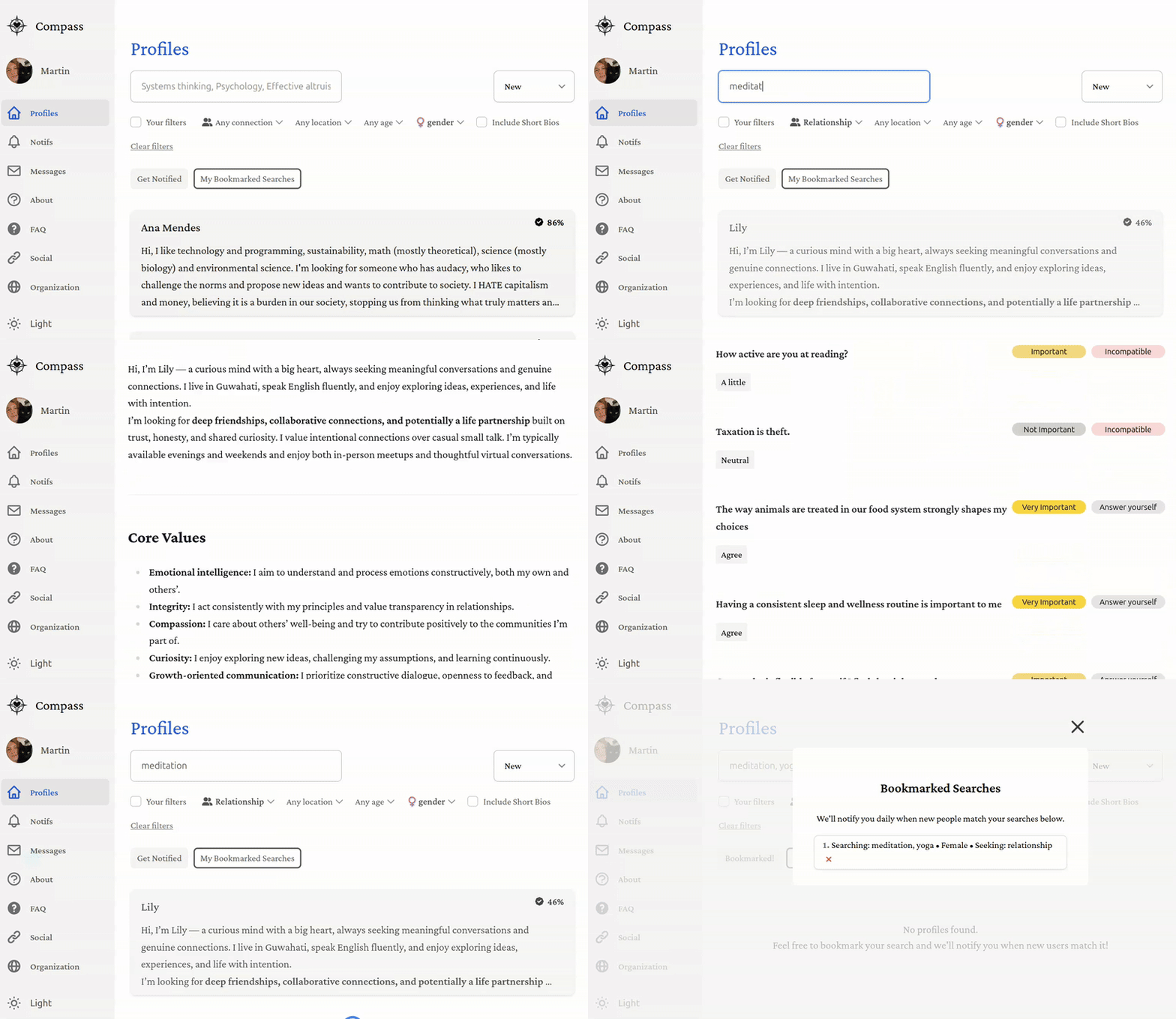
To Do
No contribution is too small—whether it’s changing a color, resizing a button, tweaking a font, or improving wording. Bigger contributions like adding new profile fields, building modules, or improving onboarding are equally welcome. The goal is to make the platform better step by step, and every improvement counts. If you see something that could be clearer, smoother, or more engaging, please jump in!
The complete, official list of tasks is available here on ClickUp. If you are working on one task, just assign it to yourself and move its status to "in progress". If there is also a GitHub issue for that task, assign it to yourself as well.
To have edit access to the ClickUp workspace, you need an admin to manually give you permission (one time thing). To do so, use your preferred option:
- Ask or DM an admin on Discord
- Email hello@compassmeet.com
- Raise an issue on GitHub
If you want to add tasks without creating an account, you can simply email
a.t.901810339879.u-276866260.b847aba1-2709-4f17-b4dc-565a6967c234@tasks.clickup.com
Put the task title in the email subject and the task description in the email content.
Here is a tailored selection of things that would be very useful. If you want to help but don’t know where to start, just ask us on Discord.
- Authentication (user/password and Google Sign In)
- Set up PostgreSQL in Production with supabase
- Set up web hosting (vercel)
- Set up backend hosting (google cloud)
- Ask for detailed info upon registration (location, desired type of connection, prompt answers, gender, etc.)
- Set up page listing all the profiles
- Search through most profile variables
- Set up chat / direct messaging
- Set up domain name (compassmeet.com)
- Cover more than 90% with tests (unit, integration, e2e)
- Add Android mobile app
- Add iOS mobile app
- Add better onboarding (tooltips, modals, etc.)
- Add modules to learn more about each other (personality test, conflict style, love languages, etc.)
- Add modules to improve interpersonal skills (active listening, nonviolent communication, etc.)
- Add calendar integration and scheduling
- Add events (group calls, in-person meetups, etc.)
Secondary To Do
Everything is open to anyone for collaboration, but the following ones are particularly easy to do for first-time contributors.
- Clean up learn more page
- Add dark theme
- Add profile fields (intellectual interests, cause areas, personality type, etc.)
- Add profile fields: conflict style
- Add profile fields: timezone
- Add translations: Italian, Dutch, Hindi, Chinese, etc.
- Add filters to search through remaining profile fields (politics, religion, education level, etc.)
- Make the app more user-friendly and appealing (UI/UX)
- Clean up terms and conditions (convert to Markdown)
- Clean up privacy notice (convert to Markdown)
- Add other authentication methods (GitHub, Facebook, Apple, phone, etc.)
- Add email verification
- Add password reset
- Add automated welcome email
- Security audit and penetration testing
- Make
deploy-api.shrun automatically on push tomainbranch - Create settings page (change email, password, delete account, etc.)
- Improve financials page (donor / acknowledgments, etc.)
- Improve loading sign (e.g., animation of a compass moving around)
- Show compatibility score in profile page
Implementation
The web app is coded in Typescript using React as front-end. It includes:
- Supabase for the PostgreSQL database
- Google Cloud for hosting the backend API
- Firebase for authentication and media storage
- Vercel for hosting the front-end
Development
Below are the steps to contribute. If you have any trouble or questions, please don't hesitate to open an issue or contact us on Discord! We're responsive and happy to help.
Installation
Fork the repo on GitHub (button in top right). Then, clone your repo and navigating into it:
git clone https://github.com/<your-username>/Compass.git
cd Compass
Install yarn (if not already installed):
npm install --global yarn
Then, install the dependencies for this project:
yarn install
Tests
Make sure the tests pass:
yarn test
If they don't and you can't find out why, simply raise an issue! Sometimes it's something on our end that we overlooked.
Running the Development Server
Start the development server:
yarn dev
Once the server is running, visit http://localhost:3000 to start using the app. You can sign up and visit the profiles; you should see a few synthetic profiles.
Note: it's normal if page loading locally is much slower than the deployed version. It can take up to 10 seconds, it would be great to improve that though!
Full isolation
yarn dev runs the app locally but uses the data from a shared remote database (Supabase) and authentication (
Firebase).
If you want to avoid any conflict / break or simply have it run faster, run the app in full isolation locally:
yarn test:db:reset  # reset your local supabase
yarn isolated
Contributing
Now you can start contributing by making changes and submitting pull requests!
We recommend using a good code editor (VSCode, WebStorm, Cursor, etc.) with Typescript support and a good AI assistant ( GitHub Copilot, etc.) to make your life easier. To debug, you can use the browser developer tools (F12), specifically:
- Components tab to see the React component tree and props (you need to install the React Developer Tools extension)
- Console tab for errors and logs
- Network tab to see the requests and responses
- Storage tab to see cookies and local storage
You can also add console.log() statements in the code.
If you are new to Typescript or the open-source space, you could start with small changes, such as tweaking some web
components or improving wording in some pages. You can find those files in web/public/md/.
Resources
There is a lof of documentation in the docs folder and across the repo, namely:
- Next.js.md for core fundamentals about our web / page-rendering framework.
- knowledge.md for general information about the project structure.
- development.md for additional instructions, such as adding new profile fields or languages.
- TESTING.md for how to write tests.
- web for the web.
- backend/api for the backend API.
- android for the Android app.
There are a lot of useful scripts you can use in the scripts folder.
Submission
Add the original repo as upstream for syncing:
git remote add upstream https://github.com/CompassConnections/Compass.git
Create a new branch for your changes:
git checkout -b <branch-name>
Make changes, then stage and commit:
git add .
git commit -m "Describe your changes"
Push branch to your fork:
git push origin <branch-name>
Finally, open a Pull Request on GitHub from your fork/<branch-name> → CompassConnections/Compass main branch.
Environment Variables
Almost all the features will work out of the box, so you can skip this step and come back later if you need to test the following services: email, geolocation.
We can't make the following information public, for security and privacy reasons:
- Database, otherwise anyone could access all the user data (including private messages)
- Firebase, otherwise anyone could remove users or modify the media files
- Email, analytics, and location services, otherwise anyone could use the service plans Compass paid for and run up the bill.
That's why we separate all those services between production and development environments, so that you can code freely without impacting the functioning of the deployed platform. Contributors should use the default keys for local development. Production uses a separate environment with stricter rules and private keys that are not shared.
If you do need one of the few remaining services, you need to set them up and store your own secrets as environment
variables. To do so, simply open .env and fill in the variables according to the instructions in the file.