
3.8 KiB
Clion configuration
setup Toolchains
- Open settings (CTRL+ALT+S)
- Goto to Build, Execution, Deployment → Toolchains
Add new toolchains (ALT+Ins) of type "system"
- Name: Linux
- CMake should be autodetected. if not
which cmake - Select appropriate
gdb - for x86 usualy
/usr/bin/gdb
and
- Name: rt1051
- CMake should be autodetected. if not
which cmake - Select appropriate
gdb - for rt1051 usualy
~/gcc-arm-eabi…
build configurations
- Open settings (CTRL+ALT+S)
- Goto to Build, Execution, Deployment → CMake
- Add new CMake Profile (ALT+Ins)
- Name: Linux
- Build type: Debug
- CMake options:
-DCMAKE_EXPORT_COMPILE_COMMANDS=True -DCMAKE_BUILD_TYPE=Debug -DCMAKE_TOOLCHAIN_FILE=../Target_Linux.cmake -DCMAKE_EXPORT_COMPILE_COMMANDS=1 - Select appropriate Toolchain created above
- Generation path:
build-linux - build options:
-j8
Note: you can set Generation path to build if you don't plan to configure CLion for rt1051.
and
- Add new CMake Profile (ALT+Ins)
- Name: rt1051
- Build type: Debug
- CMake options:
-DCMAKE_EXPORT_COMPILE_COMMANDS=True -DCMAKE_BUILD_TYPE=Debug -DCMAKE_TOOLCHAIN_FILE=../Target_RT1051.cmake -DCMAKE_EXPORT_COMPILE_COMMANDS=1 'DBT_STACK_SEL="Bluetopia"' ../ - Select appropriate Toolchain created above
- Generation path:
build-rt1051 - build options:
-j8
Running/debugging
Linux configuration
Important
Before 1st run, Build All in 'Linux' to generate
service_rendererutility.
Go to Edit Configurations… (double shift) and select CMakeApplication → PurePhone. This is your configuration for Linux executable.
In Working directory append /build.
Now you can run/debug this configuration.
rt1051 configuration
prerequisites
Use attached file .idea/JLink_server.xml to setup IDE. It is already in the project folder, so CLion should pick it up by itself.
You'll also need .gdbinit-1051-clion file modified for CLion (source: https://stackoverflow.com/questions/39810593/gdb-monitor-commands-in-clion).
This files needs to be in $HOME/.gdbinit.
For me ln -s %project_root%/.gdbinit-1051-clion ~/.gdbinit works.
workflow
in the debuging configuration dropdown select a pair of and ([ <exec> | <toolchn> ]):
- [PurePhone | Linux] for run/debug on desktop (Linux)
- [JLink server | rt1051] for debug on embedded (rt1051)
Note: rt1051 doesn't have run configuration. Only debug is available.
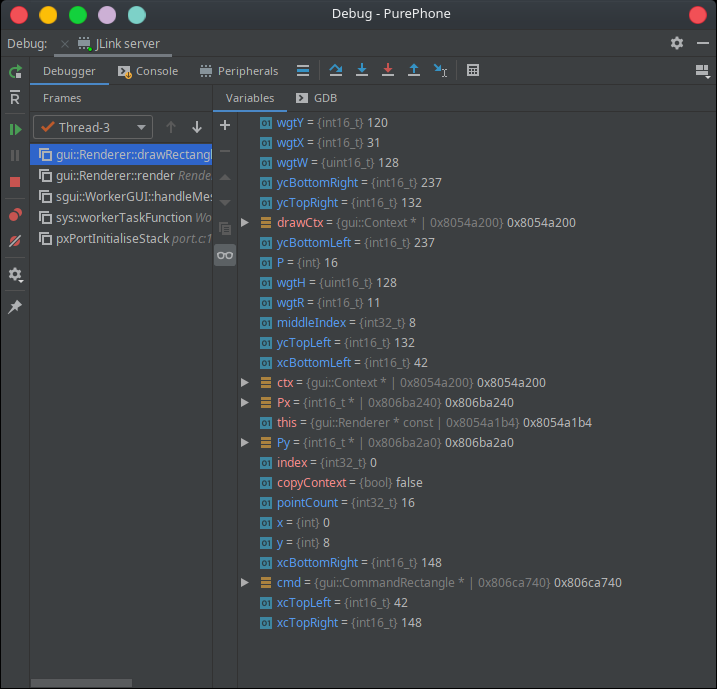
running target
It is possible to see logs from a rt1051 booted from eMMC and not from RAM.
To do so select JLink server (no upload) configuration.
Open JLinkRTTClient in a separate terminal.
Note: remember to stop this debug session when you want to switch to regular JLink server (with upload), otherwise they will collide.
True attaching to a running target (without a reset) is not known to be working.
separate builds
To build separately for each arch we need to:
- Open settings (CTRL+ALT+S)
- Goto to Build, Execution, Deployment → CMake
- select
Linux - add a variable to Environment:
PROJECT_BUILD_DIRECTORY=build-linux
- change Generation Path to:
build-linux
and
- select
rt1051 - add a variable to Environment:
PROJECT_BUILD_DIRECTORY=build-rt1051
- change Generation Path to:
build-rt1051
And change Run/debug Working directory for Linux configuration. (Edit configurations… → PurePhone)
- change Working directory from
…/PurePhone/buildto…PurePhone/build-linux