mirror of
https://github.com/Facepunch/sbox-public.git
synced 2026-04-18 13:29:22 -04:00
 d753fa0e24
* Re-enable CreateBLAS in RenderDeviceVulkan

* Update SPVRemapper to suppot raytracing opcode remapping

* Null initialize BLAS on RenderMesh

* Clean proper to generate BLAS on mesh data loading

* SceneRaytracingSystem stub

* Glue SceneRaytracing

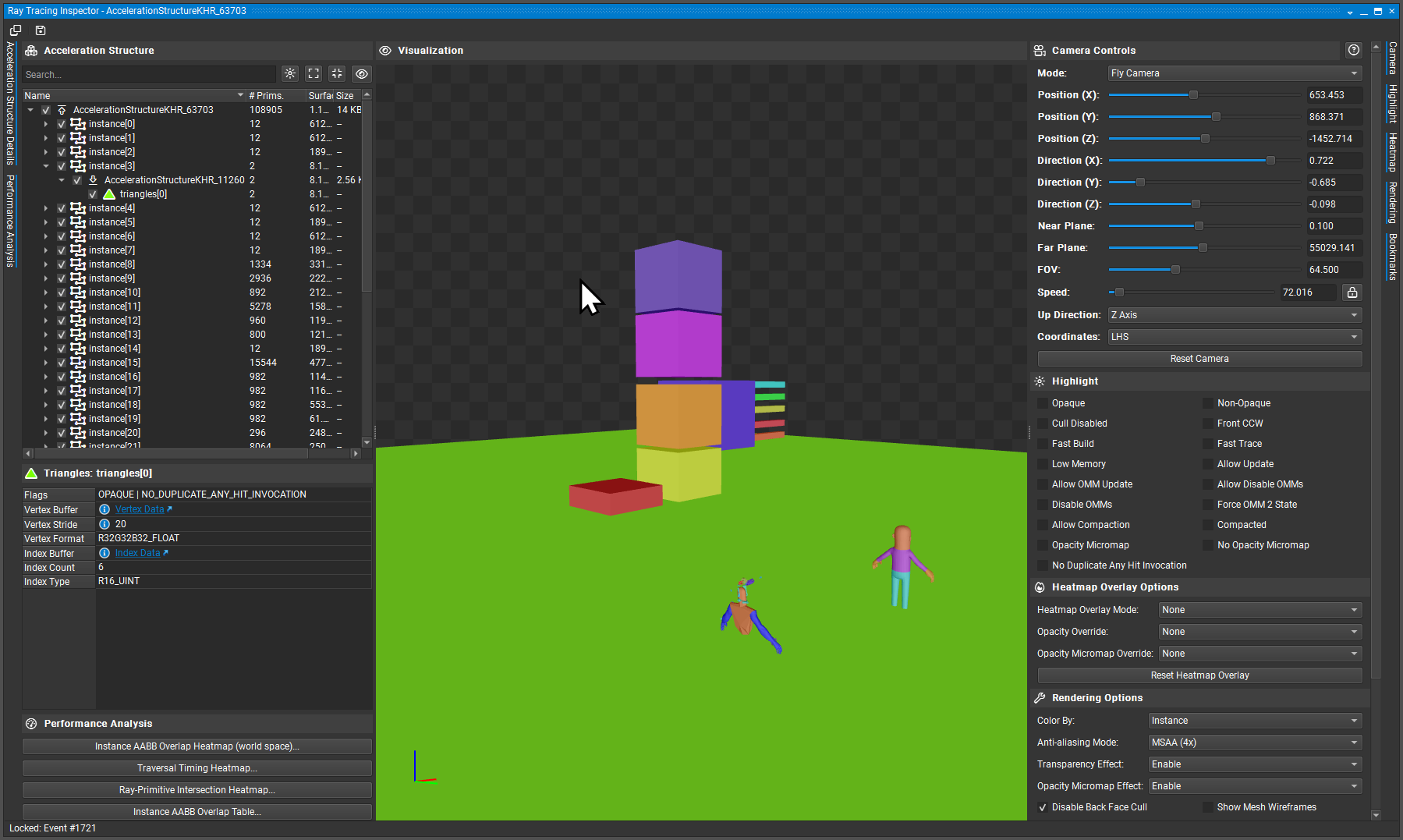
* Remove pipelines from SceneRaytracing for now, just do TLAS, tie it to SceneRaytracingSystem, updates only once per frame just like how we want in a clean way
https://files.facepunch.com/sampavlovic/1b0611b1/ngfx-ui_Ck3ckzQQFT.png

* Send Descriptor Set of Raytracing World to RenderAttribute

* RTAO example using RayQuery

* RayTracingShader API stub

* Set SM6.0 and dxlevel 120 as default

* Instead of making raytracing opt-in, add -nogpuraytracing to force disable it

* Add IRenderDevice::IsRayTracingSupported() to easily query support for it

* Fix IsRayTracingSupported()

* RTAO Adjustments

* Allow Rayquery through AS on Compute and Pixel shaders even if not optimal, avoids it crashing when acessing it on compute

* Strip CRaytraceSceneWorld to just generating TLAS, dont need anything else for now and we need a better way to handle UGC than what's there

* Bindless::RaytracingAccelerationStructure()

* Simplify interface too

* Stub for UpdateSkinnedForRaytracing

* Dotnet format and fix documentation, make RTAO run at correct stage

* Only support raytracing in tools mode for now

* Move raytracing stuff to Raytracing.hlsl

* Stub RTX shader

* Internal Raytracingshader and remove useless stuff exposed from it

* VfxProgramHasRenderShader should check for VFX_PROGRAM_RTX too, that's the source from everything else failing

* Add arbitrary entry point support to shaders, needed as RTX shaders use [shader("XXX")] instead of MainXXX directly

* RenderTools::TraceRays API, preliminary implementation, RTAO uses RaytracingShader

* Make RT support internal, allow RT on game

* Remove RaytracedAmbientOcclusion, will be on scenestaging when ready

* Update engine/Sandbox.Engine/Systems/Render/RayTracingShader.cs

Co-authored-by: Copilot <175728472+Copilot@users.noreply.github.com>

* Fix rebase

* Update shaders

---------

Co-authored-by: Copilot <175728472+Copilot@users.noreply.github.com>
1049 lines
43 KiB
C#
1049 lines
43 KiB
C#
using System.Threading;
|
|
|
|
namespace Sandbox.Rendering;
|
|
|
|
|
|
public sealed unsafe partial class CommandList
|
|
{
|
|
readonly Lock _lock = new Lock();
|
|
|
|
public string DebugName { get; set; }
|
|
public bool Enabled { get; set; }
|
|
public Flag Flags { get; set; }
|
|
|
|
public CommandList()
|
|
{
|
|
Enabled = true;
|
|
|
|
Attributes = new AttributeAccess( this, GetLocalAttributes );
|
|
GlobalAttributes = new AttributeAccess( this, GetFrameAttributes );
|
|
}
|
|
|
|
public CommandList( string debugName ) : this()
|
|
{
|
|
DebugName = debugName;
|
|
}
|
|
|
|
/// <summary>
|
|
/// Holds the function and state data for a single command.
|
|
/// We should FIGHT to keep this as small as possible. Every byte
|
|
/// you add to this makes it WORSE.
|
|
/// </summary>
|
|
struct Entry
|
|
{
|
|
public delegate*< ref Entry, CommandList, void > Execute;
|
|
|
|
// These should store REFERENCE types only. If you store value types here
|
|
// they will be boxed and allocate. It's not the end of the world, but it's something.
|
|
public object Object1;
|
|
public object Object2;
|
|
public object Object3;
|
|
public object Object4;
|
|
public object Object5;
|
|
|
|
public Vector4 Data1;
|
|
public Vector4 Data2;
|
|
public Vector4 Data3;
|
|
}
|
|
|
|
/// <summary>
|
|
/// An ordered list of entries that will execute on the render thread.
|
|
/// </summary>
|
|
readonly List<Entry> _entries = new List<Entry>( 8 );
|
|
|
|
[System.Runtime.CompilerServices.MethodImpl( System.Runtime.CompilerServices.MethodImplOptions.AggressiveInlining )]
|
|
void AddEntry( delegate*< ref Entry, CommandList, void > execute, Entry data )
|
|
{
|
|
data.Execute = execute;
|
|
_entries.Add( data );
|
|
}
|
|
|
|
[Obsolete]
|
|
RenderAttributes attributes => Graphics.Attributes;
|
|
|
|
/// <summary>
|
|
/// Access to simple 2D painting functions to draw shapes and text.
|
|
/// </summary>
|
|
public HudPainter Paint => new HudPainter( this );
|
|
|
|
/// <summary>
|
|
/// This lives for the lifetime of the command list and is
|
|
/// used to store temporary render targets and other state.
|
|
/// </summary>
|
|
private class State
|
|
{
|
|
public Dictionary<string, RenderTarget> renderTargets = new();
|
|
|
|
/// <summary>
|
|
/// Should be called at the end of usage
|
|
/// </summary>
|
|
public void Reset()
|
|
{
|
|
// We just clear the list - RenderTargets get freed and
|
|
// re-added to the pool automatically.
|
|
renderTargets.Clear();
|
|
}
|
|
|
|
/// <summary>
|
|
/// Sneaky way for externals to get render target
|
|
/// </summary>
|
|
public RenderTarget GetRenderTarget( string name )
|
|
{
|
|
if ( renderTargets.TryGetValue( name, out var target ) )
|
|
return target;
|
|
|
|
return default;
|
|
}
|
|
}
|
|
|
|
State state;
|
|
|
|
public void Reset()
|
|
{
|
|
GlobalAttributes.ClearRenderTargets();
|
|
Attributes.ClearRenderTargets();
|
|
_entries.Clear();
|
|
}
|
|
|
|
public void Blit( Material material, RenderAttributes attributes = null )
|
|
{
|
|
static void Execute( ref Entry entry, CommandList commandList )
|
|
{
|
|
Graphics.Blit( (Material)entry.Object1, (RenderAttributes)entry.Object2 );
|
|
}
|
|
|
|
AddEntry( &Execute, new Entry { Object1 = material, Object2 = attributes } );
|
|
}
|
|
|
|
public void DrawQuad( Rect rect, Material material, Color color )
|
|
{
|
|
static void Execute( ref Entry entry, CommandList commandList )
|
|
{
|
|
Graphics.DrawQuad( new Rect( entry.Data1.x, entry.Data1.y, entry.Data1.z, entry.Data1.w ), (Material)entry.Object1, new Color( entry.Data2.x, entry.Data2.y, entry.Data2.z, entry.Data2.w ) );
|
|
}
|
|
|
|
AddEntry( &Execute, new Entry { Data1 = new Vector4( rect.Left, rect.Top, rect.Width, rect.Height ), Object1 = material, Data2 = new Vector4( color.r, color.g, color.b, color.a ) } );
|
|
}
|
|
|
|
public void DrawScreenQuad( Material material, Color color )
|
|
{
|
|
static void Execute( ref Entry entry, CommandList commandList )
|
|
{
|
|
Graphics.DrawQuad( Graphics.Viewport, (Material)entry.Object1, new Color( entry.Data1.x, entry.Data1.y, entry.Data1.z, entry.Data1.w ) );
|
|
}
|
|
|
|
AddEntry( &Execute, new Entry { Object1 = material, Data1 = new Vector4( color.r, color.g, color.b, color.a ) } );
|
|
}
|
|
|
|
[Obsolete]
|
|
public void Set( StringToken token, float f )
|
|
{
|
|
static void Execute( ref Entry entry, CommandList commandList )
|
|
{
|
|
Graphics.Attributes.Set( (StringToken)entry.Object1, entry.Data1.x );
|
|
}
|
|
AddEntry( &Execute, new Entry { Object1 = token, Data1 = new Vector4( f, 0, 0, 0 ) } );
|
|
}
|
|
|
|
[Obsolete] public void Set( StringToken token, double f ) => Set( token, (float)f );
|
|
|
|
[Obsolete]
|
|
public void Set( StringToken token, Vector2 vector2 )
|
|
{
|
|
static void Execute( ref Entry entry, CommandList commandList )
|
|
{
|
|
Graphics.Attributes.Set( (StringToken)entry.Object1, new Vector2( entry.Data1.x, entry.Data1.y ) );
|
|
}
|
|
AddEntry( &Execute, new Entry { Object1 = token, Data1 = new Vector4( vector2.x, vector2.y, 0, 0 ) } );
|
|
}
|
|
|
|
[Obsolete]
|
|
public void Set( StringToken token, Vector3 vector3 )
|
|
{
|
|
static void Execute( ref Entry entry, CommandList commandList )
|
|
{
|
|
Graphics.Attributes.Set( (StringToken)entry.Object1, new Vector3( entry.Data1.x, entry.Data1.y, entry.Data1.z ) );
|
|
}
|
|
AddEntry( &Execute, new Entry { Object1 = token, Data1 = new Vector4( vector3.x, vector3.y, vector3.z, 0 ) } );
|
|
}
|
|
|
|
[Obsolete]
|
|
public void Set( StringToken token, Vector4 vector4 )
|
|
{
|
|
static void Execute( ref Entry entry, CommandList commandList )
|
|
{
|
|
Graphics.Attributes.Set( (StringToken)entry.Object1, entry.Data1 );
|
|
}
|
|
AddEntry( &Execute, new Entry { Object1 = token, Data1 = vector4 } );
|
|
}
|
|
|
|
[Obsolete]
|
|
public void Set( StringToken token, int i )
|
|
{
|
|
static void Execute( ref Entry entry, CommandList commandList )
|
|
{
|
|
Graphics.Attributes.Set( (StringToken)entry.Object1, (int)entry.Data1.x );
|
|
}
|
|
AddEntry( &Execute, new Entry { Object1 = token, Data1 = new Vector4( i, 0, 0, 0 ) } );
|
|
}
|
|
|
|
[Obsolete]
|
|
public void Set( StringToken token, bool b )
|
|
{
|
|
static void Execute( ref Entry entry, CommandList commandList )
|
|
{
|
|
Graphics.Attributes.Set( (StringToken)entry.Object1, (int)entry.Data1.x != 0 );
|
|
}
|
|
AddEntry( &Execute, new Entry { Object1 = token, Data1 = new Vector4( b ? 1 : 0, 0, 0, 0 ) } );
|
|
}
|
|
|
|
[Obsolete]
|
|
public void Set( StringToken token, Matrix matrix )
|
|
{
|
|
static void Execute( ref Entry entry, CommandList commandList )
|
|
{
|
|
Graphics.Attributes.Set( (StringToken)entry.Object1, (Matrix)entry.Object2 );
|
|
}
|
|
AddEntry( &Execute, new Entry { Object1 = token, Object2 = matrix } );
|
|
}
|
|
|
|
[Obsolete]
|
|
public void Set( StringToken token, GpuBuffer buffer )
|
|
{
|
|
static void Execute( ref Entry entry, CommandList commandList )
|
|
{
|
|
Graphics.Attributes.Set( (StringToken)entry.Object1, (GpuBuffer)entry.Object2 );
|
|
}
|
|
AddEntry( &Execute, new Entry { Object1 = token, Object2 = buffer } );
|
|
}
|
|
|
|
[Obsolete]
|
|
public void Set( StringToken token, Texture texture )
|
|
{
|
|
static void Execute( ref Entry entry, CommandList commandList )
|
|
{
|
|
Graphics.Attributes.Set( (StringToken)entry.Object1, (Texture)entry.Object2 );
|
|
}
|
|
AddEntry( &Execute, new Entry { Object1 = token, Object2 = texture } );
|
|
}
|
|
|
|
[Obsolete]
|
|
public void SetCombo( StringToken token, int value )
|
|
{
|
|
static void Execute( ref Entry entry, CommandList commandList )
|
|
{
|
|
Graphics.Attributes.SetCombo( (StringToken)entry.Object1, (int)entry.Data1.x );
|
|
}
|
|
AddEntry( &Execute, new Entry { Object1 = token, Data1 = new Vector4( value, 0, 0, 0 ) } );
|
|
}
|
|
|
|
[Obsolete]
|
|
public void SetCombo( StringToken token, bool value )
|
|
{
|
|
static void Execute( ref Entry entry, CommandList commandList )
|
|
{
|
|
Graphics.Attributes.SetCombo( (StringToken)entry.Object1, (int)entry.Data1.x != 0 );
|
|
}
|
|
AddEntry( &Execute, new Entry { Object1 = token, Data1 = new Vector4( value ? 1 : 0, 0, 0, 0 ) } );
|
|
}
|
|
|
|
[Obsolete]
|
|
public void SetCombo<T>( StringToken token, T t ) where T : unmanaged, Enum
|
|
{
|
|
static void Execute( ref Entry entry, CommandList commandList )
|
|
{
|
|
Graphics.Attributes.SetComboEnum( (StringToken)entry.Object1, (T)entry.Object2 );
|
|
}
|
|
AddEntry( &Execute, new Entry { Object1 = token, Object2 = t } );
|
|
}
|
|
|
|
[Obsolete]
|
|
public void SetConstantBuffer<T>( StringToken token, T data ) where T : unmanaged
|
|
{
|
|
static void Execute( ref Entry entry, CommandList commandList )
|
|
{
|
|
Graphics.Attributes.SetData( (StringToken)entry.Object1, (T)entry.Object2 );
|
|
}
|
|
AddEntry( &Execute, new Entry { Object1 = token, Object2 = data } );
|
|
}
|
|
|
|
[Obsolete]
|
|
public void SetGlobal( StringToken token, GpuBuffer buffer )
|
|
{
|
|
static void Execute( ref Entry entry, CommandList commandList )
|
|
{
|
|
Graphics.FrameAttributes.Set( (StringToken)entry.Object1, (GpuBuffer)entry.Object2 );
|
|
}
|
|
AddEntry( &Execute, new Entry { Object1 = token, Object2 = buffer } );
|
|
}
|
|
|
|
[Obsolete]
|
|
public void SetGlobal( StringToken token, int i )
|
|
{
|
|
static void Execute( ref Entry entry, CommandList commandList )
|
|
{
|
|
Graphics.FrameAttributes.Set( (StringToken)entry.Object1, (int)entry.Data1.x );
|
|
}
|
|
AddEntry( &Execute, new Entry { Object1 = token, Data1 = new Vector4( i, 0, 0, 0 ) } );
|
|
}
|
|
|
|
[Obsolete]
|
|
public void SetGlobal( StringToken token, bool b )
|
|
{
|
|
static void Execute( ref Entry entry, CommandList commandList )
|
|
{
|
|
Graphics.FrameAttributes.Set( (StringToken)entry.Object1, (int)entry.Data1.x != 0 );
|
|
}
|
|
AddEntry( &Execute, new Entry { Object1 = token, Data1 = new Vector4( b ? 1 : 0, 0, 0, 0 ) } );
|
|
}
|
|
|
|
[Obsolete]
|
|
public void SetGlobal( StringToken token, float f )
|
|
{
|
|
static void Execute( ref Entry entry, CommandList commandList )
|
|
{
|
|
Graphics.FrameAttributes.Set( (StringToken)entry.Object1, entry.Data1.x );
|
|
}
|
|
AddEntry( &Execute, new Entry { Object1 = token, Data1 = new Vector4( f, 0, 0, 0 ) } );
|
|
}
|
|
|
|
[Obsolete] public void SetGlobal( StringToken token, double f ) => SetGlobal( token, (float)f );
|
|
|
|
[Obsolete]
|
|
public void SetGlobal( StringToken token, Vector2 vector2 )
|
|
{
|
|
static void Execute( ref Entry entry, CommandList commandList )
|
|
{
|
|
Graphics.FrameAttributes.Set( (StringToken)entry.Object1, new Vector2( entry.Data1.x, entry.Data1.y ) );
|
|
}
|
|
AddEntry( &Execute, new Entry { Object1 = token, Data1 = new Vector4( vector2.x, vector2.y, 0, 0 ) } );
|
|
}
|
|
|
|
[Obsolete]
|
|
public void SetGlobal( StringToken token, Vector3 vector3 )
|
|
{
|
|
static void Execute( ref Entry entry, CommandList commandList )
|
|
{
|
|
Graphics.FrameAttributes.Set( (StringToken)entry.Object1, new Vector3( entry.Data1.x, entry.Data1.y, entry.Data1.z ) );
|
|
}
|
|
AddEntry( &Execute, new Entry { Object1 = token, Data1 = new Vector4( vector3.x, vector3.y, vector3.z, 0 ) } );
|
|
}
|
|
|
|
[Obsolete]
|
|
public void SetGlobal( StringToken token, Vector4 vector4 )
|
|
{
|
|
static void Execute( ref Entry entry, CommandList commandList )
|
|
{
|
|
Graphics.FrameAttributes.Set( (StringToken)entry.Object1, entry.Data1 );
|
|
}
|
|
AddEntry( &Execute, new Entry { Object1 = token, Data1 = vector4 } );
|
|
}
|
|
|
|
[Obsolete]
|
|
public void SetGlobal( StringToken token, Matrix matrix )
|
|
{
|
|
static void Execute( ref Entry entry, CommandList commandList )
|
|
{
|
|
Graphics.FrameAttributes.Set( (StringToken)entry.Object1, (Matrix)entry.Object2 );
|
|
}
|
|
AddEntry( &Execute, new Entry { Object1 = token, Object2 = matrix } );
|
|
}
|
|
|
|
[Obsolete]
|
|
public void SetGlobal( StringToken token, Texture texture )
|
|
{
|
|
static void Execute( ref Entry entry, CommandList commandList )
|
|
{
|
|
Graphics.FrameAttributes.Set( (StringToken)entry.Object1, (Texture)entry.Object2 );
|
|
}
|
|
AddEntry( &Execute, new Entry { Object1 = token, Object2 = texture } );
|
|
}
|
|
|
|
/// <summary>
|
|
/// Takes a copy of the framebuffer and returns a handle to it
|
|
/// </summary>
|
|
/// <param name="token"></param>
|
|
/// <param name="withMips">Generates mipmaps on the grabbed texture filtered with gaussian blur for each mip</param>
|
|
/// <returns></returns>
|
|
[Obsolete]
|
|
public RenderTargetHandle GrabFrameTexture( string token, bool withMips = false ) => Attributes.GrabFrameTexture( token, withMips );
|
|
|
|
/// <summary>
|
|
/// Takes a copy of the depthbuffer and returns a handle to it
|
|
/// </summary>
|
|
/// <param name="token"></param>
|
|
/// <returns></returns>
|
|
[Obsolete]
|
|
public RenderTargetHandle GrabDepthTexture( string token ) => Attributes.GrabDepthTexture( token );
|
|
|
|
/// <summary>
|
|
/// Run this CommandList here
|
|
/// </summary>
|
|
public void InsertList( CommandList otherBuffer )
|
|
{
|
|
if ( otherBuffer == this ) return;
|
|
|
|
// TODO - check to make sure we don't create an infinite loop?
|
|
// maybe make a local int here, increment every call, throw exception if it's over 2?
|
|
|
|
static void Execute( ref Entry entry, CommandList commandList )
|
|
{
|
|
((CommandList)entry.Object1).ExecuteOnRenderThread();
|
|
}
|
|
|
|
AddEntry( &Execute, new Entry { Object1 = otherBuffer } );
|
|
}
|
|
|
|
/// <summary>
|
|
/// Run this command list
|
|
/// </summary>
|
|
internal void ExecuteOnRenderThread()
|
|
{
|
|
if ( !Enabled )
|
|
return;
|
|
|
|
// lock - we only want to excute this once at a time, because
|
|
// we have local state (renderTargets). If this turns out to be
|
|
// a big problem we can probably create a system where we pass the
|
|
// stat around.
|
|
lock ( _lock )
|
|
{
|
|
// Store previous state
|
|
var lastState = state;
|
|
|
|
// Get a new state
|
|
state = ObjectPool<State>.Get();
|
|
|
|
// Begin a debug marker scope so PIX/RenderDoc show this list
|
|
var markerName = string.IsNullOrEmpty( DebugName ) ? "CommandList" : $"CommandList: {DebugName}";
|
|
Graphics.Context.BeginPixEvent( markerName );
|
|
|
|
// Execute all commands
|
|
try
|
|
{
|
|
var span = System.Runtime.InteropServices.CollectionsMarshal.AsSpan( _entries );
|
|
for ( int i = 0; i < span.Length; i++ )
|
|
{
|
|
ref var entry = ref span[i];
|
|
entry.Execute( ref entry, this );
|
|
}
|
|
}
|
|
catch ( System.Exception e )
|
|
{
|
|
Log.Warning( e, "Error when executing CommandList" );
|
|
}
|
|
|
|
Graphics.Context.EndPixEvent();
|
|
|
|
// Reset the state and return to the pool
|
|
state.Reset();
|
|
ObjectPool<State>.Return( state );
|
|
|
|
// Restore to the previous state
|
|
state = lastState;
|
|
}
|
|
}
|
|
|
|
/// <summary>
|
|
/// Command buffer flags allow us to skip command buffers if the camera
|
|
/// doesn't want a particular thing. Like post processing.
|
|
/// </summary>
|
|
public enum Flag
|
|
{
|
|
None = 0,
|
|
PostProcess = 2,
|
|
Hud = 4,
|
|
}
|
|
|
|
/// <summary>
|
|
/// Draws a single model at the given Transform immediately.
|
|
/// </summary>
|
|
/// <param name="model">The model to draw</param>
|
|
/// <param name="transform">Transform to draw the model at</param>
|
|
/// <param name="attributes">Optional attributes to apply only for this draw call</param>
|
|
public void DrawModel( Model model, Transform transform, RenderAttributes attributes = null )
|
|
{
|
|
static void Execute( ref Entry entry, CommandList commandList )
|
|
{
|
|
var position = new Vector3( entry.Data1.x, entry.Data1.y, entry.Data1.z );
|
|
var scale = new Vector3( entry.Data1.w, entry.Data2.x, entry.Data2.y );
|
|
var rotation = new Rotation( entry.Data2.z, entry.Data2.w, entry.Data3.x, entry.Data3.y );
|
|
var t = new Transform { Position = position, Scale = scale, Rotation = rotation };
|
|
|
|
Graphics.DrawModel( (Model)entry.Object1, t, (RenderAttributes)entry.Object2 );
|
|
}
|
|
|
|
AddEntry( &Execute, new Entry
|
|
{
|
|
Object1 = model,
|
|
Object2 = attributes,
|
|
Data1 = new Vector4( transform.Position.x, transform.Position.y, transform.Position.z, transform.Scale.x ),
|
|
Data2 = new Vector4( transform.Scale.y, transform.Scale.z, transform.Rotation.x, transform.Rotation.y ),
|
|
Data3 = new Vector4( transform.Rotation.z, transform.Rotation.w, 0, 0 )
|
|
} );
|
|
}
|
|
|
|
/// <summary>
|
|
/// Draws multiple instances of a model using GPU instancing, assuming standard implemented shaders.
|
|
///
|
|
/// Use `GetTransformMatrix( int instance )` in shaders to access the instance transform.
|
|
///
|
|
/// There is a limit of 1,048,576 transform slots per frame when using this method.
|
|
/// </summary>
|
|
/// <param name="model">The model to draw</param>
|
|
/// <param name="transforms">Instance transform data to draw</param>
|
|
/// <param name="attributes">Optional attributes to apply only for this draw call</param>
|
|
public void DrawModelInstanced( Model model, Span<Transform> transforms, RenderAttributes attributes = null )
|
|
{
|
|
static void Execute( ref Entry entry, CommandList commandList )
|
|
{
|
|
Graphics.DrawModelInstanced( (Model)entry.Object1, ((Transform[])entry.Object5).AsSpan(), (RenderAttributes)entry.Object2 );
|
|
}
|
|
|
|
// We need to copy the transforms to the heap to make sure they still exist when the action is executed.
|
|
// We also discussed using a list/array as parameter, but that could lead to issues if the list/array is modified after the call.
|
|
var transformsCopy = transforms.ToArray();
|
|
AddEntry( &Execute, new Entry { Object1 = model, Object5 = transformsCopy, Object2 = attributes } );
|
|
}
|
|
|
|
/// <summary>
|
|
/// Draws multiple instances of a model using GPU instancing with the number of instances being provided by indirect draw arguments.
|
|
/// Use `SV_InstanceID` semantic in shaders to access the rendered instance.
|
|
/// </summary>
|
|
/// <param name="model">The model to draw</param>
|
|
/// <param name="buffer">The GPU buffer containing the DrawIndirectArguments</param>
|
|
/// <param name="bufferOffset">Optional offset in the GPU buffer</param>
|
|
/// <param name="attributes">Optional attributes to apply only for this draw call</param>
|
|
public void DrawModelInstancedIndirect( Model model, GpuBuffer buffer, int bufferOffset = 0, RenderAttributes attributes = null )
|
|
{
|
|
static void Execute( ref Entry entry, CommandList commandList )
|
|
{
|
|
Graphics.DrawModelInstancedIndirect( (Model)entry.Object1, (GpuBuffer)entry.Object2, (int)entry.Data1.x, (RenderAttributes)entry.Object3 );
|
|
}
|
|
|
|
AddEntry( &Execute, new Entry { Object1 = model, Object2 = buffer, Data1 = new Vector4( bufferOffset, 0, 0, 0 ), Object3 = attributes } );
|
|
}
|
|
|
|
/// <summary>
|
|
/// Draws multiple instances of a model using GPU instancing.
|
|
/// This is similar to <see cref="DrawModelInstancedIndirect(Model, GpuBuffer, int, RenderAttributes)"/>,
|
|
/// except the count is provided from the CPU rather than via a GPU buffer.
|
|
///
|
|
/// Use `SV_InstanceID` semantic in shaders to access the rendered instance.
|
|
/// </summary>
|
|
/// <param name="model">The model to draw</param>
|
|
/// <param name="count">The number of instances to draw</param>
|
|
/// <param name="attributes">Optional attributes to apply only for this draw call</param>
|
|
public void DrawModelInstanced( Model model, int count, RenderAttributes attributes = null )
|
|
{
|
|
static void Execute( ref Entry entry, CommandList commandList )
|
|
{
|
|
Graphics.DrawModelInstanced( (Model)entry.Object1, (int)entry.Data1.x, (RenderAttributes)entry.Object2 );
|
|
}
|
|
|
|
AddEntry( &Execute, new Entry { Object1 = model, Data1 = new Vector4( count, 0, 0, 0 ), Object2 = attributes } );
|
|
}
|
|
|
|
/// <summary>
|
|
/// Draws geometry using a vertex buffer and material.
|
|
/// </summary>
|
|
/// <typeparam name="T">The vertex type used for vertex layout.</typeparam>
|
|
/// <param name="vertexBuffer">The GPU buffer containing vertex data.</param>
|
|
/// <param name="material">The material to use for rendering.</param>
|
|
/// <param name="startVertex">The starting vertex index for rendering.</param>
|
|
/// <param name="vertexCount">The number of vertices to render. If 0, uses all vertices in the buffer.</param>
|
|
/// <param name="attributes">Optional render attributes to apply only for this draw call.</param>
|
|
/// <param name="primitiveType">The type of primitives to render. Defaults to triangles.</param>
|
|
public void Draw<T>( GpuBuffer<T> vertexBuffer, Material material, int startVertex = 0, int vertexCount = 0, RenderAttributes attributes = null, Graphics.PrimitiveType primitiveType = Graphics.PrimitiveType.Triangles ) where T : unmanaged
|
|
{
|
|
static void Execute( ref Entry entry, CommandList commandList )
|
|
{
|
|
Graphics.Draw( (GpuBuffer<T>)entry.Object1, (Material)entry.Object2, (int)entry.Data1.x, (int)entry.Data1.y, (RenderAttributes)entry.Object3, (Graphics.PrimitiveType)(int)entry.Data1.z );
|
|
}
|
|
|
|
AddEntry( &Execute, new Entry { Object1 = vertexBuffer, Object2 = material, Data1 = new Vector4( startVertex, vertexCount, (int)primitiveType, 0 ), Object3 = attributes } );
|
|
}
|
|
|
|
/// <summary>
|
|
/// Draws indexed geometry using vertex and index buffers.
|
|
/// </summary>
|
|
/// <typeparam name="T">The vertex type used for vertex layout.</typeparam>
|
|
/// <param name="vertexBuffer">The GPU buffer containing vertex data.</param>
|
|
/// <param name="indexBuffer">The GPU buffer containing index data.</param>
|
|
/// <param name="material">The material to use for rendering.</param>
|
|
/// <param name="startIndex">The starting index for rendering.</param>
|
|
/// <param name="indexCount">The number of indices to render. If 0, uses all indices in the buffer.</param>
|
|
/// <param name="attributes">Optional render attributes to apply only for this draw call.</param>
|
|
/// <param name="primitiveType">The type of primitives to render. Defaults to triangles.</param>
|
|
public void DrawIndexed<T>( GpuBuffer<T> vertexBuffer, GpuBuffer indexBuffer, Material material, int startIndex = 0, int indexCount = 0, RenderAttributes attributes = null, Graphics.PrimitiveType primitiveType = Graphics.PrimitiveType.Triangles ) where T : unmanaged
|
|
{
|
|
static void Execute( ref Entry entry, CommandList commandList )
|
|
{
|
|
Graphics.Draw( (GpuBuffer<T>)entry.Object1, (GpuBuffer)entry.Object2, (Material)entry.Object3, (int)entry.Data1.x, (int)entry.Data1.y, (RenderAttributes)entry.Object4, (Graphics.PrimitiveType)(int)entry.Data1.z );
|
|
}
|
|
|
|
AddEntry( &Execute, new Entry { Object1 = vertexBuffer, Object2 = indexBuffer, Object3 = material, Data1 = new Vector4( startIndex, indexCount, (int)primitiveType, 0 ), Object4 = attributes } );
|
|
}
|
|
|
|
/// <summary>
|
|
/// Draws instanced geometry using a vertex buffer and indirect draw arguments stored in a GPU buffer.
|
|
/// </summary>
|
|
/// <typeparam name="T">The vertex type used for vertex layout.</typeparam>
|
|
/// <param name="vertexBuffer">The GPU buffer containing vertex data.</param>
|
|
/// <param name="material">The material to use for rendering.</param>
|
|
/// <param name="indirectBuffer">The GPU buffer containing indirect draw arguments.</param>
|
|
/// <param name="bufferOffset">Optional byte offset into the indirect buffer.</param>
|
|
/// <param name="attributes">Optional render attributes to apply only for this draw call.</param>
|
|
/// <param name="primitiveType">The type of primitives to render. Defaults to triangles.</param>
|
|
public void DrawInstancedIndirect<T>( GpuBuffer<T> vertexBuffer, Material material, GpuBuffer indirectBuffer, uint bufferOffset = 0, RenderAttributes attributes = null, Graphics.PrimitiveType primitiveType = Graphics.PrimitiveType.Triangles ) where T : unmanaged
|
|
{
|
|
static void Execute( ref Entry entry, CommandList commandList )
|
|
{
|
|
Graphics.DrawInstancedIndirect( (GpuBuffer<T>)entry.Object1, (Material)entry.Object2, (GpuBuffer)entry.Object3, (uint)entry.Data1.x, (RenderAttributes)entry.Object4, (Graphics.PrimitiveType)(int)entry.Data1.y );
|
|
}
|
|
|
|
AddEntry( &Execute, new Entry { Object1 = vertexBuffer, Object2 = material, Object3 = indirectBuffer, Data1 = new Vector4( bufferOffset, (int)primitiveType, 0, 0 ), Object4 = attributes } );
|
|
}
|
|
|
|
/// <summary>
|
|
/// Draws instanced geometry using a vertex buffer and indirect draw arguments stored in a GPU buffer.
|
|
/// </summary>
|
|
/// <remarks>
|
|
/// Vertex data is accessed in shader through buffer attribute and SV_VertexID.
|
|
/// </remarks>
|
|
/// <param name="material">The material to use for rendering.</param>
|
|
/// <param name="indirectBuffer">The GPU buffer containing indirect draw arguments.</param>
|
|
/// <param name="bufferOffset">Optional byte offset into the indirect buffer.</param>
|
|
/// <param name="attributes">Optional render attributes to apply only for this draw call.</param>
|
|
/// <param name="primitiveType">The type of primitives to render. Defaults to triangles.</param>
|
|
public void DrawInstancedIndirect( Material material, GpuBuffer indirectBuffer, uint bufferOffset = 0, RenderAttributes attributes = null, Graphics.PrimitiveType primitiveType = Graphics.PrimitiveType.Triangles )
|
|
{
|
|
static void Execute( ref Entry entry, CommandList commandList )
|
|
{
|
|
Graphics.DrawInstancedIndirect( (Material)entry.Object1, (GpuBuffer)entry.Object2, (uint)entry.Data1.x, (RenderAttributes)entry.Object3, (Graphics.PrimitiveType)(int)entry.Data1.y );
|
|
}
|
|
|
|
AddEntry( &Execute, new Entry { Object1 = material, Object2 = indirectBuffer, Data1 = new Vector4( bufferOffset, (int)primitiveType, 0, 0 ), Object3 = attributes } );
|
|
}
|
|
|
|
/// <summary>
|
|
/// Draws instanced indexed geometry using indirect draw arguments stored in a GPU buffer.
|
|
/// </summary>
|
|
/// <typeparam name="T">The vertex type used for vertex layout.</typeparam>
|
|
/// <param name="vertexBuffer">The GPU buffer containing vertex data.</param>
|
|
/// <param name="indexBuffer">The GPU buffer containing index data.</param>
|
|
/// <param name="material">The material to use for rendering.</param>
|
|
/// <param name="indirectBuffer">The GPU buffer containing indirect draw arguments.</param>
|
|
/// <param name="bufferOffset">Optional byte offset into the indirect buffer.</param>
|
|
/// <param name="attributes">Optional render attributes to apply only for this draw call.</param>
|
|
/// <param name="primitiveType">The type of primitives to render. Defaults to triangles.</param>
|
|
public void DrawIndexedInstancedIndirect<T>( GpuBuffer<T> vertexBuffer, GpuBuffer indexBuffer, Material material, GpuBuffer indirectBuffer, uint bufferOffset = 0, RenderAttributes attributes = null, Graphics.PrimitiveType primitiveType = Graphics.PrimitiveType.Triangles ) where T : unmanaged
|
|
{
|
|
static void Execute( ref Entry entry, CommandList commandList )
|
|
{
|
|
Graphics.DrawIndexedInstancedIndirect( (GpuBuffer<T>)entry.Object1, (GpuBuffer)entry.Object2, (Material)entry.Object3, (GpuBuffer)entry.Object4, (uint)entry.Data1.x, (RenderAttributes)entry.Object5, (Graphics.PrimitiveType)(int)entry.Data1.y );
|
|
}
|
|
|
|
AddEntry( &Execute, new Entry { Object1 = vertexBuffer, Object2 = indexBuffer, Object3 = material, Object4 = indirectBuffer, Data1 = new Vector4( bufferOffset, (int)primitiveType, 0, 0 ), Object5 = attributes } );
|
|
}
|
|
|
|
/// <summary>
|
|
/// Draws instanced indexed geometry using indirect draw arguments stored in a GPU buffer.
|
|
/// </summary>
|
|
/// <remarks>
|
|
/// Vertex data is accessed in shader through buffer attribute and SV_VertexID.
|
|
/// </remarks>
|
|
/// <param name="indexBuffer">The GPU buffer containing index data.</param>
|
|
/// <param name="material">The material to use for rendering.</param>
|
|
/// <param name="indirectBuffer">The GPU buffer containing indirect draw arguments.</param>
|
|
/// <param name="bufferOffset">Optional byte offset into the indirect buffer.</param>
|
|
/// <param name="attributes">Optional render attributes to apply only for this draw call.</param>
|
|
/// <param name="primitiveType">The type of primitives to render. Defaults to triangles.</param>
|
|
public void DrawIndexedInstancedIndirect( GpuBuffer indexBuffer, Material material, GpuBuffer indirectBuffer, uint bufferOffset = 0, RenderAttributes attributes = null, Graphics.PrimitiveType primitiveType = Graphics.PrimitiveType.Triangles )
|
|
{
|
|
static void Execute( ref Entry entry, CommandList commandList )
|
|
{
|
|
Graphics.DrawIndexedInstancedIndirect( (GpuBuffer)entry.Object1, (Material)entry.Object2, (GpuBuffer)entry.Object3, (uint)entry.Data1.x, (RenderAttributes)entry.Object4, (Graphics.PrimitiveType)(int)entry.Data1.y );
|
|
}
|
|
|
|
AddEntry( &Execute, new Entry { Object1 = indexBuffer, Object2 = material, Object3 = indirectBuffer, Data1 = new Vector4( bufferOffset, (int)primitiveType, 0, 0 ), Object4 = attributes } );
|
|
}
|
|
|
|
/// <summary>
|
|
/// Get a screen sized temporary render target. You should release the returned handle when you're done to return the textures to the pool.
|
|
/// </summary>
|
|
/// <param name="name">The name of the render target handle.</param>
|
|
/// <param name="sizeFactor">Divide the screen size by this factor. 2 would be half screen sized. 1 for full screen sized.</param>
|
|
/// <param name="format">The format for the color buffer. If set to default we'll use whatever the current pipeline is using.</param>
|
|
/// <param name="numMips">Number of mips you want in this texture. You probably don't want this unless you want to generate mips in a second pass.</param>
|
|
/// <returns>A RenderTarget that is ready to render to.</returns>
|
|
public RenderTargetHandle GetRenderTarget( string name, ImageFormat format, int numMips = 1, int sizeFactor = 1 )
|
|
{
|
|
static void Execute( ref Entry entry, CommandList commandList )
|
|
{
|
|
var temp = Sandbox.RenderTarget.GetTemporary( (int)entry.Data1.y, (ImageFormat)(int)entry.Data1.x, depthFormat: ImageFormat.None, numMips: (int)entry.Data1.z );
|
|
commandList.state.renderTargets[(string)entry.Object5] = temp;
|
|
}
|
|
|
|
AddEntry( &Execute, new Entry { Object5 = name, Data1 = new Vector4( (int)format, sizeFactor, numMips, 0 ) } );
|
|
return new RenderTargetHandle { Name = name };
|
|
}
|
|
|
|
/// <summary>
|
|
/// Get a screen sized temporary render target. You should release the returned handle when you're done to return the textures to the pool.
|
|
/// </summary>
|
|
/// <param name="name">The name of the render target handle.</param>
|
|
/// <param name="sizeFactor">Divide the screen size by this factor. 2 would be half screen sized. 1 for full screen sized.</param>
|
|
/// <param name="colorFormat">The format for the color buffer. If set to default we'll use whatever the current pipeline is using.</param>
|
|
/// <param name="depthFormat">The format for the depth buffer.</param>
|
|
/// <param name="msaa">The number of msaa samples you'd like. Msaa render textures are a pain in the ass so you're probably gonna regret trying to use this.</param>
|
|
/// <param name="numMips">Number of mips you want in this texture. You probably don't want this unless you want to generate mips in a second pass.</param>
|
|
/// <returns>A RenderTarget that is ready to render to.</returns>
|
|
public RenderTargetHandle GetRenderTarget( string name, int sizeFactor = 1, ImageFormat colorFormat = ImageFormat.Default, ImageFormat depthFormat = ImageFormat.Default, MultisampleAmount msaa = MultisampleAmount.MultisampleNone, int numMips = 1 )
|
|
{
|
|
static void Execute( ref Entry entry, CommandList commandList )
|
|
{
|
|
var temp = Sandbox.RenderTarget.GetTemporary( (int)entry.Data1.x, (ImageFormat)(int)entry.Data1.y, (ImageFormat)(int)entry.Data1.z, (MultisampleAmount)(int)entry.Data1.w, (int)entry.Data2.x );
|
|
commandList.state.renderTargets[(string)entry.Object5] = temp;
|
|
}
|
|
|
|
AddEntry( &Execute, new Entry { Object5 = name, Data1 = new Vector4( sizeFactor, (int)colorFormat, (int)depthFormat, (int)msaa ), Data2 = new Vector4( numMips, 0, 0, 0 ) } );
|
|
return new RenderTargetHandle { Name = name };
|
|
}
|
|
|
|
/// <summary>
|
|
/// Get a temporary render target. You should release the returned handle when you're done to return the textures to the pool.
|
|
/// </summary>
|
|
/// <param name="name">The name of the render target handle.</param>
|
|
/// <param name="width">Width of the render target you want.</param>
|
|
/// <param name="height">Height of the render target you want.</param>
|
|
/// <param name="colorFormat">The format for the color buffer. If set to default we'll use whatever the current pipeline is using.</param>
|
|
/// <param name="depthFormat">The format for the depth buffer.</param>
|
|
/// <param name="msaa">The number of msaa samples you'd like. Msaa render textures are a pain in the ass so you're probably gonna regret trying to use this.</param>
|
|
/// <param name="numMips">Number of mips you want in this texture. You probably don't want this unless you want to generate mips in a second pass.</param>
|
|
/// <returns>A RenderTarget that is ready to render to.</returns>
|
|
public RenderTargetHandle GetRenderTarget( string name, int width, int height, ImageFormat colorFormat = ImageFormat.Default, ImageFormat depthFormat = ImageFormat.Default, MultisampleAmount msaa = MultisampleAmount.MultisampleNone, int numMips = 1 )
|
|
{
|
|
static void Execute( ref Entry entry, CommandList commandList )
|
|
{
|
|
var temp = Sandbox.RenderTarget.GetTemporary( (int)entry.Data1.x, (int)entry.Data1.y, (ImageFormat)(int)entry.Data1.z, (ImageFormat)(int)entry.Data1.w, (MultisampleAmount)(int)entry.Data2.x, (int)entry.Data2.y );
|
|
commandList.state.renderTargets[(string)entry.Object5] = temp;
|
|
}
|
|
|
|
AddEntry( &Execute, new Entry { Object5 = name, Data1 = new Vector4( width, height, (int)colorFormat, (int)depthFormat ), Data2 = new Vector4( (int)msaa, numMips, 0, 0 ) } );
|
|
return new RenderTargetHandle { Name = name };
|
|
}
|
|
|
|
/// <summary>
|
|
/// We're no longer using this RT, return it to the pool
|
|
/// </summary>
|
|
public void ReleaseRenderTarget( RenderTargetHandle handle )
|
|
{
|
|
static void Execute( ref Entry entry, CommandList commandList )
|
|
{
|
|
if ( commandList.state.renderTargets.Remove( (string)entry.Object5, out var target ) )
|
|
{
|
|
target.Dispose();
|
|
}
|
|
}
|
|
|
|
AddEntry( &Execute, new Entry { Object5 = handle.Name } );
|
|
}
|
|
|
|
/// <summary>
|
|
/// Set the current render target. Setting this will bind the render target and change the viewport to match it.
|
|
/// </summary>
|
|
public void SetRenderTarget( RenderTargetHandle handle )
|
|
{
|
|
static void Execute( ref Entry entry, CommandList commandList )
|
|
{
|
|
if ( !commandList.state.renderTargets.TryGetValue( (string)entry.Object5, out var target ) )
|
|
{
|
|
Log.Warning( $"[{commandList.DebugName ?? "CommandList"}] Unknown rt: {(string)entry.Object5}" );
|
|
return;
|
|
}
|
|
|
|
Graphics.RenderTarget = target;
|
|
}
|
|
|
|
AddEntry( &Execute, new Entry { Object5 = handle.Name } );
|
|
}
|
|
|
|
/// <summary>
|
|
/// Set the current render target. Setting this will bind the render target and change the viewport to match it.
|
|
/// </summary>
|
|
public void SetRenderTarget( RenderTarget target )
|
|
{
|
|
static void Execute( ref Entry entry, CommandList commandList )
|
|
{
|
|
Graphics.RenderTarget = (RenderTarget)entry.Object1;
|
|
}
|
|
|
|
AddEntry( &Execute, new Entry { Object1 = target } );
|
|
}
|
|
|
|
/// <summary>
|
|
/// Set the current render target. Setting this will bind the render target and change the viewport to match it.
|
|
/// </summary>
|
|
public void ClearRenderTarget()
|
|
{
|
|
static void Execute( ref Entry entry, CommandList commandList )
|
|
{
|
|
Graphics.RenderTarget = null;
|
|
}
|
|
|
|
AddEntry( &Execute, default );
|
|
}
|
|
|
|
/// <summary>
|
|
/// Set the color texture from this named render target to this attribute
|
|
/// </summary>
|
|
[Obsolete]
|
|
public void Set( StringToken token, RenderTargetHandle.ColorTextureRef buffer, int mip = -1 ) => Attributes.Set( token, buffer, mip );
|
|
|
|
/// <summary>
|
|
/// Set the color texture from this named render target to this attribute
|
|
/// </summary>
|
|
[Obsolete]
|
|
public void SetGlobal( StringToken token, RenderTargetHandle.ColorIndexRef buffer ) => GlobalAttributes.Set( token, buffer );
|
|
|
|
|
|
/// <inheritdoc cref="ComputeShader.Dispatch(int, int, int)"/>
|
|
public void DispatchCompute( ComputeShader compute, int threadsX, int threadsY, int threadsZ )
|
|
{
|
|
static void Execute( ref Entry entry, CommandList commandList )
|
|
{
|
|
((ComputeShader)entry.Object1).DispatchWithAttributes( Graphics.Attributes, (int)entry.Data1.x, (int)entry.Data1.y, (int)entry.Data1.z );
|
|
}
|
|
|
|
AddEntry( &Execute, new Entry { Object1 = compute, Data1 = new Vector4( threadsX, threadsY, threadsZ, 0 ) } );
|
|
}
|
|
|
|
/// <inheritdoc cref="ComputeShader.DispatchIndirect(GpuBuffer, uint)"/>
|
|
public void DispatchComputeIndirect( ComputeShader compute, GpuBuffer indirectBuffer, uint indirectElementOffset = 0 )
|
|
{
|
|
static void Execute( ref Entry entry, CommandList commandList )
|
|
{
|
|
((ComputeShader)entry.Object1).DispatchIndirectWithAttributes( Graphics.Attributes, (GpuBuffer)entry.Object2, (uint)entry.Data1.x );
|
|
}
|
|
|
|
AddEntry( &Execute, new Entry { Object1 = compute, Object2 = indirectBuffer, Data1 = new Vector4( indirectElementOffset, 0, 0, 0 ) } );
|
|
}
|
|
|
|
/// <inheritdoc cref="RayTracingShader.DispatchRaysWithAttributes(RenderAttributes, int, int, int)"/>
|
|
internal void DispatchRays( RayTracingShader raytracing, int threadsX, int threadsY, int threadsZ )
|
|
{
|
|
static void Execute( ref Entry entry, CommandList commandList )
|
|
{
|
|
((RayTracingShader)entry.Object1).DispatchRaysWithAttributes( Graphics.Attributes, (int)entry.Data1.x, (int)entry.Data1.y, (int)entry.Data1.z );
|
|
}
|
|
|
|
AddEntry( &Execute, new Entry { Object1 = raytracing, Data1 = new Vector4( threadsX, threadsY, threadsZ, 0 ) } );
|
|
}
|
|
|
|
/// <inheritdoc cref="RayTracingShader.DispatchRaysIndirect(GpuBuffer, uint)"/>
|
|
internal void DispatchRaysIndirect( RayTracingShader raytracing, GpuBuffer indirectBuffer, uint indirectElementOffset = 0 )
|
|
{
|
|
static void Execute( ref Entry entry, CommandList commandList )
|
|
{
|
|
((RayTracingShader)entry.Object1).DispatchRaysIndirectWithAttributes( Graphics.Attributes, (GpuBuffer)entry.Object2, (uint)entry.Data1.x );
|
|
}
|
|
|
|
AddEntry( &Execute, new Entry { Object1 = raytracing, Object2 = indirectBuffer, Data1 = new Vector4( indirectElementOffset, 0, 0, 0 ) } );
|
|
}
|
|
|
|
/// <summary>
|
|
/// A handle to the viewport size
|
|
/// </summary>
|
|
public RenderTargetHandle.SizeHandle ViewportSize => new RenderTargetHandle.SizeHandle { Name = "$vp" };
|
|
|
|
/// <summary>
|
|
/// Dispatch a compute shader
|
|
/// </summary>
|
|
public void DispatchCompute( ComputeShader compute, RenderTargetHandle.SizeHandle dimension )
|
|
{
|
|
static void Execute( ref Entry entry, CommandList commandList )
|
|
{
|
|
var xyz = commandList.GetDimension( (string)entry.Object5 );
|
|
if ( !xyz.HasValue ) return;
|
|
|
|
((ComputeShader)entry.Object1).DispatchWithAttributes( Graphics.Attributes, xyz.Value.x, xyz.Value.y, xyz.Value.z );
|
|
}
|
|
|
|
AddEntry( &Execute, new Entry { Object1 = compute, Object5 = dimension.Name } );
|
|
}
|
|
|
|
/// <summary>
|
|
/// Dispatch a ray tracing shader
|
|
/// </summary>
|
|
internal void DispatchRays( RayTracingShader raytracing, RenderTargetHandle.SizeHandle dimension )
|
|
{
|
|
static void Execute( ref Entry entry, CommandList commandList )
|
|
{
|
|
var xyz = commandList.GetDimension( (string)entry.Object5 );
|
|
if ( !xyz.HasValue ) return;
|
|
|
|
((RayTracingShader)entry.Object1).DispatchRaysWithAttributes( Graphics.Attributes, xyz.Value.x, xyz.Value.y, xyz.Value.z );
|
|
}
|
|
|
|
AddEntry( &Execute, new Entry { Object1 = raytracing, Object5 = dimension.Name } );
|
|
}
|
|
|
|
/// <summary>
|
|
/// Called during rendering, convert RenderTargetHandle.SizeHandle to a dimension
|
|
/// </summary>
|
|
Vector3Int? GetDimension( string name )
|
|
{
|
|
if ( name == "$vp" ) return new Vector3Int( Graphics.Viewport.Width.CeilToInt(), Graphics.Viewport.Height.CeilToInt(), 1 );
|
|
|
|
var rt = state.renderTargets.GetValueOrDefault( name );
|
|
if ( rt is null ) return default;
|
|
|
|
return new Vector3Int( rt.Width, rt.Height, 1 );
|
|
}
|
|
|
|
/// <summary>
|
|
/// Clear the current drawing context to given color.
|
|
/// </summary>
|
|
/// <param name="color">Color to clear to.</param>
|
|
/// <param name="clearColor">Whether to clear the color buffer at all.</param>
|
|
/// <param name="clearDepth">Whether to clear the depth buffer.</param>
|
|
/// <param name="clearStencil">Whether to clear the stencil buffer.</param>
|
|
public void Clear( Color color, bool clearColor = true, bool clearDepth = true, bool clearStencil = true )
|
|
{
|
|
static void Execute( ref Entry entry, CommandList commandList )
|
|
{
|
|
var color = new Color( entry.Data1.x, entry.Data1.y, entry.Data1.z, entry.Data1.w );
|
|
var clearColor = ((int)entry.Data2.x != 0);
|
|
var clearDepth = ((int)entry.Data2.y != 0);
|
|
var clearStencil = ((int)entry.Data2.z != 0);
|
|
|
|
Graphics.Clear( color, clearColor, clearDepth, clearStencil );
|
|
}
|
|
|
|
AddEntry( &Execute, new Entry { Data1 = new Vector4( color.r, color.g, color.b, color.a ), Data2 = new Vector4( clearColor ? 1 : 0, clearDepth ? 1 : 0, clearStencil ? 1 : 0, 0 ) } );
|
|
}
|
|
|
|
/// <summary>
|
|
/// Executes a barrier transition for the given GPU Texture Resource.
|
|
/// Transitions the texture resource to a new pipeline stage and access state.
|
|
/// </summary>
|
|
/// <param name="texture">The texture to transition.</param>
|
|
/// <param name="state">The new resource state for the texture.</param>
|
|
/// <param name="mip">The mip level to transition (-1 for all mips).</param>
|
|
public void ResourceBarrierTransition( Texture texture, ResourceState state, int mip = -1 )
|
|
{
|
|
static void Execute( ref Entry entry, CommandList commandList )
|
|
{
|
|
Graphics.ResourceBarrierTransition( (Texture)entry.Object1, (ResourceState)(int)entry.Data1.x, (int)entry.Data1.y );
|
|
}
|
|
|
|
AddEntry( &Execute, new Entry { Object1 = texture, Data1 = new Vector4( (int)state, mip, 0, 0 ) } );
|
|
}
|
|
|
|
/// <summary>
|
|
/// Executes a barrier transition for the given GPU Buffer Resource.
|
|
/// Transitions the buffer resource to a new pipeline stage and access state.
|
|
/// </summary>
|
|
/// <param name="buffer">The GPU buffer to transition.</param>
|
|
/// <param name="state">The new resource state for the buffer.</param>
|
|
public void ResourceBarrierTransition( GpuBuffer buffer, ResourceState state )
|
|
{
|
|
static void Execute( ref Entry entry, CommandList commandList )
|
|
{
|
|
Graphics.ResourceBarrierTransition( (GpuBuffer)entry.Object1, (ResourceState)(int)entry.Data1.x );
|
|
}
|
|
|
|
AddEntry( &Execute, new Entry { Object1 = buffer, Data1 = new Vector4( (int)state, 0, 0, 0 ) } );
|
|
}
|
|
|
|
/// <summary>
|
|
/// Executes a barrier transition for the given GPU Buffer Resource.
|
|
/// Transitions the buffer resource from a known source state to a specified destination state.
|
|
/// </summary>
|
|
/// <param name="buffer">The GPU buffer to transition.</param>
|
|
/// <param name="before">The current resource state of the buffer.</param>
|
|
/// <param name="after">The desired resource state of the buffer after the transition.</param>
|
|
public void ResourceBarrierTransition( GpuBuffer buffer, ResourceState before, ResourceState after )
|
|
{
|
|
static void Execute( ref Entry entry, CommandList commandList )
|
|
{
|
|
Graphics.ResourceBarrierTransition( (GpuBuffer)entry.Object1, (ResourceState)(int)entry.Data1.x, (ResourceState)(int)entry.Data1.y );
|
|
}
|
|
|
|
AddEntry( &Execute, new Entry { Object1 = buffer, Data1 = new Vector4( (int)before, (int)after, 0, 0 ) } );
|
|
}
|
|
|
|
/// <summary>
|
|
/// Sneaky way for extensions to add an action. This creates an allocation, so it should be used sparingly.
|
|
/// </summary>
|
|
private void AddAction( Action a )
|
|
{
|
|
static void Execute( ref Entry entry, CommandList commandList )
|
|
{
|
|
((Action)entry.Object1)?.Invoke();
|
|
}
|
|
|
|
AddEntry( &Execute, new Entry { Object1 = a } );
|
|
}
|
|
|
|
/// <summary>
|
|
/// Sneaky way for externals to get render target
|
|
/// </summary>
|
|
internal RenderTarget GetRenderTarget( string name )
|
|
{
|
|
if ( state.renderTargets != null && state.renderTargets.TryGetValue( name, out var target ) )
|
|
return target;
|
|
|
|
return default;
|
|
}
|
|
|
|
/// <summary>
|
|
/// Generates a mip-map chain for the specified render target.
|
|
/// This will generate mipmaps for the color texture of the render target.
|
|
/// </summary>
|
|
public void GenerateMipMaps( RenderTargetHandle handle, Graphics.DownsampleMethod method = Graphics.DownsampleMethod.GaussianBlur )
|
|
{
|
|
static void Execute( ref Entry entry, CommandList commandList )
|
|
{
|
|
if ( !commandList.state.renderTargets.TryGetValue( (string)entry.Object5, out var target ) )
|
|
{
|
|
Log.Warning( $"[{commandList.DebugName ?? "CommandList"}] Unknown rt: {(string)entry.Object5}" );
|
|
return;
|
|
}
|
|
|
|
Graphics.GenerateMipMaps( target.ColorTarget, (Graphics.DownsampleMethod)(int)entry.Data1.x );
|
|
}
|
|
|
|
AddEntry( &Execute, new Entry { Object5 = handle.Name, Data1 = new Vector4( (int)method, 0, 0, 0 ) } );
|
|
}
|
|
|
|
/// <summary>
|
|
/// Generates a mip-map chain for the specified render target.
|
|
/// This will generate mipmaps for the color texture of the render target.
|
|
/// </summary>
|
|
public void GenerateMipMaps( RenderTarget target, Graphics.DownsampleMethod method = Graphics.DownsampleMethod.GaussianBlur )
|
|
{
|
|
static void Execute( ref Entry entry, CommandList commandList )
|
|
{
|
|
Graphics.GenerateMipMaps( ((RenderTarget)entry.Object1).ColorTarget, (Graphics.DownsampleMethod)(int)entry.Data1.x );
|
|
}
|
|
|
|
AddEntry( &Execute, new Entry { Object1 = target, Data1 = new Vector4( (int)method, 0, 0, 0 ) } );
|
|
}
|
|
|
|
/// <summary>
|
|
/// Generates a mip-map chain for the specified texture.
|
|
/// This will generate mipmaps for the color texture of the texture.
|
|
/// </summary>
|
|
public void GenerateMipMaps( Texture texture, Graphics.DownsampleMethod method = Graphics.DownsampleMethod.GaussianBlur )
|
|
{
|
|
static void Execute( ref Entry entry, CommandList commandList )
|
|
{
|
|
Graphics.GenerateMipMaps( (Texture)entry.Object1, (Graphics.DownsampleMethod)(int)entry.Data1.x );
|
|
}
|
|
|
|
AddEntry( &Execute, new Entry { Object1 = texture, Data1 = new Vector4( (int)method, 0, 0, 0 ) } );
|
|
}
|
|
}
|