17 KiB





Application to comfortably monitor your Internet traffic.
Cross-platform. Intuitive. Reliable.
Translated in:
🇨🇳 🇩🇪 🇫🇷 🇷🇺 🇵🇹 🇪🇦 🇮🇹 🇵🇱 + 12 more languages

Support Sniffnet's development 💖
Sniffnet is completely free, open-source software which needs lots of effort and time to develop and maintain.
If you appreciate Sniffnet, consider sponsoring:
your support will enable a constant growth with new features and functionalities.
Do you want to help the project in an alternative way? You can also head to the official store and put your hands on some cool merchandise!
A special mention goes to these awesome organizations and folks who are sponsoring Sniffnet:




Download
 |
 |
 |
 |
|---|---|---|---|
| 64‑bit | 32‑bit | Intel | Apple silicon | amd64 | arm64 | i386 | armhf | x86_64 | aarch64 |
Links in the table above will download the latest version of Sniffnet directly from GitHub releases.
Note
Remember to also install the required dependencies for your operating system.
Alternative installation methods are reported in the following:
from Crates.io
Follow this method only if you have Rust installed on your machine.
In this case, the application binary can be built and installed with:
cargo install sniffnet --locked
from Nixpkgs
You can install Sniffnet Nix package adding the following Nix code to your NixOS Configuration, usually located in /etc/nixos/configuration.nix:
environment.systemPackages = [
  pkgs.sniffnet
];
Alternatively, you can install it in your home using Home Manager with:
home.packages = [
  pkgs.sniffnet
];
Alternatively, you can try it in a shell with:
nix-shell -p sniffnet
on FreeBSD
You can install Sniffnet port with:
pkg install sniffnet
on Tiny Core Linux
You can install Sniffnet from the official repository with:
tce-load -wi sniffnet
Using Docker
Docker
Sniffnet can be run in a Docker container. This is especially useful for quickly testing the application without installing all dependencies directly on your system.
Pull from GitHub Container Registry
The easiest way to get started is by pulling the pre-built image from GitHub Container Registry:
# Pull the latest version
docker pull ghcr.io/gyulyvgc/sniffnet:latest

# Or pull a specific version
docker pull ghcr.io/gyulyvgc/sniffnet:1.2.3  # Replace with actual version
Running the Docker container
To run Sniffnet in a Docker container on Linux, you need to grant the appropriate network permissions and configure display access:
For Wayland
docker run -it \
  --net=host \
  -v $XDG_RUNTIME_DIR/$WAYLAND_DISPLAY:/tmp/$WAYLAND_DISPLAY \
  -e WAYLAND_DISPLAY=$WAYLAND_DISPLAY \
  -e XDG_RUNTIME_DIR=/tmp \
  -e RUST_BACKTRACE=full \
  -e ICED_BACKEND=tiny-skia \
  --cap-add=NET_ADMIN \
  --cap-add=NET_RAW \
  ghcr.io/gyulyvgc/sniffnet:latest
For X11
docker run -it \
  --net=host \
  -e DISPLAY=$DISPLAY \
  -v /tmp/.X11-unix:/tmp/.X11-unix \
  -e RUST_BACKTRACE=full \
  -e ICED_BACKEND=tiny-skia \
  --cap-add=NET_ADMIN \
  --cap-add=NET_RAW \
  ghcr.io/gyulyvgc/sniffnet:latest
Note
- The
--net=hostflag is required for Sniffnet to access your network interfaces.--cap-add=NET_ADMINand--cap-add=NET_RAWare needed for packet capture capabilities.- If you experience rendering issues, the
ICED_BACKEND=tiny-skiaenvironment variable switches to the software renderer.
Building your own Docker image
If you prefer to build the Docker image yourself:
# Clone the repository
git clone https://github.com/GyulyVGC/sniffnet.git
cd sniffnet

# Build the Docker image
docker build -t sniffnet .

# Run with the same parameters as above, but using your local image
docker run -it --net=host [...other parameters] sniffnet
Troubleshooting Docker setup
If you encounter issues:
- Make sure you have the necessary permissions to run Docker commands (or use
sudo) - For GUI issues, ensure your host display server allows connections from Docker
- If you're using SELinux, you might need to adjust policies or temporarily set it to permissive mode
For X11, you may need to allow Docker to connect to your X server:
xhost +local:docker
Remember to revert this change when done:
xhost -local:docker
Features
- 💻 choose a network adapter of your PC to inspect
- 🏷️ select a set of filters to apply to the observed traffic
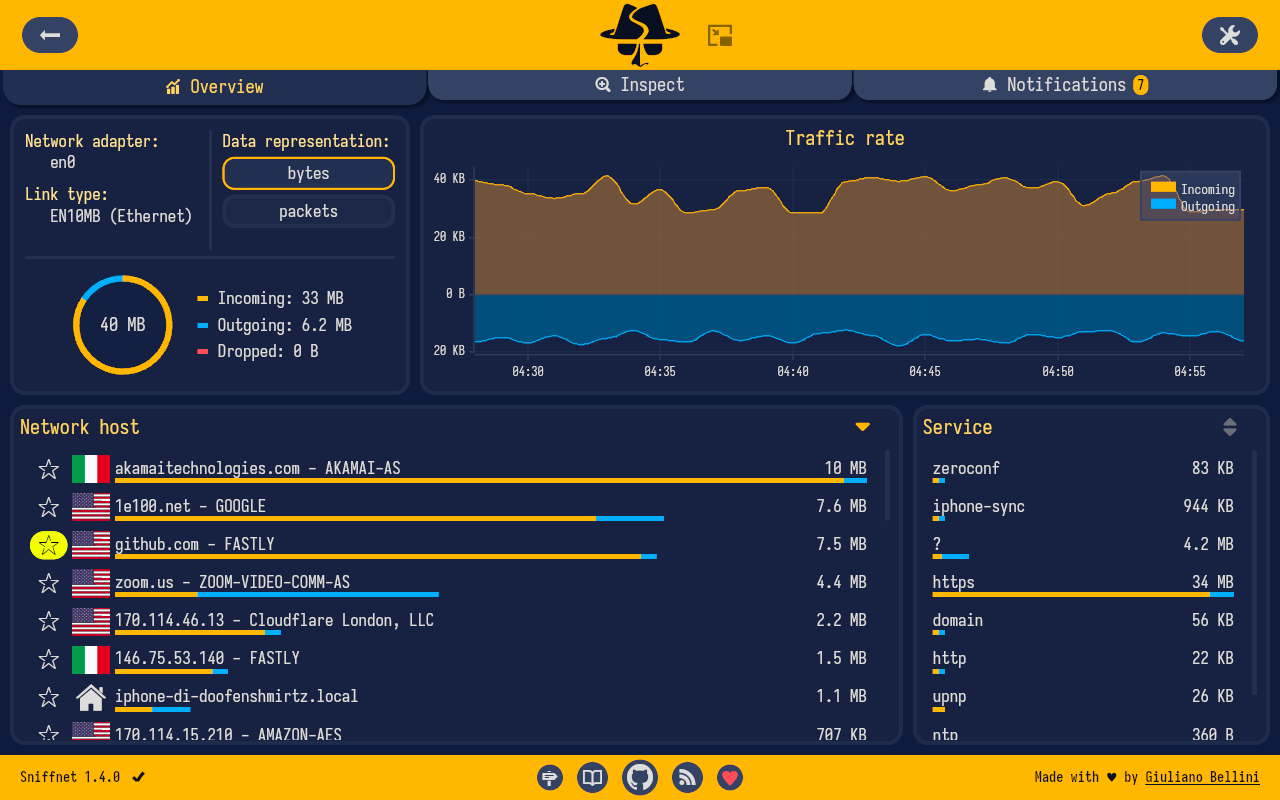
- 📖 view overall statistics about your Internet traffic
- 📈 view real-time charts about traffic intensity
- 📌 keep an eye on your network even when the application is minimized
- 📁 export comprehensive capture reports as PCAP files
- 🔎 identify 6000+ upper layer services, protocols, trojans, and worms
- 🌐 find out domain name and ASN of the hosts you are exchanging traffic with
- 🏠 identify connections in your local network
- 🌍 get information about the country of remote hosts (IP geolocation)
- ⭐ save your favorite network hosts
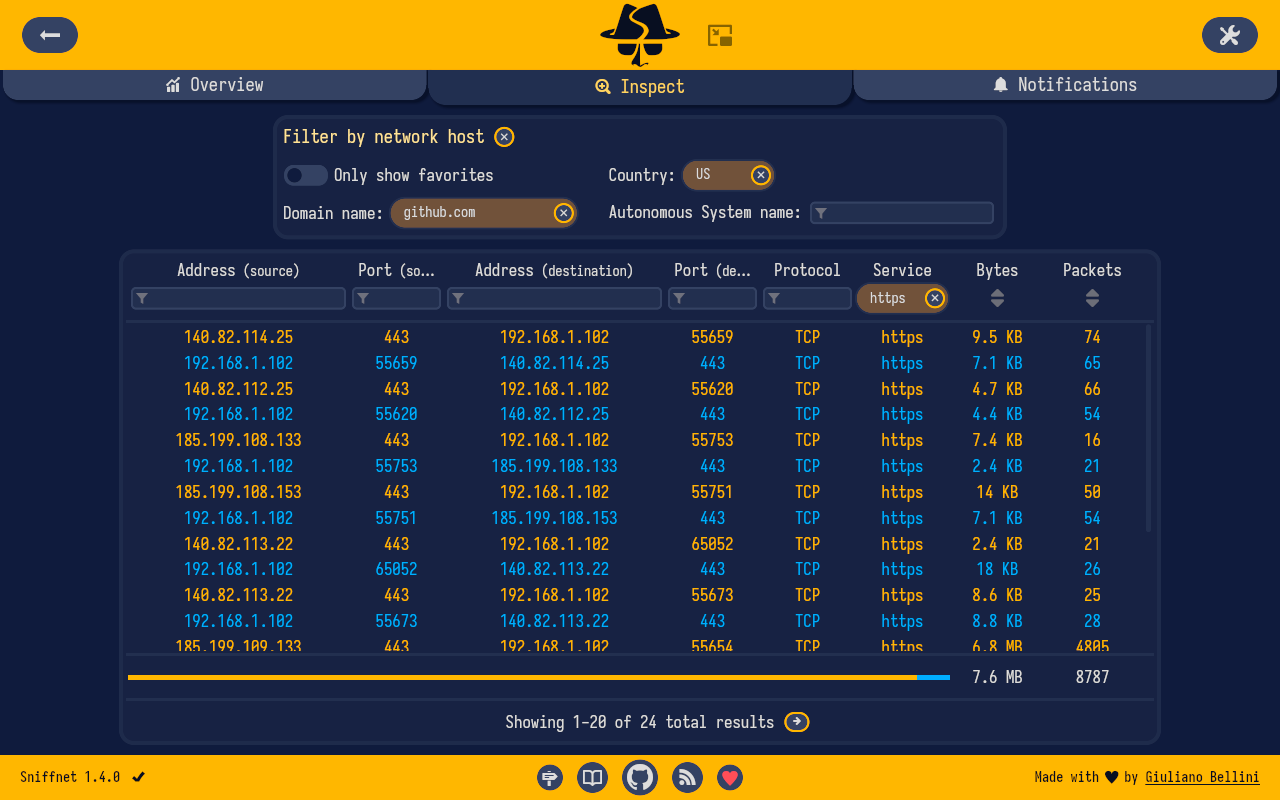
- 🕵️♂️ search and inspect each of your network connections in real time
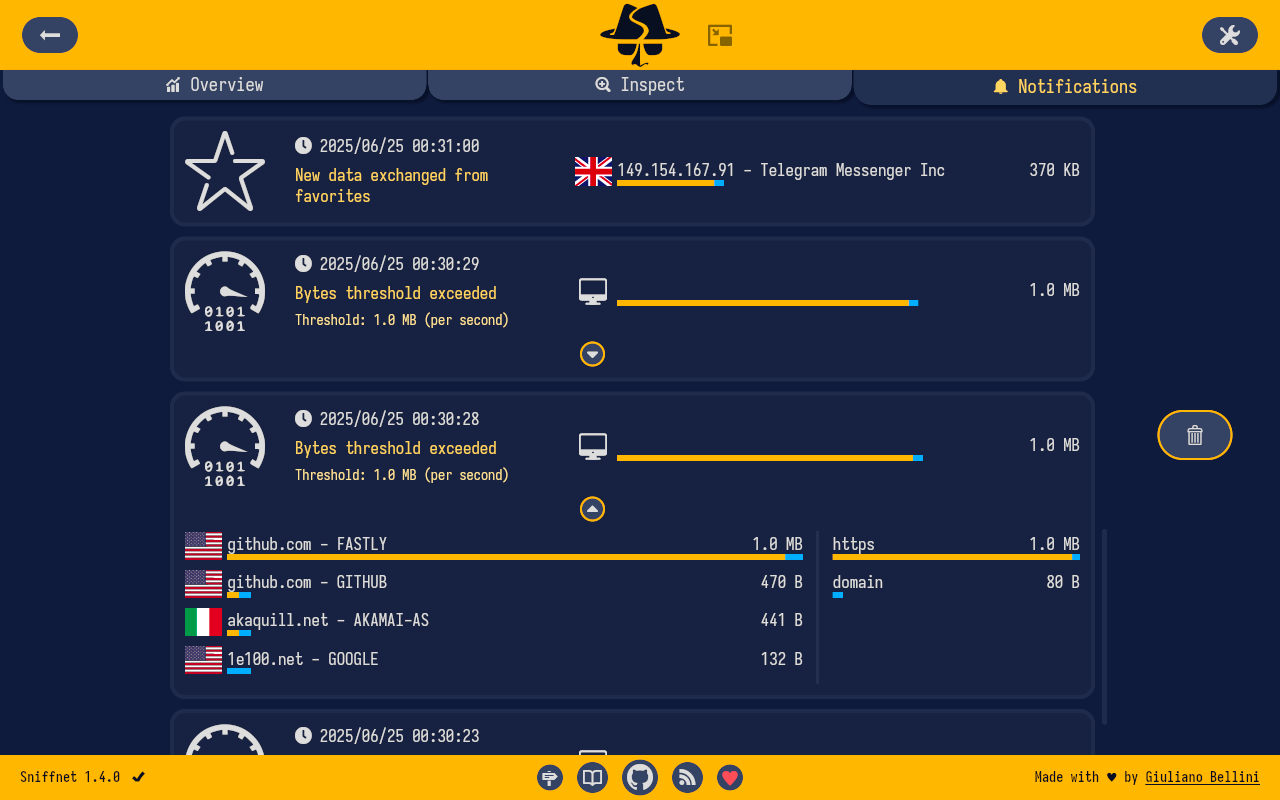
- 🔉 set custom notifications to inform you when defined network events occur
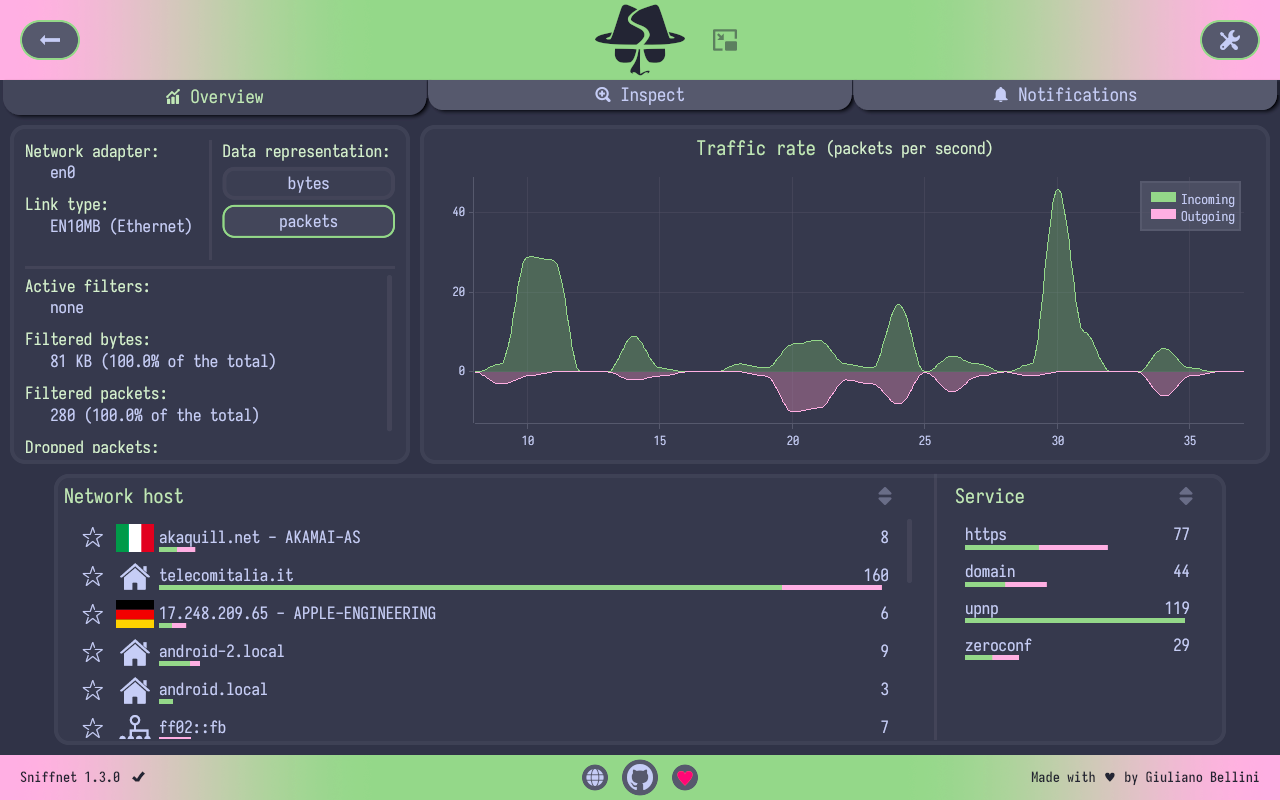
- 🎨 choose the style that fits you the most, including custom themes support
- ...and more!
User manual
Do you want to learn more?
Check out the Sniffnet Wiki, a comprehensive manual to help you
thoroughly master the application from a basic setup to the most advanced functionalities.
The Wiki includes step-by-step guides, tips, examples of usage, and answers to frequent questions.

Troubleshooting
See details
Missing dependencies
Most of the errors that may arise are likely due to your system missing dependencies
required to correctly analyze a network adapter.
Check the required dependencies page
for instructions on how to proceed depending on your operating system.
Rendering problems
In some circumstances, especially if you are running on an old architecture or your graphical drivers are not updated,
the wgpu default renderer used by iced
may manifest bugs (the interface glitches, color gradients are unsupported, or some icons are completely black).
In these cases you can set an environment variable to switch to the tiny-skia renderer,
a CPU-only software renderer that should work properly on every environment:
ICED_BACKEND=tiny-skia
In any case, don't hesitate to open an issue, and I will do my best to help you!
Acknowledgements
- A big shout-out to all the contributors of Sniffnet!
- The graphical user interface has been realized with iced, a cross-platform GUI library for Rust focused on simplicity and type-safety
- IP geolocation and ASN data are provided by MaxMind
- Last but not least, thanks to every single stargazer: all forms of support made it possible to keep improving Sniffnet!
Stay in the loop
Wait... there's more!
Sniffnet is rapidly evolving, and new features are added on a regular basis.
Follow the news and Sniffnet socials to never miss an update.