 aababb8075
* feat: add dialog abstraction system

* removed unneeded file

* fix formatting

* linting fixes
Meshtastic Web



Overview
Official Meshtastic web interface, that can be hosted or served from a node
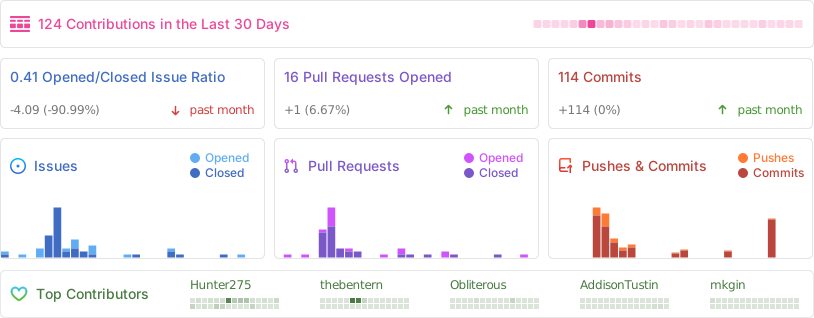
Stats
Self-host
The client can be self hosted using the precompiled container images with an OCI compatible runtime such as Docker or Podman. The base image used is Nginx 1.27
# With Docker
docker run -d -p 8080:8080 --restart always --name Meshtastic-Web ghcr.io/meshtastic/web

#With Podman
podman run -d -p 8080:8080 --restart always --name Meshtastic-Web ghcr.io/meshtastic/web
Release Schedule
Our release process follows these guidelines:
- Versioning: We use Semantic Versioning (
Major.Minor.Patch). - Stable Releases: Published around the beginning of each month (e.g.,
v2.6.1). - Pre-releases: A pre-release is typically issued mid-month for testing and early adoption.
- Nightly Builds: An experimental Docker image containing the latest
cutting-edge features and fixes is automatically built nightly from the
mainbranch.
Nightly Builds
# With Docker
docker run -d -p 8080:8080 --restart always --name Meshtastic-Web ghcr.io/meshtastic/web:nightly
#With Podman
podman run -d -p 8080:8080 --restart always --name Meshtastic-Web ghcr.io/meshtastic/web:nightly
Warning
- Nightly builds represent the latest development state and may contain breaking changes
- These builds undergo automated testing but may be less stable than tagged release versions
- Not recommended for production environments unless you are actively testing new features
- No guarantee of backward compatibility between nightly builds
Version Information
Each nightly build is tagged with:
- The nightly tag for the latest build
- A specific SHA for build reproducibility
Feedback
If you encounter any issues with nightly builds, please report them in our issues tracker. Your feedback helps improve the stability of future releases
Development & Building
You'll need to download the package manager used with this repo. You can install it by visiting pnpm.io and following the installation instructions listed on the home page.
Development
Install the dependencies.
cd packages/web &&
pnpm install
Start the development server:
pnpm run dev
Building and Packaging
Build the project:
pnpm run build
GZip the output:
pnpm run package
Why pnpm?
Meshtastic Web uses pnpm as its package manager for several compelling reasons:
- Efficient Storage: pnpm uses content-addressable storage, avoiding duplication of packages across projects and saving significant disk space.
- Fast Performance: Faster package installation compared to other package managers through symlinks and efficient dependency resolution.
- Strict Dependency Management: Prevents access to unlisted dependencies, ensuring better project reliability and security.
- Workspace Support: Excellent monorepo support with workspaces for managing multiple packages efficiently.
- Reproducible Builds: Lockfile ensures consistent builds across all environments.
Contributing
We welcome contributions! Here’s how the deployment flow works for pull requests:
-
Preview Deployments:
Every pull request automatically generates a preview deployment on Vercel. This allows you and reviewers to easily preview changes before merging. -
Staging Environment (
client-test):
Once your PR is merged, your changes will be available on our staging site: client-test.meshtastic.org.
This environment supports rapid feature iteration and testing without impacting the production site. -
Production Releases:
At regular intervals, stable and fully tested releases are promoted to our production site: client.meshtastic.org.
This is the primary interface used by the public to connect with their Meshtastic nodes.
Please review our Contribution Guidelines before submitting a pull request. We appreciate your help in making the project better!