mirror of
https://github.com/mudler/LocalAI.git
synced 2026-08-06 13:26:11 -04:00
Compare commits
3 Commits
v2.0.0_bet
...
enable_gpu
| Author | SHA1 | Date | |
|---|---|---|---|

|
a8e91345e2 | ||
|
|
ea4ade6b60 | ||
|
|
796d0c99aa |
19
.env
19
.env
@@ -69,21 +69,4 @@ MODELS_PATH=/models
|
||||
# PYTHON_GRPC_MAX_WORKERS=1
|
||||
|
||||
### Define the number of parallel LLAMA.cpp workers (Defaults to 1)
|
||||
# LLAMACPP_PARALLEL=1
|
||||
|
||||
### Enable to run parallel requests
|
||||
# PARALLEL_REQUESTS=true
|
||||
|
||||
### Watchdog settings
|
||||
###
|
||||
# Enables watchdog to kill backends that are inactive for too much time
|
||||
# WATCHDOG_IDLE=true
|
||||
#
|
||||
# Enables watchdog to kill backends that are busy for too much time
|
||||
# WATCHDOG_BUSY=true
|
||||
#
|
||||
# Time in duration format (e.g. 1h30m) after which a backend is considered idle
|
||||
# WATCHDOG_IDLE_TIMEOUT=5m
|
||||
#
|
||||
# Time in duration format (e.g. 1h30m) after which a backend is considered busy
|
||||
# WATCHDOG_BUSY_TIMEOUT=5m
|
||||
# LLAMACPP_PARALLEL=1
|
||||
210
.github/workflows/image.yml
vendored
210
.github/workflows/image.yml
vendored
@@ -14,25 +14,8 @@ concurrency:
|
||||
cancel-in-progress: true
|
||||
|
||||
jobs:
|
||||
extras-image-build:
|
||||
uses: ./.github/workflows/image_build.yml
|
||||
with:
|
||||
tag-latest: ${{ matrix.tag-latest }}
|
||||
tag-suffix: ${{ matrix.tag-suffix }}
|
||||
ffmpeg: ${{ matrix.ffmpeg }}
|
||||
image-type: ${{ matrix.image-type }}
|
||||
build-type: ${{ matrix.build-type }}
|
||||
cuda-major-version: ${{ matrix.cuda-major-version }}
|
||||
cuda-minor-version: ${{ matrix.cuda-minor-version }}
|
||||
platforms: ${{ matrix.platforms }}
|
||||
runs-on: ${{ matrix.runs-on }}
|
||||
secrets:
|
||||
dockerUsername: ${{ secrets.LOCALAI_REGISTRY_USERNAME }}
|
||||
dockerPassword: ${{ secrets.LOCALAI_REGISTRY_PASSWORD }}
|
||||
image-build:
|
||||
strategy:
|
||||
# Pushing with all jobs in parallel
|
||||
# eats the bandwidth of all the nodes
|
||||
max-parallel: ${{ github.event_name != 'pull_request' && 2 || 4 }}
|
||||
matrix:
|
||||
include:
|
||||
- build-type: ''
|
||||
@@ -41,117 +24,130 @@ jobs:
|
||||
tag-latest: 'auto'
|
||||
tag-suffix: ''
|
||||
ffmpeg: ''
|
||||
image-type: 'extras'
|
||||
runs-on: 'arc-runner-set'
|
||||
- build-type: ''
|
||||
platforms: 'linux/amd64'
|
||||
tag-latest: 'false'
|
||||
tag-suffix: '-ffmpeg'
|
||||
ffmpeg: 'true'
|
||||
image-type: 'extras'
|
||||
runs-on: 'arc-runner-set'
|
||||
- build-type: 'cublas'
|
||||
cuda-major-version: "11"
|
||||
cuda-minor-version: "7"
|
||||
cuda-major-version: 11
|
||||
cuda-minor-version: 7
|
||||
platforms: 'linux/amd64'
|
||||
tag-latest: 'false'
|
||||
tag-suffix: '-cublas-cuda11'
|
||||
ffmpeg: ''
|
||||
image-type: 'extras'
|
||||
runs-on: 'arc-runner-set'
|
||||
- build-type: 'cublas'
|
||||
cuda-major-version: "12"
|
||||
cuda-minor-version: "1"
|
||||
cuda-major-version: 12
|
||||
cuda-minor-version: 1
|
||||
platforms: 'linux/amd64'
|
||||
tag-latest: 'false'
|
||||
tag-suffix: '-cublas-cuda12'
|
||||
ffmpeg: ''
|
||||
image-type: 'extras'
|
||||
runs-on: 'arc-runner-set'
|
||||
- build-type: 'cublas'
|
||||
cuda-major-version: "11"
|
||||
cuda-minor-version: "7"
|
||||
cuda-major-version: 11
|
||||
cuda-minor-version: 7
|
||||
platforms: 'linux/amd64'
|
||||
tag-latest: 'false'
|
||||
tag-suffix: '-cublas-cuda11-ffmpeg'
|
||||
ffmpeg: 'true'
|
||||
image-type: 'extras'
|
||||
runs-on: 'arc-runner-set'
|
||||
- build-type: 'cublas'
|
||||
cuda-major-version: "12"
|
||||
cuda-minor-version: "1"
|
||||
cuda-major-version: 12
|
||||
cuda-minor-version: 1
|
||||
platforms: 'linux/amd64'
|
||||
tag-latest: 'false'
|
||||
tag-suffix: '-cublas-cuda12-ffmpeg'
|
||||
ffmpeg: 'true'
|
||||
image-type: 'extras'
|
||||
runs-on: 'arc-runner-set'
|
||||
- build-type: ''
|
||||
#platforms: 'linux/amd64,linux/arm64'
|
||||
platforms: 'linux/amd64'
|
||||
tag-latest: 'auto'
|
||||
tag-suffix: ''
|
||||
ffmpeg: ''
|
||||
image-type: 'extras'
|
||||
runs-on: 'arc-runner-set'
|
||||
core-image-build:
|
||||
uses: ./.github/workflows/image_build.yml
|
||||
with:
|
||||
tag-latest: ${{ matrix.tag-latest }}
|
||||
tag-suffix: ${{ matrix.tag-suffix }}
|
||||
ffmpeg: ${{ matrix.ffmpeg }}
|
||||
image-type: ${{ matrix.image-type }}
|
||||
build-type: ${{ matrix.build-type }}
|
||||
cuda-major-version: ${{ matrix.cuda-major-version }}
|
||||
cuda-minor-version: ${{ matrix.cuda-minor-version }}
|
||||
platforms: ${{ matrix.platforms }}
|
||||
runs-on: ${{ matrix.runs-on }}
|
||||
secrets:
|
||||
dockerUsername: ${{ secrets.LOCALAI_REGISTRY_USERNAME }}
|
||||
dockerPassword: ${{ secrets.LOCALAI_REGISTRY_PASSWORD }}
|
||||
strategy:
|
||||
matrix:
|
||||
include:
|
||||
- build-type: ''
|
||||
platforms: 'linux/amd64'
|
||||
tag-latest: 'false'
|
||||
tag-suffix: '-ffmpeg-core'
|
||||
ffmpeg: 'true'
|
||||
image-type: 'core'
|
||||
runs-on: 'ubuntu-latest'
|
||||
- build-type: 'cublas'
|
||||
cuda-major-version: "11"
|
||||
cuda-minor-version: "7"
|
||||
platforms: 'linux/amd64'
|
||||
tag-latest: 'false'
|
||||
tag-suffix: '-cublas-cuda11-core'
|
||||
ffmpeg: ''
|
||||
image-type: 'core'
|
||||
runs-on: 'ubuntu-latest'
|
||||
- build-type: 'cublas'
|
||||
cuda-major-version: "12"
|
||||
cuda-minor-version: "1"
|
||||
platforms: 'linux/amd64'
|
||||
tag-latest: 'false'
|
||||
tag-suffix: '-cublas-cuda12-core'
|
||||
ffmpeg: ''
|
||||
image-type: 'core'
|
||||
runs-on: 'ubuntu-latest'
|
||||
- build-type: 'cublas'
|
||||
cuda-major-version: "11"
|
||||
cuda-minor-version: "7"
|
||||
platforms: 'linux/amd64'
|
||||
tag-latest: 'false'
|
||||
tag-suffix: '-cublas-cuda11-ffmpeg-core'
|
||||
ffmpeg: 'true'
|
||||
image-type: 'core'
|
||||
runs-on: 'ubuntu-latest'
|
||||
- build-type: 'cublas'
|
||||
cuda-major-version: "12"
|
||||
cuda-minor-version: "1"
|
||||
platforms: 'linux/amd64'
|
||||
tag-latest: 'false'
|
||||
tag-suffix: '-cublas-cuda12-ffmpeg-core'
|
||||
ffmpeg: 'true'
|
||||
image-type: 'core'
|
||||
runs-on: 'ubuntu-latest'
|
||||
|
||||
runs-on: arc-runner-set
|
||||
steps:
|
||||
- name: Force Install GIT latest
|
||||
run: |
|
||||
sudo apt-get update \
|
||||
&& sudo apt-get install -y software-properties-common \
|
||||
&& sudo apt-get update \
|
||||
&& sudo add-apt-repository -y ppa:git-core/ppa \
|
||||
&& sudo apt-get update \
|
||||
&& sudo apt-get install -y git
|
||||
- name: Checkout
|
||||
uses: actions/checkout@v4
|
||||
# - name: Release space from worker
|
||||
# run: |
|
||||
# echo "Listing top largest packages"
|
||||
# pkgs=$(dpkg-query -Wf '${Installed-Size}\t${Package}\t${Status}\n' | awk '$NF == "installed"{print $1 "\t" $2}' | sort -nr)
|
||||
# head -n 30 <<< "${pkgs}"
|
||||
# echo
|
||||
# df -h
|
||||
# echo
|
||||
# sudo apt-get remove -y '^llvm-.*|^libllvm.*' || true
|
||||
# sudo apt-get remove --auto-remove android-sdk-platform-tools || true
|
||||
# sudo apt-get purge --auto-remove android-sdk-platform-tools || true
|
||||
# sudo rm -rf /usr/local/lib/android
|
||||
# sudo apt-get remove -y '^dotnet-.*|^aspnetcore-.*' || true
|
||||
# sudo rm -rf /usr/share/dotnet
|
||||
# sudo apt-get remove -y '^mono-.*' || true
|
||||
# sudo apt-get remove -y '^ghc-.*' || true
|
||||
# sudo apt-get remove -y '.*jdk.*|.*jre.*' || true
|
||||
# sudo apt-get remove -y 'php.*' || true
|
||||
# sudo apt-get remove -y hhvm powershell firefox monodoc-manual msbuild || true
|
||||
# sudo apt-get remove -y '^google-.*' || true
|
||||
# sudo apt-get remove -y azure-cli || true
|
||||
# sudo apt-get remove -y '^mongo.*-.*|^postgresql-.*|^mysql-.*|^mssql-.*' || true
|
||||
# sudo apt-get remove -y '^gfortran-.*' || true
|
||||
# sudo apt-get remove -y microsoft-edge-stable || true
|
||||
# sudo apt-get remove -y firefox || true
|
||||
# sudo apt-get remove -y powershell || true
|
||||
# sudo apt-get remove -y r-base-core || true
|
||||
# sudo apt-get autoremove -y
|
||||
# sudo apt-get clean
|
||||
# echo
|
||||
# echo "Listing top largest packages"
|
||||
# pkgs=$(dpkg-query -Wf '${Installed-Size}\t${Package}\t${Status}\n' | awk '$NF == "installed"{print $1 "\t" $2}' | sort -nr)
|
||||
# head -n 30 <<< "${pkgs}"
|
||||
# echo
|
||||
# sudo rm -rfv build || true
|
||||
# df -h
|
||||
- name: Docker meta
|
||||
id: meta
|
||||
uses: docker/metadata-action@v5
|
||||
with:
|
||||
images: quay.io/go-skynet/local-ai
|
||||
tags: |
|
||||
type=ref,event=branch
|
||||
type=semver,pattern={{raw}}
|
||||
type=sha
|
||||
flavor: |
|
||||
latest=${{ matrix.tag-latest }}
|
||||
suffix=${{ matrix.tag-suffix }}
|
||||
|
||||
- name: Set up QEMU
|
||||
uses: docker/setup-qemu-action@master
|
||||
with:
|
||||
platforms: all
|
||||
|
||||
- name: Set up Docker Buildx
|
||||
id: buildx
|
||||
uses: docker/setup-buildx-action@master
|
||||
|
||||
- name: Login to DockerHub
|
||||
if: github.event_name != 'pull_request'
|
||||
uses: docker/login-action@v3
|
||||
with:
|
||||
registry: quay.io
|
||||
username: ${{ secrets.LOCALAI_REGISTRY_USERNAME }}
|
||||
password: ${{ secrets.LOCALAI_REGISTRY_PASSWORD }}
|
||||
|
||||
- name: Build and push
|
||||
uses: docker/build-push-action@v5
|
||||
with:
|
||||
builder: ${{ steps.buildx.outputs.name }}
|
||||
build-args: |
|
||||
BUILD_TYPE=${{ matrix.build-type }}
|
||||
CUDA_MAJOR_VERSION=${{ matrix.cuda-major-version }}
|
||||
CUDA_MINOR_VERSION=${{ matrix.cuda-minor-version }}
|
||||
FFMPEG=${{ matrix.ffmpeg }}
|
||||
context: .
|
||||
file: ./Dockerfile
|
||||
platforms: ${{ matrix.platforms }}
|
||||
push: ${{ github.event_name != 'pull_request' }}
|
||||
tags: ${{ steps.meta.outputs.tags }}
|
||||
labels: ${{ steps.meta.outputs.labels }}
|
||||
|
||||
147
.github/workflows/image_build.yml
vendored
147
.github/workflows/image_build.yml
vendored
@@ -1,147 +0,0 @@
|
||||
---
|
||||
name: 'build container images (reusable)'
|
||||
|
||||
on:
|
||||
workflow_call:
|
||||
inputs:
|
||||
build-type:
|
||||
description: 'Build type'
|
||||
default: ''
|
||||
type: string
|
||||
cuda-major-version:
|
||||
description: 'CUDA major version'
|
||||
default: "11"
|
||||
type: string
|
||||
cuda-minor-version:
|
||||
description: 'CUDA minor version'
|
||||
default: "7"
|
||||
type: string
|
||||
platforms:
|
||||
description: 'Platforms'
|
||||
default: ''
|
||||
type: string
|
||||
tag-latest:
|
||||
description: 'Tag latest'
|
||||
default: ''
|
||||
type: string
|
||||
tag-suffix:
|
||||
description: 'Tag suffix'
|
||||
default: ''
|
||||
type: string
|
||||
ffmpeg:
|
||||
description: 'FFMPEG'
|
||||
default: ''
|
||||
type: string
|
||||
image-type:
|
||||
description: 'Image type'
|
||||
default: ''
|
||||
type: string
|
||||
runs-on:
|
||||
description: 'Runs on'
|
||||
required: true
|
||||
default: ''
|
||||
type: string
|
||||
secrets:
|
||||
dockerUsername:
|
||||
required: true
|
||||
dockerPassword:
|
||||
required: true
|
||||
jobs:
|
||||
reusable_image-build:
|
||||
runs-on: ${{ inputs.runs-on }}
|
||||
steps:
|
||||
- name: Force Install GIT latest
|
||||
run: |
|
||||
sudo apt-get update \
|
||||
&& sudo apt-get install -y software-properties-common \
|
||||
&& sudo apt-get update \
|
||||
&& sudo add-apt-repository -y ppa:git-core/ppa \
|
||||
&& sudo apt-get update \
|
||||
&& sudo apt-get install -y git
|
||||
- name: Checkout
|
||||
uses: actions/checkout@v4
|
||||
# - name: Release space from worker
|
||||
# run: |
|
||||
# echo "Listing top largest packages"
|
||||
# pkgs=$(dpkg-query -Wf '${Installed-Size}\t${Package}\t${Status}\n' | awk '$NF == "installed"{print $1 "\t" $2}' | sort -nr)
|
||||
# head -n 30 <<< "${pkgs}"
|
||||
# echo
|
||||
# df -h
|
||||
# echo
|
||||
# sudo apt-get remove -y '^llvm-.*|^libllvm.*' || true
|
||||
# sudo apt-get remove --auto-remove android-sdk-platform-tools || true
|
||||
# sudo apt-get purge --auto-remove android-sdk-platform-tools || true
|
||||
# sudo rm -rf /usr/local/lib/android
|
||||
# sudo apt-get remove -y '^dotnet-.*|^aspnetcore-.*' || true
|
||||
# sudo rm -rf /usr/share/dotnet
|
||||
# sudo apt-get remove -y '^mono-.*' || true
|
||||
# sudo apt-get remove -y '^ghc-.*' || true
|
||||
# sudo apt-get remove -y '.*jdk.*|.*jre.*' || true
|
||||
# sudo apt-get remove -y 'php.*' || true
|
||||
# sudo apt-get remove -y hhvm powershell firefox monodoc-manual msbuild || true
|
||||
# sudo apt-get remove -y '^google-.*' || true
|
||||
# sudo apt-get remove -y azure-cli || true
|
||||
# sudo apt-get remove -y '^mongo.*-.*|^postgresql-.*|^mysql-.*|^mssql-.*' || true
|
||||
# sudo apt-get remove -y '^gfortran-.*' || true
|
||||
# sudo apt-get remove -y microsoft-edge-stable || true
|
||||
# sudo apt-get remove -y firefox || true
|
||||
# sudo apt-get remove -y powershell || true
|
||||
# sudo apt-get remove -y r-base-core || true
|
||||
# sudo apt-get autoremove -y
|
||||
# sudo apt-get clean
|
||||
# echo
|
||||
# echo "Listing top largest packages"
|
||||
# pkgs=$(dpkg-query -Wf '${Installed-Size}\t${Package}\t${Status}\n' | awk '$NF == "installed"{print $1 "\t" $2}' | sort -nr)
|
||||
# head -n 30 <<< "${pkgs}"
|
||||
# echo
|
||||
# sudo rm -rfv build || true
|
||||
# df -h
|
||||
- name: Docker meta
|
||||
id: meta
|
||||
uses: docker/metadata-action@v5
|
||||
with:
|
||||
images: quay.io/go-skynet/local-ai
|
||||
tags: |
|
||||
type=ref,event=branch
|
||||
type=semver,pattern={{raw}}
|
||||
type=sha
|
||||
flavor: |
|
||||
latest=${{ inputs.tag-latest }}
|
||||
suffix=${{ inputs.tag-suffix }}
|
||||
|
||||
- name: Set up QEMU
|
||||
uses: docker/setup-qemu-action@master
|
||||
with:
|
||||
platforms: all
|
||||
|
||||
- name: Set up Docker Buildx
|
||||
id: buildx
|
||||
uses: docker/setup-buildx-action@master
|
||||
|
||||
- name: Login to DockerHub
|
||||
if: github.event_name != 'pull_request'
|
||||
uses: docker/login-action@v3
|
||||
with:
|
||||
registry: quay.io
|
||||
username: ${{ secrets.dockerUsername }}
|
||||
password: ${{ secrets.dockerPassword }}
|
||||
|
||||
- name: Build and push
|
||||
uses: docker/build-push-action@v5
|
||||
with:
|
||||
builder: ${{ steps.buildx.outputs.name }}
|
||||
build-args: |
|
||||
BUILD_TYPE=${{ inputs.build-type }}
|
||||
CUDA_MAJOR_VERSION=${{ inputs.cuda-major-version }}
|
||||
CUDA_MINOR_VERSION=${{ inputs.cuda-minor-version }}
|
||||
FFMPEG=${{ inputs.ffmpeg }}
|
||||
IMAGE_TYPE=${{ inputs.image-type }}
|
||||
context: .
|
||||
file: ./Dockerfile
|
||||
platforms: ${{ inputs.platforms }}
|
||||
push: ${{ github.event_name != 'pull_request' }}
|
||||
tags: ${{ steps.meta.outputs.tags }}
|
||||
labels: ${{ steps.meta.outputs.labels }}
|
||||
- name: job summary
|
||||
run: |
|
||||
echo "Built image: ${{ steps.meta.outputs.labels }}" >> $GITHUB_STEP_SUMMARY
|
||||
9
.github/workflows/test.yml
vendored
9
.github/workflows/test.yml
vendored
@@ -78,12 +78,13 @@ jobs:
|
||||
sudo apt-get install -y libopencv-dev && sudo ln -s /usr/include/opencv4/opencv2 /usr/include/opencv2
|
||||
|
||||
sudo rm -rfv /usr/bin/conda || true
|
||||
PATH=$PATH:/opt/conda/bin make -C backend/python/sentencetransformers
|
||||
PATH=$PATH:/opt/conda/bin make -C extra/grpc/huggingface
|
||||
|
||||
# Pre-build piper before we start tests in order to have shared libraries in place
|
||||
make sources/go-piper && \
|
||||
GO_TAGS="tts" make -C sources/go-piper piper.o && \
|
||||
sudo cp -rfv sources/go-piper/piper/build/pi/lib/. /usr/lib/ && \
|
||||
make go-piper && \
|
||||
GO_TAGS="tts" make -C go-piper piper.o && \
|
||||
sudo cp -rfv go-piper/piper/build/pi/lib/. /usr/lib/ && \
|
||||
|
||||
# Pre-build stable diffusion before we install a newer version of abseil (not compatible with stablediffusion-ncn)
|
||||
GO_TAGS="stablediffusion tts" GRPC_BACKENDS=backend-assets/grpc/stablediffusion make build
|
||||
|
||||
|
||||
9
.gitignore
vendored
9
.gitignore
vendored
@@ -1,5 +1,12 @@
|
||||
# go-llama build artifacts
|
||||
/sources/
|
||||
go-llama
|
||||
go-llama-stable
|
||||
/gpt4all
|
||||
go-stable-diffusion
|
||||
go-piper
|
||||
/go-bert
|
||||
go-ggllm
|
||||
/piper
|
||||
__pycache__/
|
||||
*.a
|
||||
get-sources
|
||||
|
||||
3
.gitmodules
vendored
3
.gitmodules
vendored
@@ -1,3 +0,0 @@
|
||||
[submodule "docs/themes/hugo-theme-relearn"]
|
||||
path = docs/themes/hugo-theme-relearn
|
||||
url = https://github.com/McShelby/hugo-theme-relearn.git
|
||||
57
Dockerfile
57
Dockerfile
@@ -12,7 +12,7 @@ ARG TARGETARCH
|
||||
ARG TARGETVARIANT
|
||||
|
||||
ENV BUILD_TYPE=${BUILD_TYPE}
|
||||
ENV EXTERNAL_GRPC_BACKENDS="huggingface-embeddings:/build/backend/python/sentencetransformers/run.sh,petals:/build/backend/python/petals/run.sh,transformers:/build/backend/python/transformers/run.sh,sentencetransformers:/build/backend/python/sentencetransformers/run.sh,autogptq:/build/backend/python/autogptq/run.sh,bark:/build/backend/python/bark/run.sh,diffusers:/build/backend/python/diffusers/run.sh,exllama:/build/backend/python/exllama/run.sh,vall-e-x:/build/backend/python/vall-e-x/run.sh,vllm:/build/backend/python/vllm/run.sh"
|
||||
ENV EXTERNAL_GRPC_BACKENDS="huggingface-embeddings:/build/extra/grpc/huggingface/run.sh,autogptq:/build/extra/grpc/autogptq/run.sh,bark:/build/extra/grpc/bark/run.sh,diffusers:/build/extra/grpc/diffusers/run.sh,exllama:/build/extra/grpc/exllama/run.sh,vall-e-x:/build/extra/grpc/vall-e-x/run.sh,vllm:/build/extra/grpc/vllm/run.sh"
|
||||
ENV GALLERIES='[{"name":"model-gallery", "url":"github:go-skynet/model-gallery/index.yaml"}, {"url": "github:go-skynet/model-gallery/huggingface.yaml","name":"huggingface"}]'
|
||||
ARG GO_TAGS="stablediffusion tts"
|
||||
|
||||
@@ -64,10 +64,20 @@ RUN curl https://repo.anaconda.com/pkgs/misc/gpgkeys/anaconda.asc | gpg --dearmo
|
||||
apt-get update && \
|
||||
apt-get install -y conda
|
||||
|
||||
COPY extra/requirements.txt /build/extra/requirements.txt
|
||||
ENV PATH="/root/.cargo/bin:${PATH}"
|
||||
RUN pip install --upgrade pip
|
||||
RUN curl --proto '=https' --tlsv1.2 -sSf https://sh.rustup.rs | sh -s -- -y
|
||||
#RUN if [ "${TARGETARCH}" = "amd64" ]; then \
|
||||
# pip install git+https://github.com/suno-ai/bark.git diffusers invisible_watermark transformers accelerate safetensors;\
|
||||
# fi
|
||||
#RUN if [ "${BUILD_TYPE}" = "cublas" ] && [ "${TARGETARCH}" = "amd64" ]; then \
|
||||
# pip install torch vllm && pip install auto-gptq https://github.com/jllllll/exllama/releases/download/0.0.10/exllama-0.0.10+cu${CUDA_MAJOR_VERSION}${CUDA_MINOR_VERSION}-cp39-cp39-linux_x86_64.whl;\
|
||||
# fi
|
||||
#RUN pip install -r /build/extra/requirements.txt && rm -rf /build/extra/requirements.txt
|
||||
|
||||
# Vall-e-X
|
||||
RUN git clone https://github.com/Plachtaa/VALL-E-X.git /usr/lib/vall-e-x && cd /usr/lib/vall-e-x && pip install -r requirements.txt
|
||||
|
||||
# \
|
||||
# ; fi
|
||||
@@ -88,9 +98,12 @@ ENV NVIDIA_VISIBLE_DEVICES=all
|
||||
|
||||
WORKDIR /build
|
||||
|
||||
COPY Makefile .
|
||||
RUN make get-sources
|
||||
COPY go.mod .
|
||||
RUN make prepare
|
||||
COPY . .
|
||||
COPY .git .
|
||||
RUN make prepare
|
||||
|
||||
# stablediffusion does not tolerate a newer version of abseil, build it first
|
||||
RUN GRPC_BACKENDS=backend-assets/grpc/stablediffusion make build
|
||||
@@ -99,15 +112,15 @@ RUN if [ "${BUILD_GRPC}" = "true" ]; then \
|
||||
git clone --recurse-submodules -b v1.58.0 --depth 1 --shallow-submodules https://github.com/grpc/grpc && \
|
||||
cd grpc && mkdir -p cmake/build && cd cmake/build && cmake -DgRPC_INSTALL=ON \
|
||||
-DgRPC_BUILD_TESTS=OFF \
|
||||
../.. && make -j12 install \
|
||||
../.. && make -j12 install && rm -rf grpc \
|
||||
; fi
|
||||
|
||||
# Rebuild with defaults backends
|
||||
RUN make build
|
||||
|
||||
RUN if [ ! -d "/build/sources/go-piper/piper/build/pi/lib/" ]; then \
|
||||
mkdir -p /build/sources/go-piper/piper/build/pi/lib/ \
|
||||
touch /build/sources/go-piper/piper/build/pi/lib/keep \
|
||||
RUN if [ ! -d "/build/go-piper/piper/build/pi/lib/" ]; then \
|
||||
mkdir -p /build/go-piper/piper/build/pi/lib/ \
|
||||
touch /build/go-piper/piper/build/pi/lib/keep \
|
||||
; fi
|
||||
|
||||
###################################
|
||||
@@ -141,60 +154,48 @@ WORKDIR /build
|
||||
# see https://github.com/go-skynet/LocalAI/pull/658#discussion_r1241971626 and
|
||||
# https://github.com/go-skynet/LocalAI/pull/434
|
||||
COPY . .
|
||||
|
||||
COPY --from=builder /build/sources ./sources/
|
||||
COPY --from=builder /build/grpc ./grpc/
|
||||
|
||||
RUN make prepare-sources && cd /build/grpc/cmake/build && make install && rm -rf grpc
|
||||
RUN make prepare-sources
|
||||
|
||||
# Copy the binary
|
||||
COPY --from=builder /build/local-ai ./
|
||||
|
||||
# Copy shared libraries for piper
|
||||
COPY --from=builder /build/sources/go-piper/piper/build/pi/lib/* /usr/lib/
|
||||
COPY --from=builder /build/go-piper/piper/build/pi/lib/* /usr/lib/
|
||||
|
||||
# do not let stablediffusion rebuild (requires an older version of absl)
|
||||
COPY --from=builder /build/backend-assets/grpc/stablediffusion ./backend-assets/grpc/stablediffusion
|
||||
|
||||
## Duplicated from Makefile to avoid having a big layer that's hard to push
|
||||
RUN if [ "${IMAGE_TYPE}" = "extras" ]; then \
|
||||
PATH=$PATH:/opt/conda/bin make -C backend/python/autogptq \
|
||||
PATH=$PATH:/opt/conda/bin make -C extra/grpc/autogptq \
|
||||
; fi
|
||||
RUN if [ "${IMAGE_TYPE}" = "extras" ]; then \
|
||||
PATH=$PATH:/opt/conda/bin make -C backend/python/bark \
|
||||
PATH=$PATH:/opt/conda/bin make -C extra/grpc/bark \
|
||||
; fi
|
||||
RUN if [ "${IMAGE_TYPE}" = "extras" ]; then \
|
||||
PATH=$PATH:/opt/conda/bin make -C backend/python/diffusers \
|
||||
PATH=$PATH:/opt/conda/bin make -C extra/grpc/diffusers \
|
||||
; fi
|
||||
RUN if [ "${IMAGE_TYPE}" = "extras" ]; then \
|
||||
PATH=$PATH:/opt/conda/bin make -C backend/python/vllm \
|
||||
PATH=$PATH:/opt/conda/bin make -C extra/grpc/vllm \
|
||||
; fi
|
||||
RUN if [ "${IMAGE_TYPE}" = "extras" ]; then \
|
||||
PATH=$PATH:/opt/conda/bin make -C backend/python/sentencetransformers \
|
||||
PATH=$PATH:/opt/conda/bin make -C extra/grpc/huggingface \
|
||||
; fi
|
||||
RUN if [ "${IMAGE_TYPE}" = "extras" ]; then \
|
||||
PATH=$PATH:/opt/conda/bin make -C backend/python/transformers \
|
||||
PATH=$PATH:/opt/conda/bin make -C extra/grpc/vall-e-x \
|
||||
; fi
|
||||
RUN if [ "${IMAGE_TYPE}" = "extras" ]; then \
|
||||
PATH=$PATH:/opt/conda/bin make -C backend/python/vall-e-x \
|
||||
; fi
|
||||
RUN if [ "${IMAGE_TYPE}" = "extras" ]; then \
|
||||
PATH=$PATH:/opt/conda/bin make -C backend/python/exllama \
|
||||
; fi
|
||||
RUN if [ "${IMAGE_TYPE}" = "extras" ]; then \
|
||||
PATH=$PATH:/opt/conda/bin make -C backend/python/petals \
|
||||
PATH=$PATH:/opt/conda/bin make -C extra/grpc/exllama \
|
||||
; fi
|
||||
|
||||
# Copy VALLE-X as it's not a real "lib"
|
||||
# TODO: this is wrong - we should copy the lib into the conda env path
|
||||
RUN if [ -d /usr/lib/vall-e-x ]; then \
|
||||
cp -rfv /usr/lib/vall-e-x/* ./ ; \
|
||||
fi
|
||||
|
||||
# we also copy exllama libs over to resolve exllama import error
|
||||
# TODO: check if this is still needed
|
||||
RUN if [ -d /usr/local/lib/python3.9/dist-packages/exllama ]; then \
|
||||
cp -rfv /usr/local/lib/python3.9/dist-packages/exllama backend/python/exllama/;\
|
||||
cp -rfv /usr/local/lib/python3.9/dist-packages/exllama extra/grpc/exllama/;\
|
||||
fi
|
||||
|
||||
# Define the health check command
|
||||
|
||||
@@ -1,10 +0,0 @@
|
||||
<?xml version="1.0" encoding="UTF-8"?>
|
||||
<!DOCTYPE plist PUBLIC "-//Apple//DTD PLIST 1.0//EN" "http://www.apple.com/DTDs/PropertyList-1.0.dtd">
|
||||
<plist version="1.0">
|
||||
<dict>
|
||||
<key>com.apple.security.network.client</key>
|
||||
<true/>
|
||||
<key>com.apple.security.network.server</key>
|
||||
<true/>
|
||||
</dict>
|
||||
</plist>
|
||||
332
Makefile
332
Makefile
@@ -8,7 +8,7 @@ GOLLAMA_VERSION?=aeba71ee842819da681ea537e78846dc75949ac0
|
||||
|
||||
GOLLAMA_STABLE_VERSION?=50cee7712066d9e38306eccadcfbb44ea87df4b7
|
||||
|
||||
CPPLLAMA_VERSION?=1f5cd83275fabb43f2ae92c30033b384a3eb37b4
|
||||
CPPLLAMA_VERSION?=a75fa576abba9d37f463580c379e4bbf1e1ad03c
|
||||
|
||||
# gpt4all version
|
||||
GPT4ALL_REPO?=https://github.com/nomic-ai/gpt4all
|
||||
@@ -28,10 +28,10 @@ WHISPER_CPP_VERSION?=85ed71aaec8e0612a84c0b67804bde75aa75a273
|
||||
BERT_VERSION?=6abe312cded14042f6b7c3cd8edf082713334a4d
|
||||
|
||||
# go-piper version
|
||||
PIPER_VERSION?=5a4c9e28c84bac09ab6baa9f88457d852cb46bb2
|
||||
PIPER_VERSION?=736f6fb639ab8e3397356e48eeb6bdcb9da88a78
|
||||
|
||||
# stablediffusion version
|
||||
STABLEDIFFUSION_VERSION?=902db5f066fd137697e3b69d0fa10d4782bd2c2f
|
||||
STABLEDIFFUSION_VERSION?=d89260f598afb809279bc72aa0107b4292587632
|
||||
|
||||
export BUILD_TYPE?=
|
||||
export STABLE_BUILD_TYPE?=$(BUILD_TYPE)
|
||||
@@ -68,19 +68,12 @@ ifndef UNAME_S
|
||||
UNAME_S := $(shell uname -s)
|
||||
endif
|
||||
|
||||
ifeq ($(OS),Darwin)
|
||||
ifeq ($(UNAME_S),Darwin)
|
||||
CGO_LDFLAGS += -lcblas -framework Accelerate
|
||||
ifeq ($(OSX_SIGNING_IDENTITY),)
|
||||
OSX_SIGNING_IDENTITY := $(shell security find-identity -v -p codesigning | grep '"' | head -n 1 | sed -E 's/.*"(.*)"/\1/')
|
||||
endif
|
||||
|
||||
# on OSX, if BUILD_TYPE is blank, we should default to use Metal
|
||||
ifeq ($(BUILD_TYPE),)
|
||||
BUILD_TYPE=metal
|
||||
# disable metal if on Darwin and any other value is explicitly passed.
|
||||
else ifneq ($(BUILD_TYPE),metal)
|
||||
CMAKE_ARGS+=-DLLAMA_METAL=OFF
|
||||
endif
|
||||
ifneq ($(BUILD_TYPE),metal)
|
||||
# explicit disable metal if on Darwin and metal is disabled
|
||||
CMAKE_ARGS+=-DLLAMA_METAL=OFF
|
||||
endif
|
||||
endif
|
||||
|
||||
ifeq ($(BUILD_TYPE),openblas)
|
||||
@@ -96,7 +89,7 @@ ifeq ($(BUILD_TYPE),hipblas)
|
||||
ROCM_HOME ?= /opt/rocm
|
||||
export CXX=$(ROCM_HOME)/llvm/bin/clang++
|
||||
export CC=$(ROCM_HOME)/llvm/bin/clang
|
||||
# llama-ggml has no hipblas support, so override it here.
|
||||
# Llama-stable has no hipblas support, so override it here.
|
||||
export STABLE_BUILD_TYPE=
|
||||
GPU_TARGETS ?= gfx900,gfx90a,gfx1030,gfx1031,gfx1100
|
||||
AMDGPU_TARGETS ?= "$(GPU_TARGETS)"
|
||||
@@ -126,12 +119,12 @@ endif
|
||||
ifeq ($(findstring tts,$(GO_TAGS)),tts)
|
||||
# OPTIONAL_TARGETS+=go-piper/libpiper_binding.a
|
||||
# OPTIONAL_TARGETS+=backend-assets/espeak-ng-data
|
||||
PIPER_CGO_CXXFLAGS+=-I$(shell pwd)/sources/go-piper/piper/src/cpp -I$(shell pwd)/sources/go-piper/piper/build/fi/include -I$(shell pwd)/sources/go-piper/piper/build/pi/include -I$(shell pwd)/sources/go-piper/piper/build/si/include
|
||||
PIPER_CGO_LDFLAGS+=-L$(shell pwd)/sources/go-piper/piper/build/fi/lib -L$(shell pwd)/sources/go-piper/piper/build/pi/lib -L$(shell pwd)/sources/go-piper/piper/build/si/lib -lfmt -lspdlog -lucd
|
||||
PIPER_CGO_CXXFLAGS+=-I$(shell pwd)/go-piper/piper/src/cpp -I$(shell pwd)/go-piper/piper/build/fi/include -I$(shell pwd)/go-piper/piper/build/pi/include -I$(shell pwd)/go-piper/piper/build/si/include
|
||||
PIPER_CGO_LDFLAGS+=-L$(shell pwd)/go-piper/piper/build/fi/lib -L$(shell pwd)/go-piper/piper/build/pi/lib -L$(shell pwd)/go-piper/piper/build/si/lib -lfmt -lspdlog
|
||||
OPTIONAL_GRPC+=backend-assets/grpc/piper
|
||||
endif
|
||||
|
||||
ALL_GRPC_BACKENDS=backend-assets/grpc/langchain-huggingface backend-assets/grpc/falcon-ggml backend-assets/grpc/bert-embeddings backend-assets/grpc/llama backend-assets/grpc/llama-cpp backend-assets/grpc/llama-ggml backend-assets/grpc/gpt4all backend-assets/grpc/dolly backend-assets/grpc/gpt2 backend-assets/grpc/gptj backend-assets/grpc/gptneox backend-assets/grpc/mpt backend-assets/grpc/replit backend-assets/grpc/starcoder backend-assets/grpc/rwkv backend-assets/grpc/whisper $(OPTIONAL_GRPC)
|
||||
ALL_GRPC_BACKENDS=backend-assets/grpc/langchain-huggingface backend-assets/grpc/falcon-ggml backend-assets/grpc/bert-embeddings backend-assets/grpc/llama backend-assets/grpc/llama-cpp backend-assets/grpc/llama-stable backend-assets/grpc/gpt4all backend-assets/grpc/dolly backend-assets/grpc/gpt2 backend-assets/grpc/gptj backend-assets/grpc/gptneox backend-assets/grpc/mpt backend-assets/grpc/replit backend-assets/grpc/starcoder backend-assets/grpc/rwkv backend-assets/grpc/whisper $(OPTIONAL_GRPC)
|
||||
GRPC_BACKENDS?=$(ALL_GRPC_BACKENDS) $(OPTIONAL_GRPC)
|
||||
|
||||
# If empty, then we build all
|
||||
@@ -144,116 +137,112 @@ endif
|
||||
all: help
|
||||
|
||||
## GPT4ALL
|
||||
sources/gpt4all:
|
||||
git clone --recurse-submodules $(GPT4ALL_REPO) sources/gpt4all
|
||||
cd sources/gpt4all && git checkout -b build $(GPT4ALL_VERSION) && git submodule update --init --recursive --depth 1
|
||||
gpt4all:
|
||||
git clone --recurse-submodules $(GPT4ALL_REPO) gpt4all
|
||||
cd gpt4all && git checkout -b build $(GPT4ALL_VERSION) && git submodule update --init --recursive --depth 1
|
||||
|
||||
## go-piper
|
||||
sources/go-piper:
|
||||
git clone --recurse-submodules https://github.com/mudler/go-piper sources/go-piper
|
||||
cd sources/go-piper && git checkout -b build $(PIPER_VERSION) && git submodule update --init --recursive --depth 1
|
||||
go-piper:
|
||||
git clone --recurse-submodules https://github.com/mudler/go-piper go-piper
|
||||
cd go-piper && git checkout -b build $(PIPER_VERSION) && git submodule update --init --recursive --depth 1
|
||||
|
||||
## BERT embeddings
|
||||
sources/go-bert:
|
||||
git clone --recurse-submodules https://github.com/go-skynet/go-bert.cpp sources/go-bert
|
||||
cd sources/go-bert && git checkout -b build $(BERT_VERSION) && git submodule update --init --recursive --depth 1
|
||||
go-bert:
|
||||
git clone --recurse-submodules https://github.com/go-skynet/go-bert.cpp go-bert
|
||||
cd go-bert && git checkout -b build $(BERT_VERSION) && git submodule update --init --recursive --depth 1
|
||||
|
||||
## stable diffusion
|
||||
sources/go-stable-diffusion:
|
||||
git clone --recurse-submodules https://github.com/mudler/go-stable-diffusion sources/go-stable-diffusion
|
||||
cd sources/go-stable-diffusion && git checkout -b build $(STABLEDIFFUSION_VERSION) && git submodule update --init --recursive --depth 1
|
||||
go-stable-diffusion:
|
||||
git clone --recurse-submodules https://github.com/mudler/go-stable-diffusion go-stable-diffusion
|
||||
cd go-stable-diffusion && git checkout -b build $(STABLEDIFFUSION_VERSION) && git submodule update --init --recursive --depth 1
|
||||
|
||||
sources/go-stable-diffusion/libstablediffusion.a:
|
||||
$(MAKE) -C sources/go-stable-diffusion libstablediffusion.a
|
||||
go-stable-diffusion/libstablediffusion.a:
|
||||
$(MAKE) -C go-stable-diffusion libstablediffusion.a
|
||||
|
||||
## RWKV
|
||||
sources/go-rwkv:
|
||||
git clone --recurse-submodules $(RWKV_REPO) sources/go-rwkv
|
||||
cd sources/go-rwkv && git checkout -b build $(RWKV_VERSION) && git submodule update --init --recursive --depth 1
|
||||
go-rwkv:
|
||||
git clone --recurse-submodules $(RWKV_REPO) go-rwkv
|
||||
cd go-rwkv && git checkout -b build $(RWKV_VERSION) && git submodule update --init --recursive --depth 1
|
||||
|
||||
sources/go-rwkv/librwkv.a: sources/go-rwkv
|
||||
cd sources/go-rwkv && cd rwkv.cpp && cmake . -DRWKV_BUILD_SHARED_LIBRARY=OFF && cmake --build . && cp librwkv.a ..
|
||||
go-rwkv/librwkv.a: go-rwkv
|
||||
cd go-rwkv && cd rwkv.cpp && cmake . -DRWKV_BUILD_SHARED_LIBRARY=OFF && cmake --build . && cp librwkv.a ..
|
||||
|
||||
sources/go-bert/libgobert.a: sources/go-bert
|
||||
$(MAKE) -C sources/go-bert libgobert.a
|
||||
go-bert/libgobert.a: go-bert
|
||||
$(MAKE) -C go-bert libgobert.a
|
||||
|
||||
backend-assets/gpt4all: sources/gpt4all/gpt4all-bindings/golang/libgpt4all.a
|
||||
backend-assets/gpt4all: gpt4all/gpt4all-bindings/golang/libgpt4all.a
|
||||
mkdir -p backend-assets/gpt4all
|
||||
@cp sources/gpt4all/gpt4all-bindings/golang/buildllm/*.so backend-assets/gpt4all/ || true
|
||||
@cp sources/gpt4all/gpt4all-bindings/golang/buildllm/*.dylib backend-assets/gpt4all/ || true
|
||||
@cp sources/gpt4all/gpt4all-bindings/golang/buildllm/*.dll backend-assets/gpt4all/ || true
|
||||
@cp gpt4all/gpt4all-bindings/golang/buildllm/*.so backend-assets/gpt4all/ || true
|
||||
@cp gpt4all/gpt4all-bindings/golang/buildllm/*.dylib backend-assets/gpt4all/ || true
|
||||
@cp gpt4all/gpt4all-bindings/golang/buildllm/*.dll backend-assets/gpt4all/ || true
|
||||
|
||||
backend-assets/espeak-ng-data: sources/go-piper
|
||||
backend-assets/espeak-ng-data: go-piper
|
||||
mkdir -p backend-assets/espeak-ng-data
|
||||
$(MAKE) -C sources/go-piper piper.o
|
||||
@cp -rf sources/go-piper/piper/build/pi/share/espeak-ng-data/. backend-assets/espeak-ng-data
|
||||
$(MAKE) -C go-piper piper.o
|
||||
@cp -rf go-piper/piper/build/pi/share/espeak-ng-data/. backend-assets/espeak-ng-data
|
||||
|
||||
sources/gpt4all/gpt4all-bindings/golang/libgpt4all.a: sources/gpt4all
|
||||
$(MAKE) -C sources/gpt4all/gpt4all-bindings/golang/ libgpt4all.a
|
||||
gpt4all/gpt4all-bindings/golang/libgpt4all.a: gpt4all
|
||||
$(MAKE) -C gpt4all/gpt4all-bindings/golang/ libgpt4all.a
|
||||
|
||||
## CEREBRAS GPT
|
||||
sources/go-ggml-transformers:
|
||||
git clone --recurse-submodules https://github.com/go-skynet/go-ggml-transformers.cpp sources/go-ggml-transformers
|
||||
cd sources/go-ggml-transformers && git checkout -b build $(GOGPT2_VERSION) && git submodule update --init --recursive --depth 1
|
||||
go-ggml-transformers:
|
||||
git clone --recurse-submodules https://github.com/go-skynet/go-ggml-transformers.cpp go-ggml-transformers
|
||||
cd go-ggml-transformers && git checkout -b build $(GOGPT2_VERSION) && git submodule update --init --recursive --depth 1
|
||||
|
||||
sources/go-ggml-transformers/libtransformers.a: sources/go-ggml-transformers
|
||||
$(MAKE) -C sources/go-ggml-transformers BUILD_TYPE=$(BUILD_TYPE) libtransformers.a
|
||||
go-ggml-transformers/libtransformers.a: go-ggml-transformers
|
||||
$(MAKE) -C go-ggml-transformers BUILD_TYPE=$(BUILD_TYPE) libtransformers.a
|
||||
|
||||
sources/whisper.cpp:
|
||||
git clone https://github.com/ggerganov/whisper.cpp.git sources/whisper.cpp
|
||||
cd sources/whisper.cpp && git checkout -b build $(WHISPER_CPP_VERSION) && git submodule update --init --recursive --depth 1
|
||||
whisper.cpp:
|
||||
git clone https://github.com/ggerganov/whisper.cpp.git
|
||||
cd whisper.cpp && git checkout -b build $(WHISPER_CPP_VERSION) && git submodule update --init --recursive --depth 1
|
||||
|
||||
sources/whisper.cpp/libwhisper.a: sources/whisper.cpp
|
||||
cd sources/whisper.cpp && make libwhisper.a
|
||||
whisper.cpp/libwhisper.a: whisper.cpp
|
||||
cd whisper.cpp && make libwhisper.a
|
||||
|
||||
sources/go-llama:
|
||||
git clone --recurse-submodules https://github.com/go-skynet/go-llama.cpp sources/go-llama
|
||||
cd sources/go-llama && git checkout -b build $(GOLLAMA_VERSION) && git submodule update --init --recursive --depth 1
|
||||
go-llama:
|
||||
git clone --recurse-submodules https://github.com/go-skynet/go-llama.cpp go-llama
|
||||
cd go-llama && git checkout -b build $(GOLLAMA_VERSION) && git submodule update --init --recursive --depth 1
|
||||
|
||||
sources/go-llama-ggml:
|
||||
git clone --recurse-submodules https://github.com/go-skynet/go-llama.cpp sources/go-llama-ggml
|
||||
cd sources/go-llama-ggml && git checkout -b build $(GOLLAMA_STABLE_VERSION) && git submodule update --init --recursive --depth 1
|
||||
go-llama-stable:
|
||||
git clone --recurse-submodules https://github.com/go-skynet/go-llama.cpp go-llama-stable
|
||||
cd go-llama-stable && git checkout -b build $(GOLLAMA_STABLE_VERSION) && git submodule update --init --recursive --depth 1
|
||||
|
||||
sources/go-llama/libbinding.a: sources/go-llama
|
||||
$(MAKE) -C sources/go-llama BUILD_TYPE=$(BUILD_TYPE) libbinding.a
|
||||
go-llama/libbinding.a: go-llama
|
||||
$(MAKE) -C go-llama BUILD_TYPE=$(BUILD_TYPE) libbinding.a
|
||||
|
||||
sources/go-llama-ggml/libbinding.a: sources/go-llama-ggml
|
||||
$(MAKE) -C sources/go-llama-ggml BUILD_TYPE=$(STABLE_BUILD_TYPE) libbinding.a
|
||||
go-llama-stable/libbinding.a: go-llama-stable
|
||||
$(MAKE) -C go-llama-stable BUILD_TYPE=$(STABLE_BUILD_TYPE) libbinding.a
|
||||
|
||||
sources/go-piper/libpiper_binding.a: sources/go-piper
|
||||
$(MAKE) -C sources/go-piper libpiper_binding.a example/main
|
||||
go-piper/libpiper_binding.a: go-piper
|
||||
$(MAKE) -C go-piper libpiper_binding.a example/main
|
||||
|
||||
backend/cpp/llama/llama.cpp:
|
||||
$(MAKE) -C backend/cpp/llama llama.cpp
|
||||
|
||||
get-sources: backend/cpp/llama/llama.cpp sources/go-llama sources/go-llama-ggml sources/go-ggml-transformers sources/gpt4all sources/go-piper sources/go-rwkv sources/whisper.cpp sources/go-bert sources/go-stable-diffusion
|
||||
get-sources: go-llama go-llama-stable go-ggml-transformers gpt4all go-piper go-rwkv whisper.cpp go-bert go-stable-diffusion
|
||||
touch $@
|
||||
|
||||
replace:
|
||||
$(GOCMD) mod edit -replace github.com/nomic-ai/gpt4all/gpt4all-bindings/golang=$(shell pwd)/sources/gpt4all/gpt4all-bindings/golang
|
||||
$(GOCMD) mod edit -replace github.com/go-skynet/go-ggml-transformers.cpp=$(shell pwd)/sources/go-ggml-transformers
|
||||
$(GOCMD) mod edit -replace github.com/donomii/go-rwkv.cpp=$(shell pwd)/sources/go-rwkv
|
||||
$(GOCMD) mod edit -replace github.com/ggerganov/whisper.cpp=$(shell pwd)/sources/whisper.cpp
|
||||
$(GOCMD) mod edit -replace github.com/go-skynet/go-bert.cpp=$(shell pwd)/sources/go-bert
|
||||
$(GOCMD) mod edit -replace github.com/mudler/go-stable-diffusion=$(shell pwd)/sources/go-stable-diffusion
|
||||
$(GOCMD) mod edit -replace github.com/mudler/go-piper=$(shell pwd)/sources/go-piper
|
||||
$(GOCMD) mod edit -replace github.com/nomic-ai/gpt4all/gpt4all-bindings/golang=$(shell pwd)/gpt4all/gpt4all-bindings/golang
|
||||
$(GOCMD) mod edit -replace github.com/go-skynet/go-ggml-transformers.cpp=$(shell pwd)/go-ggml-transformers
|
||||
$(GOCMD) mod edit -replace github.com/donomii/go-rwkv.cpp=$(shell pwd)/go-rwkv
|
||||
$(GOCMD) mod edit -replace github.com/ggerganov/whisper.cpp=$(shell pwd)/whisper.cpp
|
||||
$(GOCMD) mod edit -replace github.com/go-skynet/go-bert.cpp=$(shell pwd)/go-bert
|
||||
$(GOCMD) mod edit -replace github.com/mudler/go-stable-diffusion=$(shell pwd)/go-stable-diffusion
|
||||
$(GOCMD) mod edit -replace github.com/mudler/go-piper=$(shell pwd)/go-piper
|
||||
|
||||
prepare-sources: get-sources replace
|
||||
$(GOCMD) mod download
|
||||
touch $@
|
||||
|
||||
## GENERIC
|
||||
rebuild: ## Rebuilds the project
|
||||
$(GOCMD) clean -cache
|
||||
$(MAKE) -C sources/go-llama clean
|
||||
$(MAKE) -C sources/go-llama-ggml clean
|
||||
$(MAKE) -C sources/gpt4all/gpt4all-bindings/golang/ clean
|
||||
$(MAKE) -C sources/go-ggml-transformers clean
|
||||
$(MAKE) -C sources/go-rwkv clean
|
||||
$(MAKE) -C sources/whisper.cpp clean
|
||||
$(MAKE) -C sources/go-stable-diffusion clean
|
||||
$(MAKE) -C sources/go-bert clean
|
||||
$(MAKE) -C sources/go-piper clean
|
||||
$(MAKE) -C go-llama clean
|
||||
$(MAKE) -C go-llama-stable clean
|
||||
$(MAKE) -C gpt4all/gpt4all-bindings/golang/ clean
|
||||
$(MAKE) -C go-ggml-transformers clean
|
||||
$(MAKE) -C go-rwkv clean
|
||||
$(MAKE) -C whisper.cpp clean
|
||||
$(MAKE) -C go-stable-diffusion clean
|
||||
$(MAKE) -C go-bert clean
|
||||
$(MAKE) -C go-piper clean
|
||||
$(MAKE) build
|
||||
|
||||
prepare: prepare-sources $(OPTIONAL_TARGETS)
|
||||
@@ -262,7 +251,17 @@ prepare: prepare-sources $(OPTIONAL_TARGETS)
|
||||
clean: ## Remove build related file
|
||||
$(GOCMD) clean -cache
|
||||
rm -f prepare
|
||||
rm -rf ./sources
|
||||
rm -rf ./go-llama
|
||||
rm -rf ./gpt4all
|
||||
rm -rf ./go-llama-stable
|
||||
rm -rf ./go-gpt2
|
||||
rm -rf ./go-stable-diffusion
|
||||
rm -rf ./go-ggml-transformers
|
||||
rm -rf ./backend-assets
|
||||
rm -rf ./go-rwkv
|
||||
rm -rf ./go-bert
|
||||
rm -rf ./whisper.cpp
|
||||
rm -rf ./go-piper
|
||||
rm -rf $(BINARY_NAME)
|
||||
rm -rf release/
|
||||
rm -rf ./backend/cpp/grpc/grpc_repo
|
||||
@@ -284,9 +283,6 @@ dist: build
|
||||
mkdir -p release
|
||||
cp $(BINARY_NAME) release/$(BINARY_NAME)-$(BUILD_ID)-$(OS)-$(ARCH)
|
||||
|
||||
osx-signed: build
|
||||
codesign --deep --force --sign "$(OSX_SIGNING_IDENTITY)" --entitlements "./Entitlements.plist" "./$(BINARY_NAME)"
|
||||
|
||||
## Run
|
||||
run: prepare ## run local-ai
|
||||
CGO_LDFLAGS="$(CGO_LDFLAGS)" $(GOCMD) run ./
|
||||
@@ -310,7 +306,7 @@ test: prepare test-models/testmodel grpcs
|
||||
@echo 'Running tests'
|
||||
export GO_TAGS="tts stablediffusion"
|
||||
$(MAKE) prepare-test
|
||||
HUGGINGFACE_GRPC=$(abspath ./)/backend/python/sentencetransformers/run.sh TEST_DIR=$(abspath ./)/test-dir/ FIXTURES=$(abspath ./)/tests/fixtures CONFIG_FILE=$(abspath ./)/test-models/config.yaml MODELS_PATH=$(abspath ./)/test-models \
|
||||
HUGGINGFACE_GRPC=$(abspath ./)/extra/grpc/huggingface/run.sh TEST_DIR=$(abspath ./)/test-dir/ FIXTURES=$(abspath ./)/tests/fixtures CONFIG_FILE=$(abspath ./)/test-models/config.yaml MODELS_PATH=$(abspath ./)/test-models \
|
||||
$(GOCMD) run github.com/onsi/ginkgo/v2/ginkgo --label-filter="!gpt4all && !llama && !llama-gguf" --flake-attempts 5 --fail-fast -v -r ./api ./pkg
|
||||
$(MAKE) test-gpt4all
|
||||
$(MAKE) test-llama
|
||||
@@ -378,43 +374,39 @@ protogen: protogen-go protogen-python
|
||||
|
||||
protogen-go:
|
||||
protoc --go_out=. --go_opt=paths=source_relative --go-grpc_out=. --go-grpc_opt=paths=source_relative \
|
||||
backend/backend.proto
|
||||
pkg/grpc/proto/backend.proto
|
||||
|
||||
protogen-python:
|
||||
python3 -m grpc_tools.protoc -Ibackend/ --python_out=backend/python/sentencetransformers/ --grpc_python_out=backend/python/sentencetransformers/ backend/backend.proto
|
||||
python3 -m grpc_tools.protoc -Ibackend/ --python_out=backend/python/transformers/ --grpc_python_out=backend/python/transformers/ backend/backend.proto
|
||||
python3 -m grpc_tools.protoc -Ibackend/ --python_out=backend/python/autogptq/ --grpc_python_out=backend/python/autogptq/ backend/backend.proto
|
||||
python3 -m grpc_tools.protoc -Ibackend/ --python_out=backend/python/exllama/ --grpc_python_out=backend/python/exllama/ backend/backend.proto
|
||||
python3 -m grpc_tools.protoc -Ibackend/ --python_out=backend/python/bark/ --grpc_python_out=backend/python/bark/ backend/backend.proto
|
||||
python3 -m grpc_tools.protoc -Ibackend/ --python_out=backend/python/diffusers/ --grpc_python_out=backend/python/diffusers/ backend/backend.proto
|
||||
python3 -m grpc_tools.protoc -Ibackend/ --python_out=backend/python/vall-e-x/ --grpc_python_out=backend/python/vall-e-x/ backend/backend.proto
|
||||
python3 -m grpc_tools.protoc -Ibackend/ --python_out=backend/python/vllm/ --grpc_python_out=backend/python/vllm/ backend/backend.proto
|
||||
python3 -m grpc_tools.protoc -Ibackend/ --python_out=backend/python/petals/ --grpc_python_out=backend/python/petals/ backend/backend.proto
|
||||
python3 -m grpc_tools.protoc -Ipkg/grpc/proto/ --python_out=extra/grpc/huggingface/ --grpc_python_out=extra/grpc/huggingface/ pkg/grpc/proto/backend.proto
|
||||
python3 -m grpc_tools.protoc -Ipkg/grpc/proto/ --python_out=extra/grpc/autogptq/ --grpc_python_out=extra/grpc/autogptq/ pkg/grpc/proto/backend.proto
|
||||
python3 -m grpc_tools.protoc -Ipkg/grpc/proto/ --python_out=extra/grpc/exllama/ --grpc_python_out=extra/grpc/exllama/ pkg/grpc/proto/backend.proto
|
||||
python3 -m grpc_tools.protoc -Ipkg/grpc/proto/ --python_out=extra/grpc/bark/ --grpc_python_out=extra/grpc/bark/ pkg/grpc/proto/backend.proto
|
||||
python3 -m grpc_tools.protoc -Ipkg/grpc/proto/ --python_out=extra/grpc/diffusers/ --grpc_python_out=extra/grpc/diffusers/ pkg/grpc/proto/backend.proto
|
||||
python3 -m grpc_tools.protoc -Ipkg/grpc/proto/ --python_out=extra/grpc/vall-e-x/ --grpc_python_out=extra/grpc/vall-e-x/ pkg/grpc/proto/backend.proto
|
||||
python3 -m grpc_tools.protoc -Ipkg/grpc/proto/ --python_out=extra/grpc/vllm/ --grpc_python_out=extra/grpc/vllm/ pkg/grpc/proto/backend.proto
|
||||
|
||||
## GRPC
|
||||
# Note: it is duplicated in the Dockerfile
|
||||
prepare-extra-conda-environments:
|
||||
$(MAKE) -C backend/python/autogptq
|
||||
$(MAKE) -C backend/python/bark
|
||||
$(MAKE) -C backend/python/diffusers
|
||||
$(MAKE) -C backend/python/vllm
|
||||
$(MAKE) -C backend/python/sentencetransformers
|
||||
$(MAKE) -C backend/python/transformers
|
||||
$(MAKE) -C backend/python/vall-e-x
|
||||
$(MAKE) -C backend/python/exllama
|
||||
$(MAKE) -C backend/python/petals
|
||||
$(MAKE) -C extra/grpc/autogptq
|
||||
$(MAKE) -C extra/grpc/bark
|
||||
$(MAKE) -C extra/grpc/diffusers
|
||||
$(MAKE) -C extra/grpc/vllm
|
||||
$(MAKE) -C extra/grpc/huggingface
|
||||
$(MAKE) -C extra/grpc/vall-e-x
|
||||
$(MAKE) -C extra/grpc/exllama
|
||||
|
||||
|
||||
backend-assets/grpc:
|
||||
mkdir -p backend-assets/grpc
|
||||
|
||||
backend-assets/grpc/llama: backend-assets/grpc sources/go-llama/libbinding.a
|
||||
$(GOCMD) mod edit -replace github.com/go-skynet/go-llama.cpp=$(shell pwd)/sources/go-llama
|
||||
CGO_LDFLAGS="$(CGO_LDFLAGS)" C_INCLUDE_PATH=$(shell pwd)/sources/go-llama LIBRARY_PATH=$(shell pwd)/sources/go-llama \
|
||||
$(GOCMD) build -ldflags "$(LD_FLAGS)" -tags "$(GO_TAGS)" -o backend-assets/grpc/llama ./backend/go/llm/llama/
|
||||
# TODO: every binary should have its own folder instead, so can have different implementations
|
||||
backend-assets/grpc/llama: backend-assets/grpc go-llama/libbinding.a
|
||||
$(GOCMD) mod edit -replace github.com/go-skynet/go-llama.cpp=$(shell pwd)/go-llama
|
||||
CGO_LDFLAGS="$(CGO_LDFLAGS)" C_INCLUDE_PATH=$(shell pwd)/go-llama LIBRARY_PATH=$(shell pwd)/go-llama \
|
||||
$(GOCMD) build -ldflags "$(LD_FLAGS)" -tags "$(GO_TAGS)" -o backend-assets/grpc/llama ./cmd/grpc/llama/
|
||||
# TODO: every binary should have its own folder instead, so can have different metal implementations
|
||||
ifeq ($(BUILD_TYPE),metal)
|
||||
cp backend/cpp/llama/llama.cpp/ggml-metal.metal backend-assets/grpc/
|
||||
cp go-llama/build/bin/ggml-metal.metal backend-assets/grpc/
|
||||
endif
|
||||
|
||||
## BACKEND CPP LLAMA START
|
||||
@@ -433,7 +425,7 @@ ifdef BUILD_GRPC_FOR_BACKEND_LLAMA
|
||||
export _PROTOBUF_PROTOC=${INSTALLED_PACKAGES}/bin/proto && \
|
||||
export _GRPC_CPP_PLUGIN_EXECUTABLE=${INSTALLED_PACKAGES}/bin/grpc_cpp_plugin && \
|
||||
export PATH=${PATH}:${INSTALLED_PACKAGES}/bin && \
|
||||
CMAKE_ARGS="${CMAKE_ARGS} ${ADDED_CMAKE_ARGS}" LLAMA_VERSION=$(CPPLLAMA_VERSION) $(MAKE) -C backend/cpp/llama grpc-server
|
||||
CMAKE_ARGS="${ADDED_CMAKE_ARGS}" LLAMA_VERSION=$(CPPLLAMA_VERSION) $(MAKE) -C backend/cpp/llama grpc-server
|
||||
else
|
||||
echo "BUILD_GRPC_FOR_BACKEND_LLAMA is not defined."
|
||||
LLAMA_VERSION=$(CPPLLAMA_VERSION) $(MAKE) -C backend/cpp/llama grpc-server
|
||||
@@ -448,71 +440,71 @@ ifeq ($(BUILD_TYPE),metal)
|
||||
cp backend/cpp/llama/llama.cpp/build/bin/ggml-metal.metal backend-assets/grpc/
|
||||
endif
|
||||
|
||||
backend-assets/grpc/llama-ggml: backend-assets/grpc sources/go-llama-ggml/libbinding.a
|
||||
$(GOCMD) mod edit -replace github.com/go-skynet/go-llama.cpp=$(shell pwd)/sources/go-llama-ggml
|
||||
CGO_LDFLAGS="$(CGO_LDFLAGS)" C_INCLUDE_PATH=$(shell pwd)/sources/go-llama-ggml LIBRARY_PATH=$(shell pwd)/sources/go-llama-ggml \
|
||||
$(GOCMD) build -ldflags "$(LD_FLAGS)" -tags "$(GO_TAGS)" -o backend-assets/grpc/llama-ggml ./backend/go/llm/llama-ggml/
|
||||
backend-assets/grpc/llama-stable: backend-assets/grpc go-llama-stable/libbinding.a
|
||||
$(GOCMD) mod edit -replace github.com/go-skynet/go-llama.cpp=$(shell pwd)/go-llama-stable
|
||||
CGO_LDFLAGS="$(CGO_LDFLAGS)" C_INCLUDE_PATH=$(shell pwd)/go-llama-stable LIBRARY_PATH=$(shell pwd)/go-llama \
|
||||
$(GOCMD) build -ldflags "$(LD_FLAGS)" -tags "$(GO_TAGS)" -o backend-assets/grpc/llama-stable ./cmd/grpc/llama-stable/
|
||||
|
||||
backend-assets/grpc/gpt4all: backend-assets/grpc backend-assets/gpt4all sources/gpt4all/gpt4all-bindings/golang/libgpt4all.a
|
||||
CGO_LDFLAGS="$(CGO_LDFLAGS)" C_INCLUDE_PATH=$(shell pwd)/sources/gpt4all/gpt4all-bindings/golang/ LIBRARY_PATH=$(shell pwd)/sources/gpt4all/gpt4all-bindings/golang/ \
|
||||
$(GOCMD) build -ldflags "$(LD_FLAGS)" -tags "$(GO_TAGS)" -o backend-assets/grpc/gpt4all ./backend/go/llm/gpt4all/
|
||||
backend-assets/grpc/gpt4all: backend-assets/grpc backend-assets/gpt4all gpt4all/gpt4all-bindings/golang/libgpt4all.a
|
||||
CGO_LDFLAGS="$(CGO_LDFLAGS)" C_INCLUDE_PATH=$(shell pwd)/gpt4all/gpt4all-bindings/golang/ LIBRARY_PATH=$(shell pwd)/gpt4all/gpt4all-bindings/golang/ \
|
||||
$(GOCMD) build -ldflags "$(LD_FLAGS)" -tags "$(GO_TAGS)" -o backend-assets/grpc/gpt4all ./cmd/grpc/gpt4all/
|
||||
|
||||
backend-assets/grpc/dolly: backend-assets/grpc sources/go-ggml-transformers/libtransformers.a
|
||||
CGO_LDFLAGS="$(CGO_LDFLAGS)" C_INCLUDE_PATH=$(shell pwd)/sources/go-ggml-transformers LIBRARY_PATH=$(shell pwd)/sources/go-ggml-transformers \
|
||||
$(GOCMD) build -ldflags "$(LD_FLAGS)" -tags "$(GO_TAGS)" -o backend-assets/grpc/dolly ./backend/go/llm/dolly/
|
||||
backend-assets/grpc/dolly: backend-assets/grpc go-ggml-transformers/libtransformers.a
|
||||
CGO_LDFLAGS="$(CGO_LDFLAGS)" C_INCLUDE_PATH=$(shell pwd)/go-ggml-transformers LIBRARY_PATH=$(shell pwd)/go-ggml-transformers \
|
||||
$(GOCMD) build -ldflags "$(LD_FLAGS)" -tags "$(GO_TAGS)" -o backend-assets/grpc/dolly ./cmd/grpc/dolly/
|
||||
|
||||
backend-assets/grpc/gpt2: backend-assets/grpc sources/go-ggml-transformers/libtransformers.a
|
||||
CGO_LDFLAGS="$(CGO_LDFLAGS)" C_INCLUDE_PATH=$(shell pwd)/sources/go-ggml-transformers LIBRARY_PATH=$(shell pwd)/sources/go-ggml-transformers \
|
||||
$(GOCMD) build -ldflags "$(LD_FLAGS)" -tags "$(GO_TAGS)" -o backend-assets/grpc/gpt2 ./backend/go/llm/gpt2/
|
||||
backend-assets/grpc/gpt2: backend-assets/grpc go-ggml-transformers/libtransformers.a
|
||||
CGO_LDFLAGS="$(CGO_LDFLAGS)" C_INCLUDE_PATH=$(shell pwd)/go-ggml-transformers LIBRARY_PATH=$(shell pwd)/go-ggml-transformers \
|
||||
$(GOCMD) build -ldflags "$(LD_FLAGS)" -tags "$(GO_TAGS)" -o backend-assets/grpc/gpt2 ./cmd/grpc/gpt2/
|
||||
|
||||
backend-assets/grpc/gptj: backend-assets/grpc sources/go-ggml-transformers/libtransformers.a
|
||||
CGO_LDFLAGS="$(CGO_LDFLAGS)" C_INCLUDE_PATH=$(shell pwd)/sources/go-ggml-transformers LIBRARY_PATH=$(shell pwd)/sources/go-ggml-transformers \
|
||||
$(GOCMD) build -ldflags "$(LD_FLAGS)" -tags "$(GO_TAGS)" -o backend-assets/grpc/gptj ./backend/go/llm/gptj/
|
||||
backend-assets/grpc/gptj: backend-assets/grpc go-ggml-transformers/libtransformers.a
|
||||
CGO_LDFLAGS="$(CGO_LDFLAGS)" C_INCLUDE_PATH=$(shell pwd)/go-ggml-transformers LIBRARY_PATH=$(shell pwd)/go-ggml-transformers \
|
||||
$(GOCMD) build -ldflags "$(LD_FLAGS)" -tags "$(GO_TAGS)" -o backend-assets/grpc/gptj ./cmd/grpc/gptj/
|
||||
|
||||
backend-assets/grpc/gptneox: backend-assets/grpc sources/go-ggml-transformers/libtransformers.a
|
||||
CGO_LDFLAGS="$(CGO_LDFLAGS)" C_INCLUDE_PATH=$(shell pwd)/sources/go-ggml-transformers LIBRARY_PATH=$(shell pwd)/sources/go-ggml-transformers \
|
||||
$(GOCMD) build -ldflags "$(LD_FLAGS)" -tags "$(GO_TAGS)" -o backend-assets/grpc/gptneox ./backend/go/llm/gptneox/
|
||||
backend-assets/grpc/gptneox: backend-assets/grpc go-ggml-transformers/libtransformers.a
|
||||
CGO_LDFLAGS="$(CGO_LDFLAGS)" C_INCLUDE_PATH=$(shell pwd)/go-ggml-transformers LIBRARY_PATH=$(shell pwd)/go-ggml-transformers \
|
||||
$(GOCMD) build -ldflags "$(LD_FLAGS)" -tags "$(GO_TAGS)" -o backend-assets/grpc/gptneox ./cmd/grpc/gptneox/
|
||||
|
||||
backend-assets/grpc/mpt: backend-assets/grpc sources/go-ggml-transformers/libtransformers.a
|
||||
CGO_LDFLAGS="$(CGO_LDFLAGS)" C_INCLUDE_PATH=$(shell pwd)/sources/go-ggml-transformers LIBRARY_PATH=$(shell pwd)/sources/go-ggml-transformers \
|
||||
$(GOCMD) build -ldflags "$(LD_FLAGS)" -tags "$(GO_TAGS)" -o backend-assets/grpc/mpt ./backend/go/llm/mpt/
|
||||
backend-assets/grpc/mpt: backend-assets/grpc go-ggml-transformers/libtransformers.a
|
||||
CGO_LDFLAGS="$(CGO_LDFLAGS)" C_INCLUDE_PATH=$(shell pwd)/go-ggml-transformers LIBRARY_PATH=$(shell pwd)/go-ggml-transformers \
|
||||
$(GOCMD) build -ldflags "$(LD_FLAGS)" -tags "$(GO_TAGS)" -o backend-assets/grpc/mpt ./cmd/grpc/mpt/
|
||||
|
||||
backend-assets/grpc/replit: backend-assets/grpc sources/go-ggml-transformers/libtransformers.a
|
||||
CGO_LDFLAGS="$(CGO_LDFLAGS)" C_INCLUDE_PATH=$(shell pwd)/sources/go-ggml-transformers LIBRARY_PATH=$(shell pwd)/sources/go-ggml-transformers \
|
||||
$(GOCMD) build -ldflags "$(LD_FLAGS)" -tags "$(GO_TAGS)" -o backend-assets/grpc/replit ./backend/go/llm/replit/
|
||||
backend-assets/grpc/replit: backend-assets/grpc go-ggml-transformers/libtransformers.a
|
||||
CGO_LDFLAGS="$(CGO_LDFLAGS)" C_INCLUDE_PATH=$(shell pwd)/go-ggml-transformers LIBRARY_PATH=$(shell pwd)/go-ggml-transformers \
|
||||
$(GOCMD) build -ldflags "$(LD_FLAGS)" -tags "$(GO_TAGS)" -o backend-assets/grpc/replit ./cmd/grpc/replit/
|
||||
|
||||
backend-assets/grpc/falcon-ggml: backend-assets/grpc sources/go-ggml-transformers/libtransformers.a
|
||||
CGO_LDFLAGS="$(CGO_LDFLAGS)" C_INCLUDE_PATH=$(shell pwd)/sources/go-ggml-transformers LIBRARY_PATH=$(shell pwd)/sources/go-ggml-transformers \
|
||||
$(GOCMD) build -ldflags "$(LD_FLAGS)" -tags "$(GO_TAGS)" -o backend-assets/grpc/falcon-ggml ./backend/go/llm/falcon-ggml/
|
||||
backend-assets/grpc/falcon-ggml: backend-assets/grpc go-ggml-transformers/libtransformers.a
|
||||
CGO_LDFLAGS="$(CGO_LDFLAGS)" C_INCLUDE_PATH=$(shell pwd)/go-ggml-transformers LIBRARY_PATH=$(shell pwd)/go-ggml-transformers \
|
||||
$(GOCMD) build -ldflags "$(LD_FLAGS)" -tags "$(GO_TAGS)" -o backend-assets/grpc/falcon-ggml ./cmd/grpc/falcon-ggml/
|
||||
|
||||
backend-assets/grpc/starcoder: backend-assets/grpc sources/go-ggml-transformers/libtransformers.a
|
||||
CGO_LDFLAGS="$(CGO_LDFLAGS)" C_INCLUDE_PATH=$(shell pwd)/sources/go-ggml-transformers LIBRARY_PATH=$(shell pwd)/sources/go-ggml-transformers \
|
||||
$(GOCMD) build -ldflags "$(LD_FLAGS)" -tags "$(GO_TAGS)" -o backend-assets/grpc/starcoder ./backend/go/llm/starcoder/
|
||||
backend-assets/grpc/starcoder: backend-assets/grpc go-ggml-transformers/libtransformers.a
|
||||
CGO_LDFLAGS="$(CGO_LDFLAGS)" C_INCLUDE_PATH=$(shell pwd)/go-ggml-transformers LIBRARY_PATH=$(shell pwd)/go-ggml-transformers \
|
||||
$(GOCMD) build -ldflags "$(LD_FLAGS)" -tags "$(GO_TAGS)" -o backend-assets/grpc/starcoder ./cmd/grpc/starcoder/
|
||||
|
||||
backend-assets/grpc/rwkv: backend-assets/grpc sources/go-rwkv/librwkv.a
|
||||
CGO_LDFLAGS="$(CGO_LDFLAGS)" C_INCLUDE_PATH=$(shell pwd)/sources/go-rwkv LIBRARY_PATH=$(shell pwd)/sources/go-rwkv \
|
||||
$(GOCMD) build -ldflags "$(LD_FLAGS)" -tags "$(GO_TAGS)" -o backend-assets/grpc/rwkv ./backend/go/llm/rwkv
|
||||
backend-assets/grpc/rwkv: backend-assets/grpc go-rwkv/librwkv.a
|
||||
CGO_LDFLAGS="$(CGO_LDFLAGS)" C_INCLUDE_PATH=$(shell pwd)/go-rwkv LIBRARY_PATH=$(shell pwd)/go-rwkv \
|
||||
$(GOCMD) build -ldflags "$(LD_FLAGS)" -tags "$(GO_TAGS)" -o backend-assets/grpc/rwkv ./cmd/grpc/rwkv/
|
||||
|
||||
backend-assets/grpc/bert-embeddings: backend-assets/grpc sources/go-bert/libgobert.a
|
||||
CGO_LDFLAGS="$(CGO_LDFLAGS)" C_INCLUDE_PATH=$(shell pwd)/sources/go-bert LIBRARY_PATH=$(shell pwd)/sources/go-bert \
|
||||
$(GOCMD) build -ldflags "$(LD_FLAGS)" -tags "$(GO_TAGS)" -o backend-assets/grpc/bert-embeddings ./backend/go/llm/bert/
|
||||
backend-assets/grpc/bert-embeddings: backend-assets/grpc go-bert/libgobert.a
|
||||
CGO_LDFLAGS="$(CGO_LDFLAGS)" C_INCLUDE_PATH=$(shell pwd)/go-bert LIBRARY_PATH=$(shell pwd)/go-bert \
|
||||
$(GOCMD) build -ldflags "$(LD_FLAGS)" -tags "$(GO_TAGS)" -o backend-assets/grpc/bert-embeddings ./cmd/grpc/bert-embeddings/
|
||||
|
||||
backend-assets/grpc/langchain-huggingface: backend-assets/grpc
|
||||
$(GOCMD) build -ldflags "$(LD_FLAGS)" -tags "$(GO_TAGS)" -o backend-assets/grpc/langchain-huggingface ./backend/go/llm/langchain/
|
||||
$(GOCMD) build -ldflags "$(LD_FLAGS)" -tags "$(GO_TAGS)" -o backend-assets/grpc/langchain-huggingface ./cmd/grpc/langchain-huggingface/
|
||||
|
||||
backend-assets/grpc/stablediffusion: backend-assets/grpc
|
||||
if [ ! -f backend-assets/grpc/stablediffusion ]; then \
|
||||
$(MAKE) sources/go-stable-diffusion/libstablediffusion.a; \
|
||||
CGO_LDFLAGS="$(CGO_LDFLAGS)" C_INCLUDE_PATH=$(shell pwd)/sources/go-stable-diffusion/ LIBRARY_PATH=$(shell pwd)/sources/go-stable-diffusion/ \
|
||||
$(GOCMD) build -ldflags "$(LD_FLAGS)" -tags "$(GO_TAGS)" -o backend-assets/grpc/stablediffusion ./backend/go/image/; \
|
||||
$(MAKE) go-stable-diffusion/libstablediffusion.a; \
|
||||
CGO_LDFLAGS="$(CGO_LDFLAGS)" C_INCLUDE_PATH=$(shell pwd)/go-stable-diffusion/ LIBRARY_PATH=$(shell pwd)/go-stable-diffusion/ \
|
||||
$(GOCMD) build -ldflags "$(LD_FLAGS)" -tags "$(GO_TAGS)" -o backend-assets/grpc/stablediffusion ./cmd/grpc/stablediffusion/; \
|
||||
fi
|
||||
|
||||
backend-assets/grpc/piper: backend-assets/grpc backend-assets/espeak-ng-data sources/go-piper/libpiper_binding.a
|
||||
CGO_CXXFLAGS="$(PIPER_CGO_CXXFLAGS)" CGO_LDFLAGS="$(PIPER_CGO_LDFLAGS)" LIBRARY_PATH=$(shell pwd)/sources/go-piper \
|
||||
$(GOCMD) build -ldflags "$(LD_FLAGS)" -tags "$(GO_TAGS)" -o backend-assets/grpc/piper ./backend/go/tts/
|
||||
backend-assets/grpc/piper: backend-assets/grpc backend-assets/espeak-ng-data go-piper/libpiper_binding.a
|
||||
CGO_CXXFLAGS="$(PIPER_CGO_CXXFLAGS)" CGO_LDFLAGS="$(PIPER_CGO_LDFLAGS)" LIBRARY_PATH=$(shell pwd)/go-piper \
|
||||
$(GOCMD) build -ldflags "$(LD_FLAGS)" -tags "$(GO_TAGS)" -o backend-assets/grpc/piper ./cmd/grpc/piper/
|
||||
|
||||
backend-assets/grpc/whisper: backend-assets/grpc sources/whisper.cpp/libwhisper.a
|
||||
CGO_LDFLAGS="$(CGO_LDFLAGS)" C_INCLUDE_PATH=$(shell pwd)/sources/whisper.cpp LIBRARY_PATH=$(shell pwd)/sources/whisper.cpp \
|
||||
$(GOCMD) build -ldflags "$(LD_FLAGS)" -tags "$(GO_TAGS)" -o backend-assets/grpc/whisper ./backend/go/transcribe/
|
||||
backend-assets/grpc/whisper: backend-assets/grpc whisper.cpp/libwhisper.a
|
||||
CGO_LDFLAGS="$(CGO_LDFLAGS)" C_INCLUDE_PATH=$(shell pwd)/whisper.cpp LIBRARY_PATH=$(shell pwd)/whisper.cpp \
|
||||
$(GOCMD) build -ldflags "$(LD_FLAGS)" -tags "$(GO_TAGS)" -o backend-assets/grpc/whisper ./cmd/grpc/whisper/
|
||||
|
||||
grpcs: prepare $(GRPC_BACKENDS)
|
||||
|
||||
68
README.md
68
README.md
@@ -22,13 +22,14 @@
|
||||
|
||||
> :bulb: Get help - [❓FAQ](https://localai.io/faq/) [💭Discussions](https://github.com/go-skynet/LocalAI/discussions) [:speech_balloon: Discord](https://discord.gg/uJAeKSAGDy) [:book: Documentation website](https://localai.io/)
|
||||
>
|
||||
> [💻 Quickstart](https://localai.io/basics/getting_started/) [📣 News](https://localai.io/basics/news/) [ 🛫 Examples ](https://github.com/go-skynet/LocalAI/tree/master/examples/) [ 🖼️ Models ](https://localai.io/models/) [ 🚀 Roadmap ](https://github.com/mudler/LocalAI/issues?q=is%3Aissue+is%3Aopen+label%3Aroadmap)
|
||||
> [💻 Quickstart](https://localai.io/basics/getting_started/) [📣 News](https://localai.io/basics/news/) [ 🛫 Examples ](https://github.com/go-skynet/LocalAI/tree/master/examples/) [ 🖼️ Models ](https://localai.io/models/)
|
||||
|
||||
|
||||
[](https://github.com/go-skynet/LocalAI/actions/workflows/test.yml)[](https://github.com/go-skynet/LocalAI/actions/workflows/release.yaml)[](https://github.com/go-skynet/LocalAI/actions/workflows/image.yml)[](https://github.com/go-skynet/LocalAI/actions/workflows/bump_deps.yaml)[](https://artifacthub.io/packages/search?repo=localai)
|
||||
|
||||
**LocalAI** is the free, Open Source OpenAI alternative. LocalAI act as a drop-in replacement REST API that’s compatible with OpenAI API specifications for local inferencing. It allows you to run LLMs, generate images, audio (and not only) locally or on-prem with consumer grade hardware, supporting multiple model families. Does not require GPU.
|
||||
**LocalAI** is a drop-in replacement REST API that's compatible with OpenAI API specifications for local inferencing. It allows you to run LLMs (and not only) locally or on-prem with consumer grade hardware, supporting multiple model families that are compatible with the ggml format, pytorch and more. Does not require GPU.
|
||||
|
||||
<p align="center"><b>Follow LocalAI </b></p>
|
||||
<p align="center"><b>Follow LocalAI </b></p>
|
||||
|
||||
<p align="center">
|
||||
<a href="https://twitter.com/LocalAI_API" target="blank">
|
||||
@@ -38,7 +39,7 @@
|
||||
<img src="https://dcbadge.vercel.app/api/server/uJAeKSAGDy?style=flat-square&theme=default-inverted" alt="Join LocalAI Discord Community"/>
|
||||
</a>
|
||||
|
||||
<p align="center"><b>Connect with the Creator </b></p>
|
||||
<p align="center"><b>Connect with the Creator </b></p>
|
||||
|
||||
<p align="center">
|
||||
<a href="https://twitter.com/mudler_it" target="blank">
|
||||
@@ -49,7 +50,7 @@
|
||||
</a>
|
||||
</p>
|
||||
|
||||
<p align="center"><b>Share LocalAI Repository</b></p>
|
||||
<p align="center"><b>Share LocalAI Repository</b></p>
|
||||
|
||||
<p align="center">
|
||||
|
||||
@@ -63,22 +64,6 @@
|
||||
|
||||
</p>
|
||||
|
||||
## 💻 [Getting started](https://localai.io/basics/getting_started/index.html)
|
||||
|
||||
## 🔥🔥 Hot topics / Roadmap
|
||||
|
||||
[Roadmap](https://github.com/mudler/LocalAI/issues?q=is%3Aissue+is%3Aopen+label%3Aroadmap)
|
||||
|
||||
🆕 New! [LLM finetuning guide](https://localai.io/advanced/fine-tuning/)
|
||||
|
||||
Hot topics (looking for contributors):
|
||||
- Backends v2: https://github.com/mudler/LocalAI/issues/1126
|
||||
- Improving UX v2: https://github.com/mudler/LocalAI/issues/1373
|
||||
|
||||
If you want to help and contribute, issues up for grabs: https://github.com/mudler/LocalAI/issues?q=is%3Aissue+is%3Aopen+label%3A%22up+for+grabs%22
|
||||
|
||||
|
||||
|
||||
<hr>
|
||||
|
||||
In a nutshell:
|
||||
@@ -94,6 +79,8 @@ LocalAI was created by [Ettore Di Giacinto](https://github.com/mudler/) and is a
|
||||
|
||||
Note that this started just as a [fun weekend project](https://localai.io/#backstory) in order to try to create the necessary pieces for a full AI assistant like `ChatGPT`: the community is growing fast and we are working hard to make it better and more stable. If you want to help, please consider contributing (see below)!
|
||||
|
||||
## 🔥🔥 [Hot topics / Roadmap](https://localai.io/#-hot-topics--roadmap)
|
||||
|
||||
## 🚀 [Features](https://localai.io/features/)
|
||||
|
||||
- 📖 [Text generation with GPTs](https://localai.io/features/text-generation/) (`llama.cpp`, `gpt4all.cpp`, ... [:book: and more](https://localai.io/model-compatibility/index.html#model-compatibility-table))
|
||||
@@ -104,32 +91,8 @@ Note that this started just as a [fun weekend project](https://localai.io/#backs
|
||||
- 🧠 [Embeddings generation for vector databases](https://localai.io/features/embeddings/)
|
||||
- ✍️ [Constrained grammars](https://localai.io/features/constrained_grammars/)
|
||||
- 🖼️ [Download Models directly from Huggingface ](https://localai.io/models/)
|
||||
- 🆕 [Vision API](https://localai.io/features/gpt-vision/)
|
||||
|
||||
## 💻 Usage
|
||||
|
||||
Check out the [Getting started](https://localai.io/basics/getting_started/index.html) section in our documentation.
|
||||
|
||||
### 🔗 Community and integrations
|
||||
|
||||
WebUIs:
|
||||
- https://github.com/Jirubizu/localai-admin
|
||||
- https://github.com/go-skynet/LocalAI-frontend
|
||||
|
||||
Model galleries
|
||||
- https://github.com/go-skynet/model-gallery
|
||||
|
||||
Other:
|
||||
- Helm chart https://github.com/go-skynet/helm-charts
|
||||
|
||||
### 🔗 Resources
|
||||
|
||||
- 🆕 New! [LLM finetuning guide](https://localai.io/advanced/fine-tuning/)
|
||||
- [How to build locally](https://localai.io/basics/build/index.html)
|
||||
- [How to install in Kubernetes](https://localai.io/basics/getting_started/index.html#run-localai-in-kubernetes)
|
||||
- [Projects integrating LocalAI](https://localai.io/integrations/)
|
||||
- [How tos section](https://localai.io/howtos/) (curated by our community)
|
||||
|
||||
## :book: 🎥 [Media, Blogs, Social](https://localai.io/basics/news/#media-blogs-social)
|
||||
|
||||
- [Create a slackbot for teams and OSS projects that answer to documentation](https://mudler.pm/posts/smart-slackbot-for-teams/)
|
||||
@@ -137,6 +100,21 @@ Other:
|
||||
- [Question Answering on Documents locally with LangChain, LocalAI, Chroma, and GPT4All](https://mudler.pm/posts/localai-question-answering/)
|
||||
- [Tutorial to use k8sgpt with LocalAI](https://medium.com/@tyler_97636/k8sgpt-localai-unlock-kubernetes-superpowers-for-free-584790de9b65)
|
||||
|
||||
## 💻 Usage
|
||||
|
||||
Check out the [Getting started](https://localai.io/basics/getting_started/index.html) section in our documentation.
|
||||
|
||||
### 💡 Example: Use Luna-AI Llama model
|
||||
|
||||
See the [documentation](https://localai.io/basics/getting_started)
|
||||
|
||||
### 🔗 Resources
|
||||
|
||||
- [How to build locally](https://localai.io/basics/build/index.html)
|
||||
- [How to install in Kubernetes](https://localai.io/basics/getting_started/index.html#run-localai-in-kubernetes)
|
||||
- [Projects integrating LocalAI](https://localai.io/integrations/)
|
||||
- [How tos section](https://localai.io/howtos/) (curated by our community)
|
||||
|
||||
## Citation
|
||||
|
||||
If you utilize this repository, data in a downstream project, please consider citing it with:
|
||||
|
||||
17
api/api.go
17
api/api.go
@@ -13,7 +13,6 @@ import (
|
||||
"github.com/go-skynet/LocalAI/internal"
|
||||
"github.com/go-skynet/LocalAI/metrics"
|
||||
"github.com/go-skynet/LocalAI/pkg/assets"
|
||||
"github.com/go-skynet/LocalAI/pkg/model"
|
||||
|
||||
"github.com/gofiber/fiber/v2"
|
||||
"github.com/gofiber/fiber/v2/middleware/cors"
|
||||
@@ -80,22 +79,6 @@ func Startup(opts ...options.AppOption) (*options.Option, *config.ConfigLoader,
|
||||
options.Loader.StopAllGRPC()
|
||||
}()
|
||||
|
||||
if options.WatchDog {
|
||||
wd := model.NewWatchDog(
|
||||
options.Loader,
|
||||
options.WatchDogBusyTimeout,
|
||||
options.WatchDogIdleTimeout,
|
||||
options.WatchDogBusy,
|
||||
options.WatchDogIdle)
|
||||
options.Loader.SetWatchDog(wd)
|
||||
go wd.Run()
|
||||
go func() {
|
||||
<-options.Context.Done()
|
||||
log.Debug().Msgf("Context canceled, shutting down")
|
||||
wd.Shutdown()
|
||||
}()
|
||||
}
|
||||
|
||||
return options, cl, nil
|
||||
}
|
||||
|
||||
|
||||
@@ -301,7 +301,7 @@ var _ = Describe("API test", func() {
|
||||
response := postModelApplyRequest("http://127.0.0.1:9090/models/apply", modelApplyRequest{
|
||||
URL: "github:go-skynet/model-gallery/openllama_3b.yaml",
|
||||
Name: "openllama_3b",
|
||||
Overrides: map[string]interface{}{"backend": "llama-ggml", "mmap": true, "f16": true, "context_size": 128},
|
||||
Overrides: map[string]interface{}{"backend": "llama-stable", "mmap": true, "f16": true, "context_size": 128},
|
||||
})
|
||||
|
||||
Expect(response["uuid"]).ToNot(BeEmpty(), fmt.Sprint(response))
|
||||
@@ -704,7 +704,7 @@ var _ = Describe("API test", func() {
|
||||
})
|
||||
|
||||
Context("External gRPC calls", func() {
|
||||
It("calculate embeddings with sentencetransformers", func() {
|
||||
It("calculate embeddings with huggingface", func() {
|
||||
if runtime.GOOS != "linux" {
|
||||
Skip("test supported only on linux")
|
||||
}
|
||||
|
||||
@@ -16,10 +16,6 @@ func modelOpts(c config.Config, o *options.Option, opts []model.Option) []model.
|
||||
opts = append(opts, model.WithSingleActiveBackend())
|
||||
}
|
||||
|
||||
if o.ParallelBackendRequests {
|
||||
opts = append(opts, model.EnableParallelRequests)
|
||||
}
|
||||
|
||||
if c.GRPC.Attempts != 0 {
|
||||
opts = append(opts, model.WithGRPCAttempts(c.GRPC.Attempts))
|
||||
}
|
||||
|
||||
@@ -277,7 +277,7 @@ func (cm *ConfigLoader) LoadConfigs(path string) error {
|
||||
}
|
||||
for _, file := range files {
|
||||
// Skip templates, YAML and .keep files
|
||||
if !strings.Contains(file.Name(), ".yaml") && !strings.Contains(file.Name(), ".yml") {
|
||||
if !strings.Contains(file.Name(), ".yaml") {
|
||||
continue
|
||||
}
|
||||
c, err := ReadConfig(filepath.Join(path, file.Name()))
|
||||
|
||||
@@ -123,12 +123,13 @@ func BackendMonitorEndpoint(bm BackendMonitor) func(c *fiber.Ctx) error {
|
||||
return err
|
||||
}
|
||||
|
||||
model := bm.options.Loader.CheckIsLoaded(backendId)
|
||||
if model == "" {
|
||||
client := bm.options.Loader.CheckIsLoaded(backendId)
|
||||
|
||||
if client == nil {
|
||||
return fmt.Errorf("backend %s is not currently loaded", backendId)
|
||||
}
|
||||
|
||||
status, rpcErr := model.GRPC(false, nil).Status(context.TODO())
|
||||
status, rpcErr := client.Status(context.TODO())
|
||||
if rpcErr != nil {
|
||||
log.Warn().Msgf("backend %s experienced an error retrieving status info: %s", backendId, rpcErr.Error())
|
||||
val, slbErr := bm.SampleLocalBackendProcess(backendId)
|
||||
|
||||
@@ -81,7 +81,7 @@ func ChatEndpoint(cm *config.ConfigLoader, o *options.Option) func(c *fiber.Ctx)
|
||||
noActionDescription = config.FunctionsConfig.NoActionDescriptionName
|
||||
}
|
||||
|
||||
if input.ResponseFormat.Type == "json_object" {
|
||||
if input.ResponseFormat == "json_object" {
|
||||
input.Grammar = grammar.JSONBNF
|
||||
}
|
||||
|
||||
|
||||
@@ -65,7 +65,7 @@ func CompletionEndpoint(cm *config.ConfigLoader, o *options.Option) func(c *fibe
|
||||
return fmt.Errorf("failed reading parameters from request:%w", err)
|
||||
}
|
||||
|
||||
if input.ResponseFormat.Type == "json_object" {
|
||||
if input.ResponseFormat == "json_object" {
|
||||
input.Grammar = grammar.JSONBNF
|
||||
}
|
||||
|
||||
|
||||
@@ -100,7 +100,7 @@ func ImageEndpoint(cm *config.ConfigLoader, o *options.Option) func(c *fiber.Ctx
|
||||
}
|
||||
|
||||
b64JSON := false
|
||||
if input.ResponseFormat.Type == "b64_json" {
|
||||
if input.ResponseFormat == "b64_json" {
|
||||
b64JSON = true
|
||||
}
|
||||
// src and clip_skip
|
||||
|
||||
@@ -4,11 +4,10 @@ import (
|
||||
"context"
|
||||
"embed"
|
||||
"encoding/json"
|
||||
"time"
|
||||
|
||||
"github.com/go-skynet/LocalAI/metrics"
|
||||
"github.com/go-skynet/LocalAI/pkg/gallery"
|
||||
model "github.com/go-skynet/LocalAI/pkg/model"
|
||||
"github.com/go-skynet/LocalAI/metrics"
|
||||
"github.com/rs/zerolog/log"
|
||||
)
|
||||
|
||||
@@ -37,13 +36,7 @@ type Option struct {
|
||||
|
||||
AutoloadGalleries bool
|
||||
|
||||
SingleBackend bool
|
||||
ParallelBackendRequests bool
|
||||
|
||||
WatchDogIdle bool
|
||||
WatchDogBusy bool
|
||||
WatchDog bool
|
||||
WatchDogBusyTimeout, WatchDogIdleTimeout time.Duration
|
||||
SingleBackend bool
|
||||
}
|
||||
|
||||
type AppOption func(*Option)
|
||||
@@ -69,40 +62,10 @@ func WithCors(b bool) AppOption {
|
||||
}
|
||||
}
|
||||
|
||||
var EnableWatchDog = func(o *Option) {
|
||||
o.WatchDog = true
|
||||
}
|
||||
|
||||
var EnableWatchDogIdleCheck = func(o *Option) {
|
||||
o.WatchDog = true
|
||||
o.WatchDogIdle = true
|
||||
}
|
||||
|
||||
var EnableWatchDogBusyCheck = func(o *Option) {
|
||||
o.WatchDog = true
|
||||
o.WatchDogBusy = true
|
||||
}
|
||||
|
||||
func SetWatchDogBusyTimeout(t time.Duration) AppOption {
|
||||
return func(o *Option) {
|
||||
o.WatchDogBusyTimeout = t
|
||||
}
|
||||
}
|
||||
|
||||
func SetWatchDogIdleTimeout(t time.Duration) AppOption {
|
||||
return func(o *Option) {
|
||||
o.WatchDogIdleTimeout = t
|
||||
}
|
||||
}
|
||||
|
||||
var EnableSingleBackend = func(o *Option) {
|
||||
o.SingleBackend = true
|
||||
}
|
||||
|
||||
var EnableParallelBackendRequests = func(o *Option) {
|
||||
o.ParallelBackendRequests = true
|
||||
}
|
||||
|
||||
var EnableGalleriesAutoload = func(o *Option) {
|
||||
o.AutoloadGalleries = true
|
||||
}
|
||||
|
||||
@@ -83,12 +83,6 @@ type OpenAIModel struct {
|
||||
Object string `json:"object"`
|
||||
}
|
||||
|
||||
type ChatCompletionResponseFormatType string
|
||||
|
||||
type ChatCompletionResponseFormat struct {
|
||||
Type ChatCompletionResponseFormatType `json:"type,omitempty"`
|
||||
}
|
||||
|
||||
type OpenAIRequest struct {
|
||||
config.PredictionOptions
|
||||
|
||||
@@ -98,7 +92,7 @@ type OpenAIRequest struct {
|
||||
// whisper
|
||||
File string `json:"file" validate:"required"`
|
||||
//whisper/image
|
||||
ResponseFormat ChatCompletionResponseFormat `json:"response_format"`
|
||||
ResponseFormat string `json:"response_format"`
|
||||
// image
|
||||
Size string `json:"size"`
|
||||
// Prompt is read only by completion/image API calls
|
||||
|
||||
@@ -36,7 +36,7 @@ include_directories(${Protobuf_INCLUDE_DIRS})
|
||||
message(STATUS "Using protobuf version ${Protobuf_VERSION} | Protobuf_INCLUDE_DIRS: ${Protobuf_INCLUDE_DIRS} | CMAKE_CURRENT_BINARY_DIR: ${CMAKE_CURRENT_BINARY_DIR}")
|
||||
|
||||
# Proto file
|
||||
get_filename_component(hw_proto "../../../../../../backend/backend.proto" ABSOLUTE)
|
||||
get_filename_component(hw_proto "../../../../../../pkg/grpc/proto/backend.proto" ABSOLUTE)
|
||||
get_filename_component(hw_proto_path "${hw_proto}" PATH)
|
||||
|
||||
# Generated sources
|
||||
|
||||
@@ -1,21 +0,0 @@
|
||||
package main
|
||||
|
||||
// Note: this is started internally by LocalAI and a server is allocated for each model
|
||||
|
||||
import (
|
||||
"flag"
|
||||
|
||||
grpc "github.com/go-skynet/LocalAI/pkg/grpc"
|
||||
)
|
||||
|
||||
var (
|
||||
addr = flag.String("addr", "localhost:50051", "the address to connect to")
|
||||
)
|
||||
|
||||
func main() {
|
||||
flag.Parse()
|
||||
|
||||
if err := grpc.StartServer(*addr, &Embeddings{}); err != nil {
|
||||
panic(err)
|
||||
}
|
||||
}
|
||||
@@ -1,21 +0,0 @@
|
||||
package main
|
||||
|
||||
// Note: this is started internally by LocalAI and a server is allocated for each model
|
||||
|
||||
import (
|
||||
"flag"
|
||||
|
||||
grpc "github.com/go-skynet/LocalAI/pkg/grpc"
|
||||
)
|
||||
|
||||
var (
|
||||
addr = flag.String("addr", "localhost:50051", "the address to connect to")
|
||||
)
|
||||
|
||||
func main() {
|
||||
flag.Parse()
|
||||
|
||||
if err := grpc.StartServer(*addr, &LLM{}); err != nil {
|
||||
panic(err)
|
||||
}
|
||||
}
|
||||
@@ -1,21 +0,0 @@
|
||||
package main
|
||||
|
||||
// Note: this is started internally by LocalAI and a server is allocated for each model
|
||||
|
||||
import (
|
||||
"flag"
|
||||
|
||||
grpc "github.com/go-skynet/LocalAI/pkg/grpc"
|
||||
)
|
||||
|
||||
var (
|
||||
addr = flag.String("addr", "localhost:50051", "the address to connect to")
|
||||
)
|
||||
|
||||
func main() {
|
||||
flag.Parse()
|
||||
|
||||
if err := grpc.StartServer(*addr, &Whisper{}); err != nil {
|
||||
panic(err)
|
||||
}
|
||||
}
|
||||
@@ -1,21 +0,0 @@
|
||||
package main
|
||||
|
||||
// Note: this is started internally by LocalAI and a server is allocated for each model
|
||||
|
||||
import (
|
||||
"flag"
|
||||
|
||||
grpc "github.com/go-skynet/LocalAI/pkg/grpc"
|
||||
)
|
||||
|
||||
var (
|
||||
addr = flag.String("addr", "localhost:50051", "the address to connect to")
|
||||
)
|
||||
|
||||
func main() {
|
||||
flag.Parse()
|
||||
|
||||
if err := grpc.StartServer(*addr, &Piper{}); err != nil {
|
||||
panic(err)
|
||||
}
|
||||
}
|
||||
@@ -1,11 +0,0 @@
|
||||
.PHONY: petals
|
||||
petals:
|
||||
@echo "Creating virtual environment..."
|
||||
@conda env create --name petals --file petals.yml
|
||||
@echo "Virtual environment created."
|
||||
|
||||
.PHONY: run
|
||||
run:
|
||||
@echo "Running petals..."
|
||||
bash run.sh
|
||||
@echo "petals run."
|
||||
@@ -1,140 +0,0 @@
|
||||
#!/usr/bin/env python3
|
||||
from concurrent import futures
|
||||
import time
|
||||
import argparse
|
||||
import signal
|
||||
import sys
|
||||
import os
|
||||
|
||||
import backend_pb2
|
||||
import backend_pb2_grpc
|
||||
|
||||
import grpc
|
||||
import torch
|
||||
from transformers import AutoTokenizer
|
||||
from petals import AutoDistributedModelForCausalLM
|
||||
|
||||
_ONE_DAY_IN_SECONDS = 60 * 60 * 24
|
||||
|
||||
# If MAX_WORKERS are specified in the environment use it, otherwise default to 1
|
||||
MAX_WORKERS = int(os.environ.get('PYTHON_GRPC_MAX_WORKERS', '1'))
|
||||
|
||||
# Implement the BackendServicer class with the service methods
|
||||
class BackendServicer(backend_pb2_grpc.BackendServicer):
|
||||
"""
|
||||
A gRPC servicer that implements the Backend service defined in backend.proto.
|
||||
"""
|
||||
def Health(self, request, context):
|
||||
"""
|
||||
Returns a health check message.
|
||||
|
||||
Args:
|
||||
request: The health check request.
|
||||
context: The gRPC context.
|
||||
|
||||
Returns:
|
||||
backend_pb2.Reply: The health check reply.
|
||||
"""
|
||||
return backend_pb2.Reply(message=bytes("OK", 'utf-8'))
|
||||
|
||||
def LoadModel(self, request, context):
|
||||
"""
|
||||
Loads a language model.
|
||||
|
||||
Args:
|
||||
request: The load model request.
|
||||
context: The gRPC context.
|
||||
|
||||
Returns:
|
||||
backend_pb2.Result: The load model result.
|
||||
"""
|
||||
try:
|
||||
self.tokenizer = AutoTokenizer.from_pretrained(request.Model, use_fast=False, add_bos_token=False)
|
||||
self.model = AutoDistributedModelForCausalLM.from_pretrained(request.Model)
|
||||
self.cuda = False
|
||||
if request.CUDA:
|
||||
self.model = self.model.cuda()
|
||||
self.cuda = True
|
||||
|
||||
except Exception as err:
|
||||
return backend_pb2.Result(success=False, message=f"Unexpected {err=}, {type(err)=}")
|
||||
return backend_pb2.Result(message="Model loaded successfully", success=True)
|
||||
|
||||
def Predict(self, request, context):
|
||||
"""
|
||||
Generates text based on the given prompt and sampling parameters.
|
||||
|
||||
Args:
|
||||
request: The predict request.
|
||||
context: The gRPC context.
|
||||
|
||||
Returns:
|
||||
backend_pb2.Result: The predict result.
|
||||
"""
|
||||
|
||||
inputs = self.tokenizer(request.Prompt, return_tensors="pt")["input_ids"]
|
||||
if self.cuda:
|
||||
inputs = inputs.cuda()
|
||||
|
||||
if request.Tokens == 0:
|
||||
# Max to max value if tokens are not specified
|
||||
request.Tokens = 8192
|
||||
|
||||
# TODO: kwargs and map all parameters
|
||||
outputs = self.model.generate(inputs, max_new_tokens=request.Tokens)
|
||||
|
||||
generated_text = self.tokenizer.decode(outputs[0])
|
||||
# Remove prompt from response if present
|
||||
if request.Prompt in generated_text:
|
||||
generated_text = generated_text.replace(request.Prompt, "")
|
||||
|
||||
return backend_pb2.Result(message=bytes(generated_text, encoding='utf-8'))
|
||||
|
||||
def PredictStream(self, request, context):
|
||||
"""
|
||||
Generates text based on the given prompt and sampling parameters, and streams the results.
|
||||
|
||||
Args:
|
||||
request: The predict stream request.
|
||||
context: The gRPC context.
|
||||
|
||||
Returns:
|
||||
backend_pb2.Result: The predict stream result.
|
||||
"""
|
||||
# Implement PredictStream RPC
|
||||
#for reply in some_data_generator():
|
||||
# yield reply
|
||||
# Not implemented yet
|
||||
return self.Predict(request, context)
|
||||
|
||||
def serve(address):
|
||||
server = grpc.server(futures.ThreadPoolExecutor(max_workers=MAX_WORKERS))
|
||||
backend_pb2_grpc.add_BackendServicer_to_server(BackendServicer(), server)
|
||||
server.add_insecure_port(address)
|
||||
server.start()
|
||||
print("Server started. Listening on: " + address, file=sys.stderr)
|
||||
|
||||
# Define the signal handler function
|
||||
def signal_handler(sig, frame):
|
||||
print("Received termination signal. Shutting down...")
|
||||
server.stop(0)
|
||||
sys.exit(0)
|
||||
|
||||
# Set the signal handlers for SIGINT and SIGTERM
|
||||
signal.signal(signal.SIGINT, signal_handler)
|
||||
signal.signal(signal.SIGTERM, signal_handler)
|
||||
|
||||
try:
|
||||
while True:
|
||||
time.sleep(_ONE_DAY_IN_SECONDS)
|
||||
except KeyboardInterrupt:
|
||||
server.stop(0)
|
||||
|
||||
if __name__ == "__main__":
|
||||
parser = argparse.ArgumentParser(description="Run the gRPC server.")
|
||||
parser.add_argument(
|
||||
"--addr", default="localhost:50051", help="The address to bind the server to."
|
||||
)
|
||||
args = parser.parse_args()
|
||||
|
||||
serve(args.addr)
|
||||
@@ -1,29 +0,0 @@
|
||||
name: petals
|
||||
channels:
|
||||
- defaults
|
||||
dependencies:
|
||||
# - _libgcc_mutex=0.1=main
|
||||
# - _openmp_mutex=5.1=1_gnu
|
||||
# - bzip2=1.0.8=h7b6447c_0
|
||||
# - ca-certificates=2023.08.22=h06a4308_0
|
||||
# - ld_impl_linux-64=2.38=h1181459_1
|
||||
# - libffi=3.4.4=h6a678d5_0
|
||||
# - libgcc-ng=11.2.0=h1234567_1
|
||||
# - libgomp=11.2.0=h1234567_1
|
||||
# - libstdcxx-ng=11.2.0=h1234567_1
|
||||
# - libuuid=1.41.5=h5eee18b_0
|
||||
# - ncurses=6.4=h6a678d5_0
|
||||
# - openssl=3.0.11=h7f8727e_2
|
||||
# - pip=23.2.1=py311h06a4308_0
|
||||
# - python=3.11.5=h955ad1f_0
|
||||
# - readline=8.2=h5eee18b_0
|
||||
# - setuptools=68.0.0=py311h06a4308_0
|
||||
# - sqlite=3.41.2=h5eee18b_0
|
||||
# - tk=8.6.12=h1ccaba5_0
|
||||
# - tzdata=2023c=h04d1e81_0
|
||||
# - wheel=0.41.2=py311h06a4308_0
|
||||
# - xz=5.4.2=h5eee18b_0
|
||||
# - zlib=1.2.13=h5eee18b_0
|
||||
- pip:
|
||||
- git+https://github.com/bigscience-workshop/petals
|
||||
prefix: /opt/conda/envs/petals
|
||||
@@ -1,21 +0,0 @@
|
||||
#!/bin/bash
|
||||
|
||||
##
|
||||
## A bash script wrapper that runs the exllama server with conda
|
||||
|
||||
export PATH=$PATH:/opt/conda/bin
|
||||
|
||||
# Activate conda environment
|
||||
# if source is available use it, or use conda
|
||||
#
|
||||
if [ -f /opt/conda/bin/activate ]; then
|
||||
source activate petals
|
||||
else
|
||||
eval "$(conda shell.bash hook)"
|
||||
conda activate petals
|
||||
fi
|
||||
|
||||
# get the directory where the bash script is located
|
||||
DIR="$( cd "$( dirname "${BASH_SOURCE[0]}" )" >/dev/null 2>&1 && pwd )"
|
||||
|
||||
python $DIR/backend_petals.py $@
|
||||
@@ -1,18 +0,0 @@
|
||||
.PHONY: sentencetransformers
|
||||
sentencetransformers:
|
||||
@echo "Creating virtual environment..."
|
||||
@conda env create --name sentencetransformers --file sentencetransformers.yml
|
||||
@echo "Virtual environment created."
|
||||
|
||||
.PHONY: run
|
||||
run:
|
||||
@echo "Running sentencetransformers..."
|
||||
bash run.sh
|
||||
@echo "sentencetransformers run."
|
||||
|
||||
# It is not working well by using command line. It only6 works with IDE like VSCode.
|
||||
.PHONY: test
|
||||
test:
|
||||
@echo "Testing sentencetransformers..."
|
||||
bash test.sh
|
||||
@echo "sentencetransformers tested."
|
||||
@@ -1,5 +0,0 @@
|
||||
# Creating a separate environment for the sentencetransformers project
|
||||
|
||||
```
|
||||
make sentencetransformers
|
||||
```
|
||||
@@ -1,14 +0,0 @@
|
||||
#!/bin/bash
|
||||
|
||||
##
|
||||
## A bash script wrapper that runs the sentencetransformers server with conda
|
||||
|
||||
export PATH=$PATH:/opt/conda/bin
|
||||
|
||||
# Activate conda environment
|
||||
source activate sentencetransformers
|
||||
|
||||
# get the directory where the bash script is located
|
||||
DIR="$( cd "$( dirname "${BASH_SOURCE[0]}" )" >/dev/null 2>&1 && pwd )"
|
||||
|
||||
python $DIR/sentencetransformers.py $@
|
||||
@@ -1,77 +0,0 @@
|
||||
name: sentencetransformers
|
||||
channels:
|
||||
- defaults
|
||||
dependencies:
|
||||
- _libgcc_mutex=0.1=main
|
||||
- _openmp_mutex=5.1=1_gnu
|
||||
- bzip2=1.0.8=h7b6447c_0
|
||||
- ca-certificates=2023.08.22=h06a4308_0
|
||||
- ld_impl_linux-64=2.38=h1181459_1
|
||||
- libffi=3.4.4=h6a678d5_0
|
||||
- libgcc-ng=11.2.0=h1234567_1
|
||||
- libgomp=11.2.0=h1234567_1
|
||||
- libstdcxx-ng=11.2.0=h1234567_1
|
||||
- libuuid=1.41.5=h5eee18b_0
|
||||
- ncurses=6.4=h6a678d5_0
|
||||
- openssl=3.0.11=h7f8727e_2
|
||||
- pip=23.2.1=py311h06a4308_0
|
||||
- python=3.11.5=h955ad1f_0
|
||||
- readline=8.2=h5eee18b_0
|
||||
- setuptools=68.0.0=py311h06a4308_0
|
||||
- sqlite=3.41.2=h5eee18b_0
|
||||
- tk=8.6.12=h1ccaba5_0
|
||||
- tzdata=2023c=h04d1e81_0
|
||||
- wheel=0.41.2=py311h06a4308_0
|
||||
- xz=5.4.2=h5eee18b_0
|
||||
- zlib=1.2.13=h5eee18b_0
|
||||
- pip:
|
||||
- certifi==2023.7.22
|
||||
- charset-normalizer==3.3.0
|
||||
- click==8.1.7
|
||||
- filelock==3.12.4
|
||||
- fsspec==2023.9.2
|
||||
- grpcio==1.59.0
|
||||
- huggingface-hub==0.17.3
|
||||
- idna==3.4
|
||||
- install==1.3.5
|
||||
- jinja2==3.1.2
|
||||
- joblib==1.3.2
|
||||
- markupsafe==2.1.3
|
||||
- mpmath==1.3.0
|
||||
- networkx==3.1
|
||||
- nltk==3.8.1
|
||||
- numpy==1.26.0
|
||||
- nvidia-cublas-cu12==12.1.3.1
|
||||
- nvidia-cuda-cupti-cu12==12.1.105
|
||||
- nvidia-cuda-nvrtc-cu12==12.1.105
|
||||
- nvidia-cuda-runtime-cu12==12.1.105
|
||||
- nvidia-cudnn-cu12==8.9.2.26
|
||||
- nvidia-cufft-cu12==11.0.2.54
|
||||
- nvidia-curand-cu12==10.3.2.106
|
||||
- nvidia-cusolver-cu12==11.4.5.107
|
||||
- nvidia-cusparse-cu12==12.1.0.106
|
||||
- nvidia-nccl-cu12==2.18.1
|
||||
- nvidia-nvjitlink-cu12==12.2.140
|
||||
- nvidia-nvtx-cu12==12.1.105
|
||||
- packaging==23.2
|
||||
- pillow==10.0.1
|
||||
- protobuf==4.24.4
|
||||
- pyyaml==6.0.1
|
||||
- regex==2023.10.3
|
||||
- requests==2.31.0
|
||||
- safetensors==0.4.0
|
||||
- scikit-learn==1.3.1
|
||||
- scipy==1.11.3
|
||||
- sentence-transformers==2.2.2
|
||||
- sentencepiece==0.1.99
|
||||
- sympy==1.12
|
||||
- threadpoolctl==3.2.0
|
||||
- tokenizers==0.14.1
|
||||
- torch==2.1.0
|
||||
- torchvision==0.16.0
|
||||
- tqdm==4.66.1
|
||||
- transformers==4.34.0
|
||||
- triton==2.1.0
|
||||
- typing-extensions==4.8.0
|
||||
- urllib3==2.0.6
|
||||
prefix: /opt/conda/envs/sentencetransformers
|
||||
@@ -1,11 +0,0 @@
|
||||
#!/bin/bash
|
||||
##
|
||||
## A bash script wrapper that runs the sentencetransformers server with conda
|
||||
|
||||
# Activate conda environment
|
||||
source activate sentencetransformers
|
||||
|
||||
# get the directory where the bash script is located
|
||||
DIR="$( cd "$( dirname "${BASH_SOURCE[0]}" )" >/dev/null 2>&1 && pwd )"
|
||||
|
||||
python -m unittest $DIR/test_sentencetransformers.py
|
||||
@@ -1,81 +0,0 @@
|
||||
"""
|
||||
A test script to test the gRPC service
|
||||
"""
|
||||
import unittest
|
||||
import subprocess
|
||||
import time
|
||||
import backend_pb2
|
||||
import backend_pb2_grpc
|
||||
|
||||
import grpc
|
||||
|
||||
|
||||
class TestBackendServicer(unittest.TestCase):
|
||||
"""
|
||||
TestBackendServicer is the class that tests the gRPC service
|
||||
"""
|
||||
def setUp(self):
|
||||
"""
|
||||
This method sets up the gRPC service by starting the server
|
||||
"""
|
||||
self.service = subprocess.Popen(["python3", "sentencetransformers.py", "--addr", "localhost:50051"])
|
||||
|
||||
def tearDown(self) -> None:
|
||||
"""
|
||||
This method tears down the gRPC service by terminating the server
|
||||
"""
|
||||
self.service.terminate()
|
||||
self.service.wait()
|
||||
|
||||
def test_server_startup(self):
|
||||
"""
|
||||
This method tests if the server starts up successfully
|
||||
"""
|
||||
time.sleep(2)
|
||||
try:
|
||||
self.setUp()
|
||||
with grpc.insecure_channel("localhost:50051") as channel:
|
||||
stub = backend_pb2_grpc.BackendStub(channel)
|
||||
response = stub.Health(backend_pb2.HealthMessage())
|
||||
self.assertEqual(response.message, b'OK')
|
||||
except Exception as err:
|
||||
print(err)
|
||||
self.fail("Server failed to start")
|
||||
finally:
|
||||
self.tearDown()
|
||||
|
||||
def test_load_model(self):
|
||||
"""
|
||||
This method tests if the model is loaded successfully
|
||||
"""
|
||||
try:
|
||||
self.setUp()
|
||||
with grpc.insecure_channel("localhost:50051") as channel:
|
||||
stub = backend_pb2_grpc.BackendStub(channel)
|
||||
response = stub.LoadModel(backend_pb2.ModelOptions(Model="bert-base-nli-mean-tokens"))
|
||||
self.assertTrue(response.success)
|
||||
self.assertEqual(response.message, "Model loaded successfully")
|
||||
except Exception as err:
|
||||
print(err)
|
||||
self.fail("LoadModel service failed")
|
||||
finally:
|
||||
self.tearDown()
|
||||
|
||||
def test_embedding(self):
|
||||
"""
|
||||
This method tests if the embeddings are generated successfully
|
||||
"""
|
||||
try:
|
||||
self.setUp()
|
||||
with grpc.insecure_channel("localhost:50051") as channel:
|
||||
stub = backend_pb2_grpc.BackendStub(channel)
|
||||
response = stub.LoadModel(backend_pb2.ModelOptions(Model="bert-base-nli-mean-tokens"))
|
||||
self.assertTrue(response.success)
|
||||
embedding_request = backend_pb2.PredictOptions(Embeddings="This is a test sentence.")
|
||||
embedding_response = stub.Embedding(embedding_request)
|
||||
self.assertIsNotNone(embedding_response.embeddings)
|
||||
except Exception as err:
|
||||
print(err)
|
||||
self.fail("Embedding service failed")
|
||||
finally:
|
||||
self.tearDown()
|
||||
@@ -1,18 +0,0 @@
|
||||
.PHONY: transformers
|
||||
transformers:
|
||||
@echo "Creating virtual environment..."
|
||||
@conda env create --name transformers --file transformers.yml
|
||||
@echo "Virtual environment created."
|
||||
|
||||
.PHONY: run
|
||||
run:
|
||||
@echo "Running transformers..."
|
||||
bash run.sh
|
||||
@echo "transformers run."
|
||||
|
||||
# It is not working well by using command line. It only6 works with IDE like VSCode.
|
||||
.PHONY: test
|
||||
test:
|
||||
@echo "Testing transformers..."
|
||||
bash test.sh
|
||||
@echo "transformers tested."
|
||||
@@ -1,5 +0,0 @@
|
||||
# Creating a separate environment for the transformers project
|
||||
|
||||
```
|
||||
make transformers
|
||||
```
|
||||
@@ -1,114 +0,0 @@
|
||||
#!/usr/bin/env python3
|
||||
"""
|
||||
Extra gRPC server for HuggingFace AutoModel models.
|
||||
"""
|
||||
from concurrent import futures
|
||||
|
||||
import argparse
|
||||
import signal
|
||||
import sys
|
||||
import os
|
||||
|
||||
import time
|
||||
import backend_pb2
|
||||
import backend_pb2_grpc
|
||||
|
||||
import grpc
|
||||
|
||||
from transformers import AutoModel
|
||||
|
||||
_ONE_DAY_IN_SECONDS = 60 * 60 * 24
|
||||
|
||||
# If MAX_WORKERS are specified in the environment use it, otherwise default to 1
|
||||
MAX_WORKERS = int(os.environ.get('PYTHON_GRPC_MAX_WORKERS', '1'))
|
||||
|
||||
# Implement the BackendServicer class with the service methods
|
||||
class BackendServicer(backend_pb2_grpc.BackendServicer):
|
||||
"""
|
||||
A gRPC servicer for the backend service.
|
||||
|
||||
This class implements the gRPC methods for the backend service, including Health, LoadModel, and Embedding.
|
||||
"""
|
||||
def Health(self, request, context):
|
||||
"""
|
||||
A gRPC method that returns the health status of the backend service.
|
||||
|
||||
Args:
|
||||
request: A HealthRequest object that contains the request parameters.
|
||||
context: A grpc.ServicerContext object that provides information about the RPC.
|
||||
|
||||
Returns:
|
||||
A Reply object that contains the health status of the backend service.
|
||||
"""
|
||||
return backend_pb2.Reply(message=bytes("OK", 'utf-8'))
|
||||
|
||||
def LoadModel(self, request, context):
|
||||
"""
|
||||
A gRPC method that loads a model into memory.
|
||||
|
||||
Args:
|
||||
request: A LoadModelRequest object that contains the request parameters.
|
||||
context: A grpc.ServicerContext object that provides information about the RPC.
|
||||
|
||||
Returns:
|
||||
A Result object that contains the result of the LoadModel operation.
|
||||
"""
|
||||
model_name = request.Model
|
||||
try:
|
||||
self.model = AutoModel.from_pretrained(model_name, trust_remote_code=True) # trust_remote_code is needed to use the encode method with embeddings models like jinai-v2
|
||||
except Exception as err:
|
||||
return backend_pb2.Result(success=False, message=f"Unexpected {err=}, {type(err)=}")
|
||||
|
||||
# Implement your logic here for the LoadModel service
|
||||
# Replace this with your desired response
|
||||
return backend_pb2.Result(message="Model loaded successfully", success=True)
|
||||
|
||||
def Embedding(self, request, context):
|
||||
"""
|
||||
A gRPC method that calculates embeddings for a given sentence.
|
||||
|
||||
Args:
|
||||
request: An EmbeddingRequest object that contains the request parameters.
|
||||
context: A grpc.ServicerContext object that provides information about the RPC.
|
||||
|
||||
Returns:
|
||||
An EmbeddingResult object that contains the calculated embeddings.
|
||||
"""
|
||||
# Implement your logic here for the Embedding service
|
||||
# Replace this with your desired response
|
||||
print("Calculated embeddings for: " + request.Embeddings, file=sys.stderr)
|
||||
sentence_embeddings = self.model.encode(request.Embeddings)
|
||||
return backend_pb2.EmbeddingResult(embeddings=sentence_embeddings)
|
||||
|
||||
|
||||
def serve(address):
|
||||
server = grpc.server(futures.ThreadPoolExecutor(max_workers=MAX_WORKERS))
|
||||
backend_pb2_grpc.add_BackendServicer_to_server(BackendServicer(), server)
|
||||
server.add_insecure_port(address)
|
||||
server.start()
|
||||
print("Server started. Listening on: " + address, file=sys.stderr)
|
||||
|
||||
# Define the signal handler function
|
||||
def signal_handler(sig, frame):
|
||||
print("Received termination signal. Shutting down...")
|
||||
server.stop(0)
|
||||
sys.exit(0)
|
||||
|
||||
# Set the signal handlers for SIGINT and SIGTERM
|
||||
signal.signal(signal.SIGINT, signal_handler)
|
||||
signal.signal(signal.SIGTERM, signal_handler)
|
||||
|
||||
try:
|
||||
while True:
|
||||
time.sleep(_ONE_DAY_IN_SECONDS)
|
||||
except KeyboardInterrupt:
|
||||
server.stop(0)
|
||||
|
||||
if __name__ == "__main__":
|
||||
parser = argparse.ArgumentParser(description="Run the gRPC server.")
|
||||
parser.add_argument(
|
||||
"--addr", default="localhost:50051", help="The address to bind the server to."
|
||||
)
|
||||
args = parser.parse_args()
|
||||
|
||||
serve(args.addr)
|
||||
File diff suppressed because one or more lines are too long
@@ -1,363 +0,0 @@
|
||||
# Generated by the gRPC Python protocol compiler plugin. DO NOT EDIT!
|
||||
"""Client and server classes corresponding to protobuf-defined services."""
|
||||
import grpc
|
||||
|
||||
import backend_pb2 as backend__pb2
|
||||
|
||||
|
||||
class BackendStub(object):
|
||||
"""Missing associated documentation comment in .proto file."""
|
||||
|
||||
def __init__(self, channel):
|
||||
"""Constructor.
|
||||
|
||||
Args:
|
||||
channel: A grpc.Channel.
|
||||
"""
|
||||
self.Health = channel.unary_unary(
|
||||
'/backend.Backend/Health',
|
||||
request_serializer=backend__pb2.HealthMessage.SerializeToString,
|
||||
response_deserializer=backend__pb2.Reply.FromString,
|
||||
)
|
||||
self.Predict = channel.unary_unary(
|
||||
'/backend.Backend/Predict',
|
||||
request_serializer=backend__pb2.PredictOptions.SerializeToString,
|
||||
response_deserializer=backend__pb2.Reply.FromString,
|
||||
)
|
||||
self.LoadModel = channel.unary_unary(
|
||||
'/backend.Backend/LoadModel',
|
||||
request_serializer=backend__pb2.ModelOptions.SerializeToString,
|
||||
response_deserializer=backend__pb2.Result.FromString,
|
||||
)
|
||||
self.PredictStream = channel.unary_stream(
|
||||
'/backend.Backend/PredictStream',
|
||||
request_serializer=backend__pb2.PredictOptions.SerializeToString,
|
||||
response_deserializer=backend__pb2.Reply.FromString,
|
||||
)
|
||||
self.Embedding = channel.unary_unary(
|
||||
'/backend.Backend/Embedding',
|
||||
request_serializer=backend__pb2.PredictOptions.SerializeToString,
|
||||
response_deserializer=backend__pb2.EmbeddingResult.FromString,
|
||||
)
|
||||
self.GenerateImage = channel.unary_unary(
|
||||
'/backend.Backend/GenerateImage',
|
||||
request_serializer=backend__pb2.GenerateImageRequest.SerializeToString,
|
||||
response_deserializer=backend__pb2.Result.FromString,
|
||||
)
|
||||
self.AudioTranscription = channel.unary_unary(
|
||||
'/backend.Backend/AudioTranscription',
|
||||
request_serializer=backend__pb2.TranscriptRequest.SerializeToString,
|
||||
response_deserializer=backend__pb2.TranscriptResult.FromString,
|
||||
)
|
||||
self.TTS = channel.unary_unary(
|
||||
'/backend.Backend/TTS',
|
||||
request_serializer=backend__pb2.TTSRequest.SerializeToString,
|
||||
response_deserializer=backend__pb2.Result.FromString,
|
||||
)
|
||||
self.TokenizeString = channel.unary_unary(
|
||||
'/backend.Backend/TokenizeString',
|
||||
request_serializer=backend__pb2.PredictOptions.SerializeToString,
|
||||
response_deserializer=backend__pb2.TokenizationResponse.FromString,
|
||||
)
|
||||
self.Status = channel.unary_unary(
|
||||
'/backend.Backend/Status',
|
||||
request_serializer=backend__pb2.HealthMessage.SerializeToString,
|
||||
response_deserializer=backend__pb2.StatusResponse.FromString,
|
||||
)
|
||||
|
||||
|
||||
class BackendServicer(object):
|
||||
"""Missing associated documentation comment in .proto file."""
|
||||
|
||||
def Health(self, request, context):
|
||||
"""Missing associated documentation comment in .proto file."""
|
||||
context.set_code(grpc.StatusCode.UNIMPLEMENTED)
|
||||
context.set_details('Method not implemented!')
|
||||
raise NotImplementedError('Method not implemented!')
|
||||
|
||||
def Predict(self, request, context):
|
||||
"""Missing associated documentation comment in .proto file."""
|
||||
context.set_code(grpc.StatusCode.UNIMPLEMENTED)
|
||||
context.set_details('Method not implemented!')
|
||||
raise NotImplementedError('Method not implemented!')
|
||||
|
||||
def LoadModel(self, request, context):
|
||||
"""Missing associated documentation comment in .proto file."""
|
||||
context.set_code(grpc.StatusCode.UNIMPLEMENTED)
|
||||
context.set_details('Method not implemented!')
|
||||
raise NotImplementedError('Method not implemented!')
|
||||
|
||||
def PredictStream(self, request, context):
|
||||
"""Missing associated documentation comment in .proto file."""
|
||||
context.set_code(grpc.StatusCode.UNIMPLEMENTED)
|
||||
context.set_details('Method not implemented!')
|
||||
raise NotImplementedError('Method not implemented!')
|
||||
|
||||
def Embedding(self, request, context):
|
||||
"""Missing associated documentation comment in .proto file."""
|
||||
context.set_code(grpc.StatusCode.UNIMPLEMENTED)
|
||||
context.set_details('Method not implemented!')
|
||||
raise NotImplementedError('Method not implemented!')
|
||||
|
||||
def GenerateImage(self, request, context):
|
||||
"""Missing associated documentation comment in .proto file."""
|
||||
context.set_code(grpc.StatusCode.UNIMPLEMENTED)
|
||||
context.set_details('Method not implemented!')
|
||||
raise NotImplementedError('Method not implemented!')
|
||||
|
||||
def AudioTranscription(self, request, context):
|
||||
"""Missing associated documentation comment in .proto file."""
|
||||
context.set_code(grpc.StatusCode.UNIMPLEMENTED)
|
||||
context.set_details('Method not implemented!')
|
||||
raise NotImplementedError('Method not implemented!')
|
||||
|
||||
def TTS(self, request, context):
|
||||
"""Missing associated documentation comment in .proto file."""
|
||||
context.set_code(grpc.StatusCode.UNIMPLEMENTED)
|
||||
context.set_details('Method not implemented!')
|
||||
raise NotImplementedError('Method not implemented!')
|
||||
|
||||
def TokenizeString(self, request, context):
|
||||
"""Missing associated documentation comment in .proto file."""
|
||||
context.set_code(grpc.StatusCode.UNIMPLEMENTED)
|
||||
context.set_details('Method not implemented!')
|
||||
raise NotImplementedError('Method not implemented!')
|
||||
|
||||
def Status(self, request, context):
|
||||
"""Missing associated documentation comment in .proto file."""
|
||||
context.set_code(grpc.StatusCode.UNIMPLEMENTED)
|
||||
context.set_details('Method not implemented!')
|
||||
raise NotImplementedError('Method not implemented!')
|
||||
|
||||
|
||||
def add_BackendServicer_to_server(servicer, server):
|
||||
rpc_method_handlers = {
|
||||
'Health': grpc.unary_unary_rpc_method_handler(
|
||||
servicer.Health,
|
||||
request_deserializer=backend__pb2.HealthMessage.FromString,
|
||||
response_serializer=backend__pb2.Reply.SerializeToString,
|
||||
),
|
||||
'Predict': grpc.unary_unary_rpc_method_handler(
|
||||
servicer.Predict,
|
||||
request_deserializer=backend__pb2.PredictOptions.FromString,
|
||||
response_serializer=backend__pb2.Reply.SerializeToString,
|
||||
),
|
||||
'LoadModel': grpc.unary_unary_rpc_method_handler(
|
||||
servicer.LoadModel,
|
||||
request_deserializer=backend__pb2.ModelOptions.FromString,
|
||||
response_serializer=backend__pb2.Result.SerializeToString,
|
||||
),
|
||||
'PredictStream': grpc.unary_stream_rpc_method_handler(
|
||||
servicer.PredictStream,
|
||||
request_deserializer=backend__pb2.PredictOptions.FromString,
|
||||
response_serializer=backend__pb2.Reply.SerializeToString,
|
||||
),
|
||||
'Embedding': grpc.unary_unary_rpc_method_handler(
|
||||
servicer.Embedding,
|
||||
request_deserializer=backend__pb2.PredictOptions.FromString,
|
||||
response_serializer=backend__pb2.EmbeddingResult.SerializeToString,
|
||||
),
|
||||
'GenerateImage': grpc.unary_unary_rpc_method_handler(
|
||||
servicer.GenerateImage,
|
||||
request_deserializer=backend__pb2.GenerateImageRequest.FromString,
|
||||
response_serializer=backend__pb2.Result.SerializeToString,
|
||||
),
|
||||
'AudioTranscription': grpc.unary_unary_rpc_method_handler(
|
||||
servicer.AudioTranscription,
|
||||
request_deserializer=backend__pb2.TranscriptRequest.FromString,
|
||||
response_serializer=backend__pb2.TranscriptResult.SerializeToString,
|
||||
),
|
||||
'TTS': grpc.unary_unary_rpc_method_handler(
|
||||
servicer.TTS,
|
||||
request_deserializer=backend__pb2.TTSRequest.FromString,
|
||||
response_serializer=backend__pb2.Result.SerializeToString,
|
||||
),
|
||||
'TokenizeString': grpc.unary_unary_rpc_method_handler(
|
||||
servicer.TokenizeString,
|
||||
request_deserializer=backend__pb2.PredictOptions.FromString,
|
||||
response_serializer=backend__pb2.TokenizationResponse.SerializeToString,
|
||||
),
|
||||
'Status': grpc.unary_unary_rpc_method_handler(
|
||||
servicer.Status,
|
||||
request_deserializer=backend__pb2.HealthMessage.FromString,
|
||||
response_serializer=backend__pb2.StatusResponse.SerializeToString,
|
||||
),
|
||||
}
|
||||
generic_handler = grpc.method_handlers_generic_handler(
|
||||
'backend.Backend', rpc_method_handlers)
|
||||
server.add_generic_rpc_handlers((generic_handler,))
|
||||
|
||||
|
||||
# This class is part of an EXPERIMENTAL API.
|
||||
class Backend(object):
|
||||
"""Missing associated documentation comment in .proto file."""
|
||||
|
||||
@staticmethod
|
||||
def Health(request,
|
||||
target,
|
||||
options=(),
|
||||
channel_credentials=None,
|
||||
call_credentials=None,
|
||||
insecure=False,
|
||||
compression=None,
|
||||
wait_for_ready=None,
|
||||
timeout=None,
|
||||
metadata=None):
|
||||
return grpc.experimental.unary_unary(request, target, '/backend.Backend/Health',
|
||||
backend__pb2.HealthMessage.SerializeToString,
|
||||
backend__pb2.Reply.FromString,
|
||||
options, channel_credentials,
|
||||
insecure, call_credentials, compression, wait_for_ready, timeout, metadata)
|
||||
|
||||
@staticmethod
|
||||
def Predict(request,
|
||||
target,
|
||||
options=(),
|
||||
channel_credentials=None,
|
||||
call_credentials=None,
|
||||
insecure=False,
|
||||
compression=None,
|
||||
wait_for_ready=None,
|
||||
timeout=None,
|
||||
metadata=None):
|
||||
return grpc.experimental.unary_unary(request, target, '/backend.Backend/Predict',
|
||||
backend__pb2.PredictOptions.SerializeToString,
|
||||
backend__pb2.Reply.FromString,
|
||||
options, channel_credentials,
|
||||
insecure, call_credentials, compression, wait_for_ready, timeout, metadata)
|
||||
|
||||
@staticmethod
|
||||
def LoadModel(request,
|
||||
target,
|
||||
options=(),
|
||||
channel_credentials=None,
|
||||
call_credentials=None,
|
||||
insecure=False,
|
||||
compression=None,
|
||||
wait_for_ready=None,
|
||||
timeout=None,
|
||||
metadata=None):
|
||||
return grpc.experimental.unary_unary(request, target, '/backend.Backend/LoadModel',
|
||||
backend__pb2.ModelOptions.SerializeToString,
|
||||
backend__pb2.Result.FromString,
|
||||
options, channel_credentials,
|
||||
insecure, call_credentials, compression, wait_for_ready, timeout, metadata)
|
||||
|
||||
@staticmethod
|
||||
def PredictStream(request,
|
||||
target,
|
||||
options=(),
|
||||
channel_credentials=None,
|
||||
call_credentials=None,
|
||||
insecure=False,
|
||||
compression=None,
|
||||
wait_for_ready=None,
|
||||
timeout=None,
|
||||
metadata=None):
|
||||
return grpc.experimental.unary_stream(request, target, '/backend.Backend/PredictStream',
|
||||
backend__pb2.PredictOptions.SerializeToString,
|
||||
backend__pb2.Reply.FromString,
|
||||
options, channel_credentials,
|
||||
insecure, call_credentials, compression, wait_for_ready, timeout, metadata)
|
||||
|
||||
@staticmethod
|
||||
def Embedding(request,
|
||||
target,
|
||||
options=(),
|
||||
channel_credentials=None,
|
||||
call_credentials=None,
|
||||
insecure=False,
|
||||
compression=None,
|
||||
wait_for_ready=None,
|
||||
timeout=None,
|
||||
metadata=None):
|
||||
return grpc.experimental.unary_unary(request, target, '/backend.Backend/Embedding',
|
||||
backend__pb2.PredictOptions.SerializeToString,
|
||||
backend__pb2.EmbeddingResult.FromString,
|
||||
options, channel_credentials,
|
||||
insecure, call_credentials, compression, wait_for_ready, timeout, metadata)
|
||||
|
||||
@staticmethod
|
||||
def GenerateImage(request,
|
||||
target,
|
||||
options=(),
|
||||
channel_credentials=None,
|
||||
call_credentials=None,
|
||||
insecure=False,
|
||||
compression=None,
|
||||
wait_for_ready=None,
|
||||
timeout=None,
|
||||
metadata=None):
|
||||
return grpc.experimental.unary_unary(request, target, '/backend.Backend/GenerateImage',
|
||||
backend__pb2.GenerateImageRequest.SerializeToString,
|
||||
backend__pb2.Result.FromString,
|
||||
options, channel_credentials,
|
||||
insecure, call_credentials, compression, wait_for_ready, timeout, metadata)
|
||||
|
||||
@staticmethod
|
||||
def AudioTranscription(request,
|
||||
target,
|
||||
options=(),
|
||||
channel_credentials=None,
|
||||
call_credentials=None,
|
||||
insecure=False,
|
||||
compression=None,
|
||||
wait_for_ready=None,
|
||||
timeout=None,
|
||||
metadata=None):
|
||||
return grpc.experimental.unary_unary(request, target, '/backend.Backend/AudioTranscription',
|
||||
backend__pb2.TranscriptRequest.SerializeToString,
|
||||
backend__pb2.TranscriptResult.FromString,
|
||||
options, channel_credentials,
|
||||
insecure, call_credentials, compression, wait_for_ready, timeout, metadata)
|
||||
|
||||
@staticmethod
|
||||
def TTS(request,
|
||||
target,
|
||||
options=(),
|
||||
channel_credentials=None,
|
||||
call_credentials=None,
|
||||
insecure=False,
|
||||
compression=None,
|
||||
wait_for_ready=None,
|
||||
timeout=None,
|
||||
metadata=None):
|
||||
return grpc.experimental.unary_unary(request, target, '/backend.Backend/TTS',
|
||||
backend__pb2.TTSRequest.SerializeToString,
|
||||
backend__pb2.Result.FromString,
|
||||
options, channel_credentials,
|
||||
insecure, call_credentials, compression, wait_for_ready, timeout, metadata)
|
||||
|
||||
@staticmethod
|
||||
def TokenizeString(request,
|
||||
target,
|
||||
options=(),
|
||||
channel_credentials=None,
|
||||
call_credentials=None,
|
||||
insecure=False,
|
||||
compression=None,
|
||||
wait_for_ready=None,
|
||||
timeout=None,
|
||||
metadata=None):
|
||||
return grpc.experimental.unary_unary(request, target, '/backend.Backend/TokenizeString',
|
||||
backend__pb2.PredictOptions.SerializeToString,
|
||||
backend__pb2.TokenizationResponse.FromString,
|
||||
options, channel_credentials,
|
||||
insecure, call_credentials, compression, wait_for_ready, timeout, metadata)
|
||||
|
||||
@staticmethod
|
||||
def Status(request,
|
||||
target,
|
||||
options=(),
|
||||
channel_credentials=None,
|
||||
call_credentials=None,
|
||||
insecure=False,
|
||||
compression=None,
|
||||
wait_for_ready=None,
|
||||
timeout=None,
|
||||
metadata=None):
|
||||
return grpc.experimental.unary_unary(request, target, '/backend.Backend/Status',
|
||||
backend__pb2.HealthMessage.SerializeToString,
|
||||
backend__pb2.StatusResponse.FromString,
|
||||
options, channel_credentials,
|
||||
insecure, call_credentials, compression, wait_for_ready, timeout, metadata)
|
||||
File diff suppressed because one or more lines are too long
@@ -1,363 +0,0 @@
|
||||
# Generated by the gRPC Python protocol compiler plugin. DO NOT EDIT!
|
||||
"""Client and server classes corresponding to protobuf-defined services."""
|
||||
import grpc
|
||||
|
||||
import backend_pb2 as backend__pb2
|
||||
|
||||
|
||||
class BackendStub(object):
|
||||
"""Missing associated documentation comment in .proto file."""
|
||||
|
||||
def __init__(self, channel):
|
||||
"""Constructor.
|
||||
|
||||
Args:
|
||||
channel: A grpc.Channel.
|
||||
"""
|
||||
self.Health = channel.unary_unary(
|
||||
'/backend.Backend/Health',
|
||||
request_serializer=backend__pb2.HealthMessage.SerializeToString,
|
||||
response_deserializer=backend__pb2.Reply.FromString,
|
||||
)
|
||||
self.Predict = channel.unary_unary(
|
||||
'/backend.Backend/Predict',
|
||||
request_serializer=backend__pb2.PredictOptions.SerializeToString,
|
||||
response_deserializer=backend__pb2.Reply.FromString,
|
||||
)
|
||||
self.LoadModel = channel.unary_unary(
|
||||
'/backend.Backend/LoadModel',
|
||||
request_serializer=backend__pb2.ModelOptions.SerializeToString,
|
||||
response_deserializer=backend__pb2.Result.FromString,
|
||||
)
|
||||
self.PredictStream = channel.unary_stream(
|
||||
'/backend.Backend/PredictStream',
|
||||
request_serializer=backend__pb2.PredictOptions.SerializeToString,
|
||||
response_deserializer=backend__pb2.Reply.FromString,
|
||||
)
|
||||
self.Embedding = channel.unary_unary(
|
||||
'/backend.Backend/Embedding',
|
||||
request_serializer=backend__pb2.PredictOptions.SerializeToString,
|
||||
response_deserializer=backend__pb2.EmbeddingResult.FromString,
|
||||
)
|
||||
self.GenerateImage = channel.unary_unary(
|
||||
'/backend.Backend/GenerateImage',
|
||||
request_serializer=backend__pb2.GenerateImageRequest.SerializeToString,
|
||||
response_deserializer=backend__pb2.Result.FromString,
|
||||
)
|
||||
self.AudioTranscription = channel.unary_unary(
|
||||
'/backend.Backend/AudioTranscription',
|
||||
request_serializer=backend__pb2.TranscriptRequest.SerializeToString,
|
||||
response_deserializer=backend__pb2.TranscriptResult.FromString,
|
||||
)
|
||||
self.TTS = channel.unary_unary(
|
||||
'/backend.Backend/TTS',
|
||||
request_serializer=backend__pb2.TTSRequest.SerializeToString,
|
||||
response_deserializer=backend__pb2.Result.FromString,
|
||||
)
|
||||
self.TokenizeString = channel.unary_unary(
|
||||
'/backend.Backend/TokenizeString',
|
||||
request_serializer=backend__pb2.PredictOptions.SerializeToString,
|
||||
response_deserializer=backend__pb2.TokenizationResponse.FromString,
|
||||
)
|
||||
self.Status = channel.unary_unary(
|
||||
'/backend.Backend/Status',
|
||||
request_serializer=backend__pb2.HealthMessage.SerializeToString,
|
||||
response_deserializer=backend__pb2.StatusResponse.FromString,
|
||||
)
|
||||
|
||||
|
||||
class BackendServicer(object):
|
||||
"""Missing associated documentation comment in .proto file."""
|
||||
|
||||
def Health(self, request, context):
|
||||
"""Missing associated documentation comment in .proto file."""
|
||||
context.set_code(grpc.StatusCode.UNIMPLEMENTED)
|
||||
context.set_details('Method not implemented!')
|
||||
raise NotImplementedError('Method not implemented!')
|
||||
|
||||
def Predict(self, request, context):
|
||||
"""Missing associated documentation comment in .proto file."""
|
||||
context.set_code(grpc.StatusCode.UNIMPLEMENTED)
|
||||
context.set_details('Method not implemented!')
|
||||
raise NotImplementedError('Method not implemented!')
|
||||
|
||||
def LoadModel(self, request, context):
|
||||
"""Missing associated documentation comment in .proto file."""
|
||||
context.set_code(grpc.StatusCode.UNIMPLEMENTED)
|
||||
context.set_details('Method not implemented!')
|
||||
raise NotImplementedError('Method not implemented!')
|
||||
|
||||
def PredictStream(self, request, context):
|
||||
"""Missing associated documentation comment in .proto file."""
|
||||
context.set_code(grpc.StatusCode.UNIMPLEMENTED)
|
||||
context.set_details('Method not implemented!')
|
||||
raise NotImplementedError('Method not implemented!')
|
||||
|
||||
def Embedding(self, request, context):
|
||||
"""Missing associated documentation comment in .proto file."""
|
||||
context.set_code(grpc.StatusCode.UNIMPLEMENTED)
|
||||
context.set_details('Method not implemented!')
|
||||
raise NotImplementedError('Method not implemented!')
|
||||
|
||||
def GenerateImage(self, request, context):
|
||||
"""Missing associated documentation comment in .proto file."""
|
||||
context.set_code(grpc.StatusCode.UNIMPLEMENTED)
|
||||
context.set_details('Method not implemented!')
|
||||
raise NotImplementedError('Method not implemented!')
|
||||
|
||||
def AudioTranscription(self, request, context):
|
||||
"""Missing associated documentation comment in .proto file."""
|
||||
context.set_code(grpc.StatusCode.UNIMPLEMENTED)
|
||||
context.set_details('Method not implemented!')
|
||||
raise NotImplementedError('Method not implemented!')
|
||||
|
||||
def TTS(self, request, context):
|
||||
"""Missing associated documentation comment in .proto file."""
|
||||
context.set_code(grpc.StatusCode.UNIMPLEMENTED)
|
||||
context.set_details('Method not implemented!')
|
||||
raise NotImplementedError('Method not implemented!')
|
||||
|
||||
def TokenizeString(self, request, context):
|
||||
"""Missing associated documentation comment in .proto file."""
|
||||
context.set_code(grpc.StatusCode.UNIMPLEMENTED)
|
||||
context.set_details('Method not implemented!')
|
||||
raise NotImplementedError('Method not implemented!')
|
||||
|
||||
def Status(self, request, context):
|
||||
"""Missing associated documentation comment in .proto file."""
|
||||
context.set_code(grpc.StatusCode.UNIMPLEMENTED)
|
||||
context.set_details('Method not implemented!')
|
||||
raise NotImplementedError('Method not implemented!')
|
||||
|
||||
|
||||
def add_BackendServicer_to_server(servicer, server):
|
||||
rpc_method_handlers = {
|
||||
'Health': grpc.unary_unary_rpc_method_handler(
|
||||
servicer.Health,
|
||||
request_deserializer=backend__pb2.HealthMessage.FromString,
|
||||
response_serializer=backend__pb2.Reply.SerializeToString,
|
||||
),
|
||||
'Predict': grpc.unary_unary_rpc_method_handler(
|
||||
servicer.Predict,
|
||||
request_deserializer=backend__pb2.PredictOptions.FromString,
|
||||
response_serializer=backend__pb2.Reply.SerializeToString,
|
||||
),
|
||||
'LoadModel': grpc.unary_unary_rpc_method_handler(
|
||||
servicer.LoadModel,
|
||||
request_deserializer=backend__pb2.ModelOptions.FromString,
|
||||
response_serializer=backend__pb2.Result.SerializeToString,
|
||||
),
|
||||
'PredictStream': grpc.unary_stream_rpc_method_handler(
|
||||
servicer.PredictStream,
|
||||
request_deserializer=backend__pb2.PredictOptions.FromString,
|
||||
response_serializer=backend__pb2.Reply.SerializeToString,
|
||||
),
|
||||
'Embedding': grpc.unary_unary_rpc_method_handler(
|
||||
servicer.Embedding,
|
||||
request_deserializer=backend__pb2.PredictOptions.FromString,
|
||||
response_serializer=backend__pb2.EmbeddingResult.SerializeToString,
|
||||
),
|
||||
'GenerateImage': grpc.unary_unary_rpc_method_handler(
|
||||
servicer.GenerateImage,
|
||||
request_deserializer=backend__pb2.GenerateImageRequest.FromString,
|
||||
response_serializer=backend__pb2.Result.SerializeToString,
|
||||
),
|
||||
'AudioTranscription': grpc.unary_unary_rpc_method_handler(
|
||||
servicer.AudioTranscription,
|
||||
request_deserializer=backend__pb2.TranscriptRequest.FromString,
|
||||
response_serializer=backend__pb2.TranscriptResult.SerializeToString,
|
||||
),
|
||||
'TTS': grpc.unary_unary_rpc_method_handler(
|
||||
servicer.TTS,
|
||||
request_deserializer=backend__pb2.TTSRequest.FromString,
|
||||
response_serializer=backend__pb2.Result.SerializeToString,
|
||||
),
|
||||
'TokenizeString': grpc.unary_unary_rpc_method_handler(
|
||||
servicer.TokenizeString,
|
||||
request_deserializer=backend__pb2.PredictOptions.FromString,
|
||||
response_serializer=backend__pb2.TokenizationResponse.SerializeToString,
|
||||
),
|
||||
'Status': grpc.unary_unary_rpc_method_handler(
|
||||
servicer.Status,
|
||||
request_deserializer=backend__pb2.HealthMessage.FromString,
|
||||
response_serializer=backend__pb2.StatusResponse.SerializeToString,
|
||||
),
|
||||
}
|
||||
generic_handler = grpc.method_handlers_generic_handler(
|
||||
'backend.Backend', rpc_method_handlers)
|
||||
server.add_generic_rpc_handlers((generic_handler,))
|
||||
|
||||
|
||||
# This class is part of an EXPERIMENTAL API.
|
||||
class Backend(object):
|
||||
"""Missing associated documentation comment in .proto file."""
|
||||
|
||||
@staticmethod
|
||||
def Health(request,
|
||||
target,
|
||||
options=(),
|
||||
channel_credentials=None,
|
||||
call_credentials=None,
|
||||
insecure=False,
|
||||
compression=None,
|
||||
wait_for_ready=None,
|
||||
timeout=None,
|
||||
metadata=None):
|
||||
return grpc.experimental.unary_unary(request, target, '/backend.Backend/Health',
|
||||
backend__pb2.HealthMessage.SerializeToString,
|
||||
backend__pb2.Reply.FromString,
|
||||
options, channel_credentials,
|
||||
insecure, call_credentials, compression, wait_for_ready, timeout, metadata)
|
||||
|
||||
@staticmethod
|
||||
def Predict(request,
|
||||
target,
|
||||
options=(),
|
||||
channel_credentials=None,
|
||||
call_credentials=None,
|
||||
insecure=False,
|
||||
compression=None,
|
||||
wait_for_ready=None,
|
||||
timeout=None,
|
||||
metadata=None):
|
||||
return grpc.experimental.unary_unary(request, target, '/backend.Backend/Predict',
|
||||
backend__pb2.PredictOptions.SerializeToString,
|
||||
backend__pb2.Reply.FromString,
|
||||
options, channel_credentials,
|
||||
insecure, call_credentials, compression, wait_for_ready, timeout, metadata)
|
||||
|
||||
@staticmethod
|
||||
def LoadModel(request,
|
||||
target,
|
||||
options=(),
|
||||
channel_credentials=None,
|
||||
call_credentials=None,
|
||||
insecure=False,
|
||||
compression=None,
|
||||
wait_for_ready=None,
|
||||
timeout=None,
|
||||
metadata=None):
|
||||
return grpc.experimental.unary_unary(request, target, '/backend.Backend/LoadModel',
|
||||
backend__pb2.ModelOptions.SerializeToString,
|
||||
backend__pb2.Result.FromString,
|
||||
options, channel_credentials,
|
||||
insecure, call_credentials, compression, wait_for_ready, timeout, metadata)
|
||||
|
||||
@staticmethod
|
||||
def PredictStream(request,
|
||||
target,
|
||||
options=(),
|
||||
channel_credentials=None,
|
||||
call_credentials=None,
|
||||
insecure=False,
|
||||
compression=None,
|
||||
wait_for_ready=None,
|
||||
timeout=None,
|
||||
metadata=None):
|
||||
return grpc.experimental.unary_stream(request, target, '/backend.Backend/PredictStream',
|
||||
backend__pb2.PredictOptions.SerializeToString,
|
||||
backend__pb2.Reply.FromString,
|
||||
options, channel_credentials,
|
||||
insecure, call_credentials, compression, wait_for_ready, timeout, metadata)
|
||||
|
||||
@staticmethod
|
||||
def Embedding(request,
|
||||
target,
|
||||
options=(),
|
||||
channel_credentials=None,
|
||||
call_credentials=None,
|
||||
insecure=False,
|
||||
compression=None,
|
||||
wait_for_ready=None,
|
||||
timeout=None,
|
||||
metadata=None):
|
||||
return grpc.experimental.unary_unary(request, target, '/backend.Backend/Embedding',
|
||||
backend__pb2.PredictOptions.SerializeToString,
|
||||
backend__pb2.EmbeddingResult.FromString,
|
||||
options, channel_credentials,
|
||||
insecure, call_credentials, compression, wait_for_ready, timeout, metadata)
|
||||
|
||||
@staticmethod
|
||||
def GenerateImage(request,
|
||||
target,
|
||||
options=(),
|
||||
channel_credentials=None,
|
||||
call_credentials=None,
|
||||
insecure=False,
|
||||
compression=None,
|
||||
wait_for_ready=None,
|
||||
timeout=None,
|
||||
metadata=None):
|
||||
return grpc.experimental.unary_unary(request, target, '/backend.Backend/GenerateImage',
|
||||
backend__pb2.GenerateImageRequest.SerializeToString,
|
||||
backend__pb2.Result.FromString,
|
||||
options, channel_credentials,
|
||||
insecure, call_credentials, compression, wait_for_ready, timeout, metadata)
|
||||
|
||||
@staticmethod
|
||||
def AudioTranscription(request,
|
||||
target,
|
||||
options=(),
|
||||
channel_credentials=None,
|
||||
call_credentials=None,
|
||||
insecure=False,
|
||||
compression=None,
|
||||
wait_for_ready=None,
|
||||
timeout=None,
|
||||
metadata=None):
|
||||
return grpc.experimental.unary_unary(request, target, '/backend.Backend/AudioTranscription',
|
||||
backend__pb2.TranscriptRequest.SerializeToString,
|
||||
backend__pb2.TranscriptResult.FromString,
|
||||
options, channel_credentials,
|
||||
insecure, call_credentials, compression, wait_for_ready, timeout, metadata)
|
||||
|
||||
@staticmethod
|
||||
def TTS(request,
|
||||
target,
|
||||
options=(),
|
||||
channel_credentials=None,
|
||||
call_credentials=None,
|
||||
insecure=False,
|
||||
compression=None,
|
||||
wait_for_ready=None,
|
||||
timeout=None,
|
||||
metadata=None):
|
||||
return grpc.experimental.unary_unary(request, target, '/backend.Backend/TTS',
|
||||
backend__pb2.TTSRequest.SerializeToString,
|
||||
backend__pb2.Result.FromString,
|
||||
options, channel_credentials,
|
||||
insecure, call_credentials, compression, wait_for_ready, timeout, metadata)
|
||||
|
||||
@staticmethod
|
||||
def TokenizeString(request,
|
||||
target,
|
||||
options=(),
|
||||
channel_credentials=None,
|
||||
call_credentials=None,
|
||||
insecure=False,
|
||||
compression=None,
|
||||
wait_for_ready=None,
|
||||
timeout=None,
|
||||
metadata=None):
|
||||
return grpc.experimental.unary_unary(request, target, '/backend.Backend/TokenizeString',
|
||||
backend__pb2.PredictOptions.SerializeToString,
|
||||
backend__pb2.TokenizationResponse.FromString,
|
||||
options, channel_credentials,
|
||||
insecure, call_credentials, compression, wait_for_ready, timeout, metadata)
|
||||
|
||||
@staticmethod
|
||||
def Status(request,
|
||||
target,
|
||||
options=(),
|
||||
channel_credentials=None,
|
||||
call_credentials=None,
|
||||
insecure=False,
|
||||
compression=None,
|
||||
wait_for_ready=None,
|
||||
timeout=None,
|
||||
metadata=None):
|
||||
return grpc.experimental.unary_unary(request, target, '/backend.Backend/Status',
|
||||
backend__pb2.HealthMessage.SerializeToString,
|
||||
backend__pb2.StatusResponse.FromString,
|
||||
options, channel_credentials,
|
||||
insecure, call_credentials, compression, wait_for_ready, timeout, metadata)
|
||||
@@ -5,6 +5,7 @@ package main
|
||||
import (
|
||||
"flag"
|
||||
|
||||
bert "github.com/go-skynet/LocalAI/pkg/backend/llm/bert"
|
||||
grpc "github.com/go-skynet/LocalAI/pkg/grpc"
|
||||
)
|
||||
|
||||
@@ -15,7 +16,7 @@ var (
|
||||
func main() {
|
||||
flag.Parse()
|
||||
|
||||
if err := grpc.StartServer(*addr, &StableDiffusion{}); err != nil {
|
||||
if err := grpc.StartServer(*addr, &bert.Embeddings{}); err != nil {
|
||||
panic(err)
|
||||
}
|
||||
}
|
||||
@@ -5,7 +5,7 @@ package main
|
||||
import (
|
||||
"flag"
|
||||
|
||||
transformers "github.com/go-skynet/LocalAI/backend/go/llm/transformers"
|
||||
transformers "github.com/go-skynet/LocalAI/pkg/backend/llm/transformers"
|
||||
|
||||
grpc "github.com/go-skynet/LocalAI/pkg/grpc"
|
||||
)
|
||||
@@ -5,7 +5,7 @@ package main
|
||||
import (
|
||||
"flag"
|
||||
|
||||
transformers "github.com/go-skynet/LocalAI/backend/go/llm/transformers"
|
||||
transformers "github.com/go-skynet/LocalAI/pkg/backend/llm/transformers"
|
||||
|
||||
grpc "github.com/go-skynet/LocalAI/pkg/grpc"
|
||||
)
|
||||
@@ -5,7 +5,7 @@ package main
|
||||
import (
|
||||
"flag"
|
||||
|
||||
transformers "github.com/go-skynet/LocalAI/backend/go/llm/transformers"
|
||||
transformers "github.com/go-skynet/LocalAI/pkg/backend/llm/transformers"
|
||||
|
||||
grpc "github.com/go-skynet/LocalAI/pkg/grpc"
|
||||
)
|
||||
@@ -5,6 +5,8 @@ package main
|
||||
import (
|
||||
"flag"
|
||||
|
||||
gpt4all "github.com/go-skynet/LocalAI/pkg/backend/llm/gpt4all"
|
||||
|
||||
grpc "github.com/go-skynet/LocalAI/pkg/grpc"
|
||||
)
|
||||
|
||||
@@ -15,7 +17,7 @@ var (
|
||||
func main() {
|
||||
flag.Parse()
|
||||
|
||||
if err := grpc.StartServer(*addr, &LLM{}); err != nil {
|
||||
if err := grpc.StartServer(*addr, &gpt4all.LLM{}); err != nil {
|
||||
panic(err)
|
||||
}
|
||||
}
|
||||
@@ -5,7 +5,7 @@ package main
|
||||
import (
|
||||
"flag"
|
||||
|
||||
transformers "github.com/go-skynet/LocalAI/backend/go/llm/transformers"
|
||||
transformers "github.com/go-skynet/LocalAI/pkg/backend/llm/transformers"
|
||||
|
||||
grpc "github.com/go-skynet/LocalAI/pkg/grpc"
|
||||
)
|
||||
@@ -5,7 +5,7 @@ package main
|
||||
import (
|
||||
"flag"
|
||||
|
||||
transformers "github.com/go-skynet/LocalAI/backend/go/llm/transformers"
|
||||
transformers "github.com/go-skynet/LocalAI/pkg/backend/llm/transformers"
|
||||
|
||||
grpc "github.com/go-skynet/LocalAI/pkg/grpc"
|
||||
)
|
||||
23
cmd/grpc/langchain-huggingface/main.go
Normal file
23
cmd/grpc/langchain-huggingface/main.go
Normal file
@@ -0,0 +1,23 @@
|
||||
package main
|
||||
|
||||
// Note: this is started internally by LocalAI and a server is allocated for each model
|
||||
|
||||
import (
|
||||
"flag"
|
||||
|
||||
langchain "github.com/go-skynet/LocalAI/pkg/backend/llm/langchain"
|
||||
|
||||
grpc "github.com/go-skynet/LocalAI/pkg/grpc"
|
||||
)
|
||||
|
||||
var (
|
||||
addr = flag.String("addr", "localhost:50051", "the address to connect to")
|
||||
)
|
||||
|
||||
func main() {
|
||||
flag.Parse()
|
||||
|
||||
if err := grpc.StartServer(*addr, &langchain.LLM{}); err != nil {
|
||||
panic(err)
|
||||
}
|
||||
}
|
||||
@@ -3,6 +3,8 @@ package main
|
||||
import (
|
||||
"flag"
|
||||
|
||||
llama "github.com/go-skynet/LocalAI/pkg/backend/llm/llama-stable"
|
||||
|
||||
grpc "github.com/go-skynet/LocalAI/pkg/grpc"
|
||||
)
|
||||
|
||||
@@ -13,7 +15,7 @@ var (
|
||||
func main() {
|
||||
flag.Parse()
|
||||
|
||||
if err := grpc.StartServer(*addr, &LLM{}); err != nil {
|
||||
if err := grpc.StartServer(*addr, &llama.LLM{}); err != nil {
|
||||
panic(err)
|
||||
}
|
||||
}
|
||||
25
cmd/grpc/llama/main.go
Normal file
25
cmd/grpc/llama/main.go
Normal file
@@ -0,0 +1,25 @@
|
||||
package main
|
||||
|
||||
// GRPC Falcon server
|
||||
|
||||
// Note: this is started internally by LocalAI and a server is allocated for each model
|
||||
|
||||
import (
|
||||
"flag"
|
||||
|
||||
llama "github.com/go-skynet/LocalAI/pkg/backend/llm/llama"
|
||||
|
||||
grpc "github.com/go-skynet/LocalAI/pkg/grpc"
|
||||
)
|
||||
|
||||
var (
|
||||
addr = flag.String("addr", "localhost:50051", "the address to connect to")
|
||||
)
|
||||
|
||||
func main() {
|
||||
flag.Parse()
|
||||
|
||||
if err := grpc.StartServer(*addr, &llama.LLM{}); err != nil {
|
||||
panic(err)
|
||||
}
|
||||
}
|
||||
@@ -5,7 +5,7 @@ package main
|
||||
import (
|
||||
"flag"
|
||||
|
||||
transformers "github.com/go-skynet/LocalAI/backend/go/llm/transformers"
|
||||
transformers "github.com/go-skynet/LocalAI/pkg/backend/llm/transformers"
|
||||
|
||||
grpc "github.com/go-skynet/LocalAI/pkg/grpc"
|
||||
)
|
||||
@@ -1,12 +1,12 @@
|
||||
package main
|
||||
|
||||
// GRPC Falcon server
|
||||
|
||||
// Note: this is started internally by LocalAI and a server is allocated for each model
|
||||
|
||||
import (
|
||||
"flag"
|
||||
|
||||
tts "github.com/go-skynet/LocalAI/pkg/backend/tts"
|
||||
|
||||
grpc "github.com/go-skynet/LocalAI/pkg/grpc"
|
||||
)
|
||||
|
||||
@@ -17,7 +17,7 @@ var (
|
||||
func main() {
|
||||
flag.Parse()
|
||||
|
||||
if err := grpc.StartServer(*addr, &LLM{}); err != nil {
|
||||
if err := grpc.StartServer(*addr, &tts.Piper{}); err != nil {
|
||||
panic(err)
|
||||
}
|
||||
}
|
||||
@@ -5,7 +5,7 @@ package main
|
||||
import (
|
||||
"flag"
|
||||
|
||||
transformers "github.com/go-skynet/LocalAI/backend/go/llm/transformers"
|
||||
transformers "github.com/go-skynet/LocalAI/pkg/backend/llm/transformers"
|
||||
|
||||
grpc "github.com/go-skynet/LocalAI/pkg/grpc"
|
||||
)
|
||||
@@ -5,6 +5,8 @@ package main
|
||||
import (
|
||||
"flag"
|
||||
|
||||
rwkv "github.com/go-skynet/LocalAI/pkg/backend/llm/rwkv"
|
||||
|
||||
grpc "github.com/go-skynet/LocalAI/pkg/grpc"
|
||||
)
|
||||
|
||||
@@ -15,7 +17,7 @@ var (
|
||||
func main() {
|
||||
flag.Parse()
|
||||
|
||||
if err := grpc.StartServer(*addr, &LLM{}); err != nil {
|
||||
if err := grpc.StartServer(*addr, &rwkv.LLM{}); err != nil {
|
||||
panic(err)
|
||||
}
|
||||
}
|
||||
23
cmd/grpc/stablediffusion/main.go
Normal file
23
cmd/grpc/stablediffusion/main.go
Normal file
@@ -0,0 +1,23 @@
|
||||
package main
|
||||
|
||||
// Note: this is started internally by LocalAI and a server is allocated for each model
|
||||
|
||||
import (
|
||||
"flag"
|
||||
|
||||
image "github.com/go-skynet/LocalAI/pkg/backend/image"
|
||||
|
||||
grpc "github.com/go-skynet/LocalAI/pkg/grpc"
|
||||
)
|
||||
|
||||
var (
|
||||
addr = flag.String("addr", "localhost:50051", "the address to connect to")
|
||||
)
|
||||
|
||||
func main() {
|
||||
flag.Parse()
|
||||
|
||||
if err := grpc.StartServer(*addr, &image.StableDiffusion{}); err != nil {
|
||||
panic(err)
|
||||
}
|
||||
}
|
||||
@@ -5,7 +5,7 @@ package main
|
||||
import (
|
||||
"flag"
|
||||
|
||||
transformers "github.com/go-skynet/LocalAI/backend/go/llm/transformers"
|
||||
transformers "github.com/go-skynet/LocalAI/pkg/backend/llm/transformers"
|
||||
|
||||
grpc "github.com/go-skynet/LocalAI/pkg/grpc"
|
||||
)
|
||||
23
cmd/grpc/whisper/main.go
Normal file
23
cmd/grpc/whisper/main.go
Normal file
@@ -0,0 +1,23 @@
|
||||
package main
|
||||
|
||||
// Note: this is started internally by LocalAI and a server is allocated for each model
|
||||
|
||||
import (
|
||||
"flag"
|
||||
|
||||
transcribe "github.com/go-skynet/LocalAI/pkg/backend/transcribe"
|
||||
|
||||
grpc "github.com/go-skynet/LocalAI/pkg/grpc"
|
||||
)
|
||||
|
||||
var (
|
||||
addr = flag.String("addr", "localhost:50051", "the address to connect to")
|
||||
)
|
||||
|
||||
func main() {
|
||||
flag.Parse()
|
||||
|
||||
if err := grpc.StartServer(*addr, &transcribe.Whisper{}); err != nil {
|
||||
panic(err)
|
||||
}
|
||||
}
|
||||
@@ -1,4 +0,0 @@
|
||||
FROM klakegg/hugo:ext-alpine
|
||||
|
||||
RUN apk add git && \
|
||||
git config --global --add safe.directory /src
|
||||
103
docs/README.md
103
docs/README.md
@@ -1,103 +0,0 @@
|
||||
# LocalAI website
|
||||
|
||||
LocalAI documentation website
|
||||
|
||||
## Requirement
|
||||
In this project, the Docsy theme component is pulled in as a Hugo module, together with other module dependencies:
|
||||
|
||||
```bash
|
||||
$ hugo mod graph
|
||||
hugo: collected modules in 566 ms
|
||||
hugo: collected modules in 578 ms
|
||||
github.com/google/docsy-example github.com/google/docsy@v0.5.1-0.20221017155306-99eacb09ffb0
|
||||
github.com/google/docsy-example github.com/google/docsy/dependencies@v0.5.1-0.20221014161617-be5da07ecff1
|
||||
github.com/google/docsy/dependencies@v0.5.1-0.20221014161617-be5da07ecff1 github.com/twbs/bootstrap@v4.6.2+incompatible
|
||||
github.com/google/docsy/dependencies@v0.5.1-0.20221014161617-be5da07ecff1 github.com/FortAwesome/Font-Awesome@v0.0.0-20220831210243-d3a7818c253f
|
||||
```
|
||||
|
||||
If you want to do SCSS edits and want to publish these, you need to install `PostCSS`
|
||||
|
||||
```bash
|
||||
npm install
|
||||
```
|
||||
|
||||
## Running the website locally
|
||||
|
||||
Building and running the site locally requires a recent `extended` version of [Hugo](https://gohugo.io).
|
||||
You can find out more about how to install Hugo for your environment in our
|
||||
[Getting started](https://www.docsy.dev/docs/getting-started/#prerequisites-and-installation) guide.
|
||||
|
||||
Once you've made your working copy of the site repo, from the repo root folder, run:
|
||||
|
||||
```
|
||||
hugo server
|
||||
```
|
||||
|
||||
## Running a container locally
|
||||
|
||||
You can run docsy-example inside a [Docker](https://docs.docker.com/)
|
||||
container, the container runs with a volume bound to the `docsy-example`
|
||||
folder. This approach doesn't require you to install any dependencies other
|
||||
than [Docker Desktop](https://www.docker.com/products/docker-desktop) on
|
||||
Windows and Mac, and [Docker Compose](https://docs.docker.com/compose/install/)
|
||||
on Linux.
|
||||
|
||||
1. Build the docker image
|
||||
|
||||
```bash
|
||||
docker-compose build
|
||||
```
|
||||
|
||||
1. Run the built image
|
||||
|
||||
```bash
|
||||
docker-compose up
|
||||
```
|
||||
|
||||
> NOTE: You can run both commands at once with `docker-compose up --build`.
|
||||
|
||||
1. Verify that the service is working.
|
||||
|
||||
Open your web browser and type `http://localhost:1313` in your navigation bar,
|
||||
This opens a local instance of the docsy-example homepage. You can now make
|
||||
changes to the docsy example and those changes will immediately show up in your
|
||||
browser after you save.
|
||||
|
||||
### Cleanup
|
||||
|
||||
To stop Docker Compose, on your terminal window, press **Ctrl + C**.
|
||||
|
||||
To remove the produced images run:
|
||||
|
||||
```console
|
||||
docker-compose rm
|
||||
```
|
||||
For more information see the [Docker Compose
|
||||
documentation](https://docs.docker.com/compose/gettingstarted/).
|
||||
|
||||
## Troubleshooting
|
||||
|
||||
As you run the website locally, you may run into the following error:
|
||||
|
||||
```
|
||||
➜ hugo server
|
||||
|
||||
INFO 2021/01/21 21:07:55 Using config file:
|
||||
Building sites … INFO 2021/01/21 21:07:55 syncing static files to /
|
||||
Built in 288 ms
|
||||
Error: Error building site: TOCSS: failed to transform "scss/main.scss" (text/x-scss): resource "scss/scss/main.scss_9fadf33d895a46083cdd64396b57ef68" not found in file cache
|
||||
```
|
||||
|
||||
This error occurs if you have not installed the extended version of Hugo.
|
||||
See this [section](https://www.docsy.dev/docs/get-started/docsy-as-module/installation-prerequisites/#install-hugo) of the user guide for instructions on how to install Hugo.
|
||||
|
||||
Or you may encounter the following error:
|
||||
|
||||
```
|
||||
➜ hugo server
|
||||
|
||||
Error: failed to download modules: binary with name "go" not found
|
||||
```
|
||||
|
||||
This error occurs if you have not installed the `go` programming language on your system.
|
||||
See this [section](https://www.docsy.dev/docs/get-started/docsy-as-module/installation-prerequisites/#install-go-language) of the user guide for instructions on how to install `go`.
|
||||
181
docs/config.toml
181
docs/config.toml
@@ -1,181 +0,0 @@
|
||||
# this is a required setting for this theme to appear on https://themes.gohugo.io/
|
||||
# change this to a value appropriate for you; if your site is served from a subdirectory
|
||||
# set it like "https://example.com/mysite/"
|
||||
baseURL = "https://localai.io/"
|
||||
|
||||
# canonicalization will only be used for the sitemap.xml and index.xml files;
|
||||
# if set to false, a site served from a subdirectory will generate wrong links
|
||||
# inside of the above mentioned files; if you serve the page from the servers root
|
||||
# you are free to set the value to false as recommended by the official Hugo documentation
|
||||
canonifyURLs = true # true -> all relative URLs would instead be canonicalized using baseURL
|
||||
# required value to serve this page from a webserver AND the file system;
|
||||
# if you don't want to serve your page from the file system, you can also set this value
|
||||
# to false
|
||||
relativeURLs = true # true -> rewrite all relative URLs to be relative to the current content
|
||||
# if you set uglyURLs to false, this theme will append 'index.html' to any branch bundle link
|
||||
# so your page can be also served from the file system; if you don't want that,
|
||||
# set disableExplicitIndexURLs=true in the [params] section
|
||||
uglyURLs = false # true -> basic/index.html -> basic.html
|
||||
|
||||
# the directory where Hugo reads the themes from; this is specific to your
|
||||
# installation and most certainly needs be deleted or changed
|
||||
#themesdir = "../.."
|
||||
# yeah, well, obviously a mandatory setting for your site, if you want to
|
||||
# use this theme ;-)
|
||||
theme = "hugo-theme-relearn"
|
||||
|
||||
# the main language of this site; also an automatic pirrrate translation is
|
||||
# available in this showcase
|
||||
languageCode = "en"
|
||||
|
||||
# make sure your defaultContentLanguage is the first one in the [languages]
|
||||
# array below, as the theme needs to make assumptions on it
|
||||
defaultContentLanguage = "en"
|
||||
|
||||
# the site's title of this showcase; you should change this ;-)
|
||||
title = "LocalAI Documentation"
|
||||
|
||||
# We disable this for testing the exampleSite; you must do so too
|
||||
# if you want to use the themes parameter disableGeneratorVersion=true;
|
||||
# otherwise Hugo will create a generator tag on your home page
|
||||
disableHugoGeneratorInject = true
|
||||
|
||||
[outputs]
|
||||
# add JSON to the home to support Lunr search; This is a mandatory setting
|
||||
# for the search functionality
|
||||
# add PRINT to home, section and page to activate the feature to print whole
|
||||
# chapters
|
||||
home = ["HTML", "RSS", "PRINT", "SEARCH", "SEARCHPAGE"]
|
||||
section = ["HTML", "RSS", "PRINT"]
|
||||
page = ["HTML", "RSS", "PRINT"]
|
||||
|
||||
[markup]
|
||||
[markup.highlight]
|
||||
# if `guessSyntax = true`, there will be no unstyled code even if no language
|
||||
# was given BUT Mermaid and Math codefences will not work anymore! So this is a
|
||||
# mandatory setting for your site if you want to use Mermaid or Math codefences
|
||||
guessSyntax = true
|
||||
|
||||
# here in this showcase we use our own modified chroma syntax highlightning style
|
||||
# which is imported in theme-relearn-light.css / theme-relearn-dark.css;
|
||||
# if you want to use a predefined style instead:
|
||||
# - remove the following `noClasses`
|
||||
# - set the following `style` to a predefined style name
|
||||
# - remove the `@import` of the self-defined chroma stylesheet from your CSS files
|
||||
# (here eg.: theme-relearn-light.css / theme-relearn-dark.css)
|
||||
noClasses = false
|
||||
style = "tango"
|
||||
|
||||
[markup.goldmark.renderer]
|
||||
# activated for this showcase to use HTML and JavaScript; decide on your own needs;
|
||||
# if in doubt, remove this line
|
||||
unsafe = true
|
||||
|
||||
# allows `hugo server` to display this showcase in IE11; this is used for testing, as we
|
||||
# are still supporting IE11 - although with degraded experience; if you don't care about
|
||||
# `hugo server` or browsers of ancient times, fell free to remove this whole block
|
||||
[server]
|
||||
[[server.headers]]
|
||||
for = "**.html"
|
||||
[server.headers.values]
|
||||
X-UA-Compatible = "IE=edge"
|
||||
|
||||
# showcase of the menu shortcuts; you can use relative URLs linking
|
||||
# to your content or use fully-quallified URLs to link outside of
|
||||
# your project
|
||||
[languages]
|
||||
[languages.en]
|
||||
title = "LocalAI documentation"
|
||||
weight = 1
|
||||
languageName = "English"
|
||||
[languages.en.params]
|
||||
landingPageName = "<i class='fas fa-home'></i> Home"
|
||||
[[languages.en.menu.shortcuts]]
|
||||
name = "<i class='fas fa-home'></i> Home"
|
||||
url = "/"
|
||||
weight = 1
|
||||
[[languages.en.menu.shortcuts]]
|
||||
name = "<i class='fab fa-fw fa-github'></i> GitHub repo"
|
||||
identifier = "ds"
|
||||
url = "https://github.com/go-skynet/LocalAI"
|
||||
weight = 10
|
||||
|
||||
[[languages.en.menu.shortcuts]]
|
||||
name = "<i class='fas fa-fw fa-camera'></i> Examples"
|
||||
url = "https://github.com/go-skynet/LocalAI/tree/master/examples/"
|
||||
weight = 11
|
||||
|
||||
[[languages.en.menu.shortcuts]]
|
||||
name = "<i class='fas fa-fw fa-images'></i> Model Gallery"
|
||||
url = "https://github.com/go-skynet/model-gallery"
|
||||
weight = 12
|
||||
|
||||
[[languages.en.menu.shortcuts]]
|
||||
name = "<i class='fas fa-fw fa-download'></i> Container images"
|
||||
url = "https://quay.io/repository/go-skynet/local-ai"
|
||||
weight = 20
|
||||
#[[languages.en.menu.shortcuts]]
|
||||
# name = "<i class='fas fa-fw fa-bullhorn'></i> Credits"
|
||||
# url = "more/credits/"
|
||||
# weight = 30
|
||||
|
||||
[[languages.en.menu.shortcuts]]
|
||||
name = "<i class='fas fa-fw fa-tags'></i> Releases"
|
||||
url = "https://github.com/go-skynet/LocalAI/releases"
|
||||
weight = 40
|
||||
|
||||
|
||||
# mounts are only needed in this showcase to access the publicly available screenshots;
|
||||
# remove this section if you don't need further mounts
|
||||
[module]
|
||||
[[module.mounts]]
|
||||
source = 'archetypes'
|
||||
target = 'archetypes'
|
||||
[[module.mounts]]
|
||||
source = 'assets'
|
||||
target = 'assets'
|
||||
[[module.mounts]]
|
||||
source = 'content'
|
||||
target = 'content'
|
||||
[[module.mounts]]
|
||||
source = 'data'
|
||||
target = 'data'
|
||||
[[module.mounts]]
|
||||
source = 'i18n'
|
||||
target = 'i18n'
|
||||
[[module.mounts]]
|
||||
source = '../images'
|
||||
target = 'static/images'
|
||||
[[module.mounts]]
|
||||
source = 'layouts'
|
||||
target = 'layouts'
|
||||
[[module.mounts]]
|
||||
source = 'static'
|
||||
target = 'static'
|
||||
|
||||
|
||||
# settings specific to this theme's features; choose to your likings and
|
||||
# consult this documentation for explaination
|
||||
[params]
|
||||
editURL = "https://github.com/mudler/LocalAI/edit/master/docs/content/"
|
||||
description = "Documentation for LocalAI"
|
||||
author = "Ettore Di Giacinto"
|
||||
showVisitedLinks = true
|
||||
collapsibleMenu = true
|
||||
disableBreadcrumb = false
|
||||
disableInlineCopyToClipBoard = true
|
||||
disableNextPrev = false
|
||||
disableLandingPageButton = true
|
||||
breadcrumbSeparator = ">"
|
||||
titleSeparator = "::"
|
||||
themeVariant = [ "auto", "relearn-bright", "relearn-light", "relearn-dark", "learn", "neon", "blue", "green", "red" ]
|
||||
themeVariantAuto = [ "relearn-light", "relearn-dark" ]
|
||||
disableSeoHiddenPages = true
|
||||
# this is to index search for your native language in other languages, too (eg.
|
||||
# pir in this showcase)
|
||||
additionalContentLanguage = [ "en" ]
|
||||
# this is for the stylesheet generator to allow for interactivity in Mermaid
|
||||
# graphs; you usually will not need it and you should remove this for
|
||||
# security reasons
|
||||
mermaidInitialize = "{ \"securityLevel\": \"loose\" }"
|
||||
mermaidZoom = true
|
||||
@@ -1,162 +0,0 @@
|
||||
+++
|
||||
archetype = "home"
|
||||
title = "LocalAI"
|
||||
+++
|
||||
|
||||
<p align="center">
|
||||
<a href="https://github.com/go-skynet/LocalAI/fork" target="blank">
|
||||
<img src="https://img.shields.io/github/forks/go-skynet/LocalAI?style=for-the-badge" alt="LocalAI forks"/>
|
||||
</a>
|
||||
<a href="https://github.com/go-skynet/LocalAI/stargazers" target="blank">
|
||||
<img src="https://img.shields.io/github/stars/go-skynet/LocalAI?style=for-the-badge" alt="LocalAI stars"/>
|
||||
</a>
|
||||
<a href="https://github.com/go-skynet/LocalAI/pulls" target="blank">
|
||||
<img src="https://img.shields.io/github/issues-pr/go-skynet/LocalAI?style=for-the-badge" alt="LocalAI pull-requests"/>
|
||||
</a>
|
||||
<a href='https://github.com/go-skynet/LocalAI/releases'>
|
||||
<img src='https://img.shields.io/github/release/go-skynet/LocalAI?&label=Latest&style=for-the-badge'>
|
||||
</a>
|
||||
</p>
|
||||
|
||||
> 💡 Get help - [❓FAQ](https://localai.io/faq/) [❓How tos](https://localai.io/howtos/) [💭Discussions](https://github.com/go-skynet/LocalAI/discussions) [💭Discord](https://discord.gg/uJAeKSAGDy)
|
||||
>
|
||||
> [💻 Quickstart](https://localai.io/basics/getting_started/) [📣 News](https://localai.io/basics/news/) [ 🛫 Examples ](https://github.com/go-skynet/LocalAI/tree/master/examples/) [ 🖼️ Models ](https://localai.io/models/) [ 🚀 Roadmap ](https://github.com/mudler/LocalAI/issues?q=is%3Aissue+is%3Aopen+label%3Aroadmap)
|
||||
|
||||
**LocalAI** is the free, Open Source OpenAI alternative. LocalAI act as a drop-in replacement REST API that's compatible with OpenAI API specifications for local inferencing. It allows you to run LLMs, generate images, audio (and not only) locally or on-prem with consumer grade hardware, supporting multiple model families that are compatible with the ggml format. Does not require GPU. It is maintained by [mudler](https://github.com/mudler).
|
||||
|
||||
<p align="center"><b>Follow LocalAI </b></p>
|
||||
|
||||
<p align="center">
|
||||
<a href="https://twitter.com/LocalAI_API" target="blank">
|
||||
<img src="https://img.shields.io/twitter/follow/LocalAI_API?label=Follow: LocalAI_API&style=social" alt="Follow LocalAI_API"/>
|
||||
</a>
|
||||
<a href="https://discord.gg/uJAeKSAGDy" target="blank">
|
||||
<img src="https://dcbadge.vercel.app/api/server/uJAeKSAGDy?style=flat-square&theme=default-inverted" alt="Join LocalAI Discord Community"/>
|
||||
</a>
|
||||
|
||||
<p align="center"><b>Connect with the Creator </b></p>
|
||||
|
||||
<p align="center">
|
||||
<a href="https://twitter.com/mudler_it" target="blank">
|
||||
<img src="https://img.shields.io/twitter/follow/mudler_it?label=Follow: mudler_it&style=social" alt="Follow mudler_it"/>
|
||||
</a>
|
||||
<a href='https://github.com/mudler'>
|
||||
<img alt="Follow on Github" src="https://img.shields.io/badge/Follow-mudler-black?logo=github&link=https%3A%2F%2Fgithub.com%2Fmudler">
|
||||
</a>
|
||||
</p>
|
||||
|
||||
<p align="center"><b>Share LocalAI Repository</b></p>
|
||||
|
||||
<p align="center">
|
||||
|
||||
<a href="https://twitter.com/intent/tweet?text=Check%20this%20GitHub%20repository%20out.%20LocalAI%20-%20Let%27s%20you%20easily%20run%20LLM%20locally.&url=https://github.com/go-skynet/LocalAI&hashtags=LocalAI,AI" target="blank">
|
||||
<img src="https://img.shields.io/twitter/follow/_LocalAI?label=Share Repo on Twitter&style=social" alt="Follow _LocalAI"/></a>
|
||||
<a href="https://t.me/share/url?text=Check%20this%20GitHub%20repository%20out.%20LocalAI%20-%20Let%27s%20you%20easily%20run%20LLM%20locally.&url=https://github.com/go-skynet/LocalAI" target="_blank"><img src="https://img.shields.io/twitter/url?label=Telegram&logo=Telegram&style=social&url=https://github.com/go-skynet/LocalAI" alt="Share on Telegram"/></a>
|
||||
<a href="https://api.whatsapp.com/send?text=Check%20this%20GitHub%20repository%20out.%20LocalAI%20-%20Let%27s%20you%20easily%20run%20LLM%20locally.%20https://github.com/go-skynet/LocalAI"><img src="https://img.shields.io/twitter/url?label=whatsapp&logo=whatsapp&style=social&url=https://github.com/go-skynet/LocalAI" /></a> <a href="https://www.reddit.com/submit?url=https://github.com/go-skynet/LocalAI&title=Check%20this%20GitHub%20repository%20out.%20LocalAI%20-%20Let%27s%20you%20easily%20run%20LLM%20locally.
|
||||
" target="blank">
|
||||
<img src="https://img.shields.io/twitter/url?label=Reddit&logo=Reddit&style=social&url=https://github.com/go-skynet/LocalAI" alt="Share on Reddit"/>
|
||||
</a> <a href="mailto:?subject=Check%20this%20GitHub%20repository%20out.%20LocalAI%20-%20Let%27s%20you%20easily%20run%20LLM%20locally.%3A%0Ahttps://github.com/go-skynet/LocalAI" target="_blank"><img src="https://img.shields.io/twitter/url?label=Gmail&logo=Gmail&style=social&url=https://github.com/go-skynet/LocalAI"/></a> <a href="https://www.buymeacoffee.com/mudler" target="_blank"><img src="https://cdn.buymeacoffee.com/buttons/default-orange.png" alt="Buy Me A Coffee" height="23" width="100" style="border-radius:1px"></a>
|
||||
|
||||
</p>
|
||||
|
||||
<hr>
|
||||
|
||||
In a nutshell:
|
||||
|
||||
- Local, OpenAI drop-in alternative REST API. You own your data.
|
||||
- NO GPU required. NO Internet access is required either
|
||||
- Optional, GPU Acceleration is available in `llama.cpp`-compatible LLMs. See also the [build section](https://localai.io/basics/build/index.html).
|
||||
- Supports multiple models
|
||||
- 🏃 Once loaded the first time, it keep models loaded in memory for faster inference
|
||||
- ⚡ Doesn't shell-out, but uses C++ bindings for a faster inference and better performance.
|
||||
|
||||
LocalAI was created by [Ettore Di Giacinto](https://github.com/mudler/) and is a community-driven project, focused on making the AI accessible to anyone. Any contribution, feedback and PR is welcome!
|
||||
|
||||
Note that this started just as a [fun weekend project](https://localai.io/#backstory) in order to try to create the necessary pieces for a full AI assistant like `ChatGPT`: the community is growing fast and we are working hard to make it better and more stable. If you want to help, please consider contributing (see below)!
|
||||
|
||||
## 🚀 Features
|
||||
|
||||
- 📖 [Text generation with GPTs](https://localai.io/features/text-generation/) (`llama.cpp`, `gpt4all.cpp`, ... [:book: and more](https://localai.io/model-compatibility/index.html#model-compatibility-table))
|
||||
- 🗣 [Text to Audio](https://localai.io/features/text-to-audio/)
|
||||
- 🔈 [Audio to Text](https://localai.io/features/audio-to-text/) (Audio transcription with `whisper.cpp`)
|
||||
- 🎨 [Image generation with stable diffusion](https://localai.io/features/image-generation)
|
||||
- 🔥 [OpenAI functions](https://localai.io/features/openai-functions/) 🆕
|
||||
- 🧠 [Embeddings generation for vector databases](https://localai.io/features/embeddings/)
|
||||
- ✍️ [Constrained grammars](https://localai.io/features/constrained_grammars/)
|
||||
- 🖼️ [Download Models directly from Huggingface ](https://localai.io/models/)
|
||||
- 🆕 [Vision API](https://localai.io/features/gpt-vision/)
|
||||
|
||||
|
||||
## 🔥🔥 Hot topics / Roadmap
|
||||
|
||||
[Roadmap](https://github.com/mudler/LocalAI/issues?q=is%3Aissue+is%3Aopen+label%3Aroadmap)
|
||||
|
||||
🆕 New! [LLM finetuning guide](https://localai.io/advanced/fine-tuning/)
|
||||
|
||||
Hot topics (looking for contributors):
|
||||
- Backends v2: https://github.com/mudler/LocalAI/issues/1126
|
||||
- Improving UX v2: https://github.com/mudler/LocalAI/issues/1373
|
||||
|
||||
If you want to help and contribute, issues up for grabs: https://github.com/mudler/LocalAI/issues?q=is%3Aissue+is%3Aopen+label%3A%22up+for+grabs%22
|
||||
|
||||
## How does it work?
|
||||
|
||||
LocalAI is an API written in Go that serves as an OpenAI shim, enabling software already developed with OpenAI SDKs to seamlessly integrate with LocalAI. It can be effortlessly implemented as a substitute, even on consumer-grade hardware. This capability is achieved by employing various C++ backends, including [ggml](https://github.com/ggerganov/ggml), to perform inference on LLMs using both CPU and, if desired, GPU. Internally LocalAI backends are just gRPC server, indeed you can specify and build your own gRPC server and extend LocalAI in runtime as well. It is possible to specify external gRPC server and/or binaries that LocalAI will manage internally.
|
||||
|
||||
LocalAI uses a mixture of backends written in various languages (C++, Golang, Python, ...). You can check [the model compatibility table]({{%relref "model-compatibility" %}}) to learn about all the components of LocalAI.
|
||||
|
||||
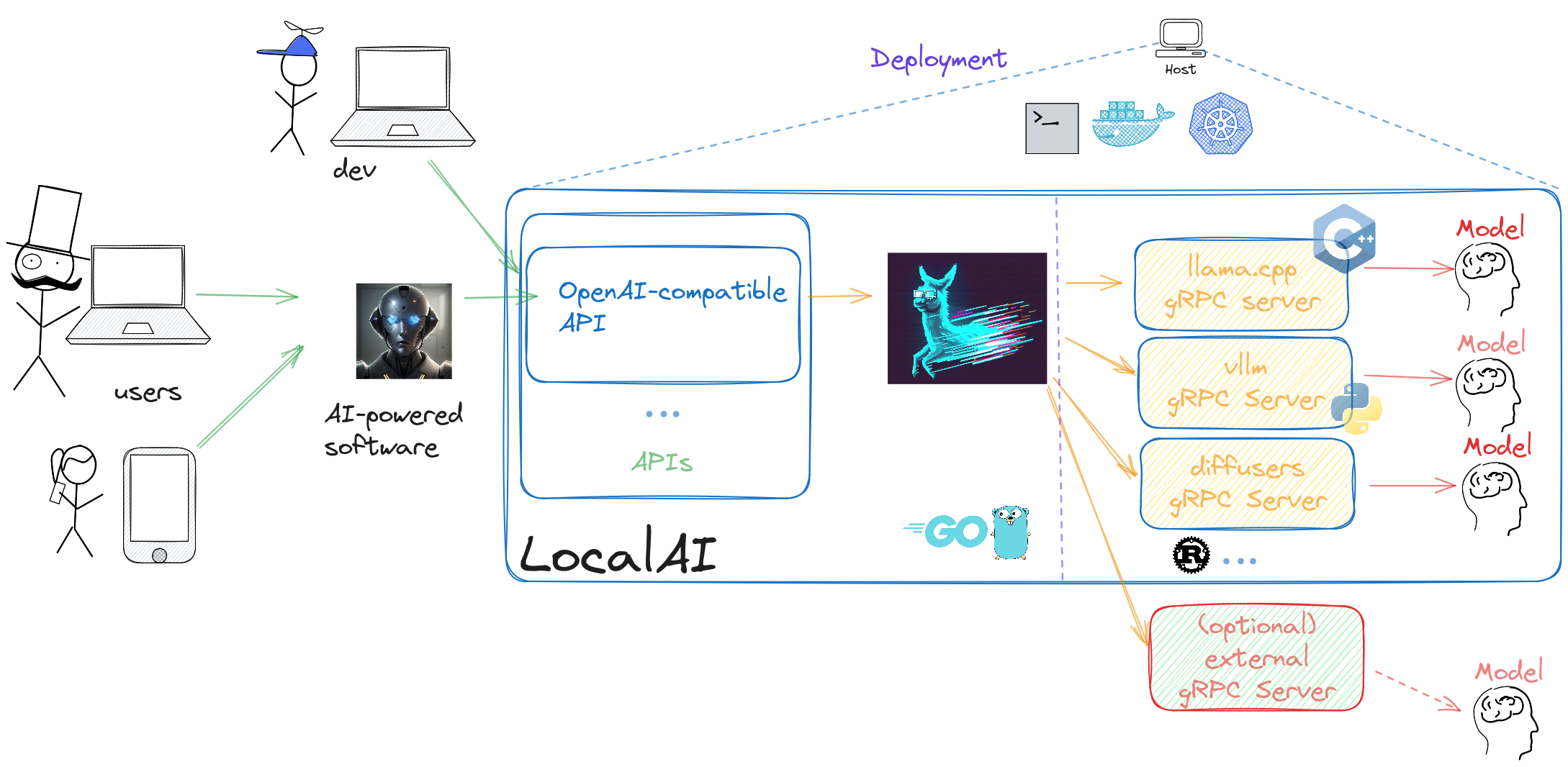
|
||||
|
||||
## Contribute and help
|
||||
|
||||
To help the project you can:
|
||||
|
||||
- If you have technological skills and want to contribute to development, have a look at the open issues. If you are new you can have a look at the [good-first-issue](https://github.com/go-skynet/LocalAI/issues?q=is%3Aissue+is%3Aopen+label%3A%22good+first+issue%22) and [help-wanted](https://github.com/go-skynet/LocalAI/issues?q=is%3Aissue+is%3Aopen+label%3A%22help+wanted%22) labels.
|
||||
|
||||
- If you don't have technological skills you can still help improving documentation or [add examples](https://github.com/go-skynet/LocalAI/tree/master/examples) or share your user-stories with our community, any help and contribution is welcome!
|
||||
|
||||
## 🌟 Star history
|
||||
|
||||
[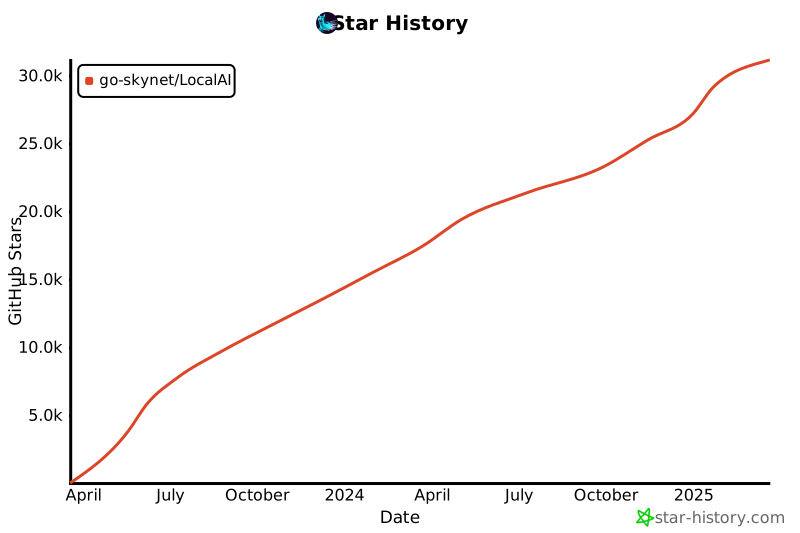](https://star-history.com/#go-skynet/LocalAI&Date)
|
||||
|
||||
## 📖 License
|
||||
|
||||
LocalAI is a community-driven project created by [Ettore Di Giacinto](https://github.com/mudler/).
|
||||
|
||||
MIT - Author Ettore Di Giacinto
|
||||
|
||||
## 🙇 Acknowledgements
|
||||
|
||||
LocalAI couldn't have been built without the help of great software already available from the community. Thank you!
|
||||
|
||||
- [llama.cpp](https://github.com/ggerganov/llama.cpp)
|
||||
- https://github.com/tatsu-lab/stanford_alpaca
|
||||
- https://github.com/cornelk/llama-go for the initial ideas
|
||||
- https://github.com/antimatter15/alpaca.cpp
|
||||
- https://github.com/EdVince/Stable-Diffusion-NCNN
|
||||
- https://github.com/ggerganov/whisper.cpp
|
||||
- https://github.com/saharNooby/rwkv.cpp
|
||||
- https://github.com/rhasspy/piper
|
||||
- https://github.com/cmp-nct/ggllm.cpp
|
||||
|
||||
## Backstory
|
||||
|
||||
As much as typical open source projects starts, I, [mudler](https://github.com/mudler/), was fiddling around with [llama.cpp](https://github.com/ggerganov/llama.cpp) over my long nights and wanted to have a way to call it from `go`, as I am a Golang developer and use it extensively. So I've created `LocalAI` (or what was initially known as `llama-cli`) and added an API to it.
|
||||
|
||||
But guess what? The more I dived into this rabbit hole, the more I realized that I had stumbled upon something big. With all the fantastic C++ projects floating around the community, it dawned on me that I could piece them together to create a full-fledged OpenAI replacement. So, ta-da! LocalAI was born, and it quickly overshadowed its humble origins.
|
||||
|
||||
Now, why did I choose to go with C++ bindings, you ask? Well, I wanted to keep LocalAI snappy and lightweight, allowing it to run like a champ on any system and avoid any Golang penalties of the GC, and, most importantly built on shoulders of giants like `llama.cpp`. Go is good at backends and API and is easy to maintain. And hey, don't forget that I'm all about sharing the love. That's why I made LocalAI MIT licensed, so everyone can hop on board and benefit from it.
|
||||
|
||||
As if that wasn't exciting enough, as the project gained traction, [mkellerman](https://github.com/mkellerman) and [Aisuko](https://github.com/Aisuko) jumped in to lend a hand. mkellerman helped set up some killer examples, while Aisuko is becoming our community maestro. The community now is growing even more with new contributors and users, and I couldn't be happier about it!
|
||||
|
||||
Oh, and let's not forget the real MVP here—[llama.cpp](https://github.com/ggerganov/llama.cpp). Without this extraordinary piece of software, LocalAI wouldn't even exist. So, a big shoutout to the community for making this magic happen!
|
||||
|
||||
## 🤗 Contributors
|
||||
|
||||
This is a community project, a special thanks to our contributors! 🤗
|
||||
<a href="https://github.com/go-skynet/LocalAI/graphs/contributors">
|
||||
<img src="https://contrib.rocks/image?repo=go-skynet/LocalAI" />
|
||||
</a>
|
||||
<a href="https://github.com/go-skynet/LocalAI-website/graphs/contributors">
|
||||
<img src="https://contrib.rocks/image?repo=go-skynet/LocalAI-website" />
|
||||
</a>
|
||||
@@ -1,356 +0,0 @@
|
||||
|
||||
+++
|
||||
disableToc = false
|
||||
title = "Advanced"
|
||||
weight = 6
|
||||
+++
|
||||
|
||||
### Advanced configuration with YAML files
|
||||
|
||||
In order to define default prompts, model parameters (such as custom default `top_p` or `top_k`), LocalAI can be configured to serve user-defined models with a set of default parameters and templates.
|
||||
|
||||
You can create multiple `yaml` files in the models path or either specify a single YAML configuration file.
|
||||
Consider the following `models` folder in the `example/chatbot-ui`:
|
||||
|
||||
```
|
||||
base ❯ ls -liah examples/chatbot-ui/models
|
||||
36487587 drwxr-xr-x 2 mudler mudler 4.0K May 3 12:27 .
|
||||
36487586 drwxr-xr-x 3 mudler mudler 4.0K May 3 10:42 ..
|
||||
36465214 -rw-r--r-- 1 mudler mudler 10 Apr 27 07:46 completion.tmpl
|
||||
36464855 -rw-r--r-- 1 mudler mudler ?G Apr 27 00:08 luna-ai-llama2-uncensored.ggmlv3.q5_K_M.bin
|
||||
36464537 -rw-r--r-- 1 mudler mudler 245 May 3 10:42 gpt-3.5-turbo.yaml
|
||||
36467388 -rw-r--r-- 1 mudler mudler 180 Apr 27 07:46 chat.tmpl
|
||||
```
|
||||
|
||||
In the `gpt-3.5-turbo.yaml` file it is defined the `gpt-3.5-turbo` model which is an alias to use `luna-ai-llama2` with pre-defined options.
|
||||
|
||||
For instance, consider the following that declares `gpt-3.5-turbo` backed by the `luna-ai-llama2` model:
|
||||
|
||||
```yaml
|
||||
name: gpt-3.5-turbo
|
||||
# Default model parameters
|
||||
parameters:
|
||||
# Relative to the models path
|
||||
model: luna-ai-llama2-uncensored.ggmlv3.q5_K_M.bin
|
||||
# temperature
|
||||
temperature: 0.3
|
||||
# all the OpenAI request options here..
|
||||
|
||||
# Default context size
|
||||
context_size: 512
|
||||
threads: 10
|
||||
# Define a backend (optional). By default it will try to guess the backend the first time the model is interacted with.
|
||||
backend: llama-stable # available: llama, stablelm, gpt2, gptj rwkv
|
||||
|
||||
# Enable prompt caching
|
||||
prompt_cache_path: "alpaca-cache"
|
||||
prompt_cache_all: true
|
||||
|
||||
# stopwords (if supported by the backend)
|
||||
stopwords:
|
||||
- "HUMAN:"
|
||||
- "### Response:"
|
||||
# define chat roles
|
||||
roles:
|
||||
assistant: '### Response:'
|
||||
system: '### System Instruction:'
|
||||
user: '### Instruction:'
|
||||
template:
|
||||
# template file ".tmpl" with the prompt template to use by default on the endpoint call. Note there is no extension in the files
|
||||
completion: completion
|
||||
chat: chat
|
||||
```
|
||||
|
||||
Specifying a `config-file` via CLI allows to declare models in a single file as a list, for instance:
|
||||
|
||||
```yaml
|
||||
- name: list1
|
||||
parameters:
|
||||
model: testmodel
|
||||
context_size: 512
|
||||
threads: 10
|
||||
stopwords:
|
||||
- "HUMAN:"
|
||||
- "### Response:"
|
||||
roles:
|
||||
user: "HUMAN:"
|
||||
system: "GPT:"
|
||||
template:
|
||||
completion: completion
|
||||
chat: chat
|
||||
- name: list2
|
||||
parameters:
|
||||
model: testmodel
|
||||
context_size: 512
|
||||
threads: 10
|
||||
stopwords:
|
||||
- "HUMAN:"
|
||||
- "### Response:"
|
||||
roles:
|
||||
user: "HUMAN:"
|
||||
system: "GPT:"
|
||||
template:
|
||||
completion: completion
|
||||
chat: chat
|
||||
```
|
||||
|
||||
See also [chatbot-ui](https://github.com/go-skynet/LocalAI/tree/master/examples/chatbot-ui) as an example on how to use config files.
|
||||
|
||||
### Full config model file reference
|
||||
|
||||
```yaml
|
||||
# Model name.
|
||||
# The model name is used to identify the model in the API calls.
|
||||
name: gpt-3.5-turbo
|
||||
|
||||
# Default model parameters.
|
||||
# These options can also be specified in the API calls
|
||||
parameters:
|
||||
# Relative to the models path
|
||||
model: luna-ai-llama2-uncensored.ggmlv3.q5_K_M.bin
|
||||
# temperature
|
||||
temperature: 0.3
|
||||
# all the OpenAI request options here..
|
||||
top_k:
|
||||
top_p:
|
||||
max_tokens:
|
||||
ignore_eos: true
|
||||
n_keep: 10
|
||||
seed:
|
||||
mode:
|
||||
step:
|
||||
negative_prompt:
|
||||
typical_p:
|
||||
tfz:
|
||||
frequency_penalty:
|
||||
mirostat_eta:
|
||||
mirostat_tau:
|
||||
mirostat:
|
||||
rope_freq_base:
|
||||
rope_freq_scale:
|
||||
negative_prompt_scale:
|
||||
|
||||
# Default context size
|
||||
context_size: 512
|
||||
# Default number of threads
|
||||
threads: 10
|
||||
# Define a backend (optional). By default it will try to guess the backend the first time the model is interacted with.
|
||||
backend: llama-stable # available: llama, stablelm, gpt2, gptj rwkv
|
||||
# stopwords (if supported by the backend)
|
||||
stopwords:
|
||||
- "HUMAN:"
|
||||
- "### Response:"
|
||||
# string to trim space to
|
||||
trimspace:
|
||||
- string
|
||||
# Strings to cut from the response
|
||||
cutstrings:
|
||||
- "string"
|
||||
|
||||
# Directory used to store additional assets
|
||||
asset_dir: ""
|
||||
|
||||
# define chat roles
|
||||
roles:
|
||||
user: "HUMAN:"
|
||||
system: "GPT:"
|
||||
assistant: "ASSISTANT:"
|
||||
template:
|
||||
# template file ".tmpl" with the prompt template to use by default on the endpoint call. Note there is no extension in the files
|
||||
completion: completion
|
||||
chat: chat
|
||||
edit: edit_template
|
||||
function: function_template
|
||||
|
||||
function:
|
||||
disable_no_action: true
|
||||
no_action_function_name: "reply"
|
||||
no_action_description_name: "Reply to the AI assistant"
|
||||
|
||||
system_prompt:
|
||||
rms_norm_eps:
|
||||
# Set it to 8 for llama2 70b
|
||||
ngqa: 1
|
||||
## LLAMA specific options
|
||||
# Enable F16 if backend supports it
|
||||
f16: true
|
||||
# Enable debugging
|
||||
debug: true
|
||||
# Enable embeddings
|
||||
embeddings: true
|
||||
# Mirostat configuration (llama.cpp only)
|
||||
mirostat_eta: 0.8
|
||||
mirostat_tau: 0.9
|
||||
mirostat: 1
|
||||
# GPU Layers (only used when built with cublas)
|
||||
gpu_layers: 22
|
||||
# Enable memory lock
|
||||
mmlock: true
|
||||
# GPU setting to split the tensor in multiple parts and define a main GPU
|
||||
# see llama.cpp for usage
|
||||
tensor_split: ""
|
||||
main_gpu: ""
|
||||
# Define a prompt cache path (relative to the models)
|
||||
prompt_cache_path: "prompt-cache"
|
||||
# Cache all the prompts
|
||||
prompt_cache_all: true
|
||||
# Read only
|
||||
prompt_cache_ro: false
|
||||
# Enable mmap
|
||||
mmap: true
|
||||
# Enable low vram mode (GPU only)
|
||||
low_vram: true
|
||||
# Set NUMA mode (CPU only)
|
||||
numa: true
|
||||
# Lora settings
|
||||
lora_adapter: "/path/to/lora/adapter"
|
||||
lora_base: "/path/to/lora/base"
|
||||
# Disable mulmatq (CUDA)
|
||||
no_mulmatq: true
|
||||
```
|
||||
|
||||
### Prompt templates
|
||||
|
||||
The API doesn't inject a default prompt for talking to the model. You have to use a prompt similar to what's described in the standford-alpaca docs: https://github.com/tatsu-lab/stanford_alpaca#data-release.
|
||||
|
||||
<details>
|
||||
You can use a default template for every model present in your model path, by creating a corresponding file with the `.tmpl` suffix next to your model. For instance, if the model is called `foo.bin`, you can create a sibling file, `foo.bin.tmpl` which will be used as a default prompt and can be used with alpaca:
|
||||
|
||||
```
|
||||
The below instruction describes a task. Write a response that appropriately completes the request.
|
||||
|
||||
### Instruction:
|
||||
{{.Input}}
|
||||
|
||||
### Response:
|
||||
```
|
||||
|
||||
See the [prompt-templates](https://github.com/go-skynet/LocalAI/tree/master/prompt-templates) directory in this repository for templates for some of the most popular models.
|
||||
|
||||
|
||||
For the edit endpoint, an example template for alpaca-based models can be:
|
||||
|
||||
```yaml
|
||||
Below is an instruction that describes a task, paired with an input that provides further context. Write a response that appropriately completes the request.
|
||||
|
||||
### Instruction:
|
||||
{{.Instruction}}
|
||||
|
||||
### Input:
|
||||
{{.Input}}
|
||||
|
||||
### Response:
|
||||
```
|
||||
|
||||
</details>
|
||||
|
||||
### Install models using the API
|
||||
|
||||
Instead of installing models manually, you can use the LocalAI API endpoints and a model definition to install programmatically via API models in runtime.
|
||||
|
||||
A curated collection of model files is in the [model-gallery](https://github.com/go-skynet/model-gallery) (work in progress!). The files of the model gallery are different from the model files used to configure LocalAI models. The model gallery files contains information about the model setup, and the files necessary to run the model locally.
|
||||
|
||||
To install for example `lunademo`, you can send a POST call to the `/models/apply` endpoint with the model definition url (`url`) and the name of the model should have in LocalAI (`name`, optional):
|
||||
|
||||
```bash
|
||||
curl --location 'http://localhost:8080/models/apply' \
|
||||
--header 'Content-Type: application/json' \
|
||||
--data-raw '{
|
||||
"id": "TheBloke/Luna-AI-Llama2-Uncensored-GGML/luna-ai-llama2-uncensored.ggmlv3.q5_K_M.bin",
|
||||
"name": "lunademo"
|
||||
}'
|
||||
```
|
||||
|
||||
|
||||
### Preloading models during startup
|
||||
|
||||
In order to allow the API to start-up with all the needed model on the first-start, the model gallery files can be used during startup.
|
||||
|
||||
```bash
|
||||
PRELOAD_MODELS='[{"url": "https://raw.githubusercontent.com/go-skynet/model-gallery/main/gpt4all-j.yaml","name": "gpt4all-j"}]' local-ai
|
||||
```
|
||||
|
||||
`PRELOAD_MODELS` (or `--preload-models`) takes a list in JSON with the same parameter of the API calls of the `/models/apply` endpoint.
|
||||
|
||||
Similarly it can be specified a path to a YAML configuration file containing a list of models with `PRELOAD_MODELS_CONFIG` ( or `--preload-models-config` ):
|
||||
|
||||
```yaml
|
||||
- url: https://raw.githubusercontent.com/go-skynet/model-gallery/main/gpt4all-j.yaml
|
||||
name: gpt4all-j
|
||||
# ...
|
||||
```
|
||||
|
||||
### Automatic prompt caching
|
||||
|
||||
LocalAI can automatically cache prompts for faster loading of the prompt. This can be useful if your model need a prompt template with prefixed text in the prompt before the input.
|
||||
|
||||
To enable prompt caching, you can control the settings in the model config YAML file:
|
||||
|
||||
```yaml
|
||||
|
||||
# Enable prompt caching
|
||||
prompt_cache_path: "cache"
|
||||
prompt_cache_all: true
|
||||
|
||||
```
|
||||
|
||||
`prompt_cache_path` is relative to the models folder. you can enter here a name for the file that will be automatically create during the first load if `prompt_cache_all` is set to `true`.
|
||||
|
||||
### Configuring a specific backend for the model
|
||||
|
||||
By default LocalAI will try to autoload the model by trying all the backends. This might work for most of models, but some of the backends are NOT configured to autoload.
|
||||
|
||||
The available backends are listed in the [model compatibility table]({{%relref "model-compatibility" %}}).
|
||||
|
||||
In order to specify a backend for your models, create a model config file in your `models` directory specifying the backend:
|
||||
|
||||
```yaml
|
||||
name: gpt-3.5-turbo
|
||||
|
||||
# Default model parameters
|
||||
parameters:
|
||||
# Relative to the models path
|
||||
model: ...
|
||||
|
||||
backend: llama-stable
|
||||
# ...
|
||||
```
|
||||
|
||||
### Connect external backends
|
||||
|
||||
LocalAI backends are internally implemented using `gRPC` services. This also allows `LocalAI` to connect to external `gRPC` services on start and extend LocalAI functionalities via third-party binaries.
|
||||
|
||||
The `--external-grpc-backends` parameter in the CLI can be used either to specify a local backend (a file) or a remote URL. The syntax is `<BACKEND_NAME>:<BACKEND_URI>`. Once LocalAI is started with it, the new backend name will be available for all the API endpoints.
|
||||
|
||||
So for instance, to register a new backend which is a local file:
|
||||
|
||||
```
|
||||
./local-ai --debug --external-grpc-backends "my-awesome-backend:/path/to/my/backend.py"
|
||||
```
|
||||
|
||||
Or a remote URI:
|
||||
|
||||
```
|
||||
./local-ai --debug --external-grpc-backends "my-awesome-backend:host:port"
|
||||
```
|
||||
|
||||
### Environment variables
|
||||
|
||||
When LocalAI runs in a container,
|
||||
there are additional environment variables available that modify the behavior of LocalAI on startup:
|
||||
|
||||
| Environment variable | Default | Description |
|
||||
|----------------------------|---------|------------------------------------------------------------------------------------------------------------|
|
||||
| `REBUILD` | `false` | Rebuild LocalAI on startup |
|
||||
| `BUILD_TYPE` | | Build type. Available: `cublas`, `openblas`, `clblas` |
|
||||
| `GO_TAGS` | | Go tags. Available: `stablediffusion` |
|
||||
| `HUGGINGFACEHUB_API_TOKEN` | | Special token for interacting with HuggingFace Inference API, required only when using the `langchain-huggingface` backend |
|
||||
|
||||
Here is how to configure these variables:
|
||||
|
||||
```bash
|
||||
# Option 1: command line
|
||||
docker run --env REBUILD=true localai
|
||||
# Option 2: set within an env file
|
||||
docker run --env-file .env localai
|
||||
```
|
||||
@@ -1,37 +0,0 @@
|
||||
|
||||
+++
|
||||
disableToc = false
|
||||
title = "Development documentation"
|
||||
weight = 7
|
||||
+++
|
||||
|
||||
{{% notice note %}}
|
||||
|
||||
This section is for developers and contributors. If you are looking for the user documentation, this is not the right place!
|
||||
|
||||
{{% /notice %}}
|
||||
|
||||
This section will collect how-to, notes and development documentation
|
||||
|
||||
## Contributing
|
||||
|
||||
We use conventional commits and semantic versioning. Please follow the [conventional commits](https://www.conventionalcommits.org/en/v1.0.0/) specification when writing commit messages.
|
||||
|
||||
## Creating a gRPC backend
|
||||
|
||||
LocalAI backends are `gRPC` servers.
|
||||
|
||||
In order to create a new backend you need:
|
||||
|
||||
- If there are changes required to the protobuf code, modify the [proto](https://github.com/go-skynet/LocalAI/blob/master/pkg/grpc/proto/backend.proto) file and re-generate the code with `make protogen`.
|
||||
- Modify the `Makefile` to add your new backend and re-generate the client code with `make protogen` if necessary.
|
||||
- Create a new `gRPC` server in `extra/grpc` if it's not written in go: [link](https://github.com/go-skynet/LocalAI/tree/master/extra/grpc), and create the specific implementation.
|
||||
- Golang `gRPC` servers should be added in the [pkg/backend](https://github.com/go-skynet/LocalAI/tree/master/pkg/backend) directory given their type. See [piper](https://github.com/go-skynet/LocalAI/blob/master/pkg/backend/tts/piper.go) as an example.
|
||||
- Golang servers needs a respective `cmd/grpc` binary that must be created too, see also [cmd/grpc/piper](https://github.com/go-skynet/LocalAI/tree/master/cmd/grpc/piper) as an example, update also the Makefile accordingly to build the binary during build time.
|
||||
- Update the Dockerfile: if the backend is written in another language, update the `Dockerfile` default *EXTERNAL_GRPC_BACKENDS* variable by listing the new binary [link](https://github.com/go-skynet/LocalAI/blob/c2233648164f67cdb74dd33b8d46244e14436ab3/Dockerfile#L14).
|
||||
|
||||
Once you are done, you can either re-build `LocalAI` with your backend or you can try it out by running the `gRPC` server manually and specifying the host and IP to LocalAI with `--external-grpc-backends` or using (`EXTERNAL_GRPC_BACKENDS` environment variable, comma separated list of `name:host:port` tuples, e.g. `my-awesome-backend:host:port`):
|
||||
|
||||
```bash
|
||||
./local-ai --debug --external-grpc-backends "my-awesome-backend:host:port" ...
|
||||
```
|
||||
@@ -1,134 +0,0 @@
|
||||
|
||||
+++
|
||||
disableToc = false
|
||||
title = "Fine-tuning LLMs for text generation"
|
||||
weight = 3
|
||||
+++
|
||||
|
||||
{{% notice note %}}
|
||||
Section under construction
|
||||
{{% /notice %}}
|
||||
|
||||
This section covers how to fine-tune a language model for text generation and consume it in LocalAI.
|
||||
|
||||
## Requirements
|
||||
|
||||
For this example you will need at least a 12GB VRAM of GPU and a Linux box.
|
||||
|
||||
## Fine-tuning
|
||||
|
||||
Fine-tuning a language model is a process that requires a lot of computational power and time.
|
||||
|
||||
Currently LocalAI doesn't support the fine-tuning endpoint as LocalAI but there are are [plans](https://github.com/mudler/LocalAI/issues/596) to support that. For the time being a guide is proposed here to give a simple starting point on how to fine-tune a model and use it with LocalAI (but also with llama.cpp).
|
||||
|
||||
There is an e2e example of fine-tuning a LLM model to use with [LocalAI](https://github/mudler/LocalAI) written by [@mudler](https://github.com/mudler) available [here](https://github.com/mudler/LocalAI/tree/master/examples/e2e-fine-tuning/).
|
||||
|
||||
The steps involved are:
|
||||
|
||||
- Preparing a dataset
|
||||
- Prepare the environment and install dependencies
|
||||
- Fine-tune the model
|
||||
- Merge the Lora base with the model
|
||||
- Convert the model to gguf
|
||||
- Use the model with LocalAI
|
||||
|
||||
## Dataset preparation
|
||||
|
||||
We are going to need a dataset or a set of datasets.
|
||||
|
||||
Axolotl supports a variety of formats, in the notebook and in this example we are aiming for a very simple dataset and build that manually, so we are going to use the `completion` format which requires the full text to be used for fine-tuning.
|
||||
|
||||
A dataset for an instructor model (like Alpaca) can look like the following:
|
||||
|
||||
```json
|
||||
[
|
||||
{
|
||||
"text": "As an AI language model you are trained to reply to an instruction. Try to be as much polite as possible\n\n## Instruction\n\nWrite a poem about a tree.\n\n## Response\n\nTrees are beautiful, ...",
|
||||
},
|
||||
{
|
||||
"text": "As an AI language model you are trained to reply to an instruction. Try to be as much polite as possible\n\n## Instruction\n\nWrite a poem about a tree.\n\n## Response\n\nTrees are beautiful, ...",
|
||||
}
|
||||
]
|
||||
```
|
||||
|
||||
Every block in the text is the whole text that is used to fine-tune. For example, for an instructor model it follows the following format (more or less):
|
||||
|
||||
```
|
||||
<System prompt>
|
||||
|
||||
## Instruction
|
||||
|
||||
<Question, instruction>
|
||||
|
||||
## Response
|
||||
|
||||
<Expected response from the LLM>
|
||||
```
|
||||
|
||||
The instruction format works such as when we are going to inference with the model, we are going to feed it only the first part up to the `## Instruction` block, and the model is going to complete the text with the `## Response` block.
|
||||
|
||||
Prepare a dataset, and upload it to your Google Drive in case you are using the Google colab. Otherwise place it next the `axolotl.yaml` file as `dataset.json`.
|
||||
|
||||
### Install dependencies
|
||||
|
||||
```bash
|
||||
# Install axolotl and dependencies
|
||||
git clone https://github.com/OpenAccess-AI-Collective/axolotl && pushd axolotl && git checkout 797f3dd1de8fd8c0eafbd1c9fdb172abd9ff840a && popd #0.3.0
|
||||
pip install packaging
|
||||
pushd axolotl && pip install -e '.[flash-attn,deepspeed]' && popd
|
||||
|
||||
# https://github.com/oobabooga/text-generation-webui/issues/4238
|
||||
pip install https://github.com/Dao-AILab/flash-attention/releases/download/v2.3.0/flash_attn-2.3.0+cu117torch2.0cxx11abiFALSE-cp310-cp310-linux_x86_64.whl
|
||||
```
|
||||
|
||||
Configure accelerate:
|
||||
|
||||
```bash
|
||||
accelerate config default
|
||||
```
|
||||
|
||||
## Fine-tuning
|
||||
|
||||
We will need to configure axolotl. In this example is provided a file to use `axolotl.yaml` that uses openllama-3b for fine-tuning. Copy the `axolotl.yaml` file and edit it to your needs. The dataset needs to be next to it as `dataset.json`. You can find the axolotl.yaml file [here](https://github.com/mudler/LocalAI/tree/master/examples/e2e-fine-tuning/).
|
||||
|
||||
If you have a big dataset, you can pre-tokenize it to speedup the fine-tuning process:
|
||||
|
||||
```bash
|
||||
# Optional pre-tokenize (run only if big dataset)
|
||||
python -m axolotl.cli.preprocess axolotl.yaml
|
||||
```
|
||||
|
||||
Now we are ready to start the fine-tuning process:
|
||||
```bash
|
||||
# Fine-tune
|
||||
accelerate launch -m axolotl.cli.train axolotl.yaml
|
||||
```
|
||||
|
||||
After we have finished the fine-tuning, we merge the Lora base with the model:
|
||||
```bash
|
||||
# Merge lora
|
||||
python3 -m axolotl.cli.merge_lora axolotl.yaml --lora_model_dir="./qlora-out" --load_in_8bit=False --load_in_4bit=False
|
||||
```
|
||||
|
||||
And we convert it to the gguf format that LocalAI can consume:
|
||||
|
||||
```bash
|
||||
|
||||
# Convert to gguf
|
||||
git clone https://github.com/ggerganov/llama.cpp.git
|
||||
pushd llama.cpp && make LLAMA_CUBLAS=1 && popd
|
||||
|
||||
# We need to convert the pytorch model into ggml for quantization
|
||||
# It crates 'ggml-model-f16.bin' in the 'merged' directory.
|
||||
pushd llama.cpp && python convert.py --outtype f16 \
|
||||
../qlora-out/merged/pytorch_model-00001-of-00002.bin && popd
|
||||
|
||||
# Start off by making a basic q4_0 4-bit quantization.
|
||||
# It's important to have 'ggml' in the name of the quant for some
|
||||
# software to recognize it's file format.
|
||||
pushd llama.cpp && ./quantize ../qlora-out/merged/ggml-model-f16.gguf \
|
||||
../custom-model-q4_0.bin q4_0
|
||||
|
||||
```
|
||||
|
||||
Now you should have ended up with a `custom-model-q4_0.bin` file that you can copy in the LocalAI models directory and use it with LocalAI.
|
||||
@@ -1,189 +0,0 @@
|
||||
|
||||
+++
|
||||
disableToc = false
|
||||
title = "Build"
|
||||
weight = 5
|
||||
url = '/basics/build/'
|
||||
|
||||
+++
|
||||
|
||||
### Build locally
|
||||
|
||||
Requirements:
|
||||
|
||||
Either Docker/podman, or
|
||||
- Golang >= 1.21
|
||||
- Cmake/make
|
||||
- GCC
|
||||
|
||||
In order to build the `LocalAI` container image locally you can use `docker`:
|
||||
|
||||
```
|
||||
# build the image
|
||||
docker build -t localai .
|
||||
docker run localai
|
||||
```
|
||||
|
||||
Or you can build the manually binary with `make`:
|
||||
|
||||
```
|
||||
git clone https://github.com/go-skynet/LocalAI
|
||||
cd LocalAI
|
||||
make build
|
||||
```
|
||||
|
||||
To run: `./local-ai`
|
||||
|
||||
{{% notice note %}}
|
||||
|
||||
#### CPU flagset compatibility
|
||||
|
||||
|
||||
LocalAI uses different backends based on ggml and llama.cpp to run models. If your CPU doesn't support common instruction sets, you can disable them during build:
|
||||
|
||||
```
|
||||
CMAKE_ARGS="-DLLAMA_F16C=OFF -DLLAMA_AVX512=OFF -DLLAMA_AVX2=OFF -DLLAMA_AVX=OFF -DLLAMA_FMA=OFF" make build
|
||||
```
|
||||
|
||||
To have effect on the container image, you need to set `REBUILD=true`:
|
||||
|
||||
```
|
||||
docker run quay.io/go-skynet/localai
|
||||
docker run --rm -ti -p 8080:8080 -e DEBUG=true -e MODELS_PATH=/models -e THREADS=1 -e REBUILD=true -e CMAKE_ARGS="-DLLAMA_F16C=OFF -DLLAMA_AVX512=OFF -DLLAMA_AVX2=OFF -DLLAMA_AVX=OFF -DLLAMA_FMA=OFF" -v $PWD/models:/models quay.io/go-skynet/local-ai:latest
|
||||
```
|
||||
|
||||
{{% /notice %}}
|
||||
|
||||
### Build on mac
|
||||
|
||||
Building on Mac (M1 or M2) works, but you may need to install some prerequisites using `brew`.
|
||||
|
||||
The below has been tested by one mac user and found to work. Note that this doesn't use Docker to run the server:
|
||||
|
||||
```
|
||||
# install build dependencies
|
||||
brew install abseil cmake go grpc protobuf wget
|
||||
|
||||
# clone the repo
|
||||
git clone https://github.com/go-skynet/LocalAI.git
|
||||
|
||||
cd LocalAI
|
||||
|
||||
# build the binary
|
||||
make build
|
||||
|
||||
# Download gpt4all-j to models/
|
||||
wget https://gpt4all.io/models/ggml-gpt4all-j.bin -O models/ggml-gpt4all-j
|
||||
|
||||
# Use a template from the examples
|
||||
cp -rf prompt-templates/ggml-gpt4all-j.tmpl models/
|
||||
|
||||
# Run LocalAI
|
||||
./local-ai --models-path=./models/ --debug=true
|
||||
|
||||
# Now API is accessible at localhost:8080
|
||||
curl http://localhost:8080/v1/models
|
||||
|
||||
curl http://localhost:8080/v1/chat/completions -H "Content-Type: application/json" -d '{
|
||||
"model": "ggml-gpt4all-j",
|
||||
"messages": [{"role": "user", "content": "How are you?"}],
|
||||
"temperature": 0.9
|
||||
}'
|
||||
```
|
||||
|
||||
### Build with Image generation support
|
||||
|
||||
|
||||
**Requirements**: OpenCV, Gomp
|
||||
|
||||
Image generation is experimental and requires `GO_TAGS=stablediffusion` to be set during build:
|
||||
|
||||
```
|
||||
make GO_TAGS=stablediffusion build
|
||||
```
|
||||
|
||||
### Build with Text to audio support
|
||||
|
||||
**Requirements**: piper-phonemize
|
||||
|
||||
Text to audio support is experimental and requires `GO_TAGS=tts` to be set during build:
|
||||
|
||||
```
|
||||
make GO_TAGS=tts build
|
||||
```
|
||||
|
||||
### Acceleration
|
||||
|
||||
List of the variables available to customize the build:
|
||||
|
||||
| Variable | Default | Description |
|
||||
| ---------------------| ------- | ----------- |
|
||||
| `BUILD_TYPE` | None | Build type. Available: `cublas`, `openblas`, `clblas`, `metal`,`hipblas` |
|
||||
| `GO_TAGS` | `tts stablediffusion` | Go tags. Available: `stablediffusion`, `tts` |
|
||||
| `CLBLAST_DIR` | | Specify a CLBlast directory |
|
||||
| `CUDA_LIBPATH` | | Specify a CUDA library path |
|
||||
|
||||
#### OpenBLAS
|
||||
|
||||
Software acceleration.
|
||||
|
||||
Requirements: OpenBLAS
|
||||
|
||||
```
|
||||
make BUILD_TYPE=openblas build
|
||||
```
|
||||
|
||||
#### CuBLAS
|
||||
|
||||
Nvidia Acceleration.
|
||||
|
||||
Requirement: Nvidia CUDA toolkit
|
||||
|
||||
Note: CuBLAS support is experimental, and has not been tested on real HW. please report any issues you find!
|
||||
|
||||
```
|
||||
make BUILD_TYPE=cublas build
|
||||
```
|
||||
|
||||
More informations available in the upstream PR: https://github.com/ggerganov/llama.cpp/pull/1412
|
||||
|
||||
#### Hipblas (AMD GPU)
|
||||
|
||||
AMD GPU Acceleration
|
||||
|
||||
Requirement: ROCm
|
||||
|
||||
```
|
||||
make BUILD_TYPE=hipblas build
|
||||
```
|
||||
|
||||
Specific GPU targets can be specified with `GPU_TARGETS`:
|
||||
|
||||
```
|
||||
make BUILD_TYPE=hipblas GPU_TARGETS=gfx90a build
|
||||
```
|
||||
|
||||
#### ClBLAS
|
||||
|
||||
AMD/Intel GPU acceleration.
|
||||
|
||||
Requirement: OpenCL, CLBlast
|
||||
|
||||
```
|
||||
make BUILD_TYPE=clblas build
|
||||
```
|
||||
|
||||
To specify a clblast dir set: `CLBLAST_DIR`
|
||||
|
||||
### Metal (Apple Silicon)
|
||||
|
||||
```
|
||||
make BUILD_TYPE=metal build
|
||||
|
||||
# Set `gpu_layers: 1` to your YAML model config file and `f16: true`
|
||||
# Note: only models quantized with q4_0 are supported!
|
||||
```
|
||||
|
||||
### Windows compatibility
|
||||
|
||||
Make sure to give enough resources to the running container. See https://github.com/go-skynet/LocalAI/issues/2
|
||||
@@ -1,98 +0,0 @@
|
||||
|
||||
+++
|
||||
disableToc = false
|
||||
title = "FAQ"
|
||||
weight = 9
|
||||
+++
|
||||
|
||||
## Frequently asked questions
|
||||
|
||||
Here are answers to some of the most common questions.
|
||||
|
||||
|
||||
### How do I get models?
|
||||
|
||||
<details>
|
||||
|
||||
Most gguf-based models should work, but newer models may require additions to the API. If a model doesn't work, please feel free to open up issues. However, be cautious about downloading models from the internet and directly onto your machine, as there may be security vulnerabilities in lama.cpp or ggml that could be maliciously exploited. Some models can be found on Hugging Face: https://huggingface.co/models?search=gguf, or models from gpt4all are compatible too: https://github.com/nomic-ai/gpt4all.
|
||||
|
||||
</details>
|
||||
|
||||
### What's the difference with Serge, or XXX?
|
||||
|
||||
|
||||
<details>
|
||||
|
||||
LocalAI is a multi-model solution that doesn't focus on a specific model type (e.g., llama.cpp or alpaca.cpp), and it handles all of these internally for faster inference, easy to set up locally and deploy to Kubernetes.
|
||||
|
||||
</details>
|
||||
|
||||
|
||||
### Everything is slow, how come?
|
||||
|
||||
<details>
|
||||
|
||||
There are few situation why this could occur. Some tips are:
|
||||
- Don't use HDD to store your models. Prefer SSD over HDD. In case you are stuck with HDD, disable `mmap` in the model config file so it loads everything in memory.
|
||||
- Watch out CPU overbooking. Ideally the `--threads` should match the number of physical cores. For instance if your CPU has 4 cores, you would ideally allocate `<= 4` threads to a model.
|
||||
- Run LocalAI with `DEBUG=true`. This gives more information, including stats on the token inference speed.
|
||||
- Check that you are actually getting an output: run a simple curl request with `"stream": true` to see how fast the model is responding.
|
||||
|
||||
</details>
|
||||
|
||||
### Can I use it with a Discord bot, or XXX?
|
||||
|
||||
<details>
|
||||
|
||||
Yes! If the client uses OpenAI and supports setting a different base URL to send requests to, you can use the LocalAI endpoint. This allows to use this with every application that was supposed to work with OpenAI, but without changing the application!
|
||||
|
||||
</details>
|
||||
|
||||
|
||||
### Can this leverage GPUs?
|
||||
|
||||
<details>
|
||||
|
||||
There is partial GPU support, see build instructions above.
|
||||
|
||||
</details>
|
||||
|
||||
### Where is the webUI?
|
||||
|
||||
<details>
|
||||
There is the availability of localai-webui and chatbot-ui in the examples section and can be setup as per the instructions. However as LocalAI is an API you can already plug it into existing projects that provides are UI interfaces to OpenAI's APIs. There are several already on github, and should be compatible with LocalAI already (as it mimics the OpenAI API)
|
||||
|
||||
</details>
|
||||
|
||||
### Does it work with AutoGPT?
|
||||
|
||||
<details>
|
||||
|
||||
Yes, see the [examples](https://github.com/go-skynet/LocalAI/tree/master/examples/)!
|
||||
|
||||
</details>
|
||||
|
||||
### How can I troubleshoot when something is wrong?
|
||||
|
||||
<details>
|
||||
|
||||
Enable the debug mode by setting `DEBUG=true` in the environment variables. This will give you more information on what's going on.
|
||||
You can also specify `--debug` in the command line.
|
||||
|
||||
</details>
|
||||
|
||||
### I'm getting 'invalid pitch' error when running with CUDA, what's wrong?
|
||||
|
||||
<details>
|
||||
|
||||
This typically happens when your prompt exceeds the context size. Try to reduce the prompt size, or increase the context size.
|
||||
|
||||
</details>
|
||||
|
||||
### I'm getting a 'SIGILL' error, what's wrong?
|
||||
|
||||
<details>
|
||||
|
||||
Your CPU probably does not have support for certain instructions that are compiled by default in the pre-built binaries. If you are running in a container, try setting `REBUILD=true` and disable the CPU instructions that are not compatible with your CPU. For instance: `CMAKE_ARGS="-DLLAMA_F16C=OFF -DLLAMA_AVX512=OFF -DLLAMA_AVX2=OFF -DLLAMA_FMA=OFF" make build`
|
||||
|
||||
</details>
|
||||
@@ -1,100 +0,0 @@
|
||||
|
||||
+++
|
||||
disableToc = false
|
||||
title = "⚡ GPU acceleration"
|
||||
weight = 2
|
||||
+++
|
||||
|
||||
{{% notice note %}}
|
||||
Section under construction
|
||||
{{% /notice %}}
|
||||
|
||||
This section contains instruction on how to use LocalAI with GPU acceleration.
|
||||
|
||||
{{% notice note %}}
|
||||
For accelleration for AMD or Metal HW there are no specific container images, see the [build]({{%relref "build/#acceleration" %}})
|
||||
{{% /notice %}}
|
||||
|
||||
### CUDA
|
||||
|
||||
Requirement: nvidia-container-toolkit (installation instructions [1](https://www.server-world.info/en/note?os=Ubuntu_22.04&p=nvidia&f=2) [2](https://docs.nvidia.com/datacenter/cloud-native/container-toolkit/install-guide.html))
|
||||
|
||||
To use CUDA, use the images with the `cublas` tag.
|
||||
|
||||
The image list is on [quay](https://quay.io/repository/go-skynet/local-ai?tab=tags):
|
||||
|
||||
- CUDA `11` tags: `master-cublas-cuda11`, `v1.40.0-cublas-cuda11`, ...
|
||||
- CUDA `12` tags: `master-cublas-cuda12`, `v1.40.0-cublas-cuda12`, ...
|
||||
- CUDA `11` + FFmpeg tags: `master-cublas-cuda11-ffmpeg`, `v1.40.0-cublas-cuda11-ffmpeg`, ...
|
||||
- CUDA `12` + FFmpeg tags: `master-cublas-cuda12-ffmpeg`, `v1.40.0-cublas-cuda12-ffmpeg`, ...
|
||||
|
||||
In addition to the commands to run LocalAI normally, you need to specify `--gpus all` to docker, for example:
|
||||
|
||||
```bash
|
||||
docker run --rm -ti --gpus all -p 8080:8080 -e DEBUG=true -e MODELS_PATH=/models -e THREADS=1 -v $PWD/models:/models quay.io/go-skynet/local-ai:v1.40.0-cublas-cuda12
|
||||
```
|
||||
|
||||
If the GPU inferencing is working, you should be able to see something like:
|
||||
|
||||
```
|
||||
5:22PM DBG Loading model in memory from file: /models/open-llama-7b-q4_0.bin
|
||||
ggml_init_cublas: found 1 CUDA devices:
|
||||
Device 0: Tesla T4
|
||||
llama.cpp: loading model from /models/open-llama-7b-q4_0.bin
|
||||
llama_model_load_internal: format = ggjt v3 (latest)
|
||||
llama_model_load_internal: n_vocab = 32000
|
||||
llama_model_load_internal: n_ctx = 1024
|
||||
llama_model_load_internal: n_embd = 4096
|
||||
llama_model_load_internal: n_mult = 256
|
||||
llama_model_load_internal: n_head = 32
|
||||
llama_model_load_internal: n_layer = 32
|
||||
llama_model_load_internal: n_rot = 128
|
||||
llama_model_load_internal: ftype = 2 (mostly Q4_0)
|
||||
llama_model_load_internal: n_ff = 11008
|
||||
llama_model_load_internal: n_parts = 1
|
||||
llama_model_load_internal: model size = 7B
|
||||
llama_model_load_internal: ggml ctx size = 0.07 MB
|
||||
llama_model_load_internal: using CUDA for GPU acceleration
|
||||
llama_model_load_internal: mem required = 4321.77 MB (+ 1026.00 MB per state)
|
||||
llama_model_load_internal: allocating batch_size x 1 MB = 512 MB VRAM for the scratch buffer
|
||||
llama_model_load_internal: offloading 10 repeating layers to GPU
|
||||
llama_model_load_internal: offloaded 10/35 layers to GPU
|
||||
llama_model_load_internal: total VRAM used: 1598 MB
|
||||
...................................................................................................
|
||||
llama_init_from_file: kv self size = 512.00 MB
|
||||
```
|
||||
|
||||
#### Model configuration
|
||||
|
||||
Depending on the model architecture and backend used, there might be different ways to enable GPU acceleration. It is required to configure the model you intend to use with a YAML config file. For example, for `llama.cpp` workloads a configuration file might look like this (where `gpu_layers` is the number of layers to offload to the GPU):
|
||||
|
||||
```yaml
|
||||
name: my-model-name
|
||||
# Default model parameters
|
||||
parameters:
|
||||
# Relative to the models path
|
||||
model: llama.cpp-model.ggmlv3.q5_K_M.bin
|
||||
|
||||
context_size: 1024
|
||||
threads: 1
|
||||
|
||||
f16: true # enable with GPU acceleration
|
||||
gpu_layers: 22 # GPU Layers (only used when built with cublas)
|
||||
|
||||
```
|
||||
|
||||
For diffusers instead, it might look like this instead:
|
||||
|
||||
```yaml
|
||||
name: stablediffusion
|
||||
parameters:
|
||||
model: toonyou_beta6.safetensors
|
||||
backend: diffusers
|
||||
step: 30
|
||||
f16: true
|
||||
diffusers:
|
||||
pipeline_type: StableDiffusionPipeline
|
||||
cuda: true
|
||||
enable_parameters: "negative_prompt,num_inference_steps,clip_skip"
|
||||
scheduler_type: "k_dpmpp_sde"
|
||||
```
|
||||
@@ -1,17 +0,0 @@
|
||||
|
||||
+++
|
||||
disableToc = false
|
||||
title = "Features"
|
||||
weight = 3
|
||||
+++
|
||||
|
||||
This section contains the documentation for the features supported by LocalAI.
|
||||
|
||||
- [📖 Text generation (GPT)]({{%relref "features/text-generation" %}})
|
||||
- [🗣 Text to Audio]({{%relref "features/text-to-audio" %}})
|
||||
- [🔈 Audio to text]({{%relref "features/audio-to-text" %}})
|
||||
- [🎨 Image generation]({{%relref "features/image-generation" %}})
|
||||
- [🧠 Embeddings]({{%relref "features/embeddings" %}})
|
||||
- [🔥 OpenAI functions]({{%relref "features/openai-functions" %}})
|
||||
- [🆕 GPT Vision API]({{%relref "features/gpt-vision" %}})
|
||||
- [✍️ Constrained grammars]({{%relref "features/constrained_grammars" %}})
|
||||
@@ -1,41 +0,0 @@
|
||||
+++
|
||||
disableToc = false
|
||||
title = "🔈 Audio to text"
|
||||
weight = 2
|
||||
+++
|
||||
|
||||
The transcription endpoint allows to convert audio files to text. The endpoint is based on [whisper.cpp](https://github.com/ggerganov/whisper.cpp), a C++ library for audio transcription. The endpoint supports the audio formats supported by `ffmpeg`.
|
||||
|
||||
## Usage
|
||||
|
||||
Once LocalAI is started and whisper models are installed, you can use the `/v1/audio/transcriptions` API endpoint.
|
||||
|
||||
For instance, with cURL:
|
||||
|
||||
```bash
|
||||
curl http://localhost:8080/v1/audio/transcriptions -H "Content-Type: multipart/form-data" -F file="@<FILE_PATH>" -F model="<MODEL_NAME>"
|
||||
```
|
||||
|
||||
## Example
|
||||
|
||||
Download one of the models from [here](https://huggingface.co/ggerganov/whisper.cpp/tree/main) in the `models` folder, and create a YAML file for your model:
|
||||
|
||||
```yaml
|
||||
name: whisper-1
|
||||
backend: whisper
|
||||
parameters:
|
||||
model: whisper-en
|
||||
```
|
||||
|
||||
The transcriptions endpoint then can be tested like so:
|
||||
|
||||
```bash
|
||||
## Get an example audio file
|
||||
wget --quiet --show-progress -O gb1.ogg https://upload.wikimedia.org/wikipedia/commons/1/1f/George_W_Bush_Columbia_FINAL.ogg
|
||||
|
||||
## Send the example audio file to the transcriptions endpoint
|
||||
curl http://localhost:8080/v1/audio/transcriptions -H "Content-Type: multipart/form-data" -F file="@$PWD/gb1.ogg" -F model="whisper-1"
|
||||
|
||||
## Result
|
||||
{"text":"My fellow Americans, this day has brought terrible news and great sadness to our country.At nine o'clock this morning, Mission Control in Houston lost contact with our Space ShuttleColumbia.A short time later, debris was seen falling from the skies above Texas.The Columbia's lost.There are no survivors.One board was a crew of seven.Colonel Rick Husband, Lieutenant Colonel Michael Anderson, Commander Laurel Clark, Captain DavidBrown, Commander William McCool, Dr. Kultna Shavla, and Elon Ramon, a colonel in the IsraeliAir Force.These men and women assumed great risk in the service to all humanity.In an age when spaceflight has come to seem almost routine, it is easy to overlook thedangers of travel by rocket and the difficulties of navigating the fierce outer atmosphere ofthe Earth.These astronauts knew the dangers, and they faced them willingly, knowing they had a highand noble purpose in life.Because of their courage and daring and idealism, we will miss them all the more.All Americans today are thinking as well of the families of these men and women who havebeen given this sudden shock and grief.You're not alone.Our entire nation agrees with you, and those you loved will always have the respect andgratitude of this country.The cause in which they died will continue.Mankind has led into the darkness beyond our world by the inspiration of discovery andthe longing to understand.Our journey into space will go on.In the skies today, we saw destruction and tragedy.As farther than we can see, there is comfort and hope.In the words of the prophet Isaiah, \"Lift your eyes and look to the heavens who createdall these, he who brings out the starry hosts one by one and calls them each by name.\"Because of his great power and mighty strength, not one of them is missing.The same creator who names the stars also knows the names of the seven souls we mourntoday.The crew of the shuttle Columbia did not return safely to Earth yet we can pray that all aresafely home.May God bless the grieving families and may God continue to bless America.[BLANK_AUDIO]"}
|
||||
```
|
||||
@@ -1,30 +0,0 @@
|
||||
|
||||
+++
|
||||
disableToc = false
|
||||
title = "✍️ Constrained grammars"
|
||||
weight = 6
|
||||
+++
|
||||
|
||||
The chat endpoint accepts an additional `grammar` parameter which takes a [BNF defined grammar](https://en.wikipedia.org/wiki/Backus%E2%80%93Naur_form).
|
||||
|
||||
This allows the LLM to constrain the output to a user-defined schema, allowing to generate `JSON`, `YAML`, and everything that can be defined with a BNF grammar.
|
||||
|
||||
{{% notice note %}}
|
||||
This feature works only with models compatible with the [llama.cpp](https://github.com/ggerganov/llama.cpp) backend (see also [Model compatibility]({{%relref "model-compatibility" %}})). For details on how it works, see the upstream PRs: https://github.com/ggerganov/llama.cpp/pull/1773, https://github.com/ggerganov/llama.cpp/pull/1887
|
||||
{{% /notice %}}
|
||||
|
||||
## Setup
|
||||
|
||||
Follow the setup instructions from the [LocalAI functions]({{%relref "features/openai-functions" %}}) page.
|
||||
|
||||
## 💡 Usage example
|
||||
|
||||
For example, to constrain the output to either `yes`, `no`:
|
||||
|
||||
```bash
|
||||
curl http://localhost:8080/v1/chat/completions -H "Content-Type: application/json" -d '{
|
||||
"model": "gpt-4",
|
||||
"messages": [{"role": "user", "content": "Do you like apples?"}],
|
||||
"grammar": "root ::= (\"yes\" | \"no\")"
|
||||
}'
|
||||
```
|
||||
@@ -1,102 +0,0 @@
|
||||
|
||||
+++
|
||||
disableToc = false
|
||||
title = "🧠 Embeddings"
|
||||
weight = 2
|
||||
+++
|
||||
|
||||
LocalAI supports generating embeddings for text or list of tokens.
|
||||
|
||||
For the API documentation you can refer to the OpenAI docs: https://platform.openai.com/docs/api-reference/embeddings
|
||||
|
||||
## Model compatibility
|
||||
|
||||
The embedding endpoint is compatible with `llama.cpp` models, `bert.cpp` models and sentence-transformers models available in huggingface.
|
||||
|
||||
## Manual Setup
|
||||
|
||||
Create a `YAML` config file in the `models` directory. Specify the `backend` and the model file.
|
||||
|
||||
```yaml
|
||||
name: text-embedding-ada-002 # The model name used in the API
|
||||
parameters:
|
||||
model: <model_file>
|
||||
backend: "<backend>"
|
||||
embeddings: true
|
||||
# .. other parameters
|
||||
```
|
||||
|
||||
## Bert embeddings
|
||||
|
||||
To use `bert.cpp` models you can use the `bert` embedding backend.
|
||||
|
||||
An example model config file:
|
||||
|
||||
```yaml
|
||||
name: text-embedding-ada-002
|
||||
parameters:
|
||||
model: bert
|
||||
backend: bert-embeddings
|
||||
embeddings: true
|
||||
# .. other parameters
|
||||
```
|
||||
|
||||
The `bert` backend uses [bert.cpp](https://github.com/skeskinen/bert.cpp) and uses `ggml` models.
|
||||
|
||||
For instance you can download the `ggml` quantized version of `all-MiniLM-L6-v2` from https://huggingface.co/skeskinen/ggml:
|
||||
|
||||
```bash
|
||||
wget https://huggingface.co/skeskinen/ggml/resolve/main/all-MiniLM-L6-v2/ggml-model-q4_0.bin -O models/bert
|
||||
```
|
||||
|
||||
To test locally (LocalAI server running on `localhost`),
|
||||
you can use `curl` (and `jq` at the end to prettify):
|
||||
|
||||
```bash
|
||||
curl http://localhost:8080/embeddings -X POST -H "Content-Type: application/json" -d '{
|
||||
"input": "Your text string goes here",
|
||||
"model": "text-embedding-ada-002"
|
||||
}' | jq "."
|
||||
```
|
||||
|
||||
## Huggingface embeddings
|
||||
|
||||
To use `sentence-transformers` and models in `huggingface` you can use the `sentencetransformers` embedding backend.
|
||||
|
||||
```yaml
|
||||
name: text-embedding-ada-002
|
||||
backend: sentencetransformers
|
||||
embeddings: true
|
||||
parameters:
|
||||
model: all-MiniLM-L6-v2
|
||||
```
|
||||
|
||||
The `sentencetransformers` backend uses Python [sentence-transformers](https://github.com/UKPLab/sentence-transformers). For a list of all pre-trained models available see here: https://github.com/UKPLab/sentence-transformers#pre-trained-models
|
||||
|
||||
{{% notice note %}}
|
||||
|
||||
- The `sentencetransformers` backend is an optional backend of LocalAI and uses Python. If you are running `LocalAI` from the containers you are good to go and should be already configured for use.
|
||||
- If you are running `LocalAI` manually you must install the python dependencies (`make prepare-extra-conda-environments`). This requires `conda` to be installed.
|
||||
- For local execution, you also have to specify the extra backend in the `EXTERNAL_GRPC_BACKENDS` environment variable.
|
||||
- Example: `EXTERNAL_GRPC_BACKENDS="sentencetransformers:/path/to/LocalAI/backend/python/sentencetransformers/sentencetransformers.py"`
|
||||
- The `sentencetransformers` backend does support only embeddings of text, and not of tokens. If you need to embed tokens you can use the `bert` backend or `llama.cpp`.
|
||||
- No models are required to be downloaded before using the `sentencetransformers` backend. The models will be downloaded automatically the first time the API is used.
|
||||
|
||||
{{% /notice %}}
|
||||
|
||||
## Llama.cpp embeddings
|
||||
|
||||
Embeddings with `llama.cpp` are supported with the `llama` backend.
|
||||
|
||||
```yaml
|
||||
name: my-awesome-model
|
||||
backend: llama
|
||||
embeddings: true
|
||||
parameters:
|
||||
model: ggml-file.bin
|
||||
# ...
|
||||
```
|
||||
|
||||
## 💡 Examples
|
||||
|
||||
- Example that uses LLamaIndex and LocalAI as embedding: [here](https://github.com/go-skynet/LocalAI/tree/master/examples/query_data/).
|
||||
@@ -1,30 +0,0 @@
|
||||
|
||||
+++
|
||||
disableToc = false
|
||||
title = "🆕 GPT Vision"
|
||||
weight = 2
|
||||
+++
|
||||
|
||||
{{% notice note %}}
|
||||
Available only on `master` builds
|
||||
{{% /notice %}}
|
||||
|
||||
LocalAI supports understanding images by using [LLaVA](https://llava.hliu.cc/), and implements the [GPT Vision API](https://platform.openai.com/docs/guides/vision) from OpenAI.
|
||||
|
||||

|
||||
|
||||
## Usage
|
||||
|
||||
OpenAI docs: https://platform.openai.com/docs/guides/vision
|
||||
|
||||
To let LocalAI understand and reply with what sees in the image, use the `/v1/chat/completions` endpoint, for example with curl:
|
||||
|
||||
```bash
|
||||
curl http://localhost:8080/v1/chat/completions -H "Content-Type: application/json" -d '{
|
||||
"model": "llava",
|
||||
"messages": [{"role": "user", "content": [{"type":"text", "text": "What is in the image?"}, {"type": "image_url", "image_url": {"url": "https://upload.wikimedia.org/wikipedia/commons/thumb/d/dd/Gfp-wisconsin-madison-the-nature-boardwalk.jpg/2560px-Gfp-wisconsin-madison-the-nature-boardwalk.jpg" }}], "temperature": 0.9}]}'
|
||||
```
|
||||
|
||||
### Setup
|
||||
|
||||
To setup the LLaVa models, follow the full example in the [configuration examples](https://github.com/mudler/LocalAI/blob/master/examples/configurations/README.md#llava).
|
||||
@@ -1,153 +0,0 @@
|
||||
|
||||
+++
|
||||
disableToc = false
|
||||
title = "🎨 Image generation"
|
||||
weight = 2
|
||||
+++
|
||||
|
||||

|
||||
(Generated with [AnimagineXL](https://huggingface.co/Linaqruf/animagine-xl))
|
||||
|
||||
LocalAI supports generating images with Stable diffusion, running on CPU using a C++ implementation, [Stable-Diffusion-NCNN](https://github.com/EdVince/Stable-Diffusion-NCNN) ([binding](https://github.com/mudler/go-stable-diffusion)) and [🧨 Diffusers]({{%relref "model-compatibility/diffusers" %}}).
|
||||
|
||||
## Usage
|
||||
|
||||
OpenAI docs: https://platform.openai.com/docs/api-reference/images/create
|
||||
|
||||
To generate an image you can send a POST request to the `/v1/images/generations` endpoint with the instruction as the request body:
|
||||
|
||||
```bash
|
||||
# 512x512 is supported too
|
||||
curl http://localhost:8080/v1/images/generations -H "Content-Type: application/json" -d '{
|
||||
"prompt": "A cute baby sea otter",
|
||||
"size": "256x256"
|
||||
}'
|
||||
```
|
||||
|
||||
Available additional parameters: `mode`, `step`.
|
||||
|
||||
Note: To set a negative prompt, you can split the prompt with `|`, for instance: `a cute baby sea otter|malformed`.
|
||||
|
||||
```bash
|
||||
curl http://localhost:8080/v1/images/generations -H "Content-Type: application/json" -d '{
|
||||
"prompt": "floating hair, portrait, ((loli)), ((one girl)), cute face, hidden hands, asymmetrical bangs, beautiful detailed eyes, eye shadow, hair ornament, ribbons, bowties, buttons, pleated skirt, (((masterpiece))), ((best quality)), colorful|((part of the head)), ((((mutated hands and fingers)))), deformed, blurry, bad anatomy, disfigured, poorly drawn face, mutation, mutated, extra limb, ugly, poorly drawn hands, missing limb, blurry, floating limbs, disconnected limbs, malformed hands, blur, out of focus, long neck, long body, Octane renderer, lowres, bad anatomy, bad hands, text",
|
||||
"size": "256x256"
|
||||
}'
|
||||
```
|
||||
|
||||
## stablediffusion-cpp
|
||||
|
||||
| mode=0 | mode=1 (winograd/sgemm) |
|
||||
|------------------------------------------------------------------------------------------------------------------------|------------------------------------------------------------------------------------------------------------------------|
|
||||
|  |  |
|
||||
|  |  |
|
||||
|  |  |
|
||||
|
||||
Note: image generator supports images up to 512x512. You can use other tools however to upscale the image, for instance: https://github.com/upscayl/upscayl.
|
||||
|
||||
### Setup
|
||||
|
||||
Note: In order to use the `images/generation` endpoint with the `stablediffusion` C++ backend, you need to build LocalAI with `GO_TAGS=stablediffusion`. If you are using the container images, it is already enabled.
|
||||
|
||||
{{< tabs >}}
|
||||
{{% tab name="Prepare the model in runtime" %}}
|
||||
|
||||
While the API is running, you can install the model by using the `/models/apply` endpoint and point it to the `stablediffusion` model in the [models-gallery](https://github.com/go-skynet/model-gallery#image-generation-stable-diffusion):
|
||||
|
||||
```bash
|
||||
curl http://localhost:8080/models/apply -H "Content-Type: application/json" -d '{
|
||||
"url": "github:go-skynet/model-gallery/stablediffusion.yaml"
|
||||
}'
|
||||
```
|
||||
|
||||
{{% /tab %}}
|
||||
{{% tab name="Automatically prepare the model before start" %}}
|
||||
|
||||
You can set the `PRELOAD_MODELS` environment variable:
|
||||
|
||||
```bash
|
||||
PRELOAD_MODELS=[{"url": "github:go-skynet/model-gallery/stablediffusion.yaml"}]
|
||||
```
|
||||
|
||||
or as arg:
|
||||
|
||||
```bash
|
||||
local-ai --preload-models '[{"url": "github:go-skynet/model-gallery/stablediffusion.yaml"}]'
|
||||
```
|
||||
|
||||
or in a YAML file:
|
||||
|
||||
```bash
|
||||
local-ai --preload-models-config "/path/to/yaml"
|
||||
```
|
||||
|
||||
YAML:
|
||||
|
||||
```yaml
|
||||
- url: github:go-skynet/model-gallery/stablediffusion.yaml
|
||||
```
|
||||
|
||||
{{% /tab %}}
|
||||
{{% tab name="Install manually" %}}
|
||||
|
||||
1. Create a model file `stablediffusion.yaml` in the models folder:
|
||||
|
||||
```yaml
|
||||
name: stablediffusion
|
||||
backend: stablediffusion
|
||||
parameters:
|
||||
model: stablediffusion_assets
|
||||
```
|
||||
|
||||
2. Create a `stablediffusion_assets` directory inside your `models` directory
|
||||
3. Download the ncnn assets from https://github.com/EdVince/Stable-Diffusion-NCNN#out-of-box and place them in `stablediffusion_assets`.
|
||||
|
||||
The models directory should look like the following:
|
||||
|
||||
```bash
|
||||
models
|
||||
├── stablediffusion_assets
|
||||
│ ├── AutoencoderKL-256-256-fp16-opt.param
|
||||
│ ├── AutoencoderKL-512-512-fp16-opt.param
|
||||
│ ├── AutoencoderKL-base-fp16.param
|
||||
│ ├── AutoencoderKL-encoder-512-512-fp16.bin
|
||||
│ ├── AutoencoderKL-fp16.bin
|
||||
│ ├── FrozenCLIPEmbedder-fp16.bin
|
||||
│ ├── FrozenCLIPEmbedder-fp16.param
|
||||
│ ├── log_sigmas.bin
|
||||
│ ├── tmp-AutoencoderKL-encoder-256-256-fp16.param
|
||||
│ ├── UNetModel-256-256-MHA-fp16-opt.param
|
||||
│ ├── UNetModel-512-512-MHA-fp16-opt.param
|
||||
│ ├── UNetModel-base-MHA-fp16.param
|
||||
│ ├── UNetModel-MHA-fp16.bin
|
||||
│ └── vocab.txt
|
||||
└── stablediffusion.yaml
|
||||
```
|
||||
|
||||
{{% /tab %}}
|
||||
|
||||
{{< /tabs >}}
|
||||
|
||||
## Diffusers
|
||||
|
||||
This is an extra backend - in the container is already available and there is nothing to do for the setup.
|
||||
|
||||
### Model setup
|
||||
|
||||
The models will be downloaded the first time you use the backend from `huggingface` automatically.
|
||||
|
||||
Create a model configuration file in the `models` directory, for instance to use `Linaqruf/animagine-xl` with CPU:
|
||||
|
||||
```yaml
|
||||
name: animagine-xl
|
||||
parameters:
|
||||
model: Linaqruf/animagine-xl
|
||||
backend: diffusers
|
||||
|
||||
# Force CPU usage - set to true for GPU
|
||||
f16: false
|
||||
diffusers:
|
||||
pipeline_type: StableDiffusionXLPipeline
|
||||
cuda: false # Enable for GPU usage (CUDA)
|
||||
scheduler_type: euler_a
|
||||
```
|
||||
@@ -1,126 +0,0 @@
|
||||
|
||||
+++
|
||||
disableToc = false
|
||||
title = "🔥 OpenAI functions"
|
||||
weight = 2
|
||||
+++
|
||||
|
||||
LocalAI supports running OpenAI functions with `llama.cpp` compatible models.
|
||||
|
||||
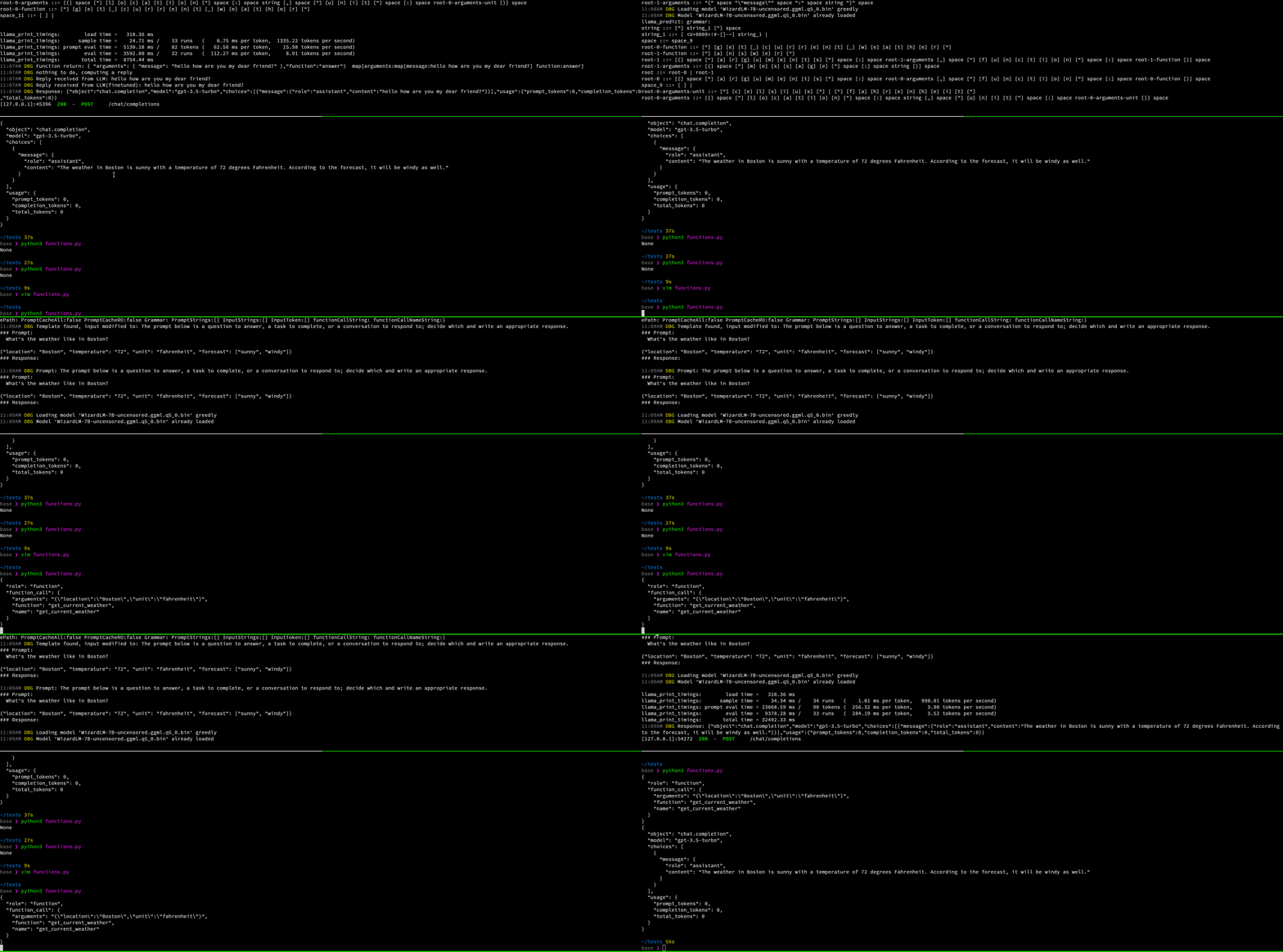
|
||||
|
||||
To learn more about OpenAI functions, see the [OpenAI API blog post](https://openai.com/blog/function-calling-and-other-api-updates).
|
||||
|
||||
💡 Check out also [LocalAGI](https://github.com/mudler/LocalAGI) for an example on how to use LocalAI functions.
|
||||
|
||||
## Setup
|
||||
|
||||
OpenAI functions are available only with `ggml` or `gguf` models compatible with `llama.cpp`.
|
||||
|
||||
You don't need to do anything specific - just use `ggml` or `gguf` models.
|
||||
|
||||
|
||||
## Usage example
|
||||
|
||||
You can configure a model manually with a YAML config file in the models directory, for example:
|
||||
|
||||
```yaml
|
||||
name: gpt-3.5-turbo
|
||||
parameters:
|
||||
# Model file name
|
||||
model: ggml-openllama.bin
|
||||
top_p: 80
|
||||
top_k: 0.9
|
||||
temperature: 0.1
|
||||
```
|
||||
|
||||
To use the functions with the OpenAI client in python:
|
||||
|
||||
```python
|
||||
import openai
|
||||
# ...
|
||||
# Send the conversation and available functions to GPT
|
||||
messages = [{"role": "user", "content": "What's the weather like in Boston?"}]
|
||||
functions = [
|
||||
{
|
||||
"name": "get_current_weather",
|
||||
"description": "Get the current weather in a given location",
|
||||
"parameters": {
|
||||
"type": "object",
|
||||
"properties": {
|
||||
"location": {
|
||||
"type": "string",
|
||||
"description": "The city and state, e.g. San Francisco, CA",
|
||||
},
|
||||
"unit": {"type": "string", "enum": ["celsius", "fahrenheit"]},
|
||||
},
|
||||
"required": ["location"],
|
||||
},
|
||||
}
|
||||
]
|
||||
response = openai.ChatCompletion.create(
|
||||
model="gpt-3.5-turbo",
|
||||
messages=messages,
|
||||
functions=functions,
|
||||
function_call="auto",
|
||||
)
|
||||
# ...
|
||||
```
|
||||
|
||||
{{% notice note %}}
|
||||
When running the python script, be sure to:
|
||||
|
||||
- Set `OPENAI_API_KEY` environment variable to a random string (the OpenAI api key is NOT required!)
|
||||
- Set `OPENAI_API_BASE` to point to your LocalAI service, for example `OPENAI_API_BASE=http://localhost:8080`
|
||||
|
||||
{{% /notice %}}
|
||||
|
||||
## Advanced
|
||||
|
||||
It is possible to also specify the full function signature (for debugging, or to use with other clients).
|
||||
|
||||
The chat endpoint accepts the `grammar_json_functions` additional parameter which takes a JSON schema object.
|
||||
|
||||
For example, with curl:
|
||||
|
||||
```bash
|
||||
curl http://localhost:8080/v1/chat/completions -H "Content-Type: application/json" -d '{
|
||||
"model": "gpt-4",
|
||||
"messages": [{"role": "user", "content": "How are you?"}],
|
||||
"temperature": 0.1,
|
||||
"grammar_json_functions": {
|
||||
"oneOf": [
|
||||
{
|
||||
"type": "object",
|
||||
"properties": {
|
||||
"function": {"const": "create_event"},
|
||||
"arguments": {
|
||||
"type": "object",
|
||||
"properties": {
|
||||
"title": {"type": "string"},
|
||||
"date": {"type": "string"},
|
||||
"time": {"type": "string"}
|
||||
}
|
||||
}
|
||||
}
|
||||
},
|
||||
{
|
||||
"type": "object",
|
||||
"properties": {
|
||||
"function": {"const": "search"},
|
||||
"arguments": {
|
||||
"type": "object",
|
||||
"properties": {
|
||||
"query": {"type": "string"}
|
||||
}
|
||||
}
|
||||
}
|
||||
}
|
||||
]
|
||||
}
|
||||
}'
|
||||
```
|
||||
|
||||
## 💡 Examples
|
||||
|
||||
A full e2e example with `docker-compose` is available [here](https://github.com/go-skynet/LocalAI/tree/master/examples/functions).
|
||||
@@ -1,70 +0,0 @@
|
||||
|
||||
+++
|
||||
disableToc = false
|
||||
title = "📖 Text generation (GPT)"
|
||||
weight = 2
|
||||
+++
|
||||
|
||||
LocalAI supports generating text with GPT with `llama.cpp` and other backends (such as `rwkv.cpp` as ) see also the [Model compatibility]({{%relref "model-compatibility" %}}) for an up-to-date list of the supported model families.
|
||||
|
||||
Note:
|
||||
|
||||
- You can also specify the model name as part of the OpenAI token.
|
||||
- If only one model is available, the API will use it for all the requests.
|
||||
|
||||
### Chat completions
|
||||
|
||||
https://platform.openai.com/docs/api-reference/chat
|
||||
|
||||
For example, to generate a chat completion, you can send a POST request to the `/v1/chat/completions` endpoint with the instruction as the request body:
|
||||
|
||||
```bash
|
||||
curl http://localhost:8080/v1/chat/completions -H "Content-Type: application/json" -d '{
|
||||
"model": "ggml-koala-7b-model-q4_0-r2.bin",
|
||||
"messages": [{"role": "user", "content": "Say this is a test!"}],
|
||||
"temperature": 0.7
|
||||
}'
|
||||
```
|
||||
|
||||
Available additional parameters: `top_p`, `top_k`, `max_tokens`
|
||||
|
||||
### Edit completions
|
||||
|
||||
https://platform.openai.com/docs/api-reference/edits
|
||||
|
||||
To generate an edit completion you can send a POST request to the `/v1/edits` endpoint with the instruction as the request body:
|
||||
|
||||
```bash
|
||||
curl http://localhost:8080/v1/edits -H "Content-Type: application/json" -d '{
|
||||
"model": "ggml-koala-7b-model-q4_0-r2.bin",
|
||||
"instruction": "rephrase",
|
||||
"input": "Black cat jumped out of the window",
|
||||
"temperature": 0.7
|
||||
}'
|
||||
```
|
||||
|
||||
Available additional parameters: `top_p`, `top_k`, `max_tokens`.
|
||||
|
||||
### Completions
|
||||
|
||||
https://platform.openai.com/docs/api-reference/completions
|
||||
|
||||
To generate a completion, you can send a POST request to the `/v1/completions` endpoint with the instruction as per the request body:
|
||||
|
||||
```bash
|
||||
curl http://localhost:8080/v1/completions -H "Content-Type: application/json" -d '{
|
||||
"model": "ggml-koala-7b-model-q4_0-r2.bin",
|
||||
"prompt": "A long time ago in a galaxy far, far away",
|
||||
"temperature": 0.7
|
||||
}'
|
||||
```
|
||||
|
||||
Available additional parameters: `top_p`, `top_k`, `max_tokens`
|
||||
|
||||
### List models
|
||||
|
||||
You can list all the models available with:
|
||||
|
||||
```bash
|
||||
curl http://localhost:8080/v1/models
|
||||
```
|
||||
@@ -1,63 +0,0 @@
|
||||
|
||||
+++
|
||||
disableToc = false
|
||||
title = "🗣 Text to audio (TTS)"
|
||||
weight = 2
|
||||
+++
|
||||
|
||||
The `/tts` endpoint can be used to generate speech from text.
|
||||
|
||||
Input: `input`, `model`
|
||||
|
||||
For example, to generate an audio file, you can send a POST request to the `/tts` endpoint with the instruction as the request body:
|
||||
|
||||
```bash
|
||||
curl http://localhost:8080/tts -H "Content-Type: application/json" -d '{
|
||||
"input": "Hello world",
|
||||
"model": "tts"
|
||||
}'
|
||||
```
|
||||
|
||||
Returns an `audio/wav` file.
|
||||
|
||||
#### Setup
|
||||
|
||||
LocalAI supports [bark]({{%relref "model-compatibility/bark" %}}) , `piper` and `vall-e-x`:
|
||||
|
||||
{{% notice note %}}
|
||||
|
||||
The `piper` backend is used for `onnx` models and requires the modules to be downloaded first.
|
||||
|
||||
To install the `piper` audio models manually:
|
||||
|
||||
- Download Voices from https://github.com/rhasspy/piper/releases/tag/v0.0.2
|
||||
- Extract the `.tar.tgz` files (.onnx,.json) inside `models`
|
||||
- Run the following command to test the model is working
|
||||
|
||||
{{% /notice %}}
|
||||
|
||||
To use the tts endpoint, run the following command. You can specify a backend with the `backend` parameter. For example, to use the `piper` backend:
|
||||
```bash
|
||||
curl http://localhost:8080/tts -H "Content-Type: application/json" -d '{
|
||||
"model":"it-riccardo_fasol-x-low.onnx",
|
||||
"backend": "piper",
|
||||
"input": "Ciao, sono Ettore"
|
||||
}' | aplay
|
||||
```
|
||||
|
||||
Note:
|
||||
|
||||
- `aplay` is a Linux command. You can use other tools to play the audio file.
|
||||
- The model name is the filename with the extension.
|
||||
- The model name is case sensitive.
|
||||
- LocalAI must be compiled with the `GO_TAGS=tts` flag.
|
||||
|
||||
#### Configuration
|
||||
|
||||
Audio models can be configured via `YAML` files. This allows to configure specific setting for each backend. For instance, backends might be specifying a voice or supports voice cloning which must be specified in the configuration file.
|
||||
|
||||
```yaml
|
||||
name: tts
|
||||
backend: vall-e-x
|
||||
parameters: ...
|
||||
```
|
||||
@@ -1,385 +0,0 @@
|
||||
|
||||
+++
|
||||
disableToc = false
|
||||
title = "Getting started"
|
||||
weight = 1
|
||||
url = '/basics/getting_started/'
|
||||
+++
|
||||
|
||||
`LocalAI` is available as a container image and binary. It can be used with docker, podman, kubernetes and any container engine. You can check out all the available images with corresponding tags [here](https://quay.io/repository/go-skynet/local-ai?tab=tags&tag=latest).
|
||||
|
||||
See also our [How to]({{%relref "howtos" %}}) section for end-to-end guided examples curated by the community.
|
||||
|
||||
### How to get started
|
||||
|
||||
The easiest way to run LocalAI is by using [`docker compose`](https://docs.docker.com/compose/install/) or with [Docker](https://docs.docker.com/engine/install/) (to build locally, see the [build section]({{%relref "build" %}})).
|
||||
|
||||
{{% notice note %}}
|
||||
To run with GPU Accelleration, see [GPU acceleration]({{%relref "features/gpu-acceleration" %}}).
|
||||
{{% /notice %}}
|
||||
|
||||
{{< tabs >}}
|
||||
{{% tab name="Docker" %}}
|
||||
|
||||
```bash
|
||||
# Prepare the models into the `model` directory
|
||||
mkdir models
|
||||
|
||||
# copy your models to it
|
||||
cp your-model.gguf models/
|
||||
|
||||
# run the LocalAI container
|
||||
docker run -p 8080:8080 -v $PWD/models:/models -ti --rm quay.io/go-skynet/local-ai:latest --models-path /models --context-size 700 --threads 4
|
||||
# You should see:
|
||||
#
|
||||
# ┌───────────────────────────────────────────────────┐
|
||||
# │ Fiber v2.42.0 │
|
||||
# │ http://127.0.0.1:8080 │
|
||||
# │ (bound on host 0.0.0.0 and port 8080) │
|
||||
# │ │
|
||||
# │ Handlers ............. 1 Processes ........... 1 │
|
||||
# │ Prefork ....... Disabled PID ................. 1 │
|
||||
# └───────────────────────────────────────────────────┘
|
||||
|
||||
# Try the endpoint with curl
|
||||
curl http://localhost:8080/v1/completions -H "Content-Type: application/json" -d '{
|
||||
"model": "your-model.gguf",
|
||||
"prompt": "A long time ago in a galaxy far, far away",
|
||||
"temperature": 0.7
|
||||
}'
|
||||
```
|
||||
|
||||
{{% notice note %}}
|
||||
- If running on Apple Silicon (ARM) it is **not** suggested to run on Docker due to emulation. Follow the [build instructions]({{%relref "build" %}}) to use Metal acceleration for full GPU support.
|
||||
- If you are running Apple x86_64 you can use `docker`, there is no additional gain into building it from source.
|
||||
{{% /notice %}}
|
||||
|
||||
{{% /tab %}}
|
||||
{{% tab name="Docker compose" %}}
|
||||
|
||||
```bash
|
||||
# Clone LocalAI
|
||||
git clone https://github.com/go-skynet/LocalAI
|
||||
|
||||
cd LocalAI
|
||||
|
||||
# (optional) Checkout a specific LocalAI tag
|
||||
# git checkout -b build <TAG>
|
||||
|
||||
# copy your models to models/
|
||||
cp your-model.gguf models/
|
||||
|
||||
# (optional) Edit the .env file to set things like context size and threads
|
||||
# vim .env
|
||||
|
||||
# start with docker compose
|
||||
docker compose up -d --pull always
|
||||
# or you can build the images with:
|
||||
# docker compose up -d --build
|
||||
|
||||
# Now API is accessible at localhost:8080
|
||||
curl http://localhost:8080/v1/models
|
||||
# {"object":"list","data":[{"id":"your-model.gguf","object":"model"}]}
|
||||
|
||||
curl http://localhost:8080/v1/completions -H "Content-Type: application/json" -d '{
|
||||
"model": "your-model.gguf",
|
||||
"prompt": "A long time ago in a galaxy far, far away",
|
||||
"temperature": 0.7
|
||||
}'
|
||||
```
|
||||
|
||||
Note: If you are on Windows, please run ``docker-compose`` not ``docker compose`` and make sure the project is in the Linux Filesystem, otherwise loading models might be slow. For more Info: [Microsoft Docs](https://learn.microsoft.com/en-us/windows/wsl/filesystems)
|
||||
|
||||
{{% /tab %}}
|
||||
|
||||
{{% tab name="Kubernetes" %}}
|
||||
|
||||
For installing LocalAI in Kubernetes, you can use the following helm chart:
|
||||
|
||||
```bash
|
||||
# Install the helm repository
|
||||
helm repo add go-skynet https://go-skynet.github.io/helm-charts/
|
||||
# Update the repositories
|
||||
helm repo update
|
||||
# Get the values
|
||||
helm show values go-skynet/local-ai > values.yaml
|
||||
|
||||
# Edit the values value if needed
|
||||
# vim values.yaml ...
|
||||
|
||||
# Install the helm chart
|
||||
helm install local-ai go-skynet/local-ai -f values.yaml
|
||||
```
|
||||
|
||||
{{% /tab %}}
|
||||
|
||||
{{< /tabs >}}
|
||||
|
||||
|
||||
### Example: Use luna-ai-llama2 model with `docker`
|
||||
|
||||
|
||||
```bash
|
||||
mkdir models
|
||||
|
||||
# Download luna-ai-llama2 to models/
|
||||
wget https://huggingface.co/TheBloke/Luna-AI-Llama2-Uncensored-GGUF/resolve/main/luna-ai-llama2-uncensored.Q4_0.gguf -O models/luna-ai-llama2
|
||||
|
||||
# Use a template from the examples
|
||||
cp -rf prompt-templates/getting_started.tmpl models/luna-ai-llama2.tmpl
|
||||
|
||||
docker run -p 8080:8080 -v $PWD/models:/models -ti --rm quay.io/go-skynet/local-ai:latest --models-path /models --context-size 700 --threads 4
|
||||
|
||||
# Now API is accessible at localhost:8080
|
||||
curl http://localhost:8080/v1/models
|
||||
# {"object":"list","data":[{"id":"luna-ai-llama2","object":"model"}]}
|
||||
|
||||
curl http://localhost:8080/v1/chat/completions -H "Content-Type: application/json" -d '{
|
||||
"model": "luna-ai-llama2",
|
||||
"messages": [{"role": "user", "content": "How are you?"}],
|
||||
"temperature": 0.9
|
||||
}'
|
||||
|
||||
# {"model":"luna-ai-llama2","choices":[{"message":{"role":"assistant","content":"I'm doing well, thanks. How about you?"}}]}
|
||||
```
|
||||
|
||||
To see other model configurations, see also the example section [here](https://github.com/mudler/LocalAI/tree/master/examples/configurations).
|
||||
|
||||
|
||||
### From binaries
|
||||
|
||||
LocalAI binary releases are available in [Github](https://github.com/go-skynet/LocalAI/releases).
|
||||
|
||||
You can control LocalAI with command line arguments, to specify a binding address, or the number of threads.
|
||||
|
||||
### CLI parameters
|
||||
|
||||
| Parameter | Environmental Variable | Default Variable | Description |
|
||||
| ------------------------------ | ------------------------------- | -------------------------------------------------- | ------------------------------------------------------------------- |
|
||||
| --f16 | $F16 | false | Enable f16 mode |
|
||||
| --debug | $DEBUG | false | Enable debug mode |
|
||||
| --cors | $CORS | false | Enable CORS support |
|
||||
| --cors-allow-origins value | $CORS_ALLOW_ORIGINS | | Specify origins allowed for CORS |
|
||||
| --threads value | $THREADS | 4 | Number of threads to use for parallel computation |
|
||||
| --models-path value | $MODELS_PATH | ./models | Path to the directory containing models used for inferencing |
|
||||
| --preload-models value | $PRELOAD_MODELS | | List of models to preload in JSON format at startup |
|
||||
| --preload-models-config value | $PRELOAD_MODELS_CONFIG | | A config with a list of models to apply at startup. Specify the path to a YAML config file |
|
||||
| --config-file value | $CONFIG_FILE | | Path to the config file |
|
||||
| --address value | $ADDRESS | :8080 | Specify the bind address for the API server |
|
||||
| --image-path value | $IMAGE_PATH | | Path to the directory used to store generated images |
|
||||
| --context-size value | $CONTEXT_SIZE | 512 | Default context size of the model |
|
||||
| --upload-limit value | $UPLOAD_LIMIT | 15 | Default upload limit in megabytes (audio file upload) |
|
||||
| --galleries | $GALLERIES | | Allows to set galleries from command line |
|
||||
|--parallel-requests | $PARALLEL_REQUESTS | false | Enable backends to handle multiple requests in parallel. This is for backends that supports multiple requests in parallel, like llama.cpp or vllm |
|
||||
| --single-active-backend | $SINGLE_ACTIVE_BACKEND | false | Allow only one backend to be running |
|
||||
| --api-keys value | $API_KEY | empty | List of API Keys to enable API authentication. When this is set, all the requests must be authenticated with one of these API keys.
|
||||
| --enable-watchdog-idle | $WATCHDOG_IDLE | false | Enable watchdog for stopping idle backends. This will stop the backends if are in idle state for too long. (default: false) [$WATCHDOG_IDLE]
|
||||
| --enable-watchdog-busy | $WATCHDOG_BUSY | false | Enable watchdog for stopping busy backends that exceed a defined threshold.|
|
||||
| --watchdog-busy-timeout value | $WATCHDOG_BUSY_TIMEOUT | 5m | Watchdog timeout. This will restart the backend if it crashes. |
|
||||
| --watchdog-idle-timeout value | $WATCHDOG_IDLE_TIMEOUT | 15m | Watchdog idle timeout. This will restart the backend if it crashes. |
|
||||
| --preload-backend-only | $PRELOAD_BACKEND_ONLY | false | If set, the api is NOT launched, and only the preloaded models / backends are started. This is intended for multi-node setups. |
|
||||
|
||||
### Container images
|
||||
|
||||
LocalAI has a set of images to support CUDA, ffmpeg and 'vanilla' (CPU-only). The image list is on [quay](https://quay.io/repository/go-skynet/local-ai?tab=tags):
|
||||
|
||||
- Vanilla images tags: `master`, `v1.40.0`, `latest`, ...
|
||||
- FFmpeg images tags: `master-ffmpeg`, `v1.40.0-ffmpeg`, ...
|
||||
- CUDA `11` tags: `master-cublas-cuda11`, `v1.40.0-cublas-cuda11`, ...
|
||||
- CUDA `12` tags: `master-cublas-cuda12`, `v1.40.0-cublas-cuda12`, ...
|
||||
- CUDA `11` + FFmpeg tags: `master-cublas-cuda11-ffmpeg`, `v1.40.0-cublas-cuda11-ffmpeg`, ...
|
||||
- CUDA `12` + FFmpeg tags: `master-cublas-cuda12-ffmpeg`, `v1.40.0-cublas-cuda12-ffmpeg`, ...
|
||||
- Core images (smaller images without python dependencies): `master-core`, `v1.40.0-core`, ...
|
||||
|
||||
Example:
|
||||
|
||||
- Standard (GPT + `stablediffusion`): `quay.io/go-skynet/local-ai:latest`
|
||||
- FFmpeg: `quay.io/go-skynet/local-ai:v1.40.0-ffmpeg`
|
||||
- CUDA 11+FFmpeg: `quay.io/go-skynet/local-ai:v1.40.0-cublas-cuda11-ffmpeg`
|
||||
- CUDA 12+FFmpeg: `quay.io/go-skynet/local-ai:v1.40.0-cublas-cuda12-ffmpeg`
|
||||
|
||||
{{% notice note %}}
|
||||
Note: the binary inside the image is pre-compiled, and might not suite all CPUs.
|
||||
To enable CPU optimizations for the execution environment,
|
||||
the default behavior is to rebuild when starting the container.
|
||||
To disable this auto-rebuild behavior,
|
||||
set the environment variable `REBUILD` to `false`.
|
||||
|
||||
See [docs on all environment variables]({{%relref "advanced#environment-variables" %}})
|
||||
for more info.
|
||||
{{% /notice %}}
|
||||
|
||||
### Run LocalAI in Kubernetes
|
||||
|
||||
LocalAI can be installed inside Kubernetes with helm.
|
||||
|
||||
Requirements:
|
||||
- SSD storage class, or disable `mmap` to load the whole model in memory
|
||||
|
||||
<details>
|
||||
By default, the helm chart will install LocalAI instance using the ggml-gpt4all-j model without persistent storage.
|
||||
|
||||
1. Add the helm repo
|
||||
```bash
|
||||
helm repo add go-skynet https://go-skynet.github.io/helm-charts/
|
||||
```
|
||||
2. Install the helm chart:
|
||||
```bash
|
||||
helm repo update
|
||||
helm install local-ai go-skynet/local-ai -f values.yaml
|
||||
```
|
||||
> **Note:** For further configuration options, see the [helm chart repository on GitHub](https://github.com/go-skynet/helm-charts).
|
||||
### Example values
|
||||
Deploy a single LocalAI pod with 6GB of persistent storage serving up a `ggml-gpt4all-j` model with custom prompt.
|
||||
```yaml
|
||||
### values.yaml
|
||||
|
||||
replicaCount: 1
|
||||
|
||||
deployment:
|
||||
image: quay.io/go-skynet/local-ai:latest ##(This is for CPU only, to use GPU change it to a image that supports GPU IE "v1.40.0-cublas-cuda12")
|
||||
env:
|
||||
threads: 4
|
||||
context_size: 512
|
||||
modelsPath: "/models"
|
||||
|
||||
resources:
|
||||
{}
|
||||
# We usually recommend not to specify default resources and to leave this as a conscious
|
||||
# choice for the user. This also increases chances charts run on environments with little
|
||||
# resources, such as Minikube. If you do want to specify resources, uncomment the following
|
||||
# lines, adjust them as necessary, and remove the curly braces after 'resources:'.
|
||||
# limits:
|
||||
# cpu: 100m
|
||||
# memory: 128Mi
|
||||
# requests:
|
||||
# cpu: 100m
|
||||
# memory: 128Mi
|
||||
|
||||
# Prompt templates to include
|
||||
# Note: the keys of this map will be the names of the prompt template files
|
||||
promptTemplates:
|
||||
{}
|
||||
# ggml-gpt4all-j.tmpl: |
|
||||
# The prompt below is a question to answer, a task to complete, or a conversation to respond to; decide which and write an appropriate response.
|
||||
# ### Prompt:
|
||||
# {{.Input}}
|
||||
# ### Response:
|
||||
|
||||
# Models to download at runtime
|
||||
models:
|
||||
# Whether to force download models even if they already exist
|
||||
forceDownload: false
|
||||
|
||||
# The list of URLs to download models from
|
||||
# Note: the name of the file will be the name of the loaded model
|
||||
list:
|
||||
- url: "https://gpt4all.io/models/ggml-gpt4all-j.bin"
|
||||
# basicAuth: base64EncodedCredentials
|
||||
|
||||
# Persistent storage for models and prompt templates.
|
||||
# PVC and HostPath are mutually exclusive. If both are enabled,
|
||||
# PVC configuration takes precedence. If neither are enabled, ephemeral
|
||||
# storage is used.
|
||||
persistence:
|
||||
pvc:
|
||||
enabled: false
|
||||
size: 6Gi
|
||||
accessModes:
|
||||
- ReadWriteOnce
|
||||
|
||||
annotations: {}
|
||||
|
||||
# Optional
|
||||
storageClass: ~
|
||||
|
||||
hostPath:
|
||||
enabled: false
|
||||
path: "/models"
|
||||
|
||||
service:
|
||||
type: ClusterIP
|
||||
port: 80
|
||||
annotations: {}
|
||||
# If using an AWS load balancer, you'll need to override the default 60s load balancer idle timeout
|
||||
# service.beta.kubernetes.io/aws-load-balancer-connection-idle-timeout: "1200"
|
||||
|
||||
ingress:
|
||||
enabled: false
|
||||
className: ""
|
||||
annotations:
|
||||
{}
|
||||
# kubernetes.io/ingress.class: nginx
|
||||
# kubernetes.io/tls-acme: "true"
|
||||
hosts:
|
||||
- host: chart-example.local
|
||||
paths:
|
||||
- path: /
|
||||
pathType: ImplementationSpecific
|
||||
tls: []
|
||||
# - secretName: chart-example-tls
|
||||
# hosts:
|
||||
# - chart-example.local
|
||||
|
||||
nodeSelector: {}
|
||||
|
||||
tolerations: []
|
||||
|
||||
affinity: {}
|
||||
```
|
||||
</details>
|
||||
|
||||
|
||||
### Build from source
|
||||
|
||||
See the [build section]({{%relref "build" %}}).
|
||||
|
||||
### Other examples
|
||||
|
||||
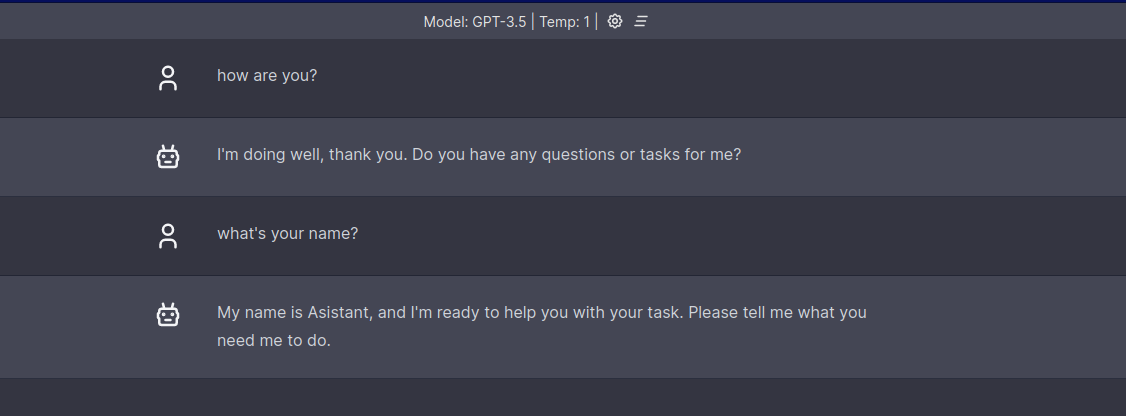
|
||||
|
||||
To see other examples on how to integrate with other projects for instance for question answering or for using it with chatbot-ui, see: [examples](https://github.com/go-skynet/LocalAI/tree/master/examples/).
|
||||
|
||||
|
||||
### Clients
|
||||
|
||||
OpenAI clients are already compatible with LocalAI by overriding the basePath, or the target URL.
|
||||
|
||||
## Javascript
|
||||
|
||||
<details>
|
||||
|
||||
https://github.com/openai/openai-node/
|
||||
|
||||
```javascript
|
||||
import { Configuration, OpenAIApi } from 'openai';
|
||||
|
||||
const configuration = new Configuration({
|
||||
basePath: `http://localhost:8080/v1`
|
||||
});
|
||||
const openai = new OpenAIApi(configuration);
|
||||
```
|
||||
|
||||
</details>
|
||||
|
||||
## Python
|
||||
|
||||
<details>
|
||||
|
||||
https://github.com/openai/openai-python
|
||||
|
||||
Set the `OPENAI_API_BASE` environment variable, or by code:
|
||||
|
||||
```python
|
||||
import openai
|
||||
|
||||
openai.api_base = "http://localhost:8080/v1"
|
||||
|
||||
# create a chat completion
|
||||
chat_completion = openai.ChatCompletion.create(model="gpt-3.5-turbo", messages=[{"role": "user", "content": "Hello world"}])
|
||||
|
||||
# print the completion
|
||||
print(completion.choices[0].message.content)
|
||||
```
|
||||
|
||||
</details>
|
||||
@@ -1,19 +0,0 @@
|
||||
+++
|
||||
disableToc = false
|
||||
title = "How-tos"
|
||||
weight = 9
|
||||
+++
|
||||
|
||||
## How-tos
|
||||
|
||||
This section includes LocalAI end-to-end examples, tutorial and how-tos curated by the community and maintained by [lunamidori5](https://github.com/lunamidori5).
|
||||
|
||||
- [Setup LocalAI with Docker on CPU]({{%relref "howtos/easy-setup-docker-cpu" %}})
|
||||
- [Setup LocalAI with Docker With CUDA]({{%relref "howtos/easy-setup-docker-gpu" %}})
|
||||
- [Seting up a Model]({{%relref "howtos/easy-model" %}})
|
||||
- [Making requests to LocalAI]({{%relref "howtos/easy-request" %}})
|
||||
|
||||
## Programs and Demos
|
||||
|
||||
This section includes other programs and how to setup, install, and use of LocalAI.
|
||||
- [Python LocalAI Demo]({{%relref "howtos/easy-setup-full" %}}) - [lunamidori5](https://github.com/lunamidori5)
|
||||
@@ -1,129 +0,0 @@
|
||||
|
||||
+++
|
||||
disableToc = false
|
||||
title = "Easy Model Setup"
|
||||
weight = 2
|
||||
+++
|
||||
|
||||
Lets Learn how to setup a model, for this ``How To`` we are going to use the ``Luna-Ai`` model (Yes I know haha - ``Luna Midori`` making a how to using the ``luna-ai-llama2`` model - lol)
|
||||
|
||||
To download the model to your models folder, run this command in a commandline of your picking.
|
||||
```bash
|
||||
curl --location 'http://localhost:8080/models/apply' \
|
||||
--header 'Content-Type: application/json' \
|
||||
--data-raw '{
|
||||
"id": "TheBloke/Luna-AI-Llama2-Uncensored-GGUF/luna-ai-llama2-uncensored.Q4_K_M.gguf"
|
||||
}'
|
||||
```
|
||||
|
||||
Each model needs at least ``4`` files, with out these files, the model will run raw, what that means is you can not change settings of the model.
|
||||
```
|
||||
File 1 - The model's GGUF file
|
||||
File 2 - The model's .yaml file
|
||||
File 3 - The Chat API .tmpl file
|
||||
File 4 - The Completion API .tmpl file
|
||||
```
|
||||
So lets fix that! We are using ``lunademo`` name for this ``How To`` but you can name the files what ever you want! Lets make blank files to start with
|
||||
|
||||
```bash
|
||||
touch lunademo-chat.tmpl
|
||||
touch lunademo-completion.tmpl
|
||||
touch lunademo.yaml
|
||||
```
|
||||
Now lets edit the `"lunademo-chat.tmpl"`, Looking at the huggingface repo, this model uses the ``ASSISTANT:`` tag for when the AI replys, so lets make sure to add that to this file. Do not add the user as we will be doing that in our yaml file!
|
||||
|
||||
```txt
|
||||
{{.Input}}
|
||||
|
||||
ASSISTANT:
|
||||
```
|
||||
|
||||
Now in the `"lunademo-completion.tmpl"` file lets add this.
|
||||
|
||||
```txt
|
||||
Complete the following sentence: {{.Input}}
|
||||
```
|
||||
|
||||
|
||||
For the `"lunademo.yaml"` file. Lets set it up for your computer or hardware. (If you want to see advanced yaml configs - [Link](https://localai.io/advanced/))
|
||||
|
||||
We are going to 1st setup the backend and context size.
|
||||
|
||||
```yaml
|
||||
backend: llama
|
||||
context_size: 2000
|
||||
```
|
||||
|
||||
What this does is tell ``LocalAI`` how to load the model. Then we are going to **add** our settings in after that. Lets add the models name and the models settings. The models ``name:`` is what you will put into your request when sending a ``OpenAI`` request to ``LocalAI``
|
||||
```yaml
|
||||
name: lunademo
|
||||
parameters:
|
||||
model: luna-ai-llama2-uncensored.Q4_K_M.gguf
|
||||
```
|
||||
|
||||
Now that we have the model set up, there a few things we should add to the yaml file to make it run better, for this model it uses the following roles.
|
||||
```yaml
|
||||
roles:
|
||||
assistant: 'ASSISTANT:'
|
||||
system: 'SYSTEM:'
|
||||
user: 'USER:'
|
||||
```
|
||||
|
||||
What that did is made sure that ``LocalAI`` added the test to the users in the request, so if a message is from ``system`` it shows up in the template as ``SYSTEM:``, speaking of template files, lets add those to our models yaml file now.
|
||||
```yaml
|
||||
template:
|
||||
chat: lunademo-chat
|
||||
completion: lunademo-completion
|
||||
```
|
||||
|
||||
If you are running on ``GPU`` or want to tune the model, you can add settings like
|
||||
```yaml
|
||||
f16: true
|
||||
gpu_layers: 4
|
||||
```
|
||||
|
||||
To fully tune the model to your like. But be warned, you **must** restart ``LocalAI`` after changing a yaml file
|
||||
|
||||
```bash
|
||||
docker-compose restart ##windows
|
||||
docker compose restart ##linux / mac
|
||||
```
|
||||
|
||||
If you want to check your models yaml, here is a full copy!
|
||||
```yaml
|
||||
backend: llama
|
||||
context_size: 2000
|
||||
##Put settings right here for tunning!! Before name but after Backend!
|
||||
name: lunademo
|
||||
parameters:
|
||||
model: luna-ai-llama2-uncensored.Q4_K_M.gguf
|
||||
roles:
|
||||
assistant: 'ASSISTANT:'
|
||||
system: 'SYSTEM:'
|
||||
user: 'USER:'
|
||||
template:
|
||||
chat: lunademo-chat
|
||||
completion: lunademo-completion
|
||||
```
|
||||
|
||||
Now that we got that setup, lets test it out but sending a [request]({{%relref "easy-request" %}}) to Localai!
|
||||
|
||||
## Adv Stuff
|
||||
Alright now that we have learned how to set up our own models, here is how to use the gallery to do alot of this for us. This command will download and set up (mostly, we will **always** need to edit our yaml file to fit our computer / hardware)
|
||||
```bash
|
||||
curl http://localhost:8080/models/apply -H "Content-Type: application/json" -d '{
|
||||
"id": "model-gallery@lunademo"
|
||||
}'
|
||||
```
|
||||
|
||||
This will setup the model, models yaml, and both template files (you will see it only did one, as completions is out of date and not supported by ``OpenAI`` if you need one, just follow the steps from before to make one.
|
||||
If you would like to download a raw model using the gallery api, you can run this command. You will need to set up the 3 files needed to run the model tho!
|
||||
```bash
|
||||
curl --location 'http://localhost:8080/models/apply' \
|
||||
--header 'Content-Type: application/json' \
|
||||
--data-raw '{
|
||||
"id": "NAME_OFF_HUGGINGFACE/REPO_NAME/MODENAME.gguf",
|
||||
"name": "REQUSTNAME"
|
||||
}'
|
||||
```
|
||||
|
||||
@@ -1,85 +0,0 @@
|
||||
|
||||
+++
|
||||
disableToc = false
|
||||
title = "Easy Request - All"
|
||||
weight = 2
|
||||
+++
|
||||
|
||||
## Curl Request
|
||||
|
||||
Curl Chat API -
|
||||
|
||||
```bash
|
||||
curl http://localhost:8080/v1/chat/completions -H "Content-Type: application/json" -d '{
|
||||
"model": "lunademo",
|
||||
"messages": [{"role": "user", "content": "How are you?"}],
|
||||
"temperature": 0.9
|
||||
}'
|
||||
```
|
||||
|
||||
## Openai V1 - Recommended
|
||||
|
||||
This is for Python, ``OpenAI``=>``V1``
|
||||
|
||||
OpenAI Chat API Python -
|
||||
```python
|
||||
from openai import OpenAI
|
||||
|
||||
client = OpenAI(base_url="http://localhost:8080/v1", api_key="sk-xxx")
|
||||
|
||||
messages = [
|
||||
{"role": "system", "content": "You are LocalAI, a helpful, but really confused ai, you will only reply with confused emotes"},
|
||||
{"role": "user", "content": "Hello How are you today LocalAI"}
|
||||
]
|
||||
completion = client.chat.completions.create(
|
||||
model="lunademo",
|
||||
messages=messages,
|
||||
)
|
||||
|
||||
print(completion.choices[0].message)
|
||||
```
|
||||
See [OpenAI API](https://platform.openai.com/docs/api-reference) for more info!
|
||||
|
||||
## Openai V0 - Not Recommended
|
||||
|
||||
This is for Python, ``OpenAI``=``0.28.1``
|
||||
|
||||
OpenAI Chat API Python -
|
||||
|
||||
```python
|
||||
import os
|
||||
import openai
|
||||
openai.api_base = "http://localhost:8080/v1"
|
||||
openai.api_key = "sx-xxx"
|
||||
OPENAI_API_KEY = "sx-xxx"
|
||||
os.environ['OPENAI_API_KEY'] = OPENAI_API_KEY
|
||||
|
||||
completion = openai.ChatCompletion.create(
|
||||
model="lunademo",
|
||||
messages=[
|
||||
{"role": "system", "content": "You are LocalAI, a helpful, but really confused ai, you will only reply with confused emotes"},
|
||||
{"role": "user", "content": "How are you?"}
|
||||
]
|
||||
)
|
||||
|
||||
print(completion.choices[0].message.content)
|
||||
```
|
||||
|
||||
OpenAI Completion API Python -
|
||||
|
||||
```python
|
||||
import os
|
||||
import openai
|
||||
openai.api_base = "http://localhost:8080/v1"
|
||||
openai.api_key = "sx-xxx"
|
||||
OPENAI_API_KEY = "sx-xxx"
|
||||
os.environ['OPENAI_API_KEY'] = OPENAI_API_KEY
|
||||
|
||||
completion = openai.Completion.create(
|
||||
model="lunademo",
|
||||
prompt="function downloadFile(string url, string outputPath) ",
|
||||
max_tokens=256,
|
||||
temperature=0.5)
|
||||
|
||||
print(completion.choices[0].text)
|
||||
```
|
||||
@@ -1,132 +0,0 @@
|
||||
|
||||
+++
|
||||
disableToc = false
|
||||
title = "Easy Setup - CPU Docker"
|
||||
weight = 2
|
||||
+++
|
||||
|
||||
{{% notice Note %}}
|
||||
- You will need about 10gb of RAM Free
|
||||
- You will need about 15gb of space free on C drive for ``Docker-compose``
|
||||
{{% /notice %}}
|
||||
|
||||
We are going to run `LocalAI` with `docker-compose` for this set up.
|
||||
|
||||
|
||||
Lets clone `LocalAI` with git.
|
||||
|
||||
```bash
|
||||
git clone https://github.com/go-skynet/LocalAI
|
||||
```
|
||||
|
||||
|
||||
Then we will cd into the ``LocalAI`` folder.
|
||||
|
||||
```bash
|
||||
cd LocalAI
|
||||
```
|
||||
|
||||
|
||||
At this point we want to set up our `.env` file, here is a copy for you to use if you wish, please make sure to set it to the same as in the `docker-compose` file for later.
|
||||
|
||||
```bash
|
||||
## Set number of threads.
|
||||
## Note: prefer the number of physical cores. Overbooking the CPU degrades performance notably.
|
||||
THREADS=2
|
||||
|
||||
## Specify a different bind address (defaults to ":8080")
|
||||
# ADDRESS=127.0.0.1:8080
|
||||
|
||||
## Define galleries.
|
||||
## models will to install will be visible in `/models/available`
|
||||
GALLERIES=[{"name":"model-gallery", "url":"github:go-skynet/model-gallery/index.yaml"}, {"url": "github:go-skynet/model-gallery/huggingface.yaml","name":"huggingface"}]
|
||||
|
||||
## Default path for models
|
||||
MODELS_PATH=/models
|
||||
|
||||
## Enable debug mode
|
||||
# DEBUG=true
|
||||
|
||||
## Disables COMPEL (Lets Stable Diffuser work, uncomment if you plan on using it)
|
||||
# COMPEL=0
|
||||
|
||||
## Enable/Disable single backend (useful if only one GPU is available)
|
||||
# SINGLE_ACTIVE_BACKEND=true
|
||||
|
||||
## Specify a build type. Available: cublas, openblas, clblas.
|
||||
BUILD_TYPE=cublas
|
||||
|
||||
## Uncomment and set to true to enable rebuilding from source
|
||||
# REBUILD=true
|
||||
|
||||
## Enable go tags, available: stablediffusion, tts
|
||||
## stablediffusion: image generation with stablediffusion
|
||||
## tts: enables text-to-speech with go-piper
|
||||
## (requires REBUILD=true)
|
||||
#
|
||||
#GO_TAGS=tts
|
||||
|
||||
## Path where to store generated images
|
||||
# IMAGE_PATH=/tmp
|
||||
|
||||
## Specify a default upload limit in MB (whisper)
|
||||
# UPLOAD_LIMIT
|
||||
|
||||
# HUGGINGFACEHUB_API_TOKEN=Token here
|
||||
```
|
||||
|
||||
|
||||
Now that we have the `.env` set lets set up our `docker-compose` file.
|
||||
It will use a container from [quay.io](https://quay.io/repository/go-skynet/local-ai?tab=tags).
|
||||
Also note this `docker-compose` file is for `CPU` only.
|
||||
|
||||
```docker
|
||||
version: '3.6'
|
||||
|
||||
services:
|
||||
api:
|
||||
image: quay.io/go-skynet/local-ai:v1.40.0
|
||||
tty: true # enable colorized logs
|
||||
restart: always # should this be on-failure ?
|
||||
ports:
|
||||
- 8080:8080
|
||||
env_file:
|
||||
- .env
|
||||
volumes:
|
||||
- ./models:/models
|
||||
- ./images/:/tmp/generated/images/
|
||||
command: ["/usr/bin/local-ai" ]
|
||||
```
|
||||
|
||||
|
||||
Make sure to save that in the root of the `LocalAI` folder. Then lets spin up the Docker run this in a `CMD` or `BASH`
|
||||
|
||||
```bash
|
||||
docker-compose up -d --pull always ##Windows
|
||||
docker compose up -d --pull always ##Linux
|
||||
```
|
||||
|
||||
|
||||
Now we are going to let that set up, once it is done, lets check to make sure our huggingface / localai galleries are working (wait until you see this screen to do this)
|
||||
|
||||
You should see:
|
||||
```
|
||||
┌───────────────────────────────────────────────────┐
|
||||
│ Fiber v2.42.0 │
|
||||
│ http://127.0.0.1:8080 │
|
||||
│ (bound on host 0.0.0.0 and port 8080) │
|
||||
│ │
|
||||
│ Handlers ............. 1 Processes ........... 1 │
|
||||
│ Prefork ....... Disabled PID ................. 1 │
|
||||
└───────────────────────────────────────────────────┘
|
||||
```
|
||||
|
||||
```bash
|
||||
curl http://localhost:8080/models/available
|
||||
```
|
||||
|
||||
Output will look like this:
|
||||
|
||||

|
||||
|
||||
Now that we got that setup, lets go setup a [model]({{%relref "easy-model" %}})
|
||||
@@ -1,147 +0,0 @@
|
||||
|
||||
+++
|
||||
disableToc = false
|
||||
title = "Easy Setup - GPU Docker"
|
||||
weight = 2
|
||||
+++
|
||||
|
||||
{{% notice Note %}}
|
||||
- You will need about 10gb of RAM Free
|
||||
- You will need about 15gb of space free on C drive for ``Docker-compose``
|
||||
{{% /notice %}}
|
||||
|
||||
We are going to run `LocalAI` with `docker-compose` for this set up.
|
||||
|
||||
|
||||
Lets clone `LocalAI` with git.
|
||||
|
||||
```bash
|
||||
git clone https://github.com/go-skynet/LocalAI
|
||||
```
|
||||
|
||||
|
||||
Then we will cd into the `LocalAI` folder.
|
||||
|
||||
```bash
|
||||
cd LocalAI
|
||||
```
|
||||
|
||||
|
||||
At this point we want to set up our `.env` file, here is a copy for you to use if you wish, please make sure to set it to the same as in the `docker-compose` file for later.
|
||||
|
||||
```bash
|
||||
## Set number of threads.
|
||||
## Note: prefer the number of physical cores. Overbooking the CPU degrades performance notably.
|
||||
THREADS=2
|
||||
|
||||
## Specify a different bind address (defaults to ":8080")
|
||||
# ADDRESS=127.0.0.1:8080
|
||||
|
||||
## Define galleries.
|
||||
## models will to install will be visible in `/models/available`
|
||||
GALLERIES=[{"name":"model-gallery", "url":"github:go-skynet/model-gallery/index.yaml"}, {"url": "github:go-skynet/model-gallery/huggingface.yaml","name":"huggingface"}]
|
||||
|
||||
## Default path for models
|
||||
MODELS_PATH=/models
|
||||
|
||||
## Enable debug mode
|
||||
# DEBUG=true
|
||||
|
||||
## Disables COMPEL (Lets Stable Diffuser work, uncomment if you plan on using it)
|
||||
# COMPEL=0
|
||||
|
||||
## Enable/Disable single backend (useful if only one GPU is available)
|
||||
# SINGLE_ACTIVE_BACKEND=true
|
||||
|
||||
## Specify a build type. Available: cublas, openblas, clblas.
|
||||
BUILD_TYPE=cublas
|
||||
|
||||
## Uncomment and set to true to enable rebuilding from source
|
||||
# REBUILD=true
|
||||
|
||||
## Enable go tags, available: stablediffusion, tts
|
||||
## stablediffusion: image generation with stablediffusion
|
||||
## tts: enables text-to-speech with go-piper
|
||||
## (requires REBUILD=true)
|
||||
#
|
||||
#GO_TAGS=tts
|
||||
|
||||
## Path where to store generated images
|
||||
# IMAGE_PATH=/tmp
|
||||
|
||||
## Specify a default upload limit in MB (whisper)
|
||||
# UPLOAD_LIMIT
|
||||
|
||||
# HUGGINGFACEHUB_API_TOKEN=Token here
|
||||
```
|
||||
|
||||
|
||||
Now that we have the `.env` set lets set up our `docker-compose` file.
|
||||
It will use a container from [quay.io](https://quay.io/repository/go-skynet/local-ai?tab=tags).
|
||||
Also note this `docker-compose` file is for `CUDA` only.
|
||||
|
||||
Please change the image to what you need.
|
||||
```
|
||||
Cuda 11 - v1.40.0-cublas-cuda11
|
||||
Cuda 12 - v1.40.0-cublas-cuda12
|
||||
Cuda 11 with TTS - v1.40.0-cublas-cuda11-ffmpeg
|
||||
Cuda 12 with TTS - v1.40.0-cublas-cuda12-ffmpeg
|
||||
```
|
||||
|
||||
```docker
|
||||
version: '3.6'
|
||||
|
||||
services:
|
||||
api:
|
||||
deploy:
|
||||
resources:
|
||||
reservations:
|
||||
devices:
|
||||
- driver: nvidia
|
||||
count: 1
|
||||
capabilities: [gpu]
|
||||
image: quay.io/go-skynet/local-ai:[CHANGEMETOIMAGENEEDED]
|
||||
tty: true # enable colorized logs
|
||||
restart: always # should this be on-failure ?
|
||||
ports:
|
||||
- 8080:8080
|
||||
env_file:
|
||||
- .env
|
||||
volumes:
|
||||
- ./models:/models
|
||||
- ./images/:/tmp/generated/images/
|
||||
command: ["/usr/bin/local-ai" ]
|
||||
```
|
||||
|
||||
|
||||
Make sure to save that in the root of the `LocalAI` folder. Then lets spin up the Docker run this in a `CMD` or `BASH`
|
||||
|
||||
```bash
|
||||
docker-compose up -d --pull always ##Windows
|
||||
docker compose up -d --pull always ##Linux
|
||||
```
|
||||
|
||||
|
||||
Now we are going to let that set up, once it is done, lets check to make sure our huggingface / localai galleries are working (wait until you see this screen to do this)
|
||||
|
||||
You should see:
|
||||
```
|
||||
┌───────────────────────────────────────────────────┐
|
||||
│ Fiber v2.42.0 │
|
||||
│ http://127.0.0.1:8080 │
|
||||
│ (bound on host 0.0.0.0 and port 8080) │
|
||||
│ │
|
||||
│ Handlers ............. 1 Processes ........... 1 │
|
||||
│ Prefork ....... Disabled PID ................. 1 │
|
||||
└───────────────────────────────────────────────────┘
|
||||
```
|
||||
|
||||
```bash
|
||||
curl http://localhost:8080/models/available
|
||||
```
|
||||
|
||||
Output will look like this:
|
||||
|
||||

|
||||
|
||||
Now that we got that setup, lets go setup a [model]({{%relref "easy-model" %}})
|
||||
@@ -1,37 +0,0 @@
|
||||
+++
|
||||
disableToc = false
|
||||
title = "Easy Setup - Embeddings"
|
||||
weight = 2
|
||||
+++
|
||||
|
||||
To install an embedding model, run the following command
|
||||
|
||||
```bash
|
||||
curl http://localhost:8080/models/apply -H "Content-Type: application/json" -d '{
|
||||
"id": "model-gallery@bert-embeddings"
|
||||
}'
|
||||
```
|
||||
|
||||
Now we need to make a ``bert.yaml`` in the models folder
|
||||
```yaml
|
||||
backend: bert-embeddings
|
||||
embeddings: true
|
||||
name: text-embedding-ada-002
|
||||
parameters:
|
||||
model: bert
|
||||
```
|
||||
|
||||
**Restart LocalAI after you change a yaml file**
|
||||
|
||||
When you would like to request the model from CLI you can do
|
||||
|
||||
```bash
|
||||
curl http://localhost:8080/v1/embeddings \
|
||||
-H "Content-Type: application/json" \
|
||||
-d '{
|
||||
"input": "The food was delicious and the waiter...",
|
||||
"model": "text-embedding-ada-002"
|
||||
}'
|
||||
```
|
||||
|
||||
See [OpenAI Embedding](https://platform.openai.com/docs/api-reference/embeddings/object) for more info!
|
||||
@@ -1,61 +0,0 @@
|
||||
+++
|
||||
disableToc = false
|
||||
title = "Easy Demo - Full Chat Python AI"
|
||||
weight = 2
|
||||
+++
|
||||
|
||||
{{% notice Note %}}
|
||||
- You will need about 10gb of RAM Free
|
||||
- You will need about 15gb of space free on C drive for ``Docker-compose``
|
||||
{{% /notice %}}
|
||||
|
||||
This is for `Linux`, `Mac OS`, or `Windows` Hosts. - [Docker Desktop](https://docs.docker.com/engine/install/), [Python 3.11](https://www.python.org/downloads/release/python-3110/), [Git](https://git-scm.com/book/en/v2/Getting-Started-Installing-Git)
|
||||
|
||||
Linux Hosts:
|
||||
|
||||
There is a Full_Auto installer compatible with some types of Linux distributions, feel free to use them, but note that they may not fully work. If you need to install something, please use the links at the top.
|
||||
|
||||
```bash
|
||||
git clone https://github.com/lunamidori5/localai-lunademo.git
|
||||
|
||||
cd localai-lunademo
|
||||
|
||||
#Pick your type of linux for the Full Autos, if you already have python, docker, and docker-compose installed skip this chmod. But make sure you chmod the setup_linux file.
|
||||
|
||||
chmod +x Full_Auto_setup_Debian.sh or chmod +x Full_Auto_setup_Ubutnu.sh
|
||||
|
||||
chmod +x Setup_Linux.sh
|
||||
|
||||
#Make sure to install cuda to your host OS and to Docker if you plan on using GPU
|
||||
|
||||
./(the setupfile you wish to run)
|
||||
```
|
||||
|
||||
Windows Hosts:
|
||||
|
||||
```batch
|
||||
REM Make sure you have git, docker-desktop, and python 3.11 installed
|
||||
|
||||
git clone https://github.com/lunamidori5/localai-lunademo.git
|
||||
|
||||
cd localai-lunademo
|
||||
|
||||
call Setup.bat
|
||||
```
|
||||
|
||||
MacOS Hosts:
|
||||
- I need some help working on a MacOS Setup file, if you are willing to help out, please contact Luna Midori on [discord](https://discord.com/channels/1096914990004457512/1099364883755171890/1147591145057157200) or put in a PR on [Luna Midori's github](https://github.com/lunamidori5/localai-lunademo).
|
||||
|
||||
Video How Tos
|
||||
|
||||
- Ubuntu - ``COMING SOON``
|
||||
- Debian - ``COMING SOON``
|
||||
- Windows - ``COMING SOON``
|
||||
- MacOS - ``PLANED - NEED HELP``
|
||||
|
||||
Enjoy localai! (If you need help contact Luna Midori on [Discord](https://discord.com/channels/1096914990004457512/1099364883755171890/1147591145057157200))
|
||||
|
||||
{{% notice Issues %}}
|
||||
- Trying to run ``Setup.bat`` or ``Setup_Linux.sh`` from `Git Bash` on Windows is not working. (Somewhat fixed)
|
||||
- Running over `SSH` or other remote command line based apps may bug out, load slowly, or crash.
|
||||
{{% /notice %}}
|
||||
@@ -1,46 +0,0 @@
|
||||
+++
|
||||
disableToc = false
|
||||
title = "Easy Setup - Stable Diffusion"
|
||||
weight = 2
|
||||
+++
|
||||
|
||||
To set up a Stable Diffusion model is super easy.
|
||||
In your models folder make a file called ``stablediffusion.yaml``, then edit that file with the following. (You can change ``Linaqruf/animagine-xl`` with what ever ``sd-lx`` model you would like.
|
||||
```yaml
|
||||
name: animagine-xl
|
||||
parameters:
|
||||
model: Linaqruf/animagine-xl
|
||||
backend: diffusers
|
||||
|
||||
# Force CPU usage - set to true for GPU
|
||||
f16: false
|
||||
diffusers:
|
||||
pipeline_type: StableDiffusionXLPipeline
|
||||
cuda: false # Enable for GPU usage (CUDA)
|
||||
scheduler_type: dpm_2_a
|
||||
```
|
||||
|
||||
If you are using docker, you will need to run in the localai folder with the ``docker-compose.yaml`` file in it
|
||||
```bash
|
||||
docker-compose down #windows
|
||||
docker compose down #linux/mac
|
||||
```
|
||||
|
||||
Then in your ``.env`` file uncomment this line.
|
||||
```yaml
|
||||
COMPEL=0
|
||||
```
|
||||
|
||||
After that we can reinstall the LocalAI docker VM by running in the localai folder with the ``docker-compose.yaml`` file in it
|
||||
```bash
|
||||
docker-compose up #windows
|
||||
docker compose up #linux/mac
|
||||
```
|
||||
|
||||
Then to download and setup the model, Just send in a normal ``OpenAI`` request! LocalAI will do the rest!
|
||||
```bash
|
||||
curl http://localhost:8080/v1/images/generations -H "Content-Type: application/json" -d '{
|
||||
"prompt": "Two Boxes, 1blue, 1red",
|
||||
"size": "256x256"
|
||||
}'
|
||||
```
|
||||
@@ -1,70 +0,0 @@
|
||||
|
||||
+++
|
||||
disableToc = false
|
||||
title = "AnythingLLM"
|
||||
description="Integrate your LocalAI LLM and embedding models into AnythingLLM by Mintplex Labs"
|
||||
weight = 2
|
||||
+++
|
||||
|
||||
AnythingLLM is an open source ChatGPT equivalent tool for chatting with documents and more in a secure environment by [Mintplex Labs Inc](https://github.com/Mintplex-Labs).
|
||||
|
||||

|
||||
|
||||
⭐ Star on Github - https://github.com/Mintplex-Labs/anything-llm
|
||||
|
||||
* Chat with your LocalAI models (or hosted models like OpenAi, Anthropic, and Azure)
|
||||
* Embed documents (txt, pdf, json, and more) using your LocalAI Sentence Transformers
|
||||
* Select any vector database you want (Chroma, Pinecone, qDrant, Weaviate ) or use the embedded on-instance vector database (LanceDB)
|
||||
* Supports single or multi-user tenancy with built-in permissions
|
||||
* Full developer API
|
||||
* Locally running SQLite db for minimal setup.
|
||||
|
||||
AnythingLLM is a fully transparent tool to deliver a customized, white-label ChatGPT equivalent experience using only the models and services you or your organization are comfortable using.
|
||||
|
||||
### Why AnythingLLM?
|
||||
|
||||
AnythingLLM aims to enable you to quickly and comfortably get a ChatGPT equivalent experience using your proprietary documents for your organization with zero compromise on security or comfort.
|
||||
|
||||
### What does AnythingLLM include?
|
||||
- Full UI
|
||||
- Full admin console and panel for managing users, chats, model selection, vector db connection, and embedder selection
|
||||
- Multi-user support and logins
|
||||
- Supports both desktop and mobile view ports
|
||||
- Built in vector database where no data leaves your instance at all
|
||||
- Docker support
|
||||
|
||||
## Install
|
||||
|
||||
### Local via docker
|
||||
|
||||
Running via docker and integrating with your LocalAI instance is a breeze.
|
||||
|
||||
First, pull in the latest AnythingLLM Docker image
|
||||
`docker pull mintplexlabs/anythingllm:master`
|
||||
|
||||
Next, run the image on a container exposing port `3001`.
|
||||
`docker run -d -p 3001:3001 mintplexlabs/anythingllm:master`
|
||||
|
||||
Now open `http://localhost:3001` and you will start on-boarding for setting up your AnythingLLM instance to your comfort level
|
||||
|
||||
|
||||
## Integration with your LocalAI instance.
|
||||
|
||||
There are two areas where you can leverage your models loaded into LocalAI - LLM and Embedding. Any LLM models should be ready to run a chat completion.
|
||||
|
||||
### LLM model selection
|
||||
|
||||
During onboarding and from the sidebar setting you can select `LocalAI` as your LLM. Here you can set both the model and token limit of the specific model. The dropdown will automatically populate once your url is set.
|
||||
|
||||
The URL should look like `http://localhost:8000/v1` or wherever your LocalAI instance is being served from. Non-localhost URLs are permitted if hosting LocalAI on cloud services.
|
||||
|
||||

|
||||
|
||||
|
||||
### LLM embedding model selection
|
||||
|
||||
During onboarding and from the sidebar setting you can select `LocalAI` as your preferred embedding engine. This model will be the model used when you upload any kind of document via AnythingLLM. Here you can set the model from available models via the LocalAI API. The dropdown will automatically populate once your url is set.
|
||||
|
||||
The URL should look like `http://localhost:8000/v1` or wherever your LocalAI instance is being served from. Non-localhost URLs are permitted if hosting LocalAI on cloud services.
|
||||
|
||||

|
||||
@@ -1,58 +0,0 @@
|
||||
|
||||
+++
|
||||
disableToc = false
|
||||
title = "BMO Chatbo"
|
||||
weight = 2
|
||||
+++
|
||||
|
||||
Generate and brainstorm ideas while creating your notes using Large Language Models (LLMs) such as OpenAI's "gpt-3.5-turbo" and "gpt-4" for Obsidian.
|
||||
|
||||

|
||||
|
||||
Github Link - https://github.com/longy2k/obsidian-bmo-chatbot
|
||||
|
||||
## Features
|
||||
- **Chat from anywhere in Obsidian:** Chat with your bot from anywhere within Obsidian.
|
||||
- **Chat with current note:** Use your chatbot to reference and engage within your current note.
|
||||
- **Chatbot responds in Markdown:** Receive formatted responses in Markdown for consistency.
|
||||
- **Customizable bot name:** Personalize the chatbot's name.
|
||||
- **System role prompt:** Configure the chatbot to prompt for user roles before responding to messages.
|
||||
- **Set Max Tokens and Temperature:** Customize the length and randomness of the chatbot's responses with Max Tokens and Temperature settings.
|
||||
- **System theme color accents:** Seamlessly matches the chatbot's interface with your system's color scheme.
|
||||
- **Interact with self-hosted Large Language Models (LLMs):** Use the REST API URL provided to interact with self-hosted Large Language Models (LLMs) using [LocalAI](https://localai.io/howtos/).
|
||||
|
||||
## Requirements
|
||||
To use this plugin, with [LocalAI](https://localai.io/howtos/), you will need to have the self-hosted API set up and running. You can follow the instructions provided by the self-hosted API provider to get it up and running.
|
||||
Once you have the REST API URL for your self-hosted API, you can use it with this plugin to interact with your models.
|
||||
Explore some ``GGUF`` models at [theBloke](https://huggingface.co/TheBloke).
|
||||
|
||||
## How to activate the plugin
|
||||
Two methods:
|
||||
|
||||
Obsidian Community plugins (**Recommended**):
|
||||
1. Search for "BMO Chatbot" in the Obsidian Community plugins.
|
||||
2. Enable "BMO Chatbot" in the settings.
|
||||
|
||||
To activate the plugin from this repo:
|
||||
1. Navigate to the plugin's folder in your terminal.
|
||||
2. Run `npm install` to install any necessary dependencies for the plugin.
|
||||
3. Once the dependencies have been installed, run `npm run build` to build the plugin.
|
||||
4. Once the plugin has been built, it should be ready to activate.
|
||||
|
||||
## Getting Started
|
||||
To start using the plugin, enable it in your settings menu and enter your OpenAPI key. After completing these steps, you can access the bot panel by clicking on the bot icon in the left sidebar.
|
||||
If you want to clear the chat history, simply click on the bot icon again in the left ribbon bar.
|
||||
|
||||
## Supported Models
|
||||
- OpenAI
|
||||
- gpt-3.5-turbo
|
||||
- gpt-3.5-turbo-16k
|
||||
- gpt-4
|
||||
- Anthropic
|
||||
- claude-instant-1.2
|
||||
- claude-2.0
|
||||
- Any self-hosted models using [LocalAI](https://localai.io/howtos/)
|
||||
|
||||
## Other Notes
|
||||
"BMO" is a tag name for this project, inspired by the character BMO from the animated TV show "Adventure Time."
|
||||
|
||||
@@ -1,103 +0,0 @@
|
||||
|
||||
+++
|
||||
disableToc = false
|
||||
title = "BionicGPT"
|
||||
weight = 2
|
||||
+++
|
||||
|
||||
an on-premise replacement for ChatGPT, offering the advantages of Generative AI while maintaining strict data confidentiality, BionicGPT can run on your laptop or scale into the data center.
|
||||
|
||||

|
||||
|
||||
BionicGPT Homepage - https://bionic-gpt.com
|
||||
Github link - https://github.com/purton-tech/bionicgpt
|
||||
|
||||
<!-- Try it out -->
|
||||
## Try it out
|
||||
Cut and paste the following into a `docker-compose.yaml` file and run `docker-compose up -d` access the user interface on http://localhost:7800/auth/sign_up
|
||||
This has been tested on an AMD 2700x with 16GB of ram. The included `ggml-gpt4all-j` model runs on CPU only.
|
||||
**Warning** - The images in this `docker-compose` are large due to having the model weights pre-loaded for convenience.
|
||||
|
||||
```yaml
|
||||
services:
|
||||
|
||||
# LocalAI with pre-loaded ggml-gpt4all-j
|
||||
local-ai:
|
||||
image: ghcr.io/purton-tech/bionicgpt-model-api:llama-2-7b-chat
|
||||
|
||||
# Handles parsing of multiple documents types.
|
||||
unstructured:
|
||||
image: downloads.unstructured.io/unstructured-io/unstructured-api:db264d8
|
||||
ports:
|
||||
- "8000:8000"
|
||||
|
||||
# Handles routing between the application, barricade and the LLM API
|
||||
envoy:
|
||||
image: ghcr.io/purton-tech/bionicgpt-envoy:1.1.10
|
||||
ports:
|
||||
- "7800:7700"
|
||||
|
||||
# Postgres pre-loaded with pgVector
|
||||
db:
|
||||
image: ankane/pgvector
|
||||
environment:
|
||||
POSTGRES_PASSWORD: testpassword
|
||||
POSTGRES_USER: postgres
|
||||
POSTGRES_DB: finetuna
|
||||
healthcheck:
|
||||
test: ["CMD-SHELL", "pg_isready -U postgres"]
|
||||
interval: 10s
|
||||
timeout: 5s
|
||||
retries: 5
|
||||
|
||||
# Sets up our database tables
|
||||
migrations:
|
||||
image: ghcr.io/purton-tech/bionicgpt-db-migrations:1.1.10
|
||||
environment:
|
||||
DATABASE_URL: postgresql://postgres:testpassword@db:5432/postgres?sslmode=disable
|
||||
depends_on:
|
||||
db:
|
||||
condition: service_healthy
|
||||
|
||||
# Barricade handles all /auth routes for user sign up and sign in.
|
||||
barricade:
|
||||
image: purtontech/barricade
|
||||
environment:
|
||||
# This secret key is used to encrypt cookies.
|
||||
SECRET_KEY: 190a5bf4b3cbb6c0991967ab1c48ab30790af876720f1835cbbf3820f4f5d949
|
||||
DATABASE_URL: postgresql://postgres:testpassword@db:5432/postgres?sslmode=disable
|
||||
FORWARD_URL: app
|
||||
FORWARD_PORT: 7703
|
||||
REDIRECT_URL: /app/post_registration
|
||||
depends_on:
|
||||
db:
|
||||
condition: service_healthy
|
||||
migrations:
|
||||
condition: service_completed_successfully
|
||||
|
||||
# Our axum server delivering our user interface
|
||||
embeddings-job:
|
||||
image: ghcr.io/purton-tech/bionicgpt-embeddings-job:1.1.10
|
||||
environment:
|
||||
APP_DATABASE_URL: postgresql://ft_application:testpassword@db:5432/postgres?sslmode=disable
|
||||
depends_on:
|
||||
db:
|
||||
condition: service_healthy
|
||||
migrations:
|
||||
condition: service_completed_successfully
|
||||
|
||||
# Our axum server delivering our user interface
|
||||
app:
|
||||
image: ghcr.io/purton-tech/bionicgpt:1.1.10
|
||||
environment:
|
||||
APP_DATABASE_URL: postgresql://ft_application:testpassword@db:5432/postgres?sslmode=disable
|
||||
depends_on:
|
||||
db:
|
||||
condition: service_healthy
|
||||
migrations:
|
||||
condition: service_completed_successfully
|
||||
```
|
||||
|
||||
## Kubernetes Ready
|
||||
|
||||
BionicGPT is optimized to run on Kubernetes and implements the full pipeline of LLM fine tuning from data acquisition to user interface.
|
||||
@@ -1,54 +0,0 @@
|
||||
|
||||
+++
|
||||
disableToc = false
|
||||
title = "Flowise"
|
||||
weight = 2
|
||||
+++
|
||||
|
||||
Build LLM Apps Easily
|
||||
|
||||

|
||||
|
||||
Github Link - https://github.com/FlowiseAI/Flowise
|
||||
|
||||
## ⚡Local Install
|
||||
|
||||
Download and Install [NodeJS](https://nodejs.org/en/download) >= 18.15.0
|
||||
|
||||
1. Install Flowise
|
||||
```bash
|
||||
npm install -g flowise
|
||||
```
|
||||
2. Start Flowise
|
||||
|
||||
```bash
|
||||
npx flowise start
|
||||
```
|
||||
|
||||
3. Open [http://localhost:3000](http://localhost:3000)
|
||||
|
||||
## 🐳 Docker
|
||||
|
||||
### Docker Compose
|
||||
|
||||
1. Go to `docker` folder at the root of the project
|
||||
2. Copy `.env.example` file, paste it into the same location, and rename to `.env`
|
||||
3. `docker-compose up -d`
|
||||
4. Open [http://localhost:3000](http://localhost:3000)
|
||||
5. You can bring the containers down by `docker-compose stop --rmi all`
|
||||
|
||||
### Docker Compose (Flowise + LocalAI)
|
||||
|
||||
1. In a command line Run ``git clone https://github.com/go-skynet/LocalAI``
|
||||
2. Then run ``cd LocalAI/examples/flowise``
|
||||
3. Then run ``docker-compose up -d --pull always``
|
||||
4. Open [http://localhost:3000](http://localhost:3000)
|
||||
5. You can bring the containers down by `docker-compose stop --rmi all`
|
||||
|
||||
## 🌱 Env Variables
|
||||
|
||||
Flowise support different environment variables to configure your instance. You can specify the following variables in the `.env` file inside `packages/server` folder. Read [more](https://github.com/FlowiseAI/Flowise/blob/main/CONTRIBUTING.md#-env-variables)
|
||||
|
||||
## 📖 Documentation
|
||||
|
||||
[Flowise Docs](https://docs.flowiseai.com/)
|
||||
@@ -1,466 +0,0 @@
|
||||
|
||||
+++
|
||||
disableToc = false
|
||||
title = "k8sgpt"
|
||||
weight = 2
|
||||
+++
|
||||
|
||||
a tool for scanning your Kubernetes clusters, diagnosing, and triaging issues in simple English.
|
||||
|
||||

|
||||
|
||||
It has SRE experience codified into its analyzers and helps to pull out the most relevant information to enrich it with AI.
|
||||
|
||||
Github Link - https://github.com/k8sgpt-ai/k8sgpt
|
||||
|
||||
## CLI Installation
|
||||
|
||||
### Linux/Mac via brew
|
||||
|
||||
```
|
||||
brew tap k8sgpt-ai/k8sgpt
|
||||
brew install k8sgpt
|
||||
```
|
||||
|
||||
<details>
|
||||
<summary>RPM-based installation (RedHat/CentOS/Fedora)</summary>
|
||||
|
||||
**32 bit:**
|
||||
<!---x-release-please-start-version-->
|
||||
```
|
||||
curl -LO https://github.com/k8sgpt-ai/k8sgpt/releases/download/v0.3.18/k8sgpt_386.rpm
|
||||
sudo rpm -ivh k8sgpt_386.rpm
|
||||
```
|
||||
<!---x-release-please-end-->
|
||||
|
||||
**64 bit:**
|
||||
|
||||
<!---x-release-please-start-version-->
|
||||
```
|
||||
curl -LO https://github.com/k8sgpt-ai/k8sgpt/releases/download/v0.3.18/k8sgpt_amd64.rpm
|
||||
sudo rpm -ivh -i k8sgpt_amd64.rpm
|
||||
```
|
||||
<!---x-release-please-end-->
|
||||
</details>
|
||||
|
||||
<details>
|
||||
<summary>DEB-based installation (Ubuntu/Debian)</summary>
|
||||
|
||||
**32 bit:**
|
||||
<!---x-release-please-start-version-->
|
||||
```
|
||||
curl -LO https://github.com/k8sgpt-ai/k8sgpt/releases/download/v0.3.18/k8sgpt_386.deb
|
||||
sudo dpkg -i k8sgpt_386.deb
|
||||
```
|
||||
<!---x-release-please-end-->
|
||||
**64 bit:**
|
||||
|
||||
<!---x-release-please-start-version-->
|
||||
```
|
||||
curl -LO https://github.com/k8sgpt-ai/k8sgpt/releases/download/v0.3.18/k8sgpt_amd64.deb
|
||||
sudo dpkg -i k8sgpt_amd64.deb
|
||||
```
|
||||
<!---x-release-please-end-->
|
||||
</details>
|
||||
|
||||
<details>
|
||||
|
||||
<summary>APK-based installation (Alpine)</summary>
|
||||
|
||||
**32 bit:**
|
||||
<!---x-release-please-start-version-->
|
||||
```
|
||||
curl -LO https://github.com/k8sgpt-ai/k8sgpt/releases/download/v0.3.18/k8sgpt_386.apk
|
||||
apk add k8sgpt_386.apk
|
||||
```
|
||||
<!---x-release-please-end-->
|
||||
**64 bit:**
|
||||
<!---x-release-please-start-version-->
|
||||
```
|
||||
curl -LO https://github.com/k8sgpt-ai/k8sgpt/releases/download/v0.3.18/k8sgpt_amd64.apk
|
||||
apk add k8sgpt_amd64.apk
|
||||
```
|
||||
<!---x-release-please-end-->x
|
||||
</details>
|
||||
|
||||
<details>
|
||||
<summary>Failing Installation on WSL or Linux (missing gcc)</summary>
|
||||
When installing Homebrew on WSL or Linux, you may encounter the following error:
|
||||
|
||||
```
|
||||
==> Installing k8sgpt from k8sgpt-ai/k8sgpt Error: The following formula cannot be installed from a bottle and must be
|
||||
built from the source. k8sgpt Install Clang or run brew install gcc.
|
||||
```
|
||||
|
||||
If you install gcc as suggested, the problem will persist. Therefore, you need to install the build-essential package.
|
||||
```
|
||||
sudo apt-get update
|
||||
sudo apt-get install build-essential
|
||||
```
|
||||
</details>
|
||||
|
||||
|
||||
### Windows
|
||||
|
||||
* Download the latest Windows binaries of **k8sgpt** from the [Release](https://github.com/k8sgpt-ai/k8sgpt/releases)
|
||||
tab based on your system architecture.
|
||||
* Extract the downloaded package to your desired location. Configure the system *path* variable with the binary location
|
||||
|
||||
## Operator Installation
|
||||
|
||||
To install within a Kubernetes cluster please use our `k8sgpt-operator` with installation instructions available [here](https://github.com/k8sgpt-ai/k8sgpt-operator)
|
||||
|
||||
_This mode of operation is ideal for continuous monitoring of your cluster and can integrate with your existing monitoring such as Prometheus and Alertmanager._
|
||||
|
||||
|
||||
## Quick Start
|
||||
|
||||
* Currently the default AI provider is OpenAI, you will need to generate an API key from [OpenAI](https://openai.com)
|
||||
* You can do this by running `k8sgpt generate` to open a browser link to generate it
|
||||
* Run `k8sgpt auth add` to set it in k8sgpt.
|
||||
* You can provide the password directly using the `--password` flag.
|
||||
* Run `k8sgpt filters` to manage the active filters used by the analyzer. By default, all filters are executed during analysis.
|
||||
* Run `k8sgpt analyze` to run a scan.
|
||||
* And use `k8sgpt analyze --explain` to get a more detailed explanation of the issues.
|
||||
* You also run `k8sgpt analyze --with-doc` (with or without the explain flag) to get the official documentation from kubernetes.
|
||||
|
||||
## Analyzers
|
||||
|
||||
K8sGPT uses analyzers to triage and diagnose issues in your cluster. It has a set of analyzers that are built in, but
|
||||
you will be able to write your own analyzers.
|
||||
|
||||
### Built in analyzers
|
||||
|
||||
#### Enabled by default
|
||||
|
||||
- [x] podAnalyzer
|
||||
- [x] pvcAnalyzer
|
||||
- [x] rsAnalyzer
|
||||
- [x] serviceAnalyzer
|
||||
- [x] eventAnalyzer
|
||||
- [x] ingressAnalyzer
|
||||
- [x] statefulSetAnalyzer
|
||||
- [x] deploymentAnalyzer
|
||||
- [x] cronJobAnalyzer
|
||||
- [x] nodeAnalyzer
|
||||
- [x] mutatingWebhookAnalyzer
|
||||
- [x] validatingWebhookAnalyzer
|
||||
|
||||
#### Optional
|
||||
|
||||
- [x] hpaAnalyzer
|
||||
- [x] pdbAnalyzer
|
||||
- [x] networkPolicyAnalyzer
|
||||
|
||||
## Examples
|
||||
|
||||
_Run a scan with the default analyzers_
|
||||
|
||||
```
|
||||
k8sgpt generate
|
||||
k8sgpt auth add
|
||||
k8sgpt analyze --explain
|
||||
k8sgpt analyze --explain --with-doc
|
||||
```
|
||||
|
||||
_Filter on resource_
|
||||
|
||||
```
|
||||
k8sgpt analyze --explain --filter=Service
|
||||
```
|
||||
|
||||
_Filter by namespace_
|
||||
```
|
||||
k8sgpt analyze --explain --filter=Pod --namespace=default
|
||||
```
|
||||
|
||||
_Output to JSON_
|
||||
|
||||
```
|
||||
k8sgpt analyze --explain --filter=Service --output=json
|
||||
```
|
||||
|
||||
_Anonymize during explain_
|
||||
|
||||
```
|
||||
k8sgpt analyze --explain --filter=Service --output=json --anonymize
|
||||
```
|
||||
|
||||
<details>
|
||||
<summary> Using filters </summary>
|
||||
|
||||
_List filters_
|
||||
|
||||
```
|
||||
k8sgpt filters list
|
||||
```
|
||||
|
||||
_Add default filters_
|
||||
|
||||
```
|
||||
k8sgpt filters add [filter(s)]
|
||||
```
|
||||
|
||||
### Examples :
|
||||
|
||||
- Simple filter : `k8sgpt filters add Service`
|
||||
- Multiple filters : `k8sgpt filters add Ingress,Pod`
|
||||
|
||||
_Remove default filters_
|
||||
|
||||
```
|
||||
k8sgpt filters remove [filter(s)]
|
||||
```
|
||||
|
||||
### Examples :
|
||||
|
||||
- Simple filter : `k8sgpt filters remove Service`
|
||||
- Multiple filters : `k8sgpt filters remove Ingress,Pod`
|
||||
|
||||
</details>
|
||||
|
||||
<details>
|
||||
|
||||
<summary> Additional commands </summary>
|
||||
|
||||
_List configured backends_
|
||||
|
||||
```
|
||||
k8sgpt auth list
|
||||
```
|
||||
|
||||
_Update configured backends_
|
||||
|
||||
```
|
||||
k8sgpt auth update $MY_BACKEND1,$MY_BACKEND2..
|
||||
```
|
||||
|
||||
_Remove configured backends_
|
||||
|
||||
```
|
||||
k8sgpt auth remove $MY_BACKEND1,$MY_BACKEND2..
|
||||
```
|
||||
|
||||
_List integrations_
|
||||
|
||||
```
|
||||
k8sgpt integrations list
|
||||
```
|
||||
|
||||
_Activate integrations_
|
||||
|
||||
```
|
||||
k8sgpt integrations activate [integration(s)]
|
||||
```
|
||||
|
||||
_Use integration_
|
||||
|
||||
```
|
||||
k8sgpt analyze --filter=[integration(s)]
|
||||
```
|
||||
|
||||
_Deactivate integrations_
|
||||
|
||||
```
|
||||
k8sgpt integrations deactivate [integration(s)]
|
||||
```
|
||||
|
||||
_Serve mode_
|
||||
|
||||
```
|
||||
k8sgpt serve
|
||||
```
|
||||
|
||||
_Analysis with serve mode_
|
||||
|
||||
```
|
||||
curl -X GET "http://localhost:8080/analyze?namespace=k8sgpt&explain=false"
|
||||
```
|
||||
</details>
|
||||
|
||||
|
||||
## Key Features
|
||||
|
||||
<details>
|
||||
<summary> LocalAI provider </summary>
|
||||
|
||||
To run local models, it is possible to use OpenAI compatible APIs, for instance [LocalAI](https://github.com/go-skynet/LocalAI) which uses [llama.cpp](https://github.com/ggerganov/llama.cpp) to run inference on consumer-grade hardware. Models supported by LocalAI for instance are Vicuna, Alpaca, LLaMA, Cerebras, GPT4ALL, GPT4ALL-J, Llama2 and koala.
|
||||
|
||||
|
||||
To run local inference, you need to download the models first, for instance you can find `gguf` compatible models in [huggingface.com](https://huggingface.co/models?search=gguf) (for example vicuna, alpaca and koala).
|
||||
|
||||
### Start the API server
|
||||
|
||||
To start the API server, follow the instruction in [LocalAI](https://localai.io/howtos/).
|
||||
|
||||
### Run k8sgpt
|
||||
|
||||
To run k8sgpt, run `k8sgpt auth add` with the `localai` backend:
|
||||
|
||||
```
|
||||
k8sgpt auth add --backend localai --model <model_name> --baseurl http://localhost:8080/v1 --temperature 0.7
|
||||
```
|
||||
|
||||
Now you can analyze with the `localai` backend:
|
||||
|
||||
```
|
||||
k8sgpt analyze --explain --backend localai
|
||||
```
|
||||
|
||||
</details>
|
||||
|
||||
<details>
|
||||
<summary>Setting a new default AI provider</summary>
|
||||
|
||||
There may be scenarios where you wish to have K8sGPT plugged into several default AI providers. In this case you may wish to use one as a new default, other than OpenAI which is the project default.
|
||||
|
||||
_To view available providers_
|
||||
|
||||
```
|
||||
k8sgpt auth list
|
||||
Default:
|
||||
> openai
|
||||
Active:
|
||||
> openai
|
||||
> azureopenai
|
||||
Unused:
|
||||
> localai
|
||||
> noopai
|
||||
|
||||
```
|
||||
|
||||
|
||||
_To set a new default provider_
|
||||
|
||||
```
|
||||
k8sgpt auth default -p azureopenai
|
||||
Default provider set to azureopenai
|
||||
```
|
||||
|
||||
|
||||
</details>
|
||||
|
||||
|
||||
<details>
|
||||
|
||||
With this option, the data is anonymized before being sent to the AI Backend. During the analysis execution, `k8sgpt` retrieves sensitive data (Kubernetes object names, labels, etc.). This data is masked when sent to the AI backend and replaced by a key that can be used to de-anonymize the data when the solution is returned to the user.
|
||||
|
||||
|
||||
<summary> Anonymization </summary>
|
||||
|
||||
1. Error reported during analysis:
|
||||
```bash
|
||||
Error: HorizontalPodAutoscaler uses StatefulSet/fake-deployment as ScaleTargetRef which does not exist.
|
||||
```
|
||||
|
||||
2. Payload sent to the AI backend:
|
||||
```bash
|
||||
Error: HorizontalPodAutoscaler uses StatefulSet/tGLcCRcHa1Ce5Rs as ScaleTargetRef which does not exist.
|
||||
```
|
||||
|
||||
3. Payload returned by the AI:
|
||||
```bash
|
||||
The Kubernetes system is trying to scale a StatefulSet named tGLcCRcHa1Ce5Rs using the HorizontalPodAutoscaler, but it cannot find the StatefulSet. The solution is to verify that the StatefulSet name is spelled correctly and exists in the same namespace as the HorizontalPodAutoscaler.
|
||||
```
|
||||
|
||||
4. Payload returned to the user:
|
||||
```bash
|
||||
The Kubernetes system is trying to scale a StatefulSet named fake-deployment using the HorizontalPodAutoscaler, but it cannot find the StatefulSet. The solution is to verify that the StatefulSet name is spelled correctly and exists in the same namespace as the HorizontalPodAutoscaler.
|
||||
```
|
||||
|
||||
Note: **Anonymization does not currently apply to events.**
|
||||
|
||||
### Further Details
|
||||
|
||||
**Anonymization does not currently apply to events.**
|
||||
|
||||
*In a few analysers like Pod, we feed to the AI backend the event messages which are not known beforehand thus we are not masking them for the **time being**.*
|
||||
|
||||
- The following is the list of analysers in which data is **being masked**:-
|
||||
|
||||
- Statefulset
|
||||
- Service
|
||||
- PodDisruptionBudget
|
||||
- Node
|
||||
- NetworkPolicy
|
||||
- Ingress
|
||||
- HPA
|
||||
- Deployment
|
||||
- Cronjob
|
||||
|
||||
- The following is the list of analysers in which data is **not being masked**:-
|
||||
|
||||
- RepicaSet
|
||||
- PersistentVolumeClaim
|
||||
- Pod
|
||||
- **_*Events_**
|
||||
|
||||
***Note**:
|
||||
- k8gpt will not mask the above analysers because they do not send any identifying information except **Events** analyser.
|
||||
- Masking for **Events** analyzer is scheduled in the near future as seen in this [issue](https://github.com/k8sgpt-ai/k8sgpt/issues/560). _Further research has to be made to understand the patterns and be able to mask the sensitive parts of an event like pod name, namespace etc._
|
||||
|
||||
- The following is the list of fields which are not **being masked**:-
|
||||
|
||||
- Describe
|
||||
- ObjectStatus
|
||||
- Replicas
|
||||
- ContainerStatus
|
||||
- **_*Event Message_**
|
||||
- ReplicaStatus
|
||||
- Count (Pod)
|
||||
|
||||
***Note**:
|
||||
- It is quite possible the payload of the event message might have something like "super-secret-project-pod-X crashed" which we don't currently redact _(scheduled in the near future as seen in this [issue](https://github.com/k8sgpt-ai/k8sgpt/issues/560))_.
|
||||
|
||||
### Proceed with care
|
||||
|
||||
- The K8gpt team recommends using an entirely different backend **(a local model) in critical production environments**. By using a local model, you can rest assured that everything stays within your DMZ, and nothing is leaked.
|
||||
- If there is any uncertainty about the possibility of sending data to a public LLM (open AI, Azure AI) and it poses a risk to business-critical operations, then, in such cases, the use of public LLM should be avoided based on personal assessment and the jurisdiction of risks involved.
|
||||
|
||||
|
||||
</details>
|
||||
|
||||
<details>
|
||||
<summary> Configuration management</summary>
|
||||
|
||||
`k8sgpt` stores config data in the `$XDG_CONFIG_HOME/k8sgpt/k8sgpt.yaml` file. The data is stored in plain text, including your OpenAI key.
|
||||
|
||||
Config file locations:
|
||||
| OS | Path |
|
||||
| ------- | ------------------------------------------------ |
|
||||
| MacOS | ~/Library/Application Support/k8sgpt/k8sgpt.yaml |
|
||||
| Linux | ~/.config/k8sgpt/k8sgpt.yaml |
|
||||
| Windows | %LOCALAPPDATA%/k8sgpt/k8sgpt.yaml |
|
||||
</details>
|
||||
|
||||
<details>
|
||||
There may be scenarios where caching remotely is preferred.
|
||||
In these scenarios K8sGPT supports AWS S3 Integration.
|
||||
|
||||
<summary> Remote caching </summary>
|
||||
|
||||
_As a prerequisite `AWS_ACCESS_KEY_ID` and `AWS_SECRET_ACCESS_KEY` are required as environmental variables._
|
||||
|
||||
_Adding a remote cache_
|
||||
|
||||
Note: this will create the bucket if it does not exist
|
||||
```
|
||||
k8sgpt cache add --region <aws region> --bucket <name>
|
||||
```
|
||||
|
||||
_Listing cache items_
|
||||
```
|
||||
k8sgpt cache list
|
||||
```
|
||||
|
||||
_Removing the remote cache_
|
||||
Note: this will not delete the bucket
|
||||
```
|
||||
k8sgpt cache remove --bucket <name>
|
||||
```
|
||||
</details>
|
||||
|
||||
|
||||
## Documentation
|
||||
|
||||
Find our official documentation available [here](https://docs.k8sgpt.ai)
|
||||
@@ -1,39 +0,0 @@
|
||||
|
||||
+++
|
||||
disableToc = false
|
||||
title = "Kairos"
|
||||
weight = 2
|
||||
+++
|
||||
|
||||

|
||||
|
||||
[Kairos](https://github.com/kairos-io/kairos) - Kubernetes-focused, Cloud Native Linux meta-distribution
|
||||
|
||||
The immutable Linux meta-distribution for edge Kubernetes.
|
||||
|
||||
Github Link - https://github.com/kairos-io/kairos
|
||||
|
||||
## Intro
|
||||
|
||||
With Kairos you can build immutable, bootable Kubernetes and OS images for your edge devices as easily as writing a Dockerfile. Optional P2P mesh with distributed ledger automates node bootstrapping and coordination. Updating nodes is as easy as CI/CD: push a new image to your container registry and let secure, risk-free A/B atomic upgrades do the rest. Kairos is part of the Secure Edge-Native Architecture (SENA) to securely run workloads at the Edge ([whitepaper](https://github.com/kairos-io/kairos/files/11250843/Secure-Edge-Native-Architecture-white-paper-20240417.3.pdf)).
|
||||
|
||||
Kairos (formerly `c3os`) is an open-source project which brings Edge, cloud, and bare metal lifecycle OS management into the same design principles with a unified Cloud Native API.
|
||||
|
||||
## At-a-glance:
|
||||
|
||||
- :bowtie: Community Driven
|
||||
- :octocat: Open Source
|
||||
- :lock: Linux immutable, meta-distribution
|
||||
- :key: Secure
|
||||
- :whale: Container-based
|
||||
- :penguin: Distribution agnostic
|
||||
|
||||
## Kairos can be used to:
|
||||
|
||||
- Easily spin-up a Kubernetes cluster, with the Linux distribution of your choice :penguin:
|
||||
- Create your Immutable infrastructure, no more infrastructure drift! :lock:
|
||||
- Manage the cluster lifecycle with Kubernetes—from building to provisioning, and upgrading :rocket:
|
||||
- Create a multiple—node, a single cluster that spans up across regions :earth_africa:
|
||||
|
||||
For comprehensive docs, tutorials, and examples see our [documentation](https://kairos.io/docs/getting-started/).
|
||||
|
||||
@@ -1,60 +0,0 @@
|
||||
|
||||
+++
|
||||
disableToc = false
|
||||
title = "LLMStack"
|
||||
weight = 2
|
||||
+++
|
||||
|
||||

|
||||
|
||||
[LLMStack](https://github.com/trypromptly/LLMStack) - LLMStack is a no-code platform for building generative AI applications, chatbots, agents and connecting them to your data and business processes.
|
||||
|
||||
Github Link - https://github.com/trypromptly/LLMStack
|
||||
|
||||
## Overview
|
||||
|
||||
Build tailor-made generative AI applications, chatbots and agents that cater to your unique needs by chaining multiple LLMs. Seamlessly integrate your own data and GPT-powered models without any coding experience using LLMStack's no-code builder. Trigger your AI chains from Slack or Discord. Deploy to the cloud or on-premise.
|
||||
|
||||
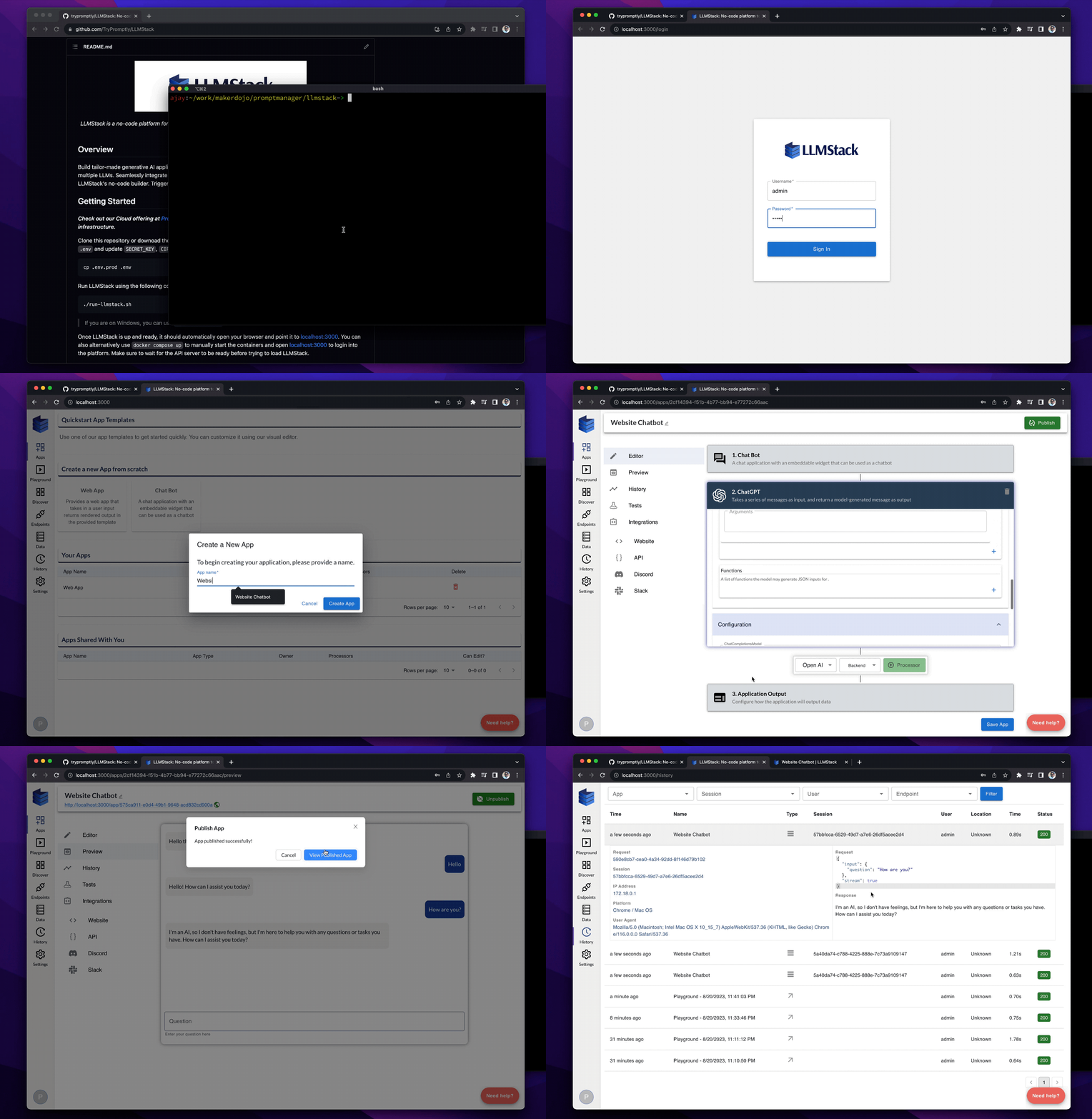
|
||||
|
||||
## Getting Started
|
||||
|
||||
LLMStack deployment comes with a default admin account whose credentials are `admin` and `promptly`. _Be sure to change the password from admin panel after logging in_.
|
||||
|
||||
## Features
|
||||
|
||||
**🔗 Chain multiple models**: LLMStack allows you to chain multiple LLMs together to build complex generative AI applications.
|
||||
|
||||
**📊 Use generative AI on your Data**: Import your data into your accounts and use it in AI chains. LLMStack allows importing various types (_CSV, TXT, PDF, DOCX, PPTX etc.,_) of data from a variety of sources (_gdrive, notion, websites, direct uploads etc.,_). Platform will take care of preprocessing and vectorization of your data and store it in the vector database that is provided out of the box.
|
||||
|
||||
**🛠️ No-code builder**: LLMStack comes with a no-code builder that allows you to build AI chains without any coding experience. You can chain multiple LLMs together and connect them to your data and business processes.
|
||||
|
||||
**☁️ Deploy to the cloud or on-premise**: LLMStack can be deployed to the cloud or on-premise. You can deploy it to your own infrastructure or use our cloud offering at [Promptly](https://trypromptly.com).
|
||||
|
||||
**🚀 API access**: Apps or chatbots built with LLMStack can be accessed via HTTP API. You can also trigger your AI chains from **_Slack_** or **_Discord_**.
|
||||
|
||||
**🏢 Multi-tenant**: LLMStack is multi-tenant. You can create multiple organizations and add users to them. Users can only access the data and AI chains that belong to their organization.
|
||||
|
||||
## What can you build with LLMStack?
|
||||
|
||||
Using LLMStack you can build a variety of generative AI applications, chatbots and agents. Here are some examples:
|
||||
|
||||
**📝 Text generation**: You can build apps that generate product descriptions, blog posts, news articles, tweets, emails, chat messages, etc., by using text generation models and optionally connecting your data. Check out this [marketing content generator](https://trypromptly.com/app/50ee8bae-712e-4b95-9254-74d7bcf3f0cb) for example
|
||||
|
||||
**🤖 Chatbots**: You can build chatbots trained on your data powered by ChatGPT like [Promptly Help](https://trypromptly.com/app/f4d7cb50-1805-4add-80c5-e30334bce53c) that is embedded on Promptly website
|
||||
|
||||
**🎨 Multimedia generation**: Build complex applications that can generate text, images, videos, audio, etc. from a prompt. This [story generator](https://trypromptly.com/app/9d6da897-67cf-4887-94ec-afd4b9362655) is an example
|
||||
|
||||
**🗣️ Conversational AI**: Build conversational AI systems that can have a conversation with a user. Check out this [Harry Potter character chatbot](https://trypromptly.com/app/bdeb9850-b32e-44cf-b2a8-e5d54dc5fba4)
|
||||
|
||||
**🔍 Search augmentation**: Build search augmentation systems that can augment search results with additional information using APIs. Sharebird uses LLMStack to augment search results with AI generated answer from their content similar to Bing's chatbot
|
||||
|
||||
**💬 Discord and Slack bots**: Apps built on LLMStack can be triggered from Slack or Discord. You can easily connect your AI chains to Slack or Discord from LLMStack's no-code app editor. Check out our [Discord server](https://discord.gg/3JsEzSXspJ) to interact with one such bot.
|
||||
|
||||
## Administration
|
||||
|
||||
Login to [http://localhost:3000/admin](http://localhost:3000/admin) using the admin account. You can add users and assign them to organizations in the admin panel.
|
||||
|
||||
## Documentation
|
||||
|
||||
Check out our documentation at [llmstack.ai/docs](https://llmstack.ai/docs/) to learn more about LLMStack.
|
||||
@@ -1,74 +0,0 @@
|
||||
|
||||
+++
|
||||
disableToc = false
|
||||
title = "LinGoose"
|
||||
weight = 2
|
||||
+++
|
||||
|
||||
**LinGoose** (_Lingo + Go + Goose_ 🪿) aims to be a complete Go framework for creating LLM apps. 🤖 ⚙️
|
||||
|
||||

|
||||
|
||||
Github Link - https://github.com/henomis/lingoose
|
||||
|
||||
## Overview
|
||||
|
||||
**LinGoose** is a powerful Go framework for developing Large Language Model (LLM) based applications using pipelines. It is designed to be a complete solution and provides multiple components, including Prompts, Templates, Chat, Output Decoders, LLM, Pipelines, and Memory. With **LinGoose**, you can interact with LLM AI through prompts and generate complex templates. Additionally, it includes a chat feature, allowing you to create chatbots. The Output Decoders component enables you to extract specific information from the output of the LLM, while the LLM interface allows you to send prompts to various AI, such as the ones provided by OpenAI. You can chain multiple LLM steps together using Pipelines and store the output of each step in Memory for later retrieval. **LinGoose** also includes a Document component, which is used to store text, and a Loader component, which is used to load Documents from various sources. Finally, it includes TextSplitters, which are used to split text or Documents into multiple parts, Embedders, which are used to embed text or Documents into embeddings, and Indexes, which are used to store embeddings and documents and to perform searches.
|
||||
|
||||
## Components
|
||||
|
||||
**LinGoose** is composed of multiple components, each one with its own purpose.
|
||||
|
||||
| Component | Package | Description |
|
||||
| ----------------- | ----------------------------- | ------------------------------------------------------------------------------------------------------------------------------------------------------------------------------------------------------------------------------------------------------------------------------------------------------ |
|
||||
| **Prompt** | [prompt](prompt/) | Prompts are the way to interact with LLM AI. They can be simple text, or more complex templates. Supports **Prompt Templates** and **[Whisper](https://openai.com) prompt** |
|
||||
| **Chat Prompt** | [chat](chat/) | Chat is the way to interact with the chat LLM AI. It can be a simple text prompt, or a more complex chatbot. |
|
||||
| **Decoders** | [decoder](decoder/) | Output decoders are used to decode the output of the LLM. They can be used to extract specific information from the output. Supports **JSONDecoder** and **RegExDecoder** |
|
||||
| **LLMs** | [llm](llm/) | LLM is an interface to various AI such as the ones provided by OpenAI. It is responsible for sending the prompt to the AI and retrieving the output. Supports **[LocalAI](https://localai.io/howtos/)**, **[HuggingFace](https://huggingface.co)** and **[Llama.cpp](https://github.com/ggerganov/llama.cpp)**. |
|
||||
| **Pipelines** | [pipeline](pipeline/) | Pipelines are used to chain multiple LLM steps together. |
|
||||
| **Memory** | [memory](memory/) | Memory is used to store the output of each step. It can be used to retrieve the output of a previous step. Supports memory in **Ram** |
|
||||
| **Document** | [document](document/) | Document is used to store a text |
|
||||
| **Loaders** | [loader](loader/) | Loaders are used to load Documents from various sources. Supports **TextLoader**, **DirectoryLoader**, **PDFToTextLoader** and **PubMedLoader** . |
|
||||
| **TextSplitters** | [textsplitter](textsplitter/) | TextSplitters are used to split text or Documents into multiple parts. Supports **RecursiveTextSplitter**. |
|
||||
| **Embedders** | [embedder](embedder/) | Embedders are used to embed text or Documents into embeddings. Supports **[OpenAI](https://openai.com)** |
|
||||
| **Indexes** | [index](index/) | Indexes are used to store embeddings and documents and to perform searches. Supports **SimpleVectorIndex**, **[Pinecone](https://pinecone.io)** and **[Qdrant](https://qdrant.tech)** |
|
||||
|
||||
## Usage
|
||||
|
||||
Please refer to the documentation at [lingoose.io](https://lingoose.io/docs/) to understand how to use LinGoose. If you prefer the 👉 [examples directory](examples/) contains a lot of examples 🚀.
|
||||
However, here is a **powerful** example of what **LinGoose** is capable of:
|
||||
|
||||
_Talk is cheap. Show me the [code](examples/)._ - Linus Torvalds
|
||||
|
||||
```go
|
||||
package main
|
||||
|
||||
import (
|
||||
"context"
|
||||
|
||||
openaiembedder "github.com/henomis/lingoose/embedder/openai"
|
||||
"github.com/henomis/lingoose/index/option"
|
||||
simplevectorindex "github.com/henomis/lingoose/index/simpleVectorIndex"
|
||||
"github.com/henomis/lingoose/llm/openai"
|
||||
"github.com/henomis/lingoose/loader"
|
||||
qapipeline "github.com/henomis/lingoose/pipeline/qa"
|
||||
"github.com/henomis/lingoose/textsplitter"
|
||||
)
|
||||
|
||||
func main() {
|
||||
docs, _ := loader.NewPDFToTextLoader("./kb").WithPDFToTextPath("/opt/homebrew/bin/pdftotext").WithTextSplitter(textsplitter.NewRecursiveCharacterTextSplitter(2000, 200)).Load(context.Background())
|
||||
index := simplevectorindex.New("db", ".", openaiembedder.New(openaiembedder.AdaEmbeddingV2))
|
||||
index.LoadFromDocuments(context.Background(), docs)
|
||||
qapipeline.New(openai.NewChat().WithVerbose(true)).WithIndex(index).Query(context.Background(), "What is the NATO purpose?", option.WithTopK(1))
|
||||
}
|
||||
```
|
||||
|
||||
This is the _famous_ 4-lines **lingoose** knowledge base chatbot. 🤖
|
||||
|
||||
## Installation
|
||||
|
||||
Be sure to have a working Go environment, then run the following command:
|
||||
|
||||
```shell
|
||||
go get github.com/henomis/lingoose
|
||||
```
|
||||
@@ -1,174 +0,0 @@
|
||||
|
||||
+++
|
||||
disableToc = false
|
||||
title = "LocalAGI"
|
||||
weight = 2
|
||||
+++
|
||||
|
||||
LocalAGI is a small 🤖 virtual assistant that you can run locally, made by the [LocalAI](https://github.com/go-skynet/LocalAI) author and powered by it.
|
||||
|
||||

|
||||
|
||||
[AutoGPT](https://github.com/Significant-Gravitas/Auto-GPT), [babyAGI](https://github.com/yoheinakajima/babyagi), ... and now LocalAGI!
|
||||
|
||||
Github Link - https://github.com/mudler/LocalAGI
|
||||
|
||||
## Info
|
||||
|
||||
The goal is:
|
||||
- Keep it simple, hackable and easy to understand
|
||||
- No API keys needed, No cloud services needed, 100% Local. Tailored for Local use, however still compatible with OpenAI.
|
||||
- Smart-agent/virtual assistant that can do tasks
|
||||
- Small set of dependencies
|
||||
- Run with Docker/Podman/Containers
|
||||
- Rather than trying to do everything, provide a good starting point for other projects
|
||||
|
||||
Note: Be warned! It was hacked in a weekend, and it's just an experiment to see what can be done with local LLMs.
|
||||
|
||||
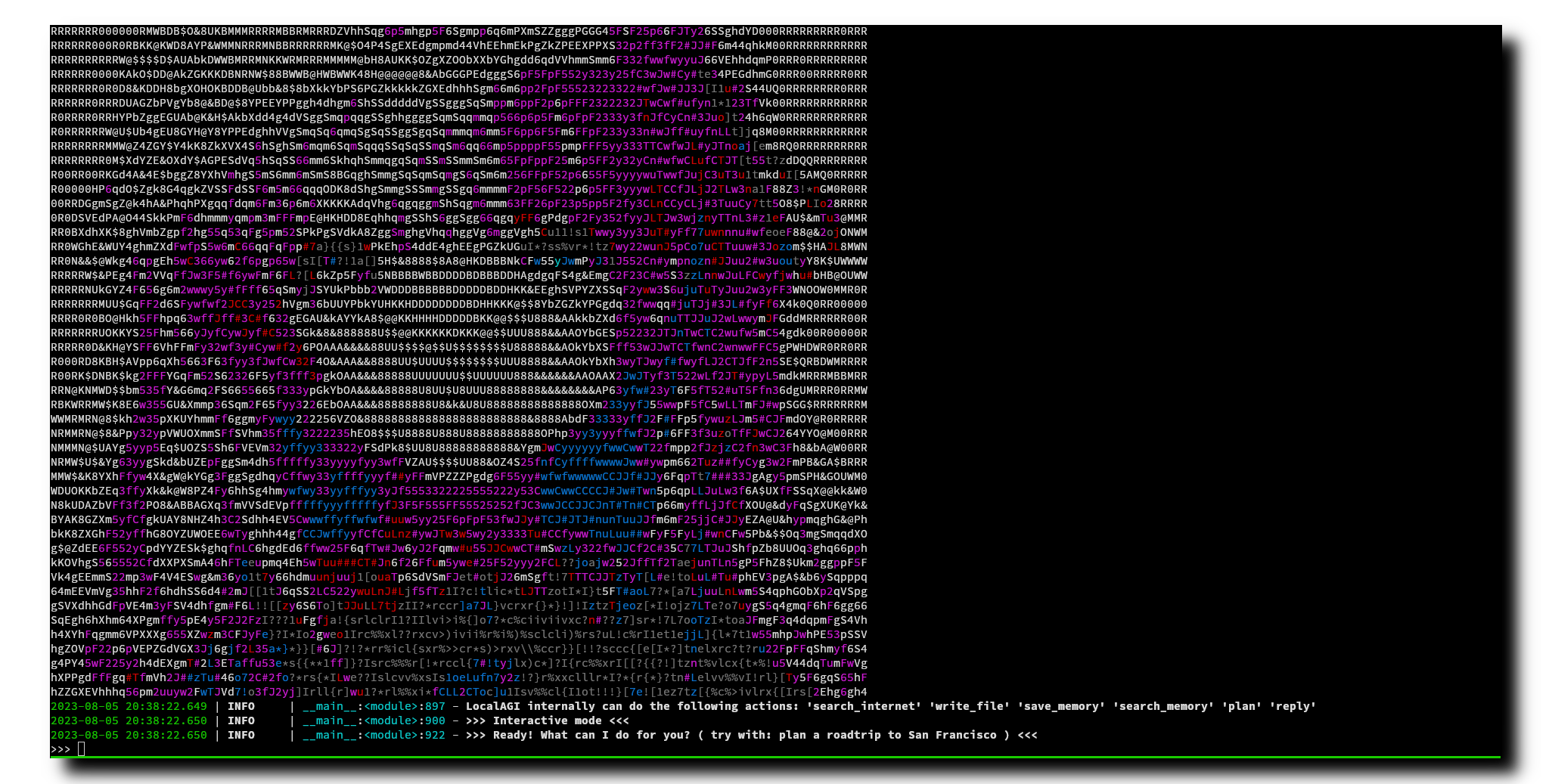
|
||||
|
||||
## 🚀 Features
|
||||
|
||||
- 🧠 LLM for intent detection
|
||||
- 🧠 Uses functions for actions
|
||||
- 📝 Write to long-term memory
|
||||
- 📖 Read from long-term memory
|
||||
- 🌐 Internet access for search
|
||||
- :card_file_box: Write files
|
||||
- 🔌 Plan steps to achieve a goal
|
||||
- 🤖 Avatar creation with Stable Diffusion
|
||||
- 🗨️ Conversational
|
||||
- 🗣️ Voice synthesis with TTS
|
||||
|
||||
## :book: Quick start
|
||||
|
||||
No frills, just run docker-compose and start chatting with your virtual assistant:
|
||||
|
||||
```bash
|
||||
# Modify the configuration
|
||||
# nano .env
|
||||
docker-compose run -i --rm localagi
|
||||
```
|
||||
|
||||
## How to use it
|
||||
|
||||
By default localagi starts in interactive mode
|
||||
|
||||
### Examples
|
||||
|
||||
Road trip planner by limiting searching to internet to 3 results only:
|
||||
|
||||
```bash
|
||||
docker-compose run -i --rm localagi \
|
||||
--skip-avatar \
|
||||
--subtask-context \
|
||||
--postprocess \
|
||||
--search-results 3 \
|
||||
--prompt "prepare a plan for my roadtrip to san francisco"
|
||||
```
|
||||
|
||||
Limit results of planning to 3 steps:
|
||||
|
||||
```bash
|
||||
docker-compose run -i --rm localagi \
|
||||
--skip-avatar \
|
||||
--subtask-context \
|
||||
--postprocess \
|
||||
--search-results 1 \
|
||||
--prompt "do a plan for my roadtrip to san francisco" \
|
||||
--plan-message "The assistant replies with a plan of 3 steps to answer the request with a list of subtasks with logical steps. The reasoning includes a self-contained, detailed and descriptive instruction to fullfill the task."
|
||||
```
|
||||
|
||||
### Advanced
|
||||
|
||||
localagi has several options in the CLI to tweak the experience:
|
||||
|
||||
- `--system-prompt` is the system prompt to use. If not specified, it will use none.
|
||||
- `--prompt` is the prompt to use for batch mode. If not specified, it will default to interactive mode.
|
||||
- `--interactive` is the interactive mode. When used with `--prompt` will drop you in an interactive session after the first prompt is evaluated.
|
||||
- `--skip-avatar` will skip avatar creation. Useful if you want to run it in a headless environment.
|
||||
- `--re-evaluate` will re-evaluate if another action is needed or we have completed the user request.
|
||||
- `--postprocess` will postprocess the reasoning for analysis.
|
||||
- `--subtask-context` will include context in subtasks.
|
||||
- `--search-results` is the number of search results to use.
|
||||
- `--plan-message` is the message to use during planning. You can override the message for example to force a plan to have a different message.
|
||||
- `--tts-api-base` is the TTS API base. Defaults to `http://api:8080`.
|
||||
- `--localai-api-base` is the LocalAI API base. Defaults to `http://api:8080`.
|
||||
- `--images-api-base` is the Images API base. Defaults to `http://api:8080`.
|
||||
- `--embeddings-api-base` is the Embeddings API base. Defaults to `http://api:8080`.
|
||||
- `--functions-model` is the functions model to use. Defaults to `functions`.
|
||||
- `--embeddings-model` is the embeddings model to use. Defaults to `all-MiniLM-L6-v2`.
|
||||
- `--llm-model` is the LLM model to use. Defaults to `gpt-4`.
|
||||
- `--tts-model` is the TTS model to use. Defaults to `en-us-kathleen-low.onnx`.
|
||||
- `--stablediffusion-model` is the Stable Diffusion model to use. Defaults to `stablediffusion`.
|
||||
- `--stablediffusion-prompt` is the Stable Diffusion prompt to use. Defaults to `DEFAULT_PROMPT`.
|
||||
- `--force-action` will force a specific action.
|
||||
- `--debug` will enable debug mode.
|
||||
|
||||
### Customize
|
||||
|
||||
To use a different model, you can see the examples in the `config` folder.
|
||||
To select a model, modify the `.env` file and change the `PRELOAD_MODELS_CONFIG` variable to use a different configuration file.
|
||||
|
||||
### Caveats
|
||||
|
||||
The "goodness" of a model has a big impact on how LocalAGI works. Currently `13b` models are powerful enough to actually able to perform multi-step tasks or do more actions. However, it is quite slow when running on CPU (no big surprise here).
|
||||
|
||||
The context size is a limitation - you can find in the `config` examples to run with superhot 8k context size, but the quality is not good enough to perform complex tasks.
|
||||
|
||||
## What is LocalAGI?
|
||||
|
||||
It is a dead simple experiment to show how to tie the various LocalAI functionalities to create a virtual assistant that can do tasks. It is simple on purpose, trying to be minimalistic and easy to understand and customize for everyone.
|
||||
|
||||
It is different from babyAGI or AutoGPT as it uses [LocalAI functions](https://localai.io/features/openai-functions/) - it is a from scratch attempt built on purpose to run locally with [LocalAI](https://localai.io) (no API keys needed!) instead of expensive, cloud services. It sets apart from other projects as it strives to be small, and easy to fork on.
|
||||
|
||||
### How it works?
|
||||
|
||||
`LocalAGI` just does the minimal around LocalAI functions to create a virtual assistant that can do generic tasks. It works by an endless loop of `intent detection`, `function invocation`, `self-evaluation` and `reply generation` (if it decides to reply! :)). The agent is capable of planning complex tasks by invoking multiple functions, and remember things from the conversation.
|
||||
|
||||
In a nutshell, it goes like this:
|
||||
|
||||
- Decide based on the conversation history if it needs to take an action by using functions. It uses the LLM to detect the intent from the conversation.
|
||||
- if it need to take an action (e.g. "remember something from the conversation" ) or generate complex tasks ( executing a chain of functions to achieve a goal ) it invokes the functions
|
||||
- it re-evaluates if it needs to do any other action
|
||||
- return the result back to the LLM to generate a reply for the user
|
||||
|
||||
Under the hood LocalAI converts functions to llama.cpp BNF grammars. While OpenAI fine-tuned a model to reply to functions, LocalAI constrains the LLM to follow grammars. This is a much more efficient way to do it, and it is also more flexible as you can define your own functions and grammars. For learning more about this, check out the [LocalAI documentation](https://localai.io/docs/llm) and my tweet that explains how it works under the hoods: https://twitter.com/mudler_it/status/1675524071457533953.
|
||||
|
||||
### Agent functions
|
||||
|
||||
The intention of this project is to keep the agent minimal, so can be built on top of it or forked. The agent is capable of doing the following functions:
|
||||
- remember something from the conversation
|
||||
- recall something from the conversation
|
||||
- search something from the internet
|
||||
- plan a complex task by invoking multiple functions
|
||||
- write files to disk
|
||||
|
||||
## Roadmap
|
||||
|
||||
- [x] 100% Local, with Local AI. NO API KEYS NEEDED!
|
||||
- [x] Create a simple virtual assistant
|
||||
- [x] Make the virtual assistant do functions like store long-term memory and autonomously search between them when needed
|
||||
- [x] Create the assistant avatar with Stable Diffusion
|
||||
- [x] Give it a voice
|
||||
- [ ] Use weaviate instead of Chroma
|
||||
- [ ] Get voice input (push to talk or wakeword)
|
||||
- [ ] Make a REST API (OpenAI compliant?) so can be plugged by e.g. a third party service
|
||||
- [x] Take a system prompt so can act with a "character" (e.g. "answer in rick and morty style")
|
||||
|
||||
## Development
|
||||
|
||||
Run docker-compose with main.py checked-out:
|
||||
|
||||
```bash
|
||||
docker-compose run -v main.py:/app/main.py -i --rm localagi
|
||||
```
|
||||
|
||||
## Notes
|
||||
|
||||
- a 13b model is enough for doing contextualized research and search/retrieve memory
|
||||
- a 30b model is enough to generate a roadmap trip plan ( so cool! )
|
||||
- With superhot models looses its magic, but maybe suitable for search
|
||||
- Context size is your enemy. `--postprocess` some times helps, but not always
|
||||
- It can be silly!
|
||||
- It is slow on CPU, don't expect `7b` models to perform good, and `13b` models perform better but on CPU are quite slow.
|
||||
@@ -1,84 +0,0 @@
|
||||
|
||||
+++
|
||||
disableToc = false
|
||||
title = "Mattermost-OpenOps"
|
||||
weight = 2
|
||||
+++
|
||||
|
||||
OpenOps is an open source platform for applying generative AI to workflows in secure environments.
|
||||
|
||||
|
||||
|
||||
Github Link - https://github.com/mattermost/openops
|
||||
|
||||
* Enables AI exploration with full data control in a multi-user pilot.
|
||||
* Supports broad ecosystem of AI models from OpenAI and Microsoft to open source LLMs from Hugging Face.
|
||||
* Speeds development of custom security, compliance and data custody policy from early evaluation to future scale.
|
||||
|
||||
Unliked closed source, vendor-controlled environments where data controls cannot be audited, OpenOps provides a transparent, open source, customer-controlled platform for developing, securing and auditing AI-accelerated workflows.
|
||||
|
||||
### Why Open Ops?
|
||||
|
||||
Everyone is in a race to deploy generative AI solutions, but need to do so in a responsible and safe way. OpenOps lets you run powerful models in a safe sandbox to establish the right safety protocols before rolling out to users. Here's an example of an evaluation, implementation, and iterative rollout process:
|
||||
|
||||
- **Phase 1:** Set up the OpenOps collaboration sandbox, a self-hosted service providing multi-user chat and integration with GenAI. *(this repository)*
|
||||
|
||||
- **Phase 2:** Evaluate different GenAI providers, whether from public SaaS services like OpenAI or local open source models, based on your security and privacy requirements.
|
||||
|
||||
- **Phase 3:** Invite select early adopters (especially colleagues focusing on trust and safety) to explore and evaluate the GenAI based on their workflows. Observe behavior, and record user feedback, and identify issues. Iterate on workflows and usage policies together in the sandbox. Consider issues such as data leakage, legal/copyright, privacy, response correctness and appropriateness as you apply AI at scale.
|
||||
|
||||
- **Phase 4:** Set and implement policies as availability is incrementally rolled out to your wider organization.
|
||||
|
||||
### What does OpenOps include?
|
||||
|
||||
Deploying the OpenOps sandbox includes the following components:
|
||||
- 🏰 **Mattermost Server** - Open source, self-hosted alternative to Discord and Slack for strict security environments with playbooks/workflow automation, tools integration, real time 1-1 and group messaging, audio calling and screenshare.
|
||||
- 📙 **PostgreSQL** - Database for storing private data from multi-user, chat collaboration discussions and audit history.
|
||||
- 🤖 [**Mattermost AI plugin**](https://github.com/mattermost/mattermost-plugin-ai) - Extension of Mattermost platform for AI bot and generative AI integration.
|
||||
- 🦙 **Open Source, Self-Hosted LLM models** - Models for evaluation and use case development from Hugging Face and other sources, including GPT4All (runs on a laptop in 4.2 GB) and Falcon LLM (example of leading scaled self-hosted models). Uses [LocalAI](https://github.com/go-skynet/LocalAI).
|
||||
- 🔌🧠 ***(Configurable)* Closed Source, Vendor-Hosted AI models** - SaaS-based GenAI models from Azure AI, OpenAI, & Anthropic.
|
||||
- 🔌📱 ***(Configurable)* Mattermost Mobile and Desktop Apps** - End-user apps for future production deployment.
|
||||
|
||||
## Install
|
||||
|
||||
### Local
|
||||
|
||||
***Rather watch a video?** 📽️ Check out our YouTube tutorial video for getting started with OpenOps: https://www.youtube.com/watch?v=20KSKBzZmik*
|
||||
|
||||
***Rather read a blog post?** 📝 Check out our Mattermost blog post for getting started with OpenOps: https://mattermost.com/blog/open-source-ai-framework/*
|
||||
|
||||
1. Clone the repository: `git clone https://github.com/mattermost/openops && cd openops`
|
||||
2. Start docker services and configure plugin
|
||||
- **If using OpenAI:**
|
||||
- Run `env backend=openai ./init.sh`
|
||||
- Run `./configure_openai.sh sk-<your openai key>` to add your API credentials *or* use the Mattermost system console to configure the plugin
|
||||
- **If using LocalAI:**
|
||||
- Run `env backend=localai ./init.sh`
|
||||
- Run `env backend=localai ./download_model.sh` to download one *or* supply your own gguf formatted model in the `models` directory.
|
||||
3. Access Mattermost and log in with the credentials provided in the terminal.
|
||||
|
||||
When you log in, you will start out in a direct message with your AI Assistant bot. Now you can start exploring AI [usages](#usage).
|
||||
|
||||
### Gitpod
|
||||
[](https://gitpod.io/#backend=openai/https://github.com/mattermost/openops)
|
||||
|
||||
1. Click the above badge and start your Gitpod workspace
|
||||
2. You will see VSCode interface and the workspace will configure itself automatically. Wait for the services to start and for your `root` login for Mattermost to be generated in the terminal
|
||||
3. Run `./configure_openai.sh sk-<your openai key>` to add your API credentials *or* use the Mattermost system console to configure the plugin
|
||||
4. Access Mattermost and log in with the credentials supplied in the terminal.
|
||||
|
||||
When you log in, you will start out in a direct message with your AI Assistant bot. Now you can start exploring AI [usages](#usage).
|
||||
|
||||
## Usage
|
||||
|
||||
There many ways to integrate generative AI into confidential, self-hosted workplace discussions. To help you get started, here are some examples provided in OpenOps:
|
||||
|
||||
| Title | Image | Description |
|
||||
| ---------------------------------------------- | -------------------------------------------------------------------------------------------------------------------------------------------------------------------------------------------------------------------- | ------------------------------------------------------------------------------------------------------------------------------------------------------------------------------------------------------------------------------------------------------------------------------------------------------------------------------------------------------------------------------------------------------------- |
|
||||
| **Streaming Conversation** |  | The OpenOps platform reproduces streamed replies from popular GenAI chatbots creating a sense of responsiveness and conversational engagement, while masking actual wait times. |
|
||||
| **Thread Summarization** |  | Use the "Summarize Thread" menu option or the `/summarize` command to get a summary of the thread in a Direct Message from an AI bot. AI-generated summaries can be created from private, chat-based discussions to speed information flows and decision-making while reducing the time and cost required for organizations to stay up-to-date. |
|
||||
| **Contextual Interrogation** | 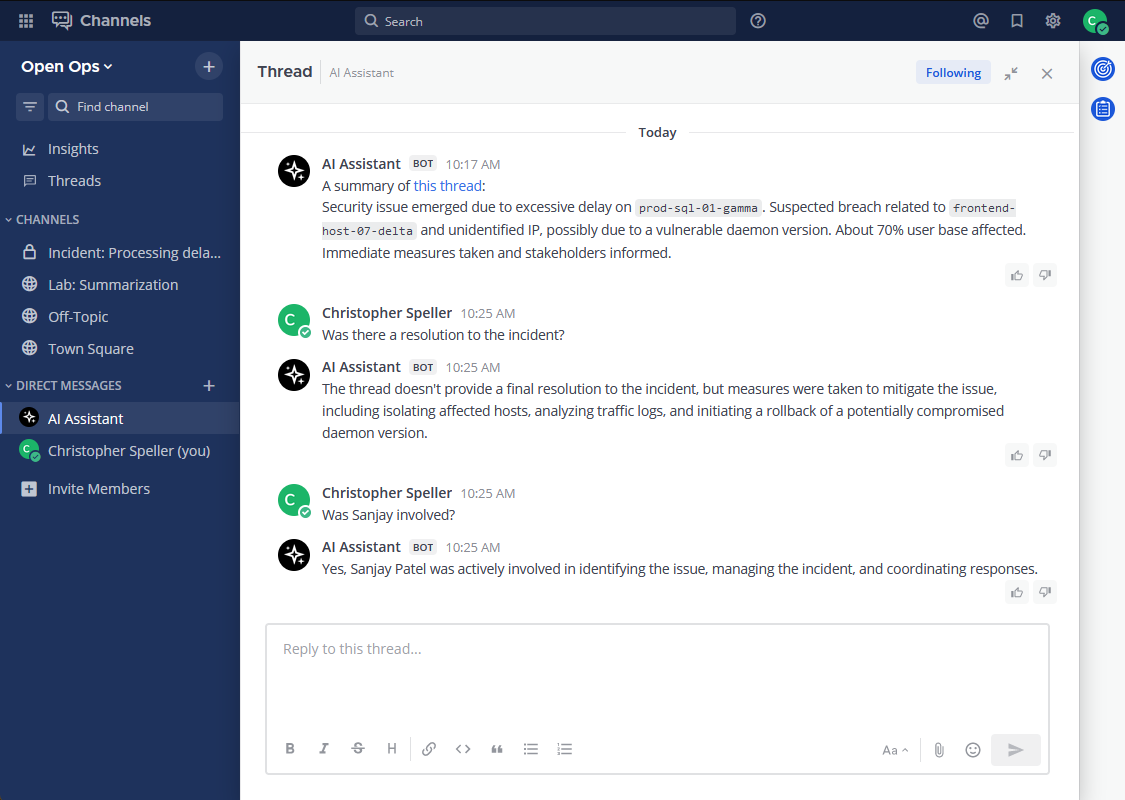 | Users can ask follow-up questions to discussion summaries generated by AI bots to learn more about the underlying information without reviewing the raw input. |
|
||||
| **Meeting Summarization** |  | Create meeting summaries! Designed to work with the [Mattermost Calls plugin](https://github.com/mattermost/mattermost-plugin-calls) recording feature. |
|
||||
| **Chat with AI Bots** |  | End users can interact with the AI bot in any discussion thread by mentioning AI bot with an `@` prefix, as they would get the attention of a human user. The bot will receive the thread information as context for replying. |
|
||||
| **Sentiment Analysis** | [](https://github.com/mattermost/mattermost-plugin-ai/assets/3191642/5282b066-86b5-478d-ae10-57c3cb3ba038) | Use the "React for me" menu option to have the AI bot analyze the sentiment of messages use its conclusion to deliver an emoji reaction on the user’s behalf. |
|
||||
| **Reinforcement Learning from Human Feedback** |  | Bot posts are distinguished from human posts by having 👍 👎 icons available for human end users to signal whether the AI response was positive or problematic. The history of responses can be used in future to fine-tune the underlying AI models, as well as to potentially evaluate the responses of new models based on their correlation to positive and negative user ratings for past model responses. |
|
||||
@@ -1,246 +0,0 @@
|
||||
|
||||
+++
|
||||
disableToc = false
|
||||
title = "Mods"
|
||||
weight = 2
|
||||
+++
|
||||
|
||||
<p>
|
||||
<img src="https://github.com/charmbracelet/mods/assets/25087/5442bf46-b908-47af-bf4e-60f7c38951c4" width="630" alt="Mods product art and type treatment"/>
|
||||
<br>
|
||||
</p>
|
||||
|
||||
AI for the command line, built for pipelines.
|
||||
|
||||
<p><img src="https://vhs.charm.sh/vhs-5Uyj0U6Hlqi1LVIIRyYKM5.gif" width="900" alt="a GIF of mods running"></p>
|
||||
|
||||
LLM based AI is really good at interpreting the output of commands and
|
||||
returning the results in CLI friendly text formats like Markdown. Mods is a
|
||||
simple tool that makes it super easy to use AI on the command line and in your
|
||||
pipelines. Mods works with [OpenAI](https://platform.openai.com/account/api-keys)
|
||||
and [LocalAI](https://github.com/go-skynet/LocalAI)
|
||||
|
||||
To get started, [install Mods](#installation) and check out some of the
|
||||
examples below. Since Mods has built-in Markdown formatting, you may also want
|
||||
to grab [Glow](https://github.com/charmbracelet/glow) to give the output some
|
||||
_pizzazz_.
|
||||
|
||||
Github Link - https://github.com/charmbracelet/mods
|
||||
|
||||
## What Can It Do?
|
||||
|
||||
Mods works by reading standard in and prefacing it with a prompt supplied in
|
||||
the `mods` arguments. It sends the input text to an LLM and prints out the
|
||||
result, optionally asking the LLM to format the response as Markdown. This
|
||||
gives you a way to "question" the output of a command. Mods will also work on
|
||||
standard in or an argument supplied prompt individually.
|
||||
|
||||
## Installation
|
||||
|
||||
Mods works with OpenAI compatible endpoints. By default, Mods is configured to
|
||||
support OpenAI's official API and a LocalAI installation running on port 8080.
|
||||
You can configure additional endpoints in your settings file by running
|
||||
`mods --settings`.
|
||||
|
||||
### LocalAI
|
||||
|
||||
LocalAI allows you to run a multitude of models locally. Mods works with the
|
||||
GPT4ALL-J model as setup in [this tutorial](https://github.com/go-skynet/LocalAI#example-use-gpt4all-j-model).
|
||||
You can define more LocalAI models and endpoints with `mods --settings`.
|
||||
|
||||
### Install Mods
|
||||
|
||||
```bash
|
||||
# macOS or Linux
|
||||
brew install charmbracelet/tap/mods
|
||||
|
||||
# Arch Linux (btw)
|
||||
yay -S mods
|
||||
|
||||
# Debian/Ubuntu
|
||||
sudo mkdir -p /etc/apt/keyrings
|
||||
curl -fsSL https://repo.charm.sh/apt/gpg.key | sudo gpg --dearmor -o /etc/apt/keyrings/charm.gpg
|
||||
echo "deb [signed-by=/etc/apt/keyrings/charm.gpg] https://repo.charm.sh/apt/ * *" | sudo tee /etc/apt/sources.list.d/charm.list
|
||||
sudo apt update && sudo apt install mods
|
||||
|
||||
# Fedora/RHEL
|
||||
echo '[charm]
|
||||
name=Charm
|
||||
baseurl=https://repo.charm.sh/yum/
|
||||
enabled=1
|
||||
gpgcheck=1
|
||||
gpgkey=https://repo.charm.sh/yum/gpg.key' | sudo tee /etc/yum.repos.d/charm.repo
|
||||
sudo yum install mods
|
||||
```
|
||||
|
||||
Or, download it:
|
||||
|
||||
- [Packages][releases] are available in Debian and RPM formats
|
||||
- [Binaries][releases] are available for Linux, macOS, and Windows
|
||||
|
||||
[releases]: https://github.com/charmbracelet/mods/releases
|
||||
|
||||
Or, just install it with `go`:
|
||||
|
||||
```sh
|
||||
go install github.com/charmbracelet/mods@latest
|
||||
```
|
||||
|
||||
## Saving conversations
|
||||
|
||||
Conversations save automatically. They are identified by their latest prompt.
|
||||
Similar to Git, conversations have a SHA-1 identifier and a title. Conversations
|
||||
can be updated, maintaining their SHA-1 identifier but changing their title.
|
||||
|
||||
<p><img src="https://vhs.charm.sh/vhs-6MMscpZwgzohYYMfTrHErF.gif" width="900" alt="a GIF listing and showing saved conversations."></p>
|
||||
|
||||
## Settings
|
||||
|
||||
`--settings`
|
||||
|
||||
Mods lets you tune your query with a variety of settings. You can configure
|
||||
Mods with `mods --settings` or pass the settings as environment variables
|
||||
and flags.
|
||||
|
||||
#### Model
|
||||
|
||||
`-m`, `--model`, `MODS_MODEL`
|
||||
|
||||
Mods uses `gpt-4` with OpenAI by default but you can specify any model as long
|
||||
as your account has access to it or you have installed locally with LocalAI.
|
||||
|
||||
You can add new models to the settings with `mods --settings`.
|
||||
You can also specify a model and an API endpoint with `-m` and `-a`
|
||||
to use models not in the settings file.
|
||||
|
||||
#### Title
|
||||
|
||||
`-t`, `--title`
|
||||
|
||||
Set a custom save title for the conversation.
|
||||
|
||||
#### Continue last
|
||||
|
||||
`-C`, `--continue-last`
|
||||
|
||||
Continues the previous conversation.
|
||||
|
||||
#### Continue
|
||||
|
||||
`-c`, `--continue`
|
||||
|
||||
Continue from the last response or a given title or SHA1.
|
||||
|
||||
#### List
|
||||
|
||||
`-l`, `--list`
|
||||
|
||||
Lists all saved conversations.
|
||||
|
||||
#### Show
|
||||
|
||||
`-s`, `--show`
|
||||
|
||||
Show the saved conversation the given title or SHA1.
|
||||
|
||||
#### Delete
|
||||
|
||||
`--delete`
|
||||
|
||||
Deletes the saved conversation with the given title or SHA1.
|
||||
|
||||
#### Format As Markdown
|
||||
|
||||
`-f`, `--format`, `MODS_FORMAT`
|
||||
|
||||
Ask the LLM to format the response as markdown. You can edit the text passed to
|
||||
the LLM with `mods --settings` then changing the `format-text` value.
|
||||
|
||||
#### Raw
|
||||
|
||||
`-r`, `--raw`, `MODS_RAW`
|
||||
|
||||
Print the raw response without syntax highlighting, even when connect to a TTY.
|
||||
|
||||
#### Max Tokens
|
||||
|
||||
`--max-tokens`, `MODS_MAX_TOKENS`
|
||||
|
||||
Max tokens tells the LLM to respond in less than this number of tokens. LLMs
|
||||
are better at longer responses so values larger than 256 tend to work best.
|
||||
|
||||
#### Temperature
|
||||
|
||||
`--temp`, `MODS_TEMP`
|
||||
|
||||
Sampling temperature is a number between 0.0 and 2.0 and determines how
|
||||
confident the model is in its choices. Higher values make the output more
|
||||
random and lower values make it more deterministic.
|
||||
|
||||
#### TopP
|
||||
|
||||
`--topp`, `MODS_TOPP`
|
||||
|
||||
Top P is an alternative to sampling temperature. It's a number between 0.0 and
|
||||
2.0 with smaller numbers narrowing the domain from which the model will create
|
||||
its response.
|
||||
|
||||
#### No Limit
|
||||
|
||||
`--no-limit`, `MODS_NO_LIMIT`
|
||||
|
||||
By default Mods attempts to size the input to the maximum size the allowed by
|
||||
the model. You can potentially squeeze a few more tokens into the input by
|
||||
setting this but also risk getting a max token exceeded error from the OpenAI API.
|
||||
|
||||
#### Include Prompt
|
||||
|
||||
`-P`, `--prompt`, `MODS_INCLUDE_PROMPT`
|
||||
|
||||
Include prompt will preface the response with the entire prompt, both standard
|
||||
in and the prompt supplied by the arguments.
|
||||
|
||||
#### Include Prompt Args
|
||||
|
||||
`-p`, `--prompt-args`, `MODS_INCLUDE_PROMPT_ARGS`
|
||||
|
||||
Include prompt args will include _only_ the prompt supplied by the arguments.
|
||||
This can be useful if your standard in content is long and you just a want a
|
||||
summary before the response.
|
||||
|
||||
#### Max Retries
|
||||
|
||||
`--max-retries`, `MODS_MAX_RETRIES`
|
||||
|
||||
The maximum number of retries to failed API calls. The retries happen with an
|
||||
exponential backoff.
|
||||
|
||||
#### Fanciness
|
||||
|
||||
`--fanciness`, `MODS_FANCINESS`
|
||||
|
||||
Your desired level of fanciness.
|
||||
|
||||
#### Quiet
|
||||
|
||||
`-q`, `--quiet`, `MODS_QUIET`
|
||||
|
||||
Output nothing to standard err.
|
||||
|
||||
#### Reset Settings
|
||||
|
||||
`--reset-settings`
|
||||
|
||||
Backup your old settings file and reset everything to the defaults.
|
||||
|
||||
#### No Cache
|
||||
|
||||
`--no-cache`, `MODS_NO_CACHE`
|
||||
|
||||
Disables conversation saving.
|
||||
|
||||
#### HTTP Proxy
|
||||
|
||||
`-x`, `--http-proxy`, `MODS_HTTP_PROXY`
|
||||
|
||||
Use the HTTP proxy to the connect the API endpoints.
|
||||
@@ -1,75 +0,0 @@
|
||||
|
||||
+++
|
||||
disableToc = false
|
||||
title = "Spark"
|
||||
weight = 2
|
||||
+++
|
||||
|
||||
an LLM-powered autonomous agent platform
|
||||
|
||||

|
||||
|
||||
A framework for autonomous agents who can work together to accomplish tasks using [LocalAI](https://github.com/go-skynet/LocalAI).
|
||||
|
||||
Github Link - https://github.com/cedriking/spark
|
||||
|
||||
## Setup
|
||||
|
||||
You will need at least Node 10.
|
||||
|
||||
[Download the repository](https://github.com/cedriking/spark), then install dependencies: `yarn` or `npm install`.
|
||||
|
||||
Rename the `.env.template` file at the root of the project to `.env` and add your secrets to it:
|
||||
|
||||
```
|
||||
# the following are needed for the agent to be able to search the web:
|
||||
GOOGLE_SEARCH_ENGINE_ID=... # create a custom search engine at https://cse.google.com/cse/all
|
||||
GOOGLE_API_KEY=... # obtain from https://console.cloud.google.com/apis/credentials
|
||||
AGENT_DELAY=... # optionally, a delay in milliseconds following every agent action
|
||||
MODEL=... # any Llama.cpp LLM model
|
||||
SERVER=... # optionally, a server to connect to (default http://localhost:8080)
|
||||
```
|
||||
|
||||
You'll also need to enable the Google Custom Search API for your Google Cloud account, e.g. <https://console.cloud.google.com/apis/library/customsearch.googleapis.com>
|
||||
|
||||
## Running
|
||||
|
||||
Start the program:
|
||||
|
||||
```
|
||||
yarn dev [# of agents]
|
||||
```
|
||||
|
||||
or:
|
||||
|
||||
```
|
||||
npm run dev [# of agents]
|
||||
```
|
||||
|
||||
Interact with the agents through the console. Anything you type will be sent as a message to all agents currently.
|
||||
|
||||
## Action errors
|
||||
|
||||
After spinning up a new agent, you will often see them make some mistakes which generate errors:
|
||||
|
||||
- Trying to use an action before they've asked for `help` on it to know what its parameters are
|
||||
- Trying to just use a raw text response instead of a correctly-formatted action (or raw text wrapping a code block which contains a valid action)
|
||||
- Trying to use a multi-line parameter value without wrapping it in the multiline delimiter (`% ff9d7713-0bb0-40d4-823c-5a66de48761b`)
|
||||
|
||||
This is a normal period of adjustment as they learn to operate themselves. They generally will learn from these mistakes and recover, although agents sometimes devolve into endless error loops and can't figure out what the problem is. It's highly advised to never leave an agent unattended.
|
||||
|
||||
## Agent state
|
||||
|
||||
Each agent stores its state under the `.store` directory. Agent 1, for example, has
|
||||
|
||||
```
|
||||
.store/1/memory
|
||||
.store/1/goals
|
||||
.store/1/notes
|
||||
```
|
||||
|
||||
You can simply delete any of these things, or the whole agent folder (or the whole `.store`) to selectively wipe whatever state you want between runs. Otherwise, agents will pick up where you left off on restart.
|
||||
|
||||
A nice aspect of this is that when you want to debug a problem you ran into with a particular agent, you can delete the events in their memory subsequent to the point where the problem occurred, make changes to the code, and restart them to effectively replay that moment until you've fixed the bug. You can also ask an agent to implement a feature, and once they've done so you can restart, tell them that you've loaded the feature, and ask them to try it out.
|
||||
|
||||
Code based on [ai-legion](https://github.com/eumemic/ai-legion).
|
||||
Some files were not shown because too many files have changed in this diff Show More
Reference in New Issue
Block a user