 Bingbing
f6f3849594
Bingbing
f6f3849594
[INS-3831](https://konghq.atlassian.net/browse/INS-3831)

## Summary
- Extract `useRootLoaderData` + `RootLoaderData` from `src/root.tsx` into `src/ui/hooks/use-root-loader-data.ts`.
- Repoint all 65 importers from `~/root` to the new module, plus the two `vi.mock('~/root')` test stubs; remove the now-dead exports (and divergent stale shape) from root.tsx; annotate `clientLoader` return as `Promise<RootLoaderData>`.
- Hook return type keeps the documented `| undefined` contract of `useRouteLoaderData`.

## Why
root.tsx imports modals/settings/codemirror modules which import `useRootLoaderData` back — 55 of the 83 baselined cycles close through this single edge.
Insomnia API Client






Insomnia is an open-source, cross-platform API client for GraphQL, REST, WebSockets, Server-Sent Events (SSE), gRPC and any other HTTP compatible protocol.
With Insomnia you can:
- Debug APIs using the most popular protocols and formats.
- Design APIs using the native OpenAPI editor and visual preview.
- Test APIs using native test suites and collection runner.
- Mock APIs using a cloud or self-hosted mocking server.
- Build CI/CD pipelines using the native Insomnia CLI for linting and testing.
- Collaborate with others using the many collaboration features.
- And more including the ability to use 3rd party plugins.
The following storage options are supported for your Insomnia projects, collections, design specs and all other resources:
- Local Vault: for 100% local storage of collections, design specs and every other resource.
- Git Sync: for Git storage using any 3rd party Git repository, without going through the cloud.
- Cloud Sync: for cloud collaboration, optionally end-to-end encrypted (E2EE) in the cloud.
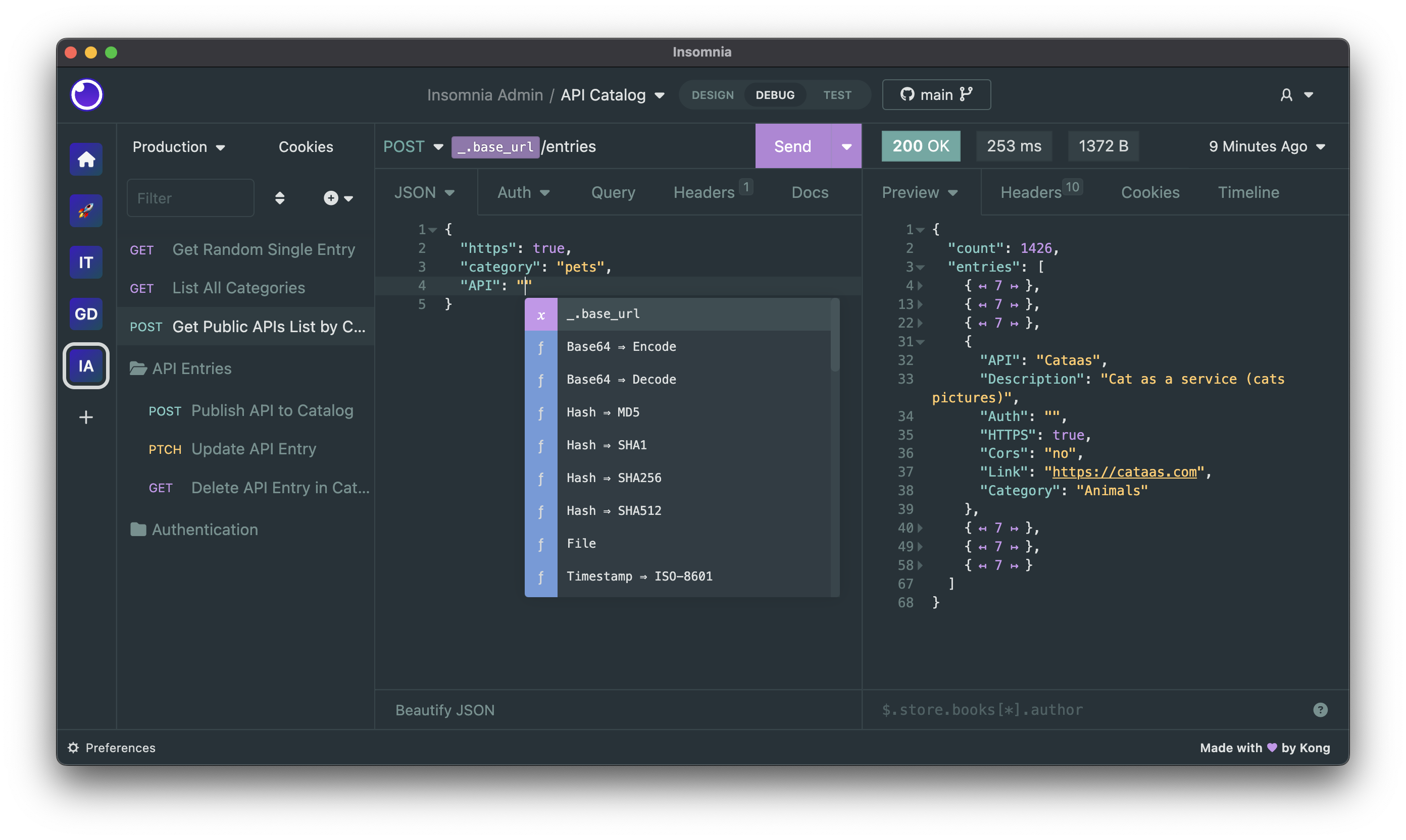
Get started for free
Insomnia is available for Mac, Windows, and Linux and can be downloaded from the website:
Account & Subscriptions
You can use Insomnia without an account with the local Scratch Pad, or you can create an account for free to get access to the full capabilities of the product.
Even with an account, Insomnia only stores your projects and files accordingly to the storage backend that you have selected, which can be Local Vault, Cloud Sync, Git Sync or any combination of them. As such - for example - you have the freedom to choose to store sensitive projects 100% locally or in a Git repository, while still being able to collaborate on others in the cloud. It's the best of both worlds.
For added security, Insomnia also offers a Private Environments feature, where your environments configuration is always stored locally and never in the cloud, independently from the storage option that you have chosen for your project.
Premium features and support
Insomnia has a very generous free plan that will be satisfactory for most users, but if you need to get access to premium capabilities like unlimited collaboration, the Git Sync feature, the ability to create organizations for your projects, using a 3rd party IDP for logins (SAML, OIDC) and many other features, then you can explore the other subscription plans.
You can compare all subscription plans and get started for free.
Why does Insomnia require an account?
Insomnia does not require an account if you decide to use the local Scratch Pad, but to access most capabilities of the product we require an account. Your account data is securely stored in compliance with ISO27001, SOC 2 Type II, ISO27018, Gold CSA STAR regulations and in accordance with our terms of service and privacy policy.
We require an account to sustainably build and improve the product, and to make sure we can continue to offer the many core capabilities in a free and open-source distribution. While open source software is free to use, it is unfortunately not free to build, and our ability to continue working on Insomnia is dependent on our ability to convert a subset of free users (that need premium features) to become paying customers of our product.
If you are a user that cannot share API data like collections and design specifications to the cloud, this is still possible by selecting "Local Vault" as the storage of your Insomnia projects: having an Insomnia account is not tied to how you wish to store your sensitive API data (which can be stored 100% locally via Local Vault, on a 3rd party Git repository without any cloud storage via Git Sync, or in the cloud for ease of collaboration via Cloud Sync).
Bugs and Feature Requests
Have a bug or a feature request? First, read the issue guidelines and search for existing and closed issues. If your problem or idea is not addressed yet, please open a new issue.
For more generic product questions and feedback, join the Slack Team.
Contributing
Please read through our contributing guidelines and code of conduct. Included are directions for opening issues, coding standards, and notes on development.
Documentation
Check out our official Insomnia Documentation.
Develop Insomnia
Development on Insomnia can be done on Mac, Windows, or Linux as long as you have Node.js and Git. See the .nvmrc file located in the project for the correct Node version.
Initial Dev Setup
This repository is structured as a monorepo and contains many Node.JS packages. Each package has its own set of commands, but the most common commands are available from the root package.json and can be accessed using the npm run … command. Here are the only three commands you should need to start developing on the app.
# Install and Link Dependencies
npm i

# Run Lint
npm run lint

# Run type checking
npm run type-check

# Run Tests
npm test

# Start App with Live Reload
npm run dev

# Start App with both renderer process live reload and main process auto restart
npm run dev:autoRestart
Linux
If you are on Linux, you may need to install the following supporting packages:
Ubuntu/Debian
# Update library
sudo apt-get update

# Install font configuration library & support
sudo apt-get install libfontconfig-dev
Fedora
# Install libcurl for node-libcurl
sudo dnf install libcurl-devel
Also on Linux, if Electron is failing during the install process, run the following
# Clear Electron install conflicts
rm -rf ~/.cache/electron
Windows
If you are on Windows and have problems, you may need to install Windows Build Tools
Editor Requirements
You can use any editor you'd like, but make sure to have support/plugins for the following tools:
- ESLint - For catching syntax problems and common errors
- JSX Syntax - For React components
Develop Inso CLI
npm i- Start the compiler in watch mode:
npm run inso-start - Run:
./packages/insomnia-inso/bin/inso -v
Plugins
Search for, discover, and install plugins from the Insomnia Plugin Hub!
Community Projects
- Insomnia Documenter - Generate beautiful API documentation pages using the documenter plugin or your Insomnia export file.
- GitHub API Spec Importer - A complete set of GitHub REST API route specifications that can be imported straight into Insomnia.
- Swaggymnia - Generate Swagger documentation for your existing API in Insomnia.