 4fd85ce69d
// SkinnedModelRenderer - the only new entry point for speaking
SoundHandle SpeakSound( SoundEvent sound, GameObject mouth = null )
SoundHandle SpeakSound( SoundFile sound, float volume = 1, float pitch = 1, GameObject mouth = null )

// SoundFile - the authored lipsync track, read from the compiled vsnd
VisemeTrack Visemes { get; }   // null = no track (or not loaded yet, see IsValidForPlayback)

// VisemeTrack - visemes over time, authored in the sound editor
IReadOnlyList<VisemeFrame> Frames { get; }
float Duration { get; }
bool Sample( float time, Span<float> weights )

// VisemeFrame - one viseme span (struct: Viseme, StartTime, EndTime)

// Visemes - the standard 15-viseme table, OVR order
static IReadOnlyList<string> MorphNames { get; }
static int Count { get; }

// MorphCollection - the one shared viseme blend (sounds, voice chat, editor preview)
void ApplyVisemes( ReadOnlySpan<float> visemeWeights, float scale = 1, float smoothTime = 0 )

// ModelMorphs - per-model viseme weight table, cached managed-side (no interop on lookups)
float GetVisemeMorph( int viseme, int morph )
float GetVisemeMorph( string viseme, int morph )

// ResourceCompileContext - inject managed data into natively-compiled resources
void WriteBlock( string blockName, ReadOnlySpan<byte> data )   // four-char block names, eg "LIPS"
void WriteBlockJson( string blockName, object obj )
JsonObject ReadMeta()                                          // the asset's .meta, registers a compile dependency
T ReadMeta<T>( string key, T defaultValue = default )

// ResourceLoadContext - read blocks back when the resource loads (Resource.OnLoaded, engine-internal for now)
// public ref struct, only valid during the load callback
bool Exists( string blockName )
ReadOnlySpan<byte> ReadData( string blockName )
string ReadString( string blockName )
T ReadJson<T>( string blockName, T defaultValue = default )

s&box
s&box is a modern game engine, built on Valve's Source 2 and the latest .NET technology, it provides a modern intuitive editor for creating games.
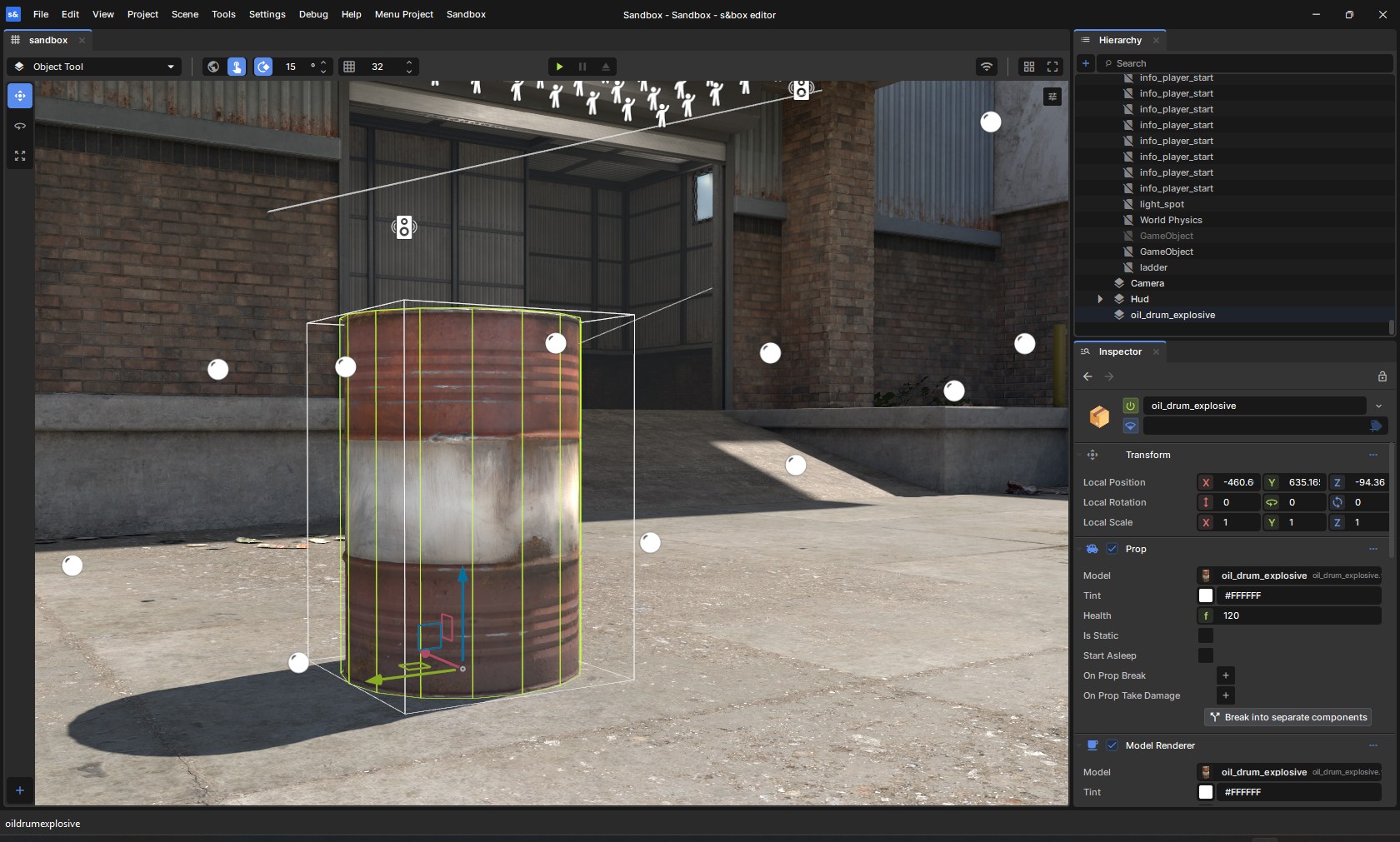
If your goal is to create games using s&box, please start with the getting started guide. This repository is for building the engine from source for those who want to contribute to the development of the engine.
Getting the Engine
Steam
You can download and install the s&box editor directly from Steam.
Compiling from Source
If you want to build from source, this repository includes all the necessary files to compile the engine yourself.
Prerequisites
Building
# Clone the repo
git clone https://github.com/Facepunch/sbox-public.git
Once you've cloned the repo simply run Bootstrap.bat which will download dependencies and build the engine.
The game and editor can be run from the binaries in the game folder.
Contributing
If you would like to contribute to the engine, please see the contributing guide.
If you want to report bugs or request new features, see sbox-issues.
Documentation
Full documentation, tutorials, and API references are available at sbox.game/dev/.
License
The s&box engine source code is licensed under the MIT License.
Certain native binaries in game/bin are not covered by the MIT license. These binaries are distributed under the s&box EULA. You must agree to the terms of the EULA to use them.
This project includes third-party components that are separately licensed.
Those components are not covered by the MIT license above and remain subject
to their original licenses as indicated in game/thirdpartylegalnotices.