2e531af58f
Fixes bb758d3f, spotted by @bubu:
DEBUG: buildserver > DEBUG: > sudo apt-get -y purge sudo
DEBUG: buildserver > Reading package lists...
DEBUG: buildserver > Building dependency tree...
DEBUG: buildserver > Reading state information...
DEBUG: buildserver > The following packages will be REMOVED:
DEBUG: buildserver >   sudo*
DEBUG: buildserver > 0 upgraded, 0 newly installed, 1 to remove and 0 not upgraded.
DEBUG: buildserver > After this operation, 2,391 kB disk space will be freed.
(Reading database ... 68491 files and directories currently installed.)
DEBUG: buildserver > Removing sudo (1.8.10p3-1+deb8u4) ...
DEBUG: buildserver > You have asked that the sudo package be removed,
DEBUG: buildserver > but no root password has been set.
DEBUG: buildserver > Without sudo, you may not be able to gain administrative privileges.
DEBUG: buildserver >
DEBUG: buildserver > If you would prefer to access the root account with su(1)
DEBUG: buildserver > or by logging in directly,
DEBUG: buildserver > you must set a root password with "sudo passwd".
DEBUG: buildserver >
DEBUG: buildserver > If you have arranged other means to access the root account,
DEBUG: buildserver > and you are sure this is what you want,
DEBUG: buildserver > you may bypass this check by setting an environment variable
DEBUG: buildserver > (export SUDO_FORCE_REMOVE=yes).
DEBUG: buildserver >
DEBUG: buildserver > Refusing to remove sudo.
DEBUG: buildserver > dpkg: error processing package sudo (--purge):
DEBUG: buildserver >  subprocess installed pre-removal script returned error exit status 1
DEBUG: buildserver > Errors were encountered while processing:
DEBUG: buildserver >  sudo
DEBUG: buildserver > E: Sub-process /usr/bin/dpkg returned an error code (1)
| CI Builds | fdroidserver | buildserver | fdroid build --all | publishing tools |
|---|---|---|---|---|
| Debian |  |
|||
| macOS & Ubuntu/LTS |  |
F-Droid Server
Server for F-Droid, the Free Software repository system for Android.
The F-Droid server tools provide various scripts and tools that are used to maintain the main F-Droid application repository. You can use these same tools to create your own additional or alternative repository for publishing, or to assist in creating, testing and submitting metadata to the main repository.
For documentation, please see https://f-droid.org/docs/, or you can find the source for the documentation in fdroid/fdroid-website.
What is F-Droid?
F-Droid is an installable catalogue of FOSS (Free and Open Source Software) applications for the Android platform. The client makes it easy to browse, install, and keep track of updates on your device.
Installing
There are many was to install fdroidserver, they are documented on the website: https://f-droid.org/docs/Installing_the_Server_and_Repo_Tools
All sorts of other documentation lives there as well.
Drozer Scanner
There is a new feature under development that can scan any APK in a repo, or any build, using Drozer. Drozer is a dynamic exploit scanner, it runs an app in the emulator and runs known exploits on it.
This setup requires specific versions of two Python modules: docker-py 1.9.0 and requests older than 2.11. Other versions might cause the docker-py connection to break with the containers. Newer versions of docker-py might have this fixed already.
For Debian based distributions:
apt-get install libffi-dev libssl-dev python-docker
Translation
Everything can be translated. See
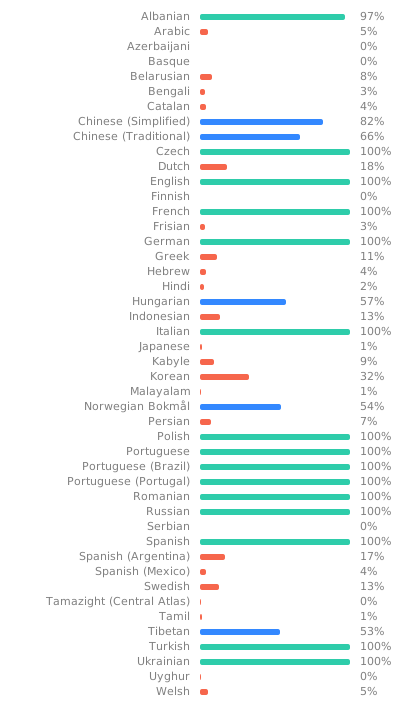
Translation and Localization
for more info.