Marcus Hoffmann
d5311fff09
Marcus Hoffmann
d5311fff09
There's valid use-cases for setups where set-head --auto fails. This
happens when building an app from a gitlab CI checkout where no remote
tracking branches are setup.

This isn't really a fatal error. When a remote HEAD exists we'll
continue setting it and if none exists and something requires this being
set up later on (either a build script or fdroid checkupdates) then
we'll fail later on with "origin/HEAD not being known to git".
By not failing early we allow the majority of use-cases that don't need
a remote HEAD to continue with just a warning.

The setup in which this can be reproduced is as follows:
(This is roughly what gitlab runner does when setting up a git checkout
for CI)
- mkdir test && cd test
- git init
- git remote add https://gitlab.com/Bubu/fdroidclassic.git
- git fetch --all
- git checkout db0d2a9a5d1d89101a344169013ac5d518185f31
- mkdir nested_repo && cd nested_repo
- git clone .. .
- git remote set-head origin --auto
  > error: Cannot determine remote HEAD
| CI Builds | fdroidserver | buildserver | fdroid build --all | publishing tools |
|---|---|---|---|---|
| GNU/Linux |  |
|||
| macOS |  |
F-Droid Server
Server for F-Droid, the Free Software repository system for Android.
The F-Droid server tools provide various scripts and tools that are used to maintain the main F-Droid application repository. You can use these same tools to create your own additional or alternative repository for publishing, or to assist in creating, testing and submitting metadata to the main repository.
For documentation, please see https://f-droid.org/docs/, or you can find the source for the documentation in fdroid/fdroid-website.
What is F-Droid?
F-Droid is an installable catalogue of FOSS (Free and Open Source Software) applications for the Android platform. The client makes it easy to browse, install, and keep track of updates on your device.
Installing
There are many ways to install fdroidserver, they are documented on the website: https://f-droid.org/docs/Installing_the_Server_and_Repo_Tools
All sorts of other documentation lives there as well.
Tests
There are many components to all of the tests for the components in this git repo. The most commonly used parts of well tested, while some parts still lack tests. This test suite has built over time a bit haphazardly, so it is not as clean, organized, or complete as it could be. We welcome contributions. Before rearchitecting any parts of it, be sure to contact us to discuss the changes beforehand.
fdroid commands
The test suite for all of the fdroid commands is in the tests/
subdir. .gitlab-ci.yml and .travis.yml run this test suite on
various configurations.
- tests/complete-ci-tests runs pylint and all tests on two different pyvenvs
- tests/run-tests runs the whole test suite
- tests/*.TestCase are individual unit tests for all of the
fdroidcommands, which can be run separately, e.g../update.TestCase.
Additional tests for different linux distributions
These tests are also run on various distributions through GitLab CI. This is
only enabled for master@fdroid/fdroidserver because it'll take longer to
complete than the regular CI tests. Most of the time you won't need to worry
about them but sometimes it might make sense to also run them for your merge
request. In that case you need to remove these lines from
.gitlab-ci.yml
and push this to a new branch of your fork.
Alternatively run them
locally
like this: gitlab-runner exec docker ubuntu_lts
buildserver
The tests for the whole build server setup are entirely separate because they require at least 200GB of disk space, and 8GB of RAM. These test scripts are in the root of the project, all starting with jenkins- since they are run on https://jenkins.debian.net.
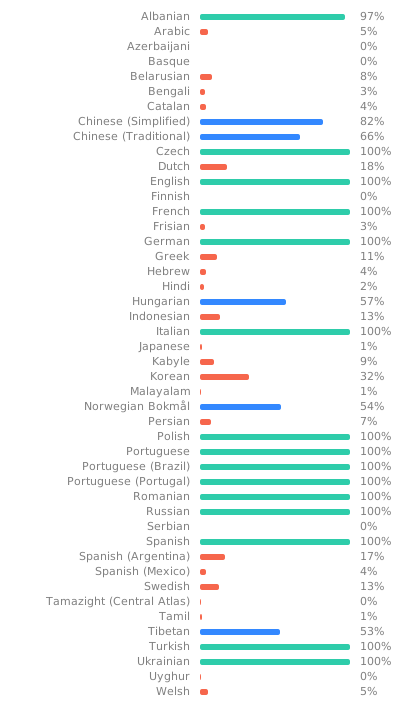
Translation
Everything can be translated. See
Translation and Localization
for more info.