 557e5c0c6e
* project ui changes

* project ui changes

* create mock server model

* model mock server similarly to design doc

* use spec modelling and nav

* layout pass

* rename requestbin to mock-route

* sidebar ui pass

* load mock server

* add url bar

* can navigate to headers

* Refactor mock server and mock route creation and
retrieval

* route crud

* sidebar layout

* add delete guuard

* patch route

* Add mock response tab to request pane

* wire up mock servers in requests

* Update mock server and route selection in
RequestPane

* make it work without internet

* can create bin

* pass body and headers to bin

* can fetch logs but cant see em

* split out response pane for hmr

* basic table

* extract mock url bar

* add header tab

* made a dumb cache

* url bar pass

* send request and create response

* wire up timeline

* wire up preview

* timeline useeffect

* move to action

* fix types

* empty states

* rebase updating aria

* use har type

* can edit bins

* cookie support

* wire up status

* status text

* magic status text

* ui

* always use put rather than create bin

* add url to mock route

* scroll bar

* add content types

* validation

* fix flake

* improve logs

* fix outlet warning

* fix send to mock endpoint

* switch table to grid

* handle errors

* rotate log

* create mockbin on open if needed

* add full url ux

* reverse log order

* binId from store

* remove http method

* rename prefix

* use server Id for bin id

* fix copy

* show log har

* fix url bar

* fix button padding

* tailwind

* method select

* remove default status text

* full tailwind

* fix breadcrumb

* default to json

* move copy to end, remove save

* error msg

* only patch when needed

* fix ws colors

* fix command palette

* add isMock helper

* revert local storage mechanism

* fix redirect

* fix ignore upsert

* extract to constant

* ui test

* hide actions from mock-server

* fix code editor onBlur

* lift update to route

* refactor to return only errors

* add url to mock server model

* select mock ui pass

* can modify url in settings

* use server url from db if selected

* hide url option

* fix lint error

* extract to file

* remove binResponse

* can sync

* move things around

* rename name path sync

* fix type check

* capture kvp onBlur

* fix error message

* basic mock test

* wire up mock patcher and navigate

* rename component

* remove url prop of route

* fix lint

* fix test

* temporary skip e2e test

* fix constant url

* fix migration

* remove console logs

* rename function

* only create a single hidden request

---------

Co-authored-by: gatzjames <jamesgatzos@gmail.com>
Insomnia API Client


Insomnia is an open-source, cross-platform API client for GraphQL, REST, WebSockets, Server-sent events (SSE), gRPC and any other HTTP compatible protocol.
With Insomnia you can:
- Debug APIs using the most popular protocols and formats.
- Design APIs using the native OpenAPI editor and visual preview.
- Test APIs using native test suites.
- Mock APIs will be coming soon in November 2023.
- Build CI/CD pipelines using the native Insomnia CLI for linting and testing.
- Collaborate with others using the many collaboration features to share your projects.
And a lot more! The following storage options are supported for your projects, collections, specs and all other files:
- Local Vault: for local storage of collections, design specs and every other resource.
- Cloud Sync: for cloud collaboration, end-to-end encrypted (E2EE) and free.
- Git Sync: for Git storage of all files using any 3rd party Git repository.
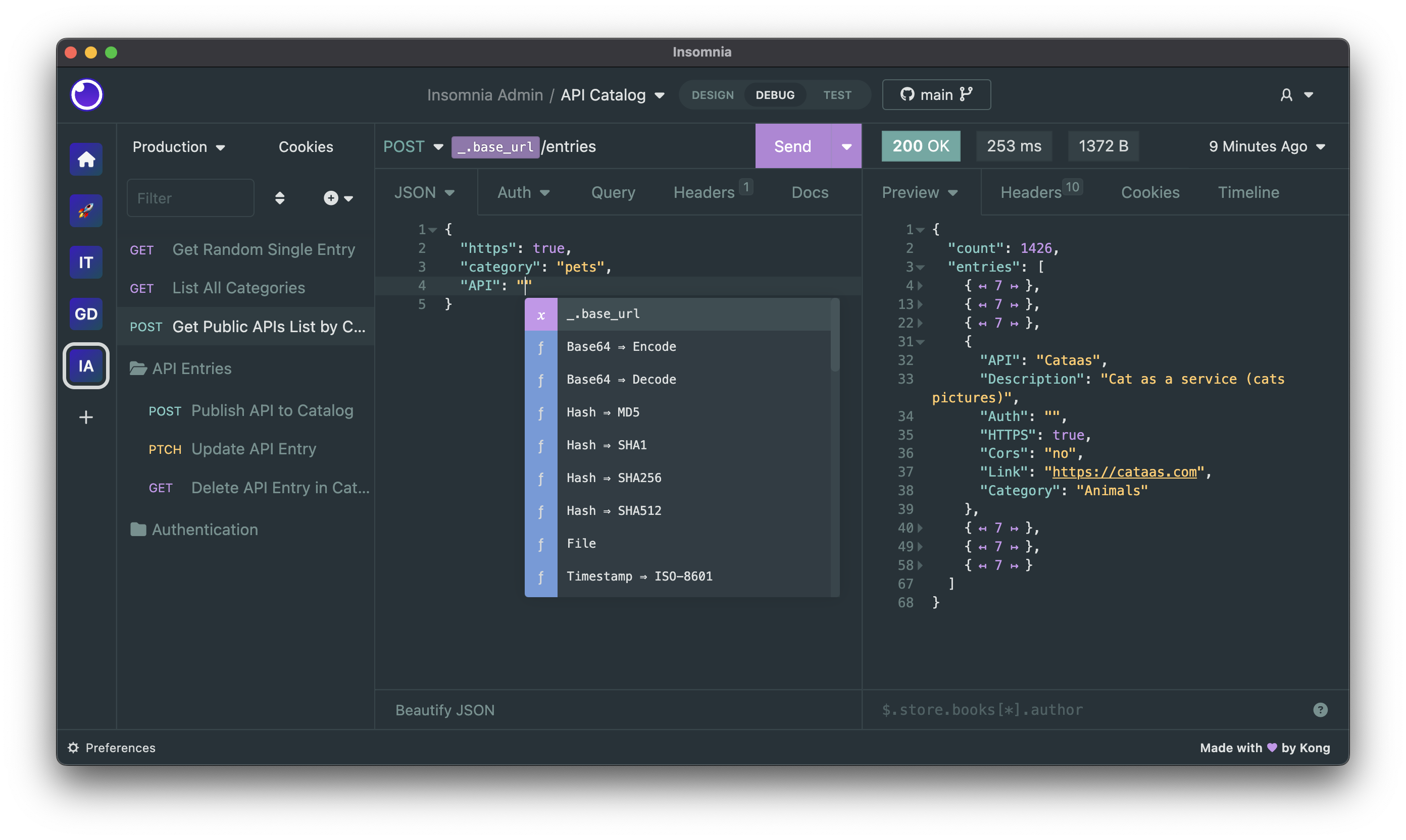
Get started
Insomnia is available for Mac, Windows, and Linux and can be downloaded from the website:
https://insomnia.rest/download
Account & Subscriptions
You can use Insomnia without an account with Scratch Pad, or you can create an account for free to get access to the full capabilities of the product.
Even with an account, Insomnia only stores your projects and files accordingly to the storage backend that you have selected, which can be Local Vault, Cloud Sync, Git Sync or any combination of them. As such you have the freedom to choose to store sensitive projects locally, while still being able to collaborate on others in the cloud or on Git. It's the best of both worlds.
Premium features and support
Kong Inc. offers commercial subscriptions that enhance Insomnia in a variety of ways. Some of those features include the ability to create organizations for your projects, Enterprise SSO with SAML and OIDC, RBAC when sharing our projects with others, AI capabilities to increase developer productivity when creating, testing and documenting APIs and a lot more.
You can explore all premium plans and get started for free.
Bugs and Feature Requests
Have a bug or a feature request? First, read the issue guidelines and search for existing and closed issues. If your problem or idea is not addressed yet, please open a new issue.
For more generic product questions and feedback, join the Slack Team.
Contributing
Please read through our contributing guidelines and code of conduct. Included are directions for opening issues, coding standards, and notes on development.
Documentation
Check out our open-source Insomnia Documentation.
Develop Insomnia
Development on Insomnia can be done on Mac, Windows, or Linux as long as you have Node.js and Git. See the .nvmrc file located in the project for the correct Node version.
Initial Dev Setup
This repository is structured as a monorepo and contains many Node.JS packages. Each package has its own set of commands, but the most common commands are available from the root package.json and can be accessed using the npm run … command. Here are the only three commands you should need to start developing on the app.
# Install and Link Dependencies
npm i

# Run Lint
npm run lint

# Run type checking
npm run type-check

# Run Tests
npm test

# Start App with Live Reload
npm run dev
Linux
If you are on Linux, you may need to install the following supporting packages:
Ubuntu/Debian
# Update library
sudo apt-get update

# Install font configuration library & support
sudo apt-get install libfontconfig-dev
Fedora
# Install libcurl for node-libcurl
sudo dnf install libcurl-devel
Also on Linux, if Electron is failing during the install process, run the following
# Clear Electron install conflicts
rm -rf ~/.cache/electron
Windows
If you are on Windows and have problems, you may need to install Windows Build Tools
Editor Requirements
You can use any editor you'd like, but make sure to have support/plugins for the following tools:
- ESLint - For catching syntax problems and common errors
- JSX Syntax - For React components
Develop Inso CLI
npm i- Start the compiler in watch mode:
npm run inso-start - Run:
./packages/insomnia-inso/bin/inso -v
Plugins
Search for, discover, and install plugins from the Insomnia Plugin Hub!
Community Projects
- Insomnia Documenter - Generate beautiful API documentation pages using the documenter plugin or your Insomnia export file.
- GitHub API Spec Importer - A complete set of GitHub REST API route specifications that can be imported straight into Insomnia.
- Swaggymnia - Generate Swagger documentation for your existing API in Insomnia.