 Mike EllanandOpender Singh
b7bc88a326
Mike EllanandOpender Singh
b7bc88a326
* updated lock file

* Rolling sidebar from SB into application

* Type fix on the method label output

* Update packages/insomnia-components/components/sidebar.js

Co-authored-by: Opender Singh <opender94@gmail.com>

* PR Feedback - Keys, useCallback Hook

* stubbing component breakout

* PR Feedback

- Breaking out most UI elements into components
- Filter component in place
- Various CSS tweaks

* Removing unused file

* Updating toggle

* Resuable sidebar section (#2359)

* Introduce resuable sidebar section
* Stop eslint complaining
* add react-use
* Lint fixes
* Make the storybook story less wide

* Component development

Abstracting out line level components i.e.
Section > Header > Filter > Panel > Items

Various code fixes

* Cleaning up section visibility state

* Reverting visibiilty state updater

* Adding paths on click for spec scrolling

* refreshing package-lock to resolve conflict

* PR feedback for sidebar components

* Update packages/insomnia-components/components/sidebar/sidebar-header.js

Co-authored-by: Opender Singh <opender94@gmail.com>

* Including lock

* Merge fix

* Component structuring, prop clean-up, css updates

* Cleaning up components, pr feedback, fixing styling

* array index reference clean-up/clarity

* Leveraging useToggle rather than manual useState toggling

* Cleaning up logs

* Hide info section if missing from spec.

* Update packages/insomnia-components/components/sidebar/sidebar-responses.js

Co-authored-by: Opender Singh <opender94@gmail.com>

* Update packages/insomnia-components/components/sidebar/sidebar-schemas.js

Co-authored-by: Opender Singh <opender94@gmail.com>

* Pull fragment

* Destructuring and filter cleanup

* Clearing filter value and DOM on section collapse

* Merge latest

* Merge conflict cleanup

Co-authored-by: Opender Singh <opender94@gmail.com>
Insomnia REST Client



Insomnia is a cross-platform REST client, built on top of Electron.
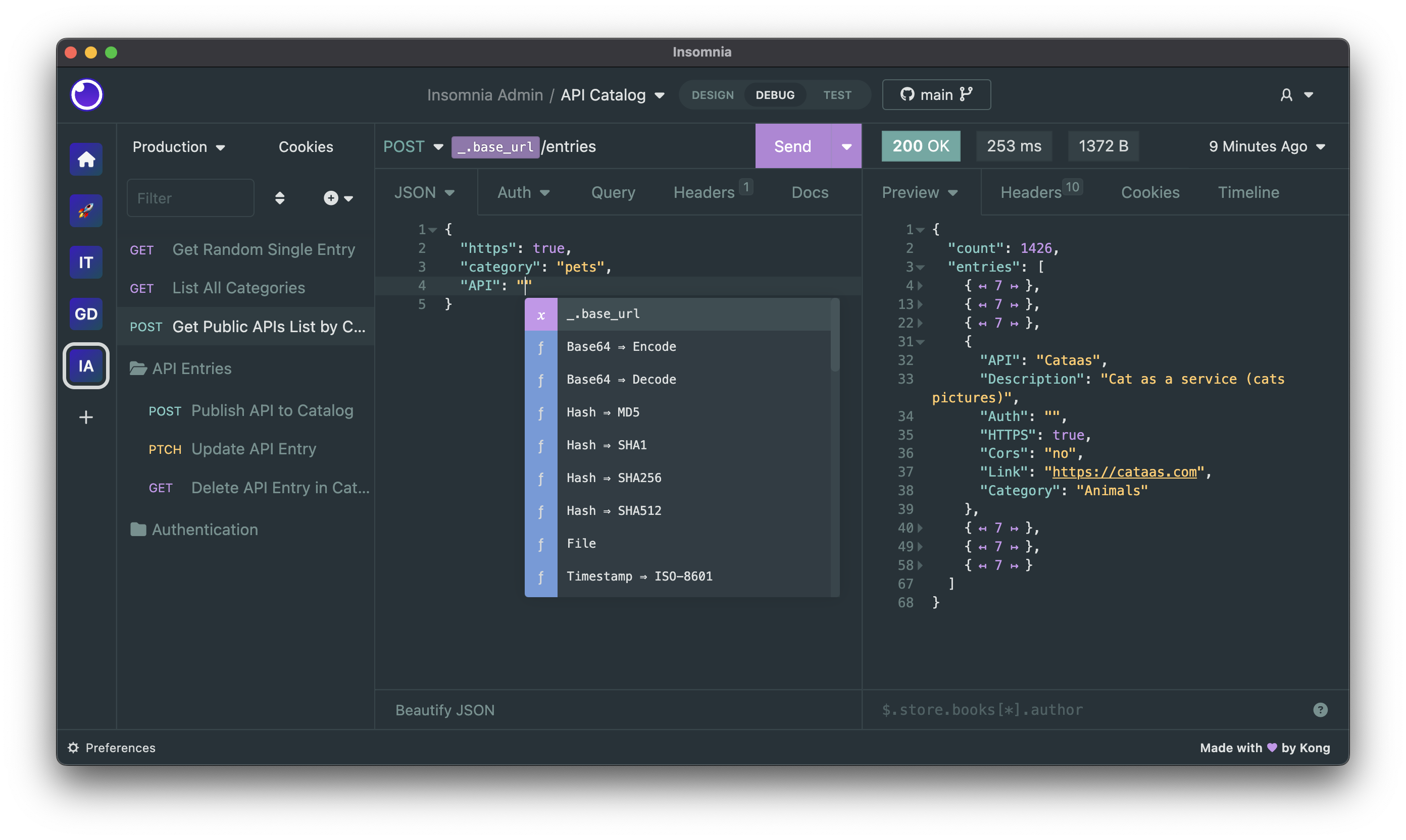
Download
Insomnia is available for Mac, Windows, and Linux and can be downloaded from the website.
https://insomnia.rest/download
Bugs and Feature Requests
Have a bug or a feature request? First, read the issue guidelines and search for existing and closed issues. If your problem or idea is not addressed yet, please open a new issue.
For more generic product questions and feedback, join the Slack Team or email support@insomnia.rest
Contributing
Please read through our contributing guidelines and code of conduct. Included are directions for opening issues, coding standards, and notes on development.
Editor preferences are available in the editor config for easy use in common text editors. Read more and download plugins at editorconfig.org.
Developing
Development on Insomnia can be done on Mac, Windows, or Linux as long as you have
NodeJS and Git. See the .nvmrc file located in the project for the correct Node version.
Initial Dev Setup
This repository is structured as a monorepo and contains many Node.JS packages. Each package has
its own set of commands, but the most common commands are available from the
root [package.json](package.json) and can be accessed using the npm run ... command. Here
are the only three commands you should need to start developing on the app.
# Install and Link Dependencies
npm run bootstrap

# Run Tests
npm test

# Start App with Live Reload
npm run app-start
If you are on Linux and have problems, you may need to install libfontconfig-dev
# Install libfontconfig-dev
sudo apt-get install libfontconfig-dev
If you are on Windows and have problems, you may need to install Windows Build Tools
Editor Requirements
You can use any editor you'd like, but make sure to have support/plugins for the following tools:
- ESLint – For catching syntax problems and common errors
- JSX Syntax – For React components
- Flow – For type annotations
Plugins
Search, discover, and install plugins from the Insomnia Plugin Hub!
Community Projects
- Insomnia Documenter – Generate beautiful API documentation pages using your Insomnia export file.
- GitHub API Spec Importer – A complete set of GitHub REST API route specifications that can be imported straight into Insomnia
- Swaggymnia – Generate Swagger documentation for your existing API in Insomnia.