 Rafael Renan Pacheco
fd9ebf335d
Rafael Renan Pacheco
fd9ebf335d
The https://developer.mozilla.org/en-US/docs/Web/HTTP/Status page do say that the 405 should not be returned for GET and HEAD. But if you click on that 405 link it will open https://developer.mozilla.org/en-US/docs/Web/HTTP/Status/405 , and there there's nothing about mandatory methods.

On that page you will get the RFC link https://tools.ietf.org/html/rfc7231#section-6.5.5 , and again, there's nothing about mandatory methods.

The restful documentation also doesn't talk about mandatory methods for 405: https://restfulapi.net/http-status-codes/

Spring Framework (a well know framework for Java) has some configuration for the Spring Data Rest project that will result in GET requests returning 405.

Since the RFC should be the winner here, and the divergence between the mozilla's pages, I'm proposing this fix to remove the misleading description.
Insomnia REST Client





Insomnia is a cross-platform REST client, built on top of Electron.
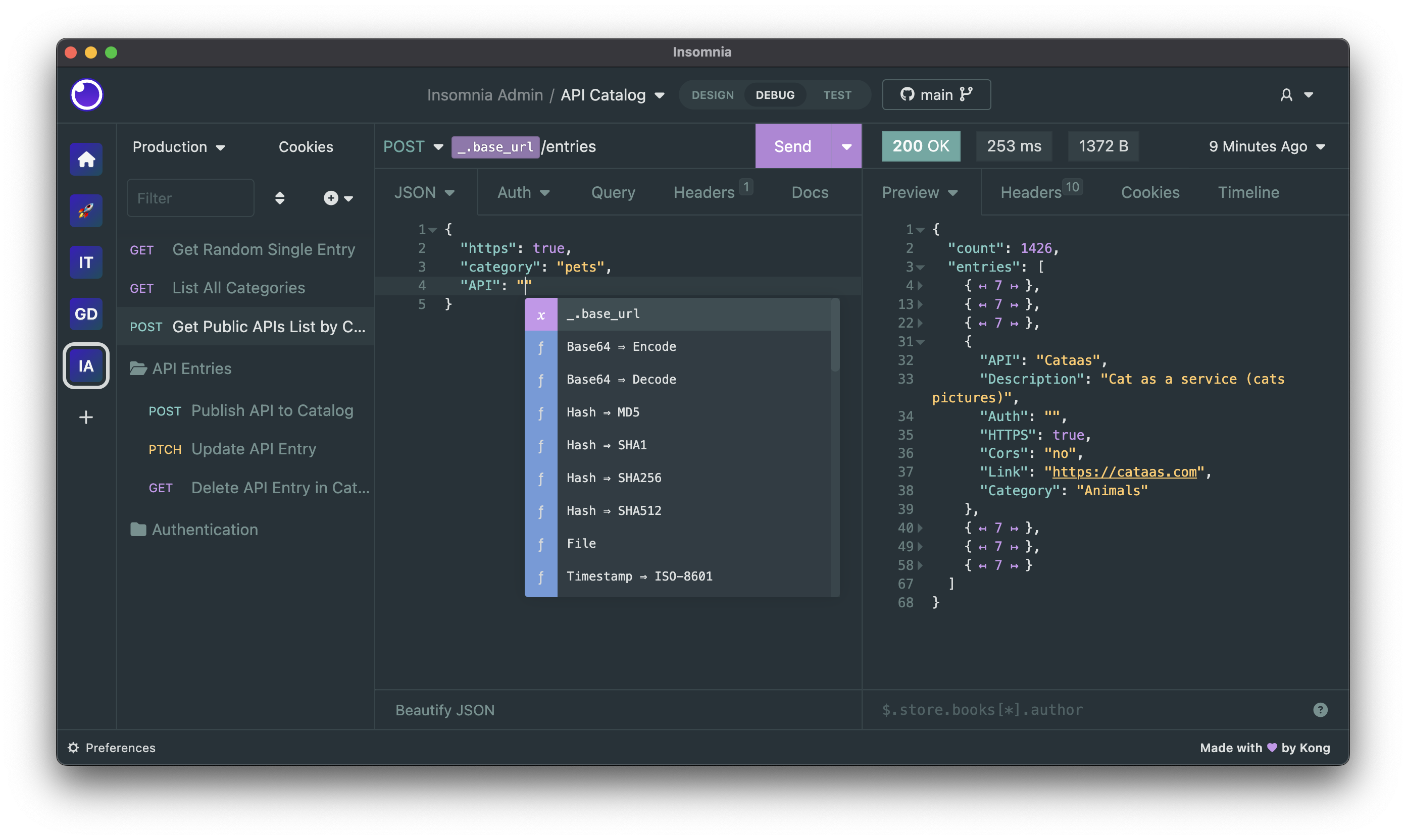
Download
Insomnia is available for Mac, Windows, and Linux and can be downloaded from the website.
https://insomnia.rest/download
Bugs and Feature Requests
Have a bug or a feature request? First, read the issue guidelines and search for existing and closed issues. If your problem or idea is not addressed yet, please open a new issue.
For more generic product questions and feedback, join the Slack Team or email support@insomnia.rest
Contributing
Please read through our contributing guidelines and code of conduct. Included are directions for opening issues, coding standards, and notes on development.
Editor preferences are available in the editor config for easy use in common text editors. Read more and download plugins at editorconfig.org.
Developing
Development on Insomnia can be done on Mac, Windows, or Linux as long as you have NodeJS 8 and Git.
Initial Dev Setup
This repository is structured as a monorepo and contains many Node.JS packages. Each package has
its own set of commands, but the most common commands are available from the
root [package.json](package.json) and can be accessed using the npm run ... command. Here
are the only three commands you should need to start developing on the app.
# Install and Link Dependencies
npm run bootstrap

# Run Tests
npm test

# Start App with Live Reload
npm run app-start
Editor Requirements
You can use any editor you'd like, but make sure to have support/plugins for the following tools:
- ESLint – For catching syntax problems and common errors
- JSX Syntax – For React components
- Flow – For type annotations
Plugins
Here is a list of plugins available for installation via NPM.
- Chance – Generates a random value using Chance.JS
- Cuid – Generate random cuids
- Custom Timestamp – Advanced timestamp creator
- Default Headers – Set default headers on requests
- Defaults - Set request defaults through your environment
- Faker - Generate Faker data right within Insomnia!
- Github Apps – Generates a JWT for auth with the GitHub API as your GitHub App
- Javascript Eval - Evaluate/run Javascript code
- JWT Decode – Decode header or payload of JWT tokens
- OS Util – Get OS information
- Random Credit Card – Generate random credit card numbers
- Random Number – Generate a random integer between a minimum and maximum
- Random UK Sort Code – Generate random UK bank sort codes
- Regex – Extract a value from an environment variable using a regular expression
- Swagger Validator – Validate an API response to a swagger spec
- XDebug – Enable Xdebug debugging by adding an
XDEBUG_SESSIONcookie to the request
Community Projects
- GitHub API Spec Importer – A complete set of GitHub REST API route specifications that can be imported straight into Insomnia
- Swaggymnia – Generate Swagger documentation for your existing API in Insomnia.