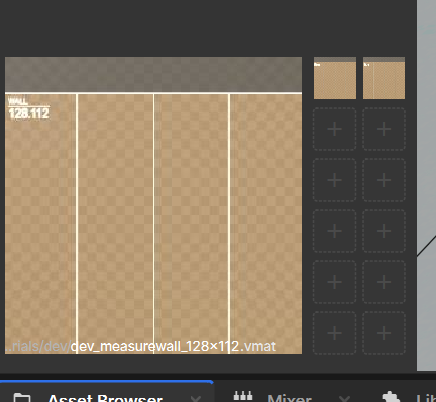
Apply navmesh overrides from additive scenes, only ignore overrides from system scenes.

For some reason our startup scenes load as additive, so the navmesh settings of the startup scene would have been ignored.

Partially reverts https://github.com/Facepunch/sbox/pull/3555

We could also fully revert it if we want system scenes to be able to override navmesh settings.
https://files.facepunch.com/louie/1b1811b1/sbox-dev_wPVinlJTtE.png

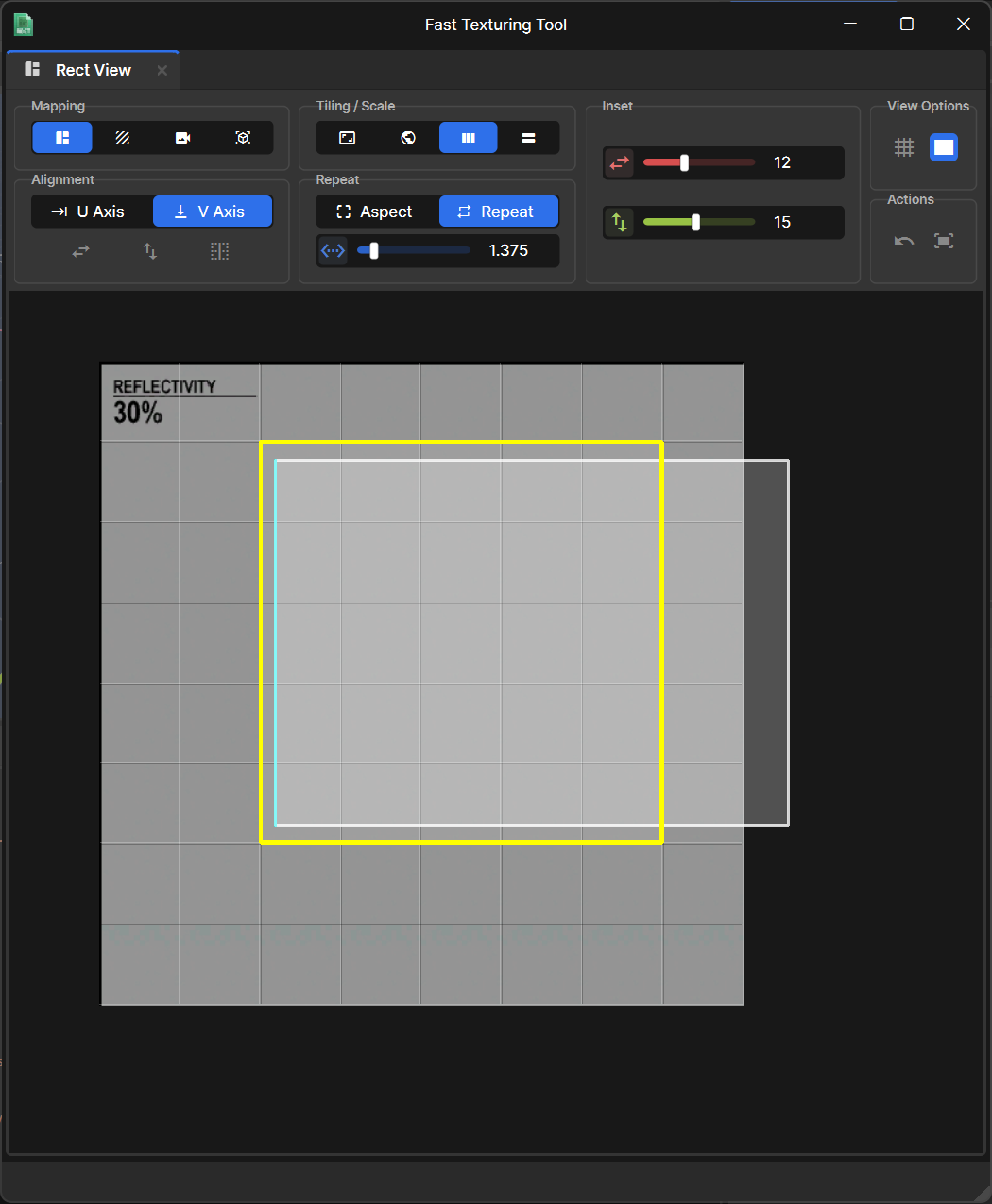
-Support Tiling in the fast texture tool.
-Shortcuts.
-Escaping out resets to orignal uv.
-Unwrap Square better.
-World Mapping.
-Apply active material when entering fast texturing.
-Clicking in the rect view with no rect file fills to the full uv.
-Snapping toggle.
-Reset uv and focus buttons.
-New cleaner UI.
- Remove static LastSelected SceneViewportWidget. It should be scoped to the last selected viewport within a particular Scene view
- Add LastSelectedViewportWidget to SceneViewWidget
- Re-add focusing the last selected widget that was hotfixed in #114

---------

Co-authored-by: aidencurtis <109600275+aidencurtis@users.noreply.github.com>
Co-authored-by: Carson Kompon <carsokompo@gmail.com>
- Only download packages from the current project when opening in the editor
- Make sure to download packages referenced within any libraries in the current project
* Extended whitelist tests to use the other method of creating a compiler without explicit compiler settings
* Initialize Compiler._config as it's a struct so everything was zeroed before
- `PolygonMesh.SetFaceTextureCoords()` now properly sets `IsDirty`
- Added `PolygonMesh.GetFaceTextureCoords()`
- Added `FastTextureWindow` (which extends RectEditor.Window) and `FastTextureSettings` classes
- Added `MeshRectangle` which is a RectEditor `Rectangle` that contains faces from a mesh unwrapped within the rectangle, reflecting any transform changes made back to the associated mesh faces
- Added `EdgeAwareFaceUnwrapper` class which handles all UV unwrapping
- Added a "Fast Texturing Tool" button to the Mapping Tool's Texture Mode which opens a FastTextureWindow with the selected faces. This can also be opened with the shortcut CTRL+G (from the Texture Mode OR the Face Mode)
- If a Fast Texturing Tool window is open and the faces are deselected (or the user exits the Mapping Tool) the window will automatically close itself
- Implemented U/V Alignment Settings (+ Horizontal/Vertical Flip)
- Implemented Inset X/Y Settings
- Implemented Square Unwrap, Planar Unwrap, and Use Existing mapping modes
- If the selected material has a rect asset, you can double-click on a rect to automatically fit your UV rectangle to the one you double-clicked. (You can also toggle the visibility of the material's rects)
- Implemented the "Pick Edge" button which allows you to select an edge from the unwrap and automatically orient the UVs so that the selected edge is aligned with the grid.
- Added `Rectangle,CanDelete`, used by MeshRectangles so they cant be deleted
- Fixed `RectView.DragResizeRect` behaviour so that resizing a rect will snap the dragged edges to the grid instead of just increasing/decreasing by the grid size
- Added Panning/Zooming to the Rect Editor
- Disabling the Grid in the RectEditor now disables grid snapping
- Can now resize rects in on themselves to resize in the other direction without making an invalid rect
- Added Tile View to RectView
* Fixes GameObject references in GameObjectSystem NetLists and NetDictionaries being null on clients.

* dotnet format

---------

Co-authored-by: Andy <10728824+andy013@users.noreply.github.com>
- Can now use modifier keys alongside the Mouse Wheel (lets you do CTRL+MWHEELUP, CTRL+MWHEELDOWN, ect)
- Keybinds are now captured on release instead of on press (Previously pressing CTRL+D would just capture CTRL so you'd have to hold CTRL before capturing and then press D)